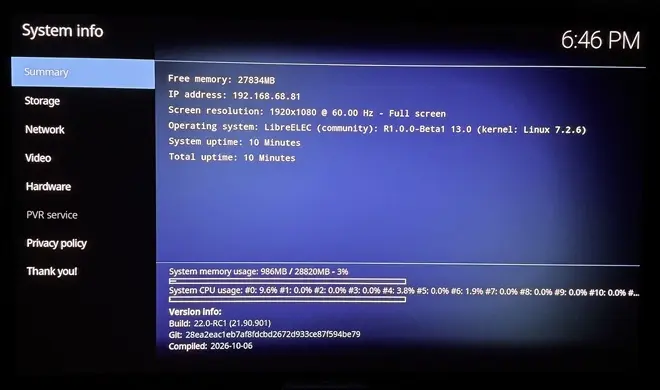
[x86-64][CroqueMr Builds] Dolby Vision w/FEL, HDR10+, and 3D

  • Thank you.

    Many things need to be fixed and will be adressed this week.

    - Profile 5 not working

    - Some fallback too agressive

    - enhanced rendering unstable

    - Performance for small iGPU


    Since some module are in GPLv3 cinemaONE can not integrate the DV in his build, but I'll give it a shot in the DV build. I will see if it is simple to integrate that


    I just got an N150 box, so I will get to work tonight / tomorrow.

    I will be easier for you to optimise and see by yourself the frame drop issues. I will follow closely your work.

    Edited 2 times, last by CroqueMr: Merged a post created by CroqueMr into this post. (October 8, 2026 at 8:33 AM).

  • Since some module are in GPLv3 cinemaONE can not integrate his work, but I'll give it a shot.

    That would be great, and you're very welcome to. Everything is public, as four commits on top of LibreELEC master of 2026-09-30: https://github.com/cinema-ONE/Lib…ound36-20261001

    • linux: amdgpu patches 0100-0107 (HDMI 3D modes, RGB range, FRL, DCI 4K60)
    • ffmpeg: popcornmix's H.264 MVC decoder
    • kodi: popcornmix's 3D stack on Kodi 22.0 RC1 plus my 3D and subtitle fixes

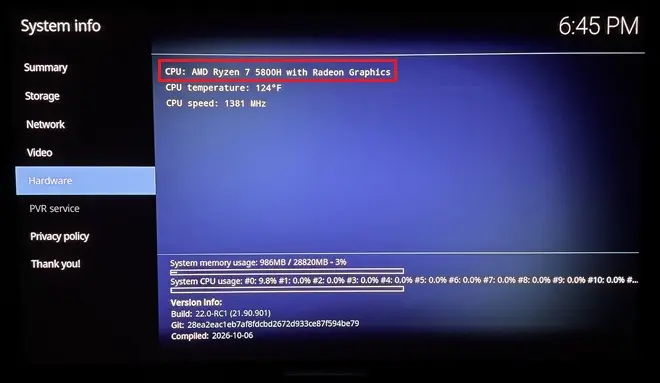
    The FFmpeg and Kodi parts don't depend on the GPU. The kernel patches are amdgpu only; I've tested them on an RX 7600, and ht2tweak ran an earlier round on a Ryzen 5800H APU. Intel is untested. If something doesn't apply or misbehaves, ping me and I'll help.

    Prepared with Claude Code (Anthropic)

  • That would be great, and you're very welcome to. Everything is public, as four commits on top of LibreELEC master of 2026-09-30: https://github.com/cinema-ONE/Lib…ound36-20261001

    • linux: amdgpu patches 0100-0107 (HDMI 3D modes, RGB range, FRL, DCI 4K60)
    • ffmpeg: popcornmix's H.264 MVC decoder
    • kodi: popcornmix's 3D stack on Kodi 22.0 RC1 plus my 3D and subtitle fixes

    The FFmpeg and Kodi parts don't depend on the GPU. The kernel patches are amdgpu only; I've tested them on an RX 7600, and ht2tweak ran an earlier round on a Ryzen 5800H APU. Intel is untested. If something doesn't apply or misbehaves, ping me and I'll help.

    Prepared with Claude Code (Anthropic)

    Thanks a lot, yes I can integrate but I am not able to test deeply since I do not have any 3D TV, your help will be more than useful.


    I finish to implement last optimisation and move to incorporate your build.

    I found some great adjustement that do not deteriorate pictur quality. Now the N100 is able to handle profile 7 FEL remux without any frame drop and have a small headroom to cover also DV enhanced profil.

    Unfortunately DV <-> HDR10 convertion are not possible yet on the N100 you need a better iGPU


    dangerouslaser my build with important improvement including the asynchronus frame management will be push around 10PM Paris time. I am finalizing the tests

  • CroqueMr when you iron out all of the issue's (n100, 3d, etc etc etc), can i make a request?

    i would like to see support for bdmv and iso in dv fel format 😀.

    right now is bdmv and iso only in hdr10.


    thanks a lot for everyone for their efforts making this happen. thank you all

  • CroqueMr when you iron out all of the issue's (n100, 3d, etc etc etc), can i make a request?

    i would like to see support for bdmv and iso in dv fel format 😀.

    right now is bdmv and iso only in hdr10.


    thanks a lot for everyone for their efforts making this happen. thank you all

    In R1.0.0 beta1 it has been fixed.


    But I saw yesterday one small use case to fix, following the last film displayed sometime a Kodi will pick up the HDR10 track from the Iso, A reset is not operating correctly. I already fixed it in my internal build, it will be pushed in few hours

    Edited once, last by CroqueMr (October 8, 2026 at 1:11 PM).

  • R1.0.0 Beta2 : Major performance improvements

    Release R1.0.0 Beta2 · CroqueMr/libreelec-x86-DV
    R1.0.0 Beta2 - Major performance improvements Changes since Beta1. Playback and performance Improved frame pacing for native Dolby Vision and DV Enhanced,…
    github.com

    Playback and performance

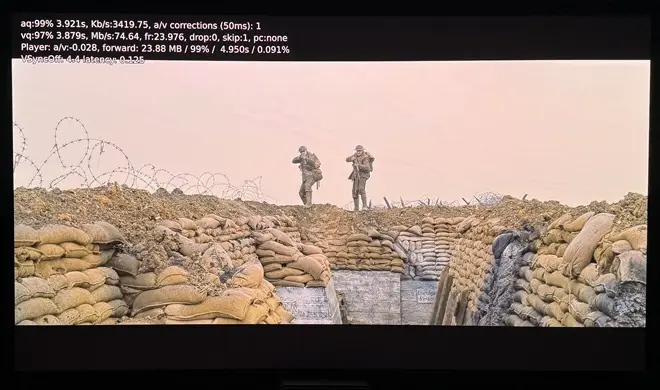
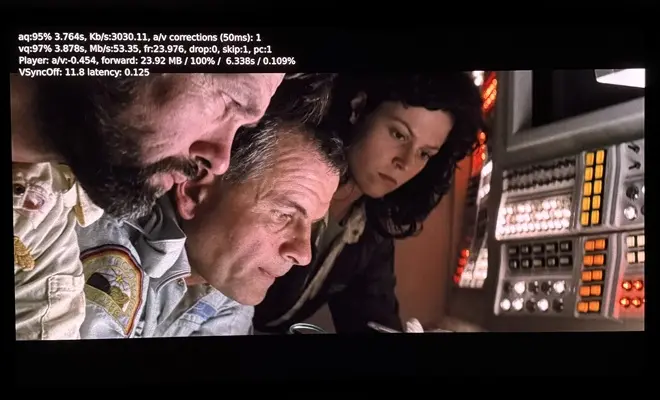
    • Improved frame pacing for native Dolby Vision and DV Enhanced, including Profile 7 FEL with subtitles. (no more framedrop on N100 when reading a Dolby vision FEL 7 Remux file)
    • Added optional asynchronous frame preparation, limited to one next frame.
    • Reduced redundant GPU processing and repeated Enhanced metadata calculations.
    • Improved recovery after seeks, pause/resume and rendering-mode changes.

    Rendering and controls

    • Adjust Natural and Signature stability.
    • Automatically selects a compatible 2160p Dolby Vision output when the interface runs at 1080p.
    • Separate settings for Enhanced Player information and Quick rendering switch.
    • "O" cycles through player information, rendering selection and fullscreen video. Kodi's native information panel is also supported.

    Diagnostics

    • Added lightweight HDMI and display-route logging, including converter information when available.


    Next focuses :

    1. Drivers : Address compatibility issues on DCN 3.1 AMD iGPU
    2. Performance : Integrate planar output from dangerouslaser (gain will be small, in the beta 2, I avoid the RGBA32F full screen texture but in a different way)
    3. 3D : Integrate cinemaONE AMD 3D builds
    4. Performance : Investigate on new performance lever
    5. Rendering profile : Fix DV Enhanced profil that do not behave as expected.

    Edited 2 times, last by CroqueMr (October 8, 2026 at 7:46 PM).


  • Thanks a lot for all the hard work. Really impressive progress, especially the performance improvements in Beta 2. It's great to see how much effort you're putting into this project. Really appreciate your time and dedication. Looking forward to testing the new build.

  • Bravo! Dropped frames solved, good job indeed!

    For some reason, as on Beta1, it continues to consider my Marantz + LG C2 as DV incapable.

    I enabled DV on a before Beta version and fortunately it was enough for having DV available again even in this newer version.

    Here is my Kodi.log.

    file.kiwi
    Upload files online for free with no file size limit. Get a shareable link instantly, no signup required, with end-to-end encryption and auto-expiring files.
    file.kiwi
  • Bravo! Dropped frames solved, good job indeed!

    For some reason, as on Beta1, it continues to consider my Marantz + LG C2 as DV incapable.

    I enabled DV on a before Beta version and fortunately it was enough for having DV available again even in this newer version.

    Here is my Kodi.log.

    https://file.kiwi/361e8925#VneSPFTURYFMwSBFkIO5WA

    Thanks I will investigate, Someone found that if your kodi UI is in 1080p it can cause this issue. It will be fixed in Beta 3

  • What tested hardware do you recommend for dv intel?

    Complicated to answer that. It depends of the feature that you are interested in.

    - For native DV a N100 can handle the workload including FEL reconstruction, the only limitation at this moment is 60fps playback, and you will have stutter if you open a GUI element during the playback

    - For HDR10 to DV or DV to HDR10 conversion you need a strong GPU


    At first glance I think AMD iGPU are more capable for the same price and are a better option. I haven't thoroughly tested AMD CPUs yet, and I haven't had enough feedback to make a genuine recommendation. Plus, I'm constantly optimizing, even though I'm running out of new levers to implement

    My ultimate goal is for the N100 to handle everything including conversions, but I'm afraid I won't be able to optimize at this point

  • What you've been able to do is already quite a feat for lower-end Intel hardware. Squeezing out any more performance will be extra icing on the cake. Just tested beta2 on my N150 and confirm no more drop-outs.

    My go-to will likely be AMD 5800H for DV, HDR-to-DV conversions, and full 3D when that's implemented. Mostly goodbye Amlogic at that point 😉😁.

  • What you've been able to do is already quite a feat for lower-end Intel hardware. Squeezing out any more performance will be extra icing on the cake. Just tested beta2 on my N150 and confirm no more drop-outs.

    My go-to will likely be AMD 5800H for DV, HDR-to-DV conversions, and full 3D when that's implemented. Mostly goodbye Amlogic at that point 😉😁.

    I'm working to improve HDR10 to DV conversion with AI, the current pipeline is far too computationally expensive. AI itself isn't the issue, as inference takes around 1 ms. The real bottleneck is the signal analysis required to feed the model.

    My algorithm works in two stages:

    1. Analyze the image and generate an initial set of L1/L3 metadata.
    2. Use an AI model trained on paired HDR10/DV masters to correct and refine the initial analysis.

    The algorithm itself works very well, I tried more complicated one, this one is simple, lightweight, stable, and produces excellent results (better than the conversion with VS10 Dolby engine). However, implementing the entire pipeline properly and efficiently is more challenging than expected. In the one is beta2 can only fit if you have a strong GPU, on beta3 the pipeline will be more accessible for GPU.

  • So, will it be possible to use a dedicated graphics card used (as Intel Arc B570 or RX 7600 ) to Dolby Vision & HDR-to-DV?

  • Hi CroqueMr,

    I tested Beta2 build and DV FEL and HDR10 seems to work but the brightness and colors are "off" compared to AM6B+. This has been the case forever on LibreElec and I was told that the reason was that HDR on linux is not "finished" yet and that on the AmLogic boxes they bypass this limitation by using the AMLogic code/chip to render proper HDR10 / DV?

    Can you please comment on that as I am still not understanding why HDR10 looks so much more dark in a scene in return to silent hill versus on the AM6B+ it looks "correct". That's on Beta 2.

    What's weird is that I then tried a june 2nd old standard LibreELec Generic release on the same PC afterwards and the same Silent Hill scene was too bright compared to the AM6B+ instead of too dark.

    Are you aware of changes in the linux kernel still going on for HDR that makes it so two versions of LibreELec does different HDR rendering? I know the kernel does not change that often in LibreElec releases but still. It's possibly the amd driver?

    My mini PC is:

    I have Beelink SER8 AMD Ryzen™ 7 8845HS with AMD Radeon™ 780M 12-Core 2700 MHz model.

    I have a native HDR10 and DV TV (CM v4.0 compliant) so I only using straight HDR10 and DV modes.

    I think the same problem occurs in DV but it's harder to tell because I can't switch between the two devices on pause with DV I think something in the chain does not permit it (maybe AVR).

    Also, no gui appears in DV but I think you said it's normal for now (not sure)?

    And finally, the GUI froze often and I had to wait but that may be because I used the "run" mode instead of installing LibreElec like I always do usually.

    Thanks in advance and thank you and thanks to @dangerouslaser very much for your combined work! :)


    OMG forget all this I just found out the problem, I never thought of putting limited color range to ON in LibreElec as there is no such option in CoreElec as it's always in limited mode. When I put to limited the HDR seems pretty much identical. I feel so dumb. The good old Full versus Limited issue lol...

    I guess everybody puts the use limited colour range (16-235) option to On then in LibreElec?

    CroqueMr, there is another issue thought and I wonder if it can be fixed? When playing back 4K 60fps HDR videos, the output is set to 4:4:4 8 bits in LibreElec on AMD GPUs so I am missing colors. On the AM6B+ I am using the Pi3 version of CoreElec and the output is 4:2:2 12-bits for everything.

    I tried the option in the autostart to force the amd driver to output 4:2:0 all the time and it worked back then but I would prefer not to be stuck in 4:2:0 for other 24p videos.

    This is all because of HDMI Forum not giving AMD open source driver the rights to implement HDMI 2.1 (my mini pc is HDMI 2.1) so it falls back to HDMI 2.0 and the 4:4:4 12 bits does not fit in HDMI 2.0 at 4k 60 fps.

    Do you think it's possible to go to 4:2:2 12 bits or 4:2:0 12 bits only for the 4K 50/60 videos on an AMD GPUs?

    Thanks!

    P.S. It seems the use limited color range only works on your Beta2 version and not on the old june standard generic release of LibreElec where it's way too light with use limited range to ON. Maybe the AMD driver got fixed between thse two versions... more tests to come on my part.

    Edited 2 times, last by Creator44: Merged a post created by Creator44 into this post. (October 9, 2026 at 10:44 PM).