[x86-64] Dolby Vision Development for PC (Intel & AMD)

  • What you've been able to do is already quite a feat for lower-end Intel hardware. Squeezing out any more performance will be extra icing on the cake. Just tested beta2 on my N150 and confirm no more drop-outs.

    My go-to will likely be AMD 5800H for DV, HDR-to-DV conversions, and full 3D when that's implemented. Mostly goodbye Amlogic at that point 😉😁.

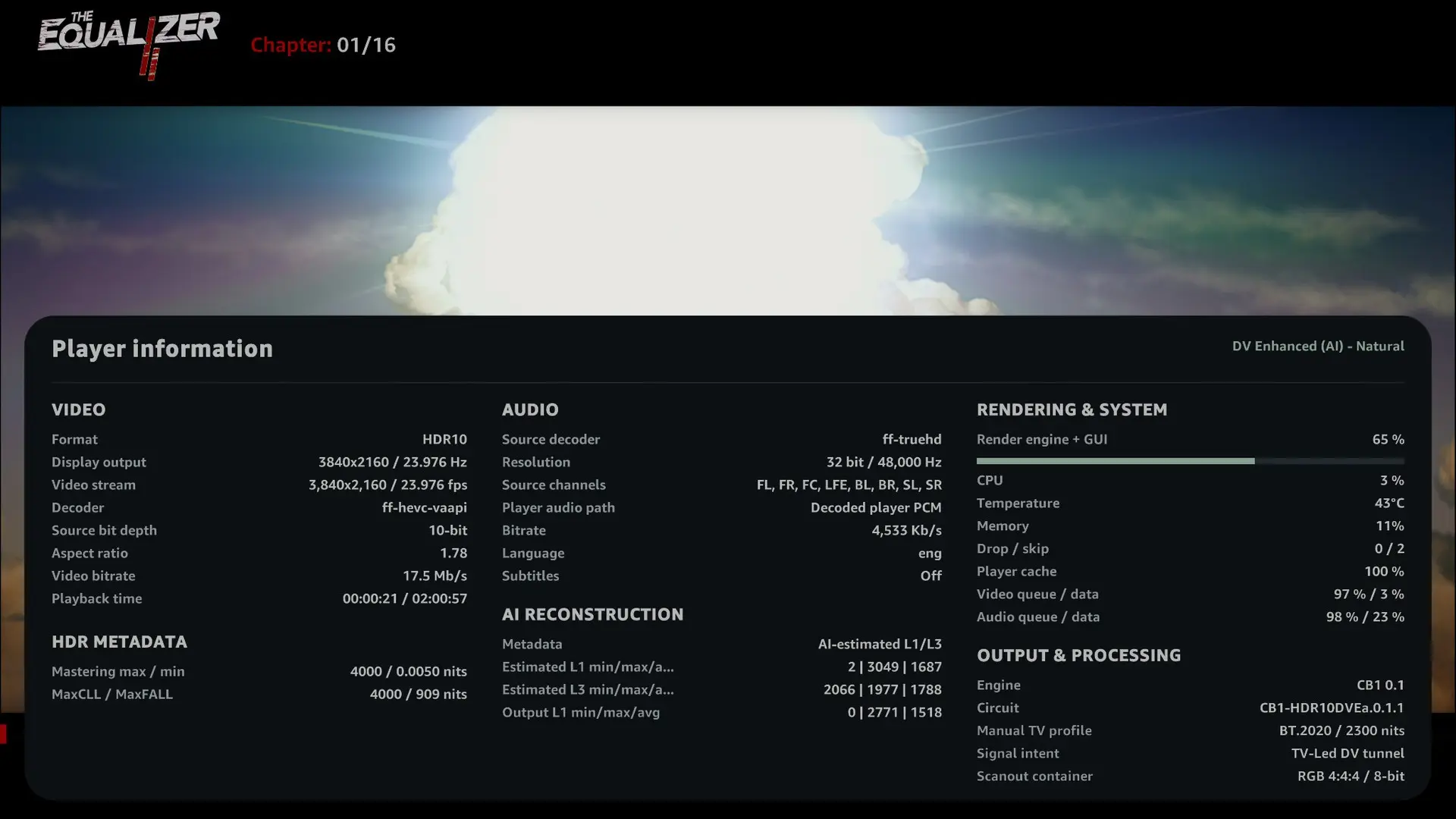
    I'm working to improve HDR10 to DV conversion with AI, the current pipeline is far too computationally expensive. AI itself isn't the issue, as inference takes around 1 ms. The real bottleneck is the signal analysis required to feed the model.

    My algorithm works in two stages:

    1. Analyze the image and generate an initial set of L1/L3 metadata.
    2. Use an AI model trained on paired HDR10/DV masters to correct and refine the initial analysis.

    The algorithm itself works very well, I tried more complicated one, this one is simple, lightweight, stable, and produces excellent results (better than the conversion with VS10 Dolby engine). However, implementing the entire pipeline properly and efficiently is more challenging than expected. In the one is beta2 can only fit if you have a strong GPU, on beta3 the pipeline will be more accessible for GPU.

  • So, will it be possible to use a dedicated graphics card used (as Intel Arc B570 or RX 7600 ) to Dolby Vision & HDR-to-DV?

  • Hi CroqueMr,

    I tested Beta2 build and DV FEL and HDR10 seems to work but the brightness and colors are "off" compared to AM6B+. This has been the case forever on LibreElec and I was told that the reason was that HDR on linux is not "finished" yet and that on the AmLogic boxes they bypass this limitation by using the AMLogic code/chip to render proper HDR10 / DV?

    Can you please comment on that as I am still not understanding why HDR10 looks so much more dark in a scene in return to silent hill versus on the AM6B+ it looks "correct". That's on Beta 2.

    What's weird is that I then tried a june 2nd old standard LibreELec Generic release on the same PC afterwards and the same Silent Hill scene was too bright compared to the AM6B+ instead of too dark.

    Are you aware of changes in the linux kernel still going on for HDR that makes it so two versions of LibreELec does different HDR rendering? I know the kernel does not change that often in LibreElec releases but still. It's possibly the amd driver?

    My mini PC is:

    I have Beelink SER8 AMD Ryzen™ 7 8845HS with AMD Radeon™ 780M 12-Core 2700 MHz model.

    I have a native HDR10 and DV TV (CM v4.0 compliant) so I only using straight HDR10 and DV modes.

    I think the same problem occurs in DV but it's harder to tell because I can't switch between the two devices on pause with DV I think something in the chain does not permit it (maybe AVR).

    Also, no gui appears in DV but I think you said it's normal for now (not sure)?

    And finally, the GUI froze often and I had to wait but that may be because I used the "run" mode instead of installing LibreElec like I always do usually.

    Thanks in advance and thank you and thanks to @dangerouslaser very much for your combined work! :)


    OMG forget all this I just found out the problem, I never thought of putting limited color range to ON in LibreElec as there is no such option in CoreElec as it's always in limited mode. When I put to limited the HDR seems pretty much identical. I feel so dumb. The good old Full versus Limited issue lol...

    I guess everybody puts the use limited colour range (16-235) option to On then in LibreElec?

    CroqueMr, there is another issue thought and I wonder if it can be fixed? When playing back 4K 60fps HDR videos, the output is set to 4:4:4 8 bits in LibreElec on AMD GPUs so I am missing colors. On the AM6B+ I am using the Pi3 version of CoreElec and the output is 4:2:2 12-bits for everything.

    I tried the option in the autostart to force the amd driver to output 4:2:0 all the time and it worked back then but I would prefer not to be stuck in 4:2:0 for other 24p videos.

    This is all because of HDMI Forum not giving AMD open source driver the rights to implement HDMI 2.1 (my mini pc is HDMI 2.1) so it falls back to HDMI 2.0 and the 4:4:4 12 bits does not fit in HDMI 2.0 at 4k 60 fps.

    Do you think it's possible to go to 4:2:2 12 bits or 4:2:0 12 bits only for the 4K 50/60 videos on an AMD GPUs?

    Thanks!

    P.S. It seems the use limited color range only works on your Beta2 version and not on the old june standard generic release of LibreElec where it's way too light with use limited range to ON. Maybe the AMD driver got fixed between thse two versions... more tests to come on my part.

    Edited 2 times, last by Creator44: Merged a post created by Creator44 into this post. (October 9, 2026 at 10:44 PM).

  • experimental build with a native C/OpenCL playback engine

    Testing on an N150 the only time I get any frame drops is Gemini Man with the OSD open.

    Need N100 testers and AMD testers to provide feedback before any of this gets refactored and PR'ed to CroqueMr's repo.

    Release YBLOD 0.2-pre2 — native Dolby Vision engine · dangerouslaser/libreelec-yblod
    YBLOD 0.2-pre2 — native Dolby Vision engine Experimental Generic x86-64 release with the standalone native C/OpenCL playback engine on YBLOD's resynced…
    github.com


    edit: this is for TV-Led DV only

  • Everything is possible, in my personal build with my 226V I activated HDMI 2.1 & VRR QMS and all manual switch between 10bits/12bits 4:2:0/4:2:2, this kind of feature are in my backlog but not prioritsed
    Just to confirm, are you referring only to HDR10 and not DV?


    I tested I have some great result with movies & GUI. I saw you worked specifiquelty on the GUI, it was my next topic investigate. I will integrate what can be integrate. Thanks a lot :)

  • I guess everybody puts the use limited colour range (16-235) option to On then in LibreElec?

    Creator44 on current builds, yes, but it's a kernel bug, not you. On kernel 7.2, amdgpu sends full-range RGB but tells the TV it's limited range (drm/amd#5796), and Kodi's limited range setting compensates for that. AMD has merged the fix (5342f7d98a26). It's one of the kernel patches in my 3D builds, so once CroqueMr integrates them, switch the setting back to Off.

    Prepared with Claude Code (Anthropic)

  • Hi CroqueMr,

    I've been testing Beta2 for a while now. It's much better than Beta1 overall, so thanks for the update!

    I ran into a few issues that I wanted to share:

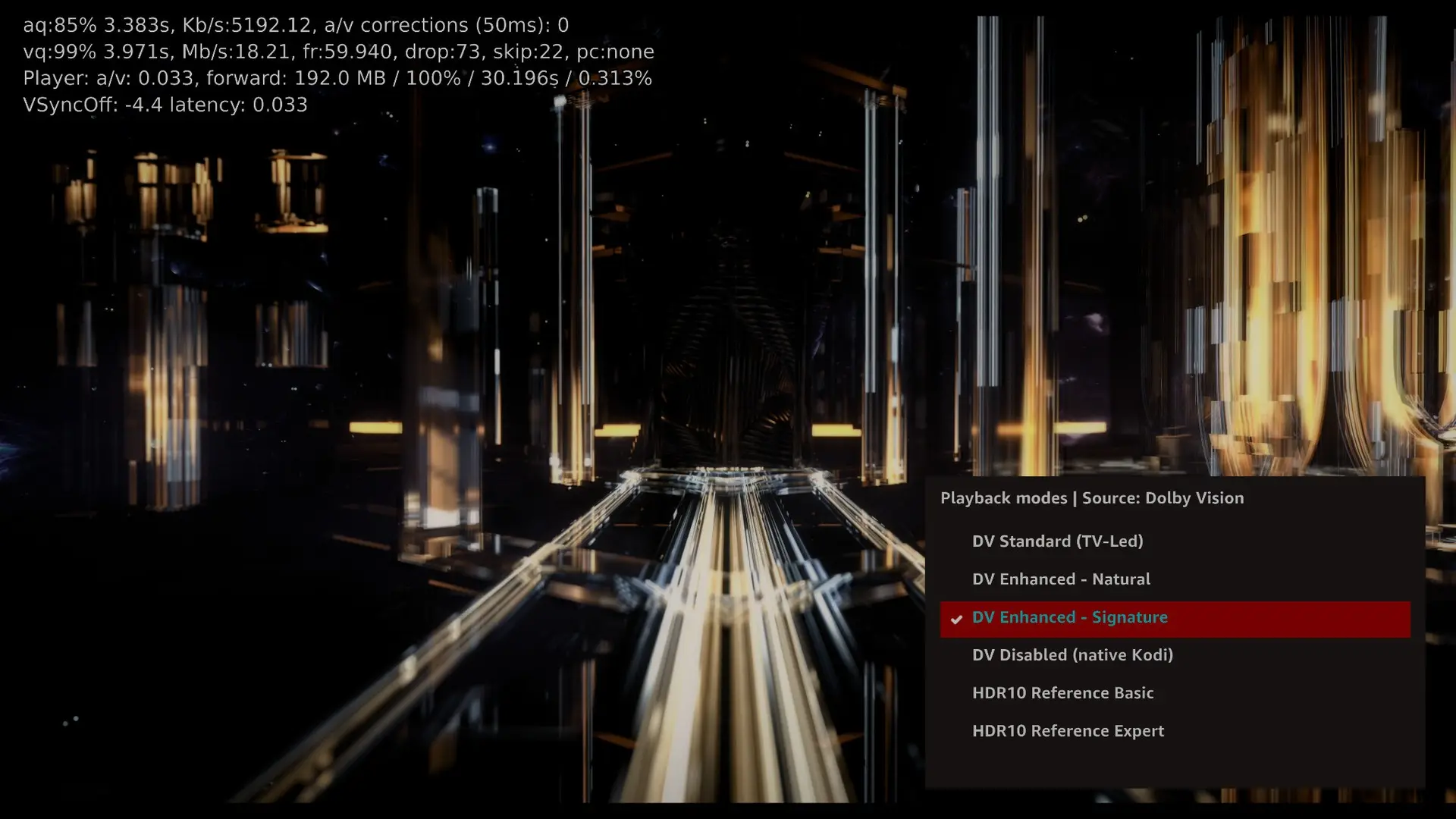
    1. Gemini Man (4K MKV, 60fps)
      • Still getting dropped frames, although it's better than Beta1.
      • In the latest screenshot, Kodi shows 73 dropped frames and 22 skipped frames at 59.940 fps.
      • I'm also seeing some pretty bad picture corruption, with vertical lines and parts of the image breaking up.
      • This happened while using DV Enhanced – Signature. I also tried the other Enhanced mode, but didn't notice much difference.
    2. Flickering when pressing O
      • When I press O during playback to bring up the player info or playback modes, the picture starts flickering.
      • The playback controls at the bottom flicker too.
      • It's quite distracting when watching a movie.
    3. Black screen when switching to HDR10
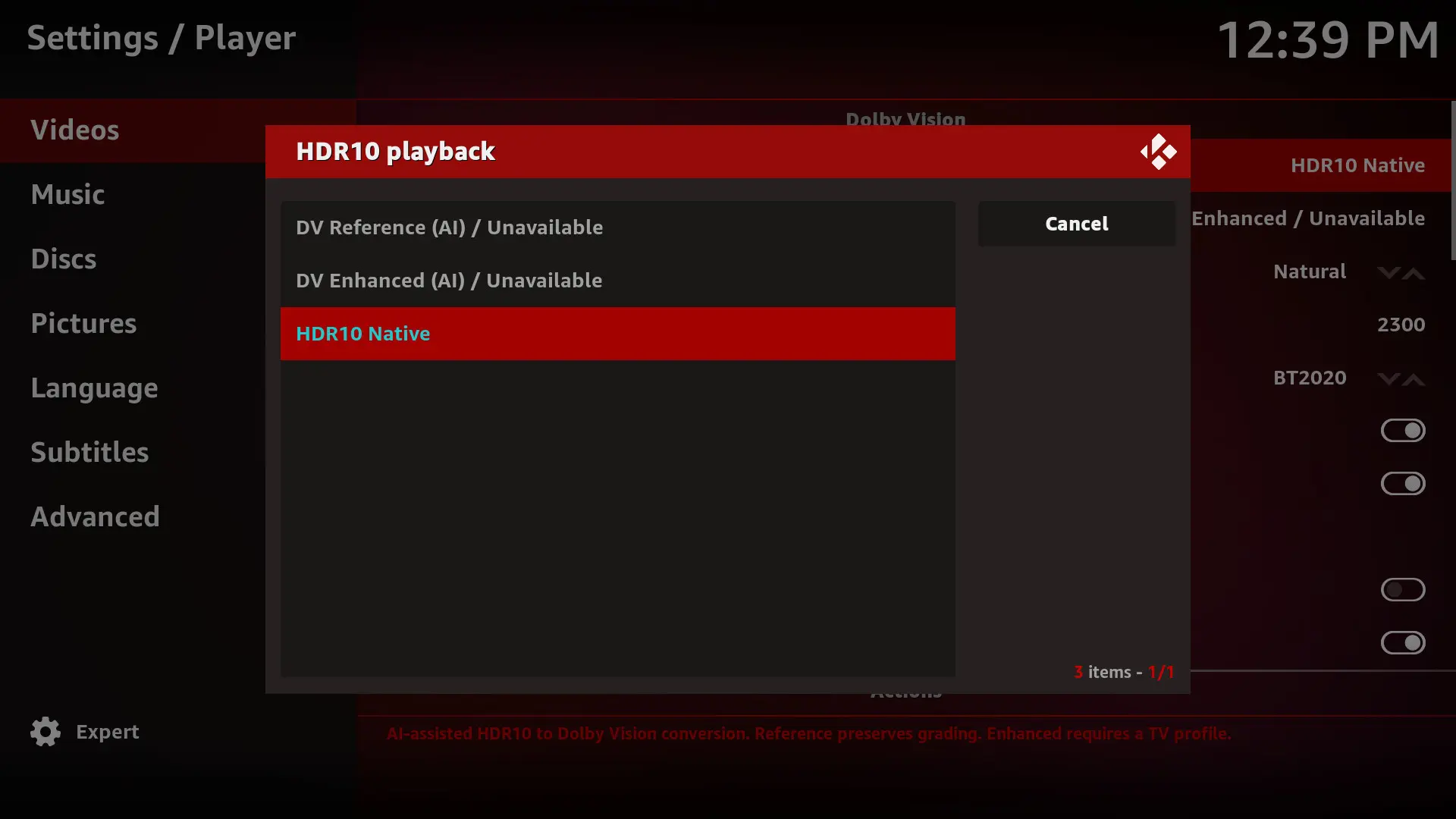
      • While playing a Dolby Vision movie, switching to an HDR10 mode from the playback menu causes the picture to freeze and then go black.
      • Kodi becomes unresponsive, and I have to reboot the system through PuTTY.
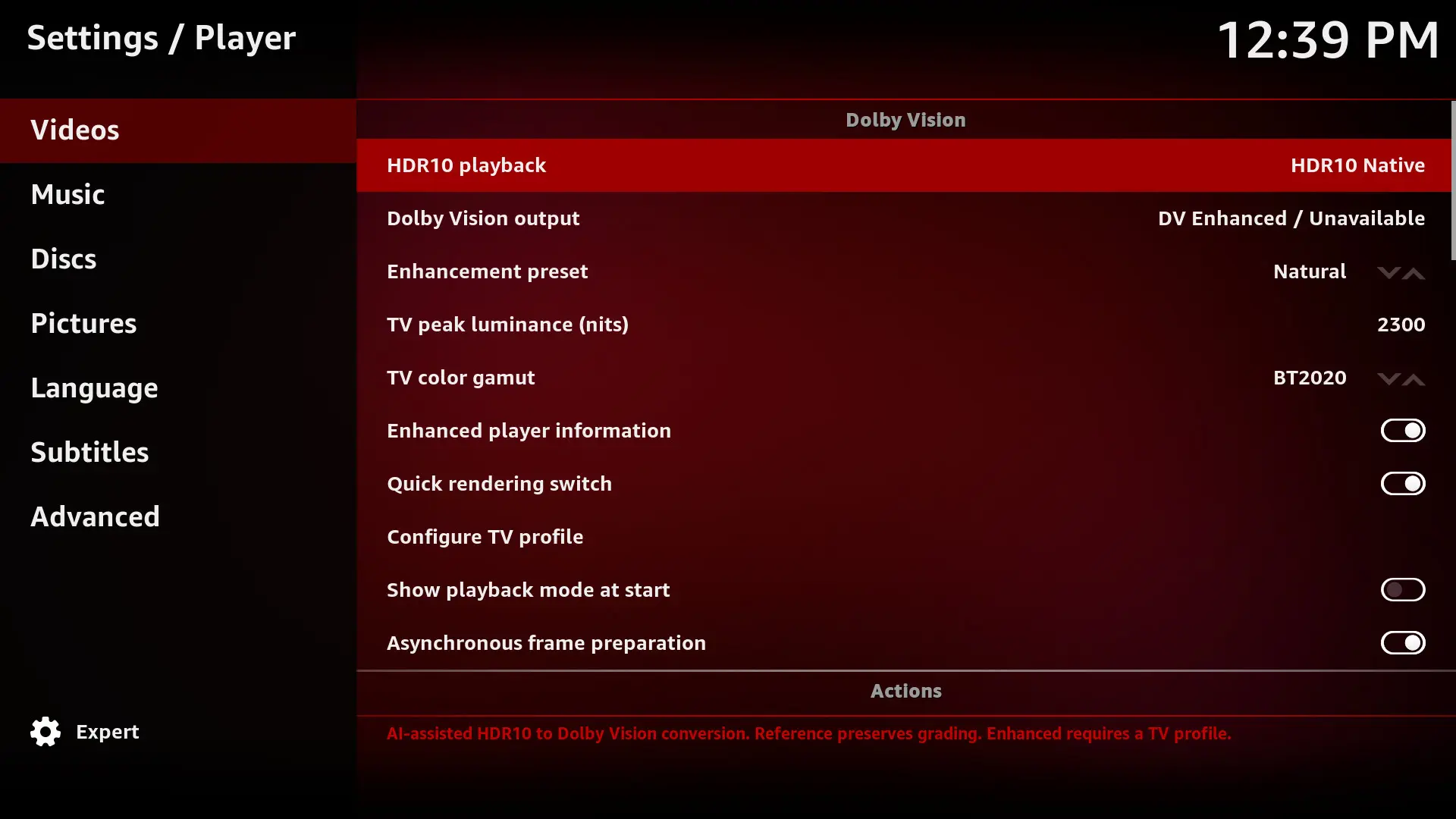
    4. Dolby Vision settings showing Unavailable
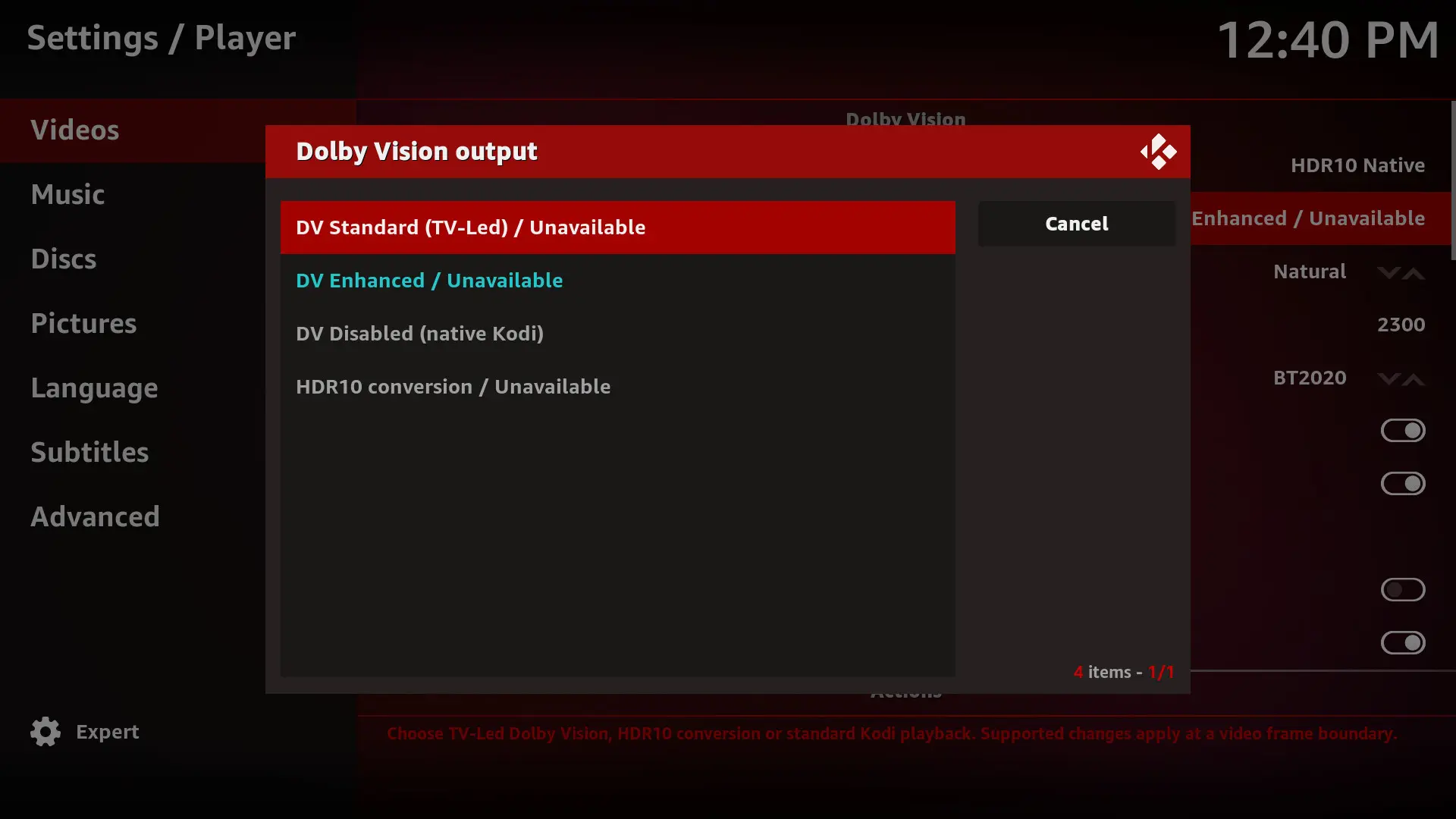
      • In Kodi's Player settings, DV Standard (TV-Led), DV Enhanced, HDR10 conversion, and the HDR10-to-DV AI options all show "Unavailable".
      • However, I can select the DV modes from the playback menu while a movie is running.
      • Is this how it's supposed to work, or is something wrong?

    I've attached the screenshots and Kodi log.

    Other than these issues, Beta2 has been working much better for me. Thanks for your work on this.

  • This is great work and I've been trying to get it going on a laptop. I suppose there are loads of laptops in cupboards that could do duty as HTPCs with this.

    • If I run it (Beta 2) without an external monitor HDR and DV don't seem to be converted to SDR (washed out)
    • Profile 5 is not converted to RGB
    • If I plug in a DV TV to the HDMI port it is not recognised.

    Am I missing a setting or two?

  • small bux fix for when using the kodi GUI in DV

    Release YBLOD 0.2-pre3 — fix distorted menus after playback · dangerouslaser/libreelec-yblod
    YBLOD 0.2-pre3 — fix distorted menus after playback Fixes the reproduced return-to-menu corruption on the Intel VM: stopping 1917 with Dolby Vision menus…
    github.com


    Need N100 testers and AMD testers

    these optimizations are for for TV-Led DV only - they will also apply to HDR but not for DV->HDR or player led DV

  • Need N100 testers and AMD testers to provide feedback before any of this gets refactored and PR'ed to CroqueMr's repo.

    dangerouslaser I tried 0.2-pre2 on an ASUS NUC 12 (Intel UHD 770 plus a Radeon RX 7600) with a Panasonic TV, TV-led DV.

    Intel UHD 770:

    • P5 4K59.94: smooth, 0 drops, also with the OSD open
    • P7 FEL (two files), P8.1, P10: DV on, 0 drops, pause and seek fine
    • P8.4 HLG 4K59.94 (iPhone clip): GPU saturated (render ~95%), 86 drops in 20 s
    • "FEL TEST ST DL P7 CMV4.0 4000nits V4" (mkv and mp4): DV badge but black picture. The startup commit times out after 10 s (result=3), then the renderer fails and kodi.bin sits at 100% CPU. Reproducible.
    • On the FEL test the letterbox bars stay black. Is that intended?

    RX 7600: no DV and no HDR10 conversion (native_eligible=false, dv=0), as expected without an AMD OpenCL driver and with the DV signalling patches being i915 only. P5 then plays as SDR with a purple/green tint.

    Logs are available if they help.

    Prepared with Claude Code (Anthropic)

  • Hi,

    Just wondering, do you have any plans to add HDR10 or HDR10+ to Dolby Vision conversion in future releases? I think it would be a great feature for those who want to watch their HDR movies in Dolby Vision.

    Thanks for your great work.

  • Thanks for the precise feedbacks.

    1 : For the 60fps it's a known issue, it's complicated to optimize at this point the DV engine, beta3 will improve a little bit this part but I don't think it will be possible on regular intel iGPU to read easely a 60fps DV movies yet, raw power is not necessary the main bottleneck we also see this issue on 1080p60fps DV movie. Regarding DV rendering settings, the pipeline is in place it was the most complicated part but the algorithm does not work as intended it will adjust the rendering in beta3 (or maybe in beta4 if I need some time to fine tune)

    2 : The stutter when a GUI is display at the same time of a movie is also a known issue and beta3 will improve this part a lot thanks to dangerouslaser optimization

    3 : I fixed some instabilly in the next internal build, I will see in your log if it's something new or not

    4 : Also a known issue :) I think I fixed it, I will ask you an approval when beta3 will be pushed.


    This is great work and I've been trying to get it going on a laptop. I suppose there are loads of laptops in cupboards that could do duty as HTPCs with this.

    • If I run it (Beta 2) without an external monitor HDR and DV don't seem to be converted to SDR (washed out)
    • Profile 5 is not converted to RGB
    • If I plug in a DV TV to the HDMI port it is not recognised.

    Am I missing a setting or two?

    Laptop is very complicated and are not recommanded to use as a HTPC, sometime you can not use your iGPU on a HDMI port (your dedicated GPU will be responsible to render the HDMI signal) and sometime your HDMI port is not native you have a DP converter in the pipe, you can send me the kodi.log I will see precisely what is the cause of your black screen.

    I did not work on HDR / DV to SDR, it's normal to have some issue with that,. My actual priority is getting flawless DV and HDR output, as that is the primary use case for this type of build. To be honest, I’m not sure if I’ll support SDR, it’s not simple. iGPU already struggle to convert DV to HDR, and converting to SDR is even more demanding on the GPU, it would require significant optimization and a lot of work. I think for SDR Screen I will just add a fallback on the default Kodi behavior, so no FEL reconstruction on SDR, unfortunately.

  • Hi,

    Just wondering, do you have any plans to add HDR10 or HDR10+ to Dolby Vision conversion in future releases? I think it would be a great feature for those who want to watch their HDR movies in Dolby Vision.

    Thanks for your great work.

    These are just test builds. I am working w/CroqueMr to get them into his builds where possible. His builds currently handle DV -> HDR conversion.

  • And as for HDR+, I’d like to enable it, but I don’t have an HDR10+ display.

    I’ve also looked into Dolby Vision 2, and I can already confirm that an integration and conversion to "Dolby Vision Enhanced" is possible and will deliver essentially the same experience as a native DV2 film on a DV2 TV.

    If DV2 becomes more widespread, it will be supported.

  • dangerouslaser I tried 0.2-pre2 on an ASUS NUC 12 (Intel UHD 770 plus a Radeon RX 7600) with a Panasonic TV, TV-led DV.

    Intel UHD 770:

    • P5 4K59.94: smooth, 0 drops, also with the OSD open
    • P7 FEL (two files), P8.1, P10: DV on, 0 drops, pause and seek fine
    • P8.4 HLG 4K59.94 (iPhone clip): GPU saturated (render ~95%), 86 drops in 20 s
    • "FEL TEST ST DL P7 CMV4.0 4000nits V4" (mkv and mp4): DV badge but black picture. The startup commit times out after 10 s (result=3), then the renderer fails and kodi.bin sits at 100% CPU. Reproducible.
    • On the FEL test the letterbox bars stay black. Is that intended?

    RX 7600: no DV and no HDR10 conversion (native_eligible=false, dv=0), as expected without an AMD OpenCL driver and with the DV signalling patches being i915 only. P5 then plays as SDR with a purple/green tint.

    Logs are available if they help.

    Prepared with Claude Code (Anthropic)

    try FEL TEST ST DL P7 CMV4.0 4000nits V4 on this build - it should be fixed.

    The letterbox bars should be black at the end of the test - that is intended.

    Release YBLOD 0.2-pre4 · dangerouslaser/libreelec-yblod
    YBLOD 0.2-pre4 — polynomial FEL playback fix Fixes the black screen with Dolby Vision Profile 7 FEL streams using polynomial chroma mapping, including the…
    github.com
  • Are these options best for a AMD 5800H and/or N150? Asked Chat, but want to check with you guys. You can tell I've spent too many years in Amlogic land, and don't know what these actually do :) ...

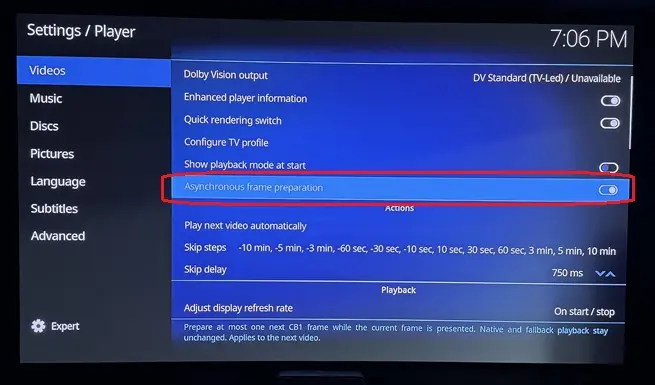
    Asynchronous frame preparation: Chat says to leave 'on' unless it causes playback/sync issues? Chat says it's meant to reduce CPU bottlenecks and help smooth playback on lower-powered hardware. Correct, leave 'on'?

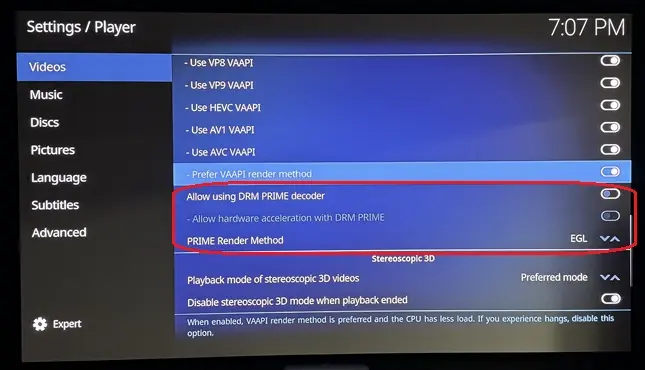
    Allow using DRM PRIME decoder: Chat says this wses the Linux DRM PRIME hardware-decoding path. DRM PRIME is a Linux mechanism for passing decoded video frames between the hardware decoder and GPU efficiently, often with little or no copying through system RAM. This is particularly relevant on LibreELEC and Linux GBM systems. So, should this be enabled?

    Allow hardware acceleration with DRM PRIME: Chat says this permits Kodi to use hardware acceleration through that DRM PRIME path. With it enabled, supported H.264/HEVC/VP9/etc. streams can be decoded by the GPU/VPU rather than the CPU. In most LibreELEC setups you want this 'on'. Correct?

    PRIME Render Method: EGL: Chat says this determines how those DRM PRIME decoded frames are presented to the screen. EGL imports the hardware-decoded frame into the GPU's EGL/OpenGL rendering pipeline. This is generally an efficient, low-copy rendering method and is normally the preferred/default choice when it works properly. Kodi has long supported EGL interoperability with hardware video decoding on Linux. So, EGL is the option to choose?

  • try FEL TEST ST DL P7 CMV4.0 4000nits V4 on this build - it should be fixed.

    dangerouslaser confirmed: on pre4 that test plays on the UHD 770 with picture, DV badge and the FEL content visible. The startup commit went through after 1.9 s (first playback after boot), then 0 drops and no renderer rejections, render ~28%. Thanks for the quick fix, and for clarifying the letterbox bars.

    Prepared with Claude Code (Anthropic)


    Are these options best for a AMD 5800H and/or N150?

    ht2tweak for the three DRM PRIME options, on both the 5800H and the N150: leave "Allow using DRM PRIME decoder" off (the default). On x86, FFmpeg has no DRM PRIME hardware decoder, so with it on, Kodi decodes in software on the CPU. Hardware decoding on AMD and Intel goes through VAAPI ("Allow hardware acceleration - VAAPI", on). The other two DRM PRIME options only apply when that decoder is on, so they don't matter here.

    "Asynchronous frame preparation" isn't a standard Kodi setting. It comes with this build, so CroqueMr or dangerouslaser know best.

    Prepared with Claude Code (Anthropic)

    Edited once, last by cinemaONE: Merged a post created by cinemaONE into this post. (October 10, 2026 at 3:59 PM).

  • DRM prime will bypass my DV pipeline, I would assume the same on CroqueMR's

    that said, my engine's path (and likely MrCroque's) already shares GPU buffers so the performance enhancement it offers is already being taken advantage of.