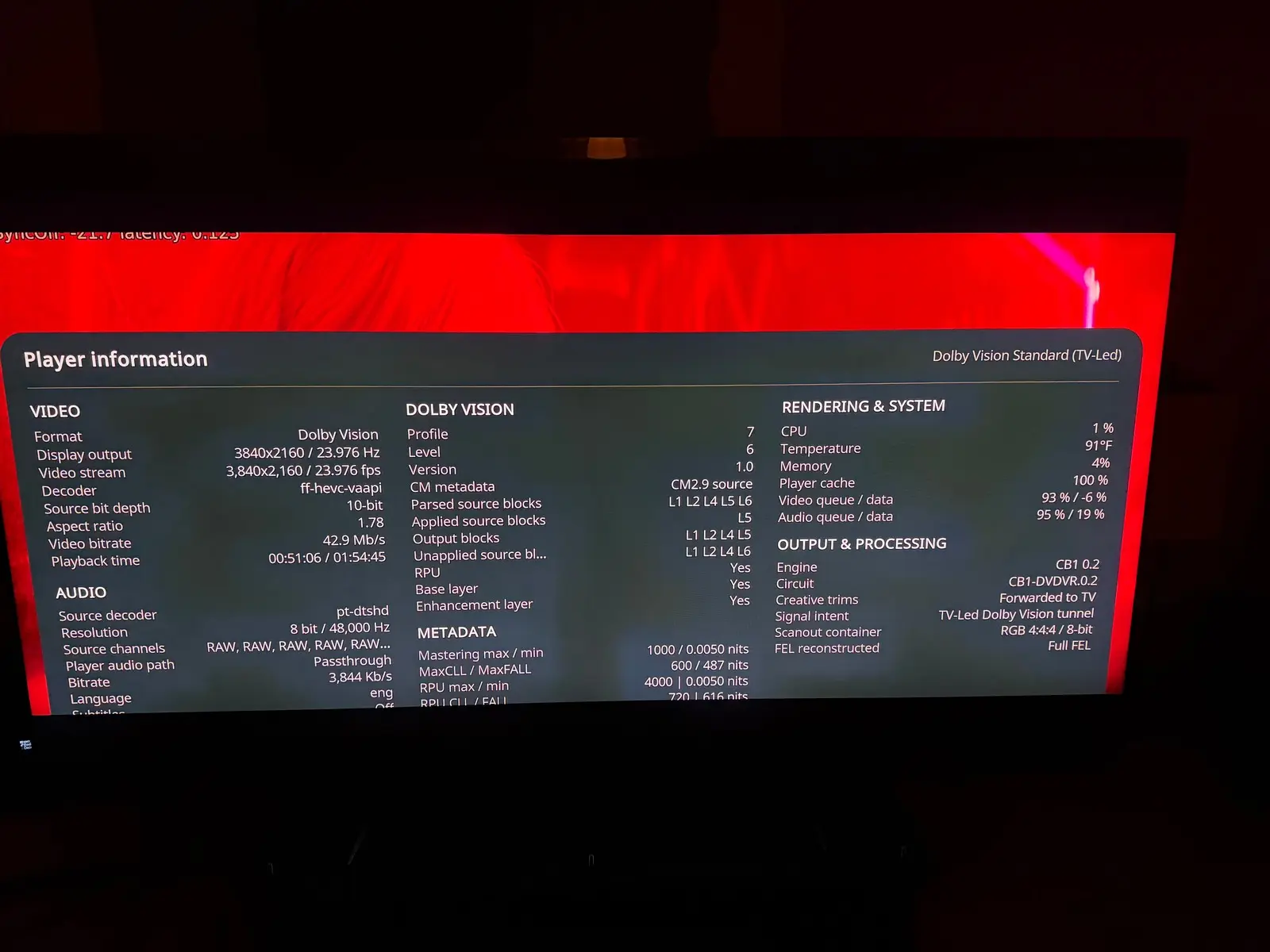
Is it normal that I don't see the GUI at all in DV mode in Beta2? I only tested one DV FEL movie so far and I had to guess where I was in the GUI because I don't see it but the GUI does work in the background. In HDR the GUI is fine.
Not normal and never saw this issue, what CPU do you have?

more optimizations and improvements in this test build, primarily for intel devices.
https://github.com/dangerouslaser…tag/yblod-0.2.1
read the full 0.2 changes before installing
Thanks a lot  I am finalizing to integrate the last improvement lever from tour last build, and I convert your optimization for AMD also. I will check the new oprimisation gain.
Edit : Last improvement integrated, it's your chroma filter, this will be optional because it's reduce a little bit the fidelity (around 0,9%) of chrominance. Looking extremely closely at a shot where the discrepancy is at its greatest, you can perceive a tiny difference in the outline of the light halos. It's almost imperceptible and, above all, only visible in very few shots, but since it still has a tiny visible impact, it will be an optional optimization.
Now I work to implement Onecinema's build and I will push the beta3
 Display More
Ryzen 5 3500U / Vega 8 – Dolby Vision FEL frame skipping on R1.0.0 Beta2
I'm testing R1.0.0 Beta2 on a Ryzen 5 3500U with Radeon Vega 8 graphics, connected via HDMI through a Denon AVR.
Dolby Vision Profile 7 FEL playback works, including enhancement-layer processing, but I'm seeing skipped frames accumulate during playback.
System:
- CPU: AMD Ryzen 5 3500U
- GPU: Radeon Vega 8 (amdgpu)
- Build: R1.0.0 Beta2
- Kodi: 22.0 RC1
- Kernel: 7.2.6
- Mesa: 26.2.3
- Playback: 4K HEVC Dolby Vision Profile 7 FEL, 23.976 fps
- Output mode: DV Standard (TV-led)
What I'm observing:
- The skipped-frame counter increases during playback, sometimes quite rapidly.
- The skipped frames don't appear to correlate with scene complexity or visible stuttering.
- The dropped-frame counter remains at zero.
- The video queue is generally around 97–100% full.
- The log repeatedly reports:
- OutputPicture - timeout waiting for buffer
- CRenderManager::AddVideoPicture - timeout waiting for render
- The display correctly switches to approximately 23.976 Hz.
The logs suggest that frames are being delayed somewhere in the decoding/rendering/presentation pipeline, although I'm not sure whether this is a GPU performance limitation or an AMD driver synchronization issue.
Thank you for the feedback, beta3 will have some new performance gain. It will help your CPU handle FEL.
Opening ny GUI will increase framedrop. If you do not open anything and leave the film in full screen do you have frame drop?
I know Kodi only tracks one type of frame drop, so the counter isn’t perfect. But I don’t think expanding it to count every dropped frame would be particularly useful, it would also include drops caused by the GUI, which don’t occur during fullscreen playback with the interface hidden.