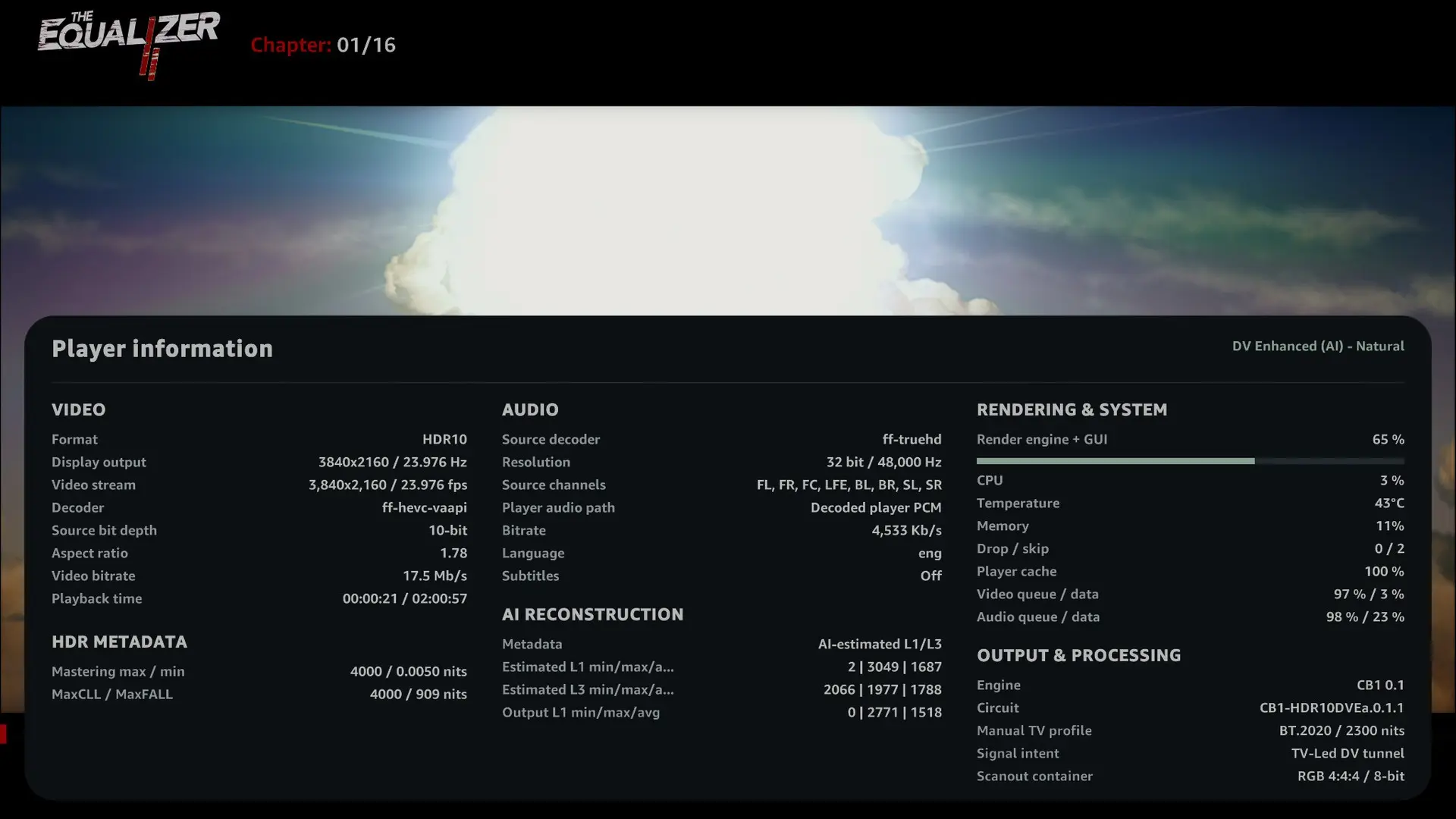
[x86-64][CroqueMr Builds] Dolby Vision w/FEL, HDR10+, and 3D

  • Everything is possible, in my personal build with my 226V I activated HDMI 2.1 & VRR QMS and all manual switch between 10bits/12bits 4:2:0/4:2:2, this kind of feature are in my backlog but not prioritsed
    Just to confirm, are you referring only to HDR10 and not DV?


    I tested I have some great result with movies & GUI. I saw you worked specifiquelty on the GUI, it was my next topic investigate. I will integrate what can be integrate. Thanks a lot :)

  • I guess everybody puts the use limited colour range (16-235) option to On then in LibreElec?

    Creator44 on current builds, yes, but it's a kernel bug, not you. On kernel 7.2, amdgpu sends full-range RGB but tells the TV it's limited range (drm/amd#5796), and Kodi's limited range setting compensates for that. AMD has merged the fix (5342f7d98a26). It's one of the kernel patches in my 3D builds, so once CroqueMr integrates them, switch the setting back to Off.

    Prepared with Claude Code (Anthropic)

  • Hi CroqueMr,

    I've been testing Beta2 for a while now. It's much better than Beta1 overall, so thanks for the update!

    I ran into a few issues that I wanted to share:

    1. Gemini Man (4K MKV, 60fps)
      • Still getting dropped frames, although it's better than Beta1.
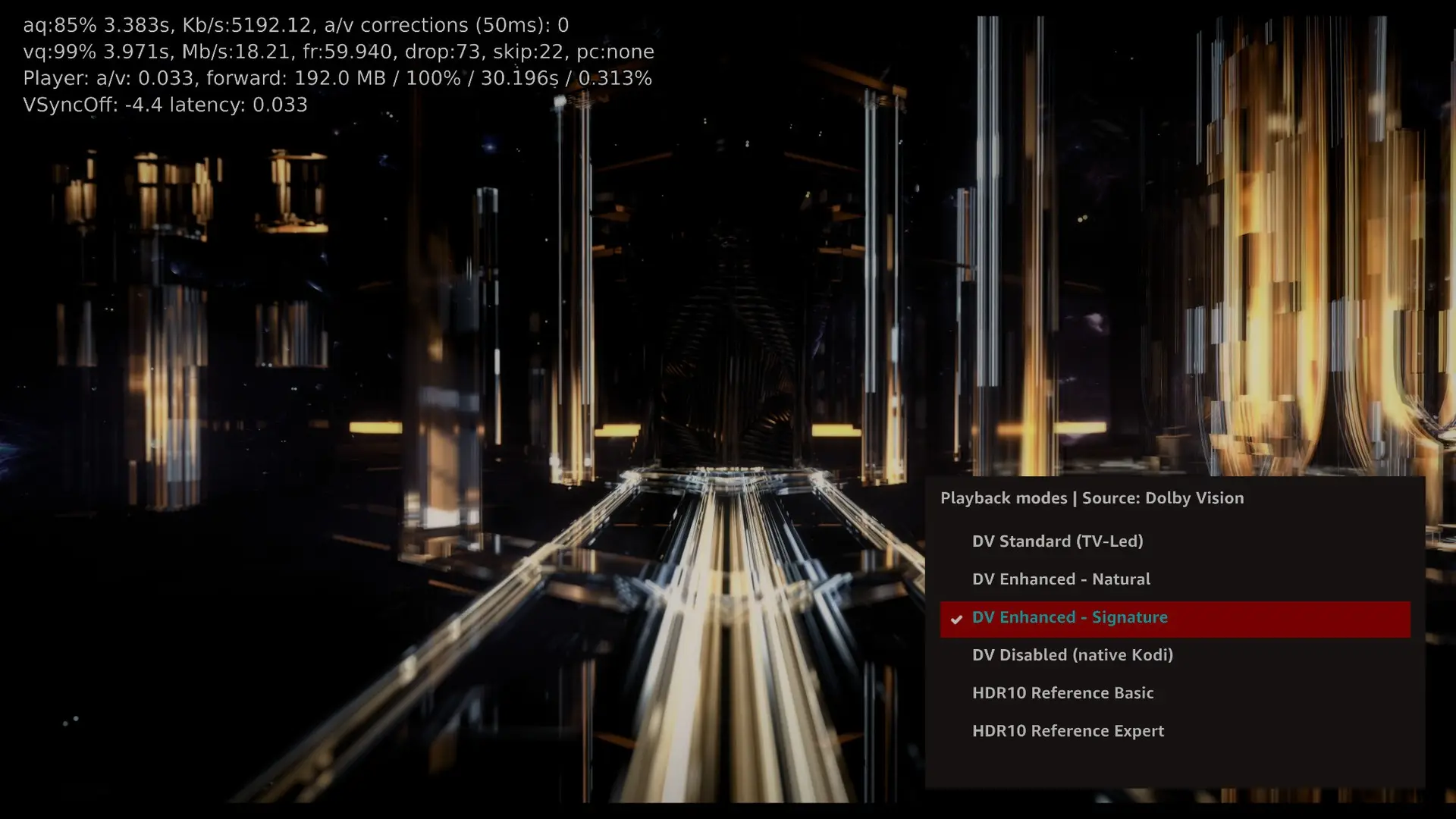
      • In the latest screenshot, Kodi shows 73 dropped frames and 22 skipped frames at 59.940 fps.
      • I'm also seeing some pretty bad picture corruption, with vertical lines and parts of the image breaking up.
      • This happened while using DV Enhanced – Signature. I also tried the other Enhanced mode, but didn't notice much difference.
    2. Flickering when pressing O
      • When I press O during playback to bring up the player info or playback modes, the picture starts flickering.
      • The playback controls at the bottom flicker too.
      • It's quite distracting when watching a movie.
    3. Black screen when switching to HDR10
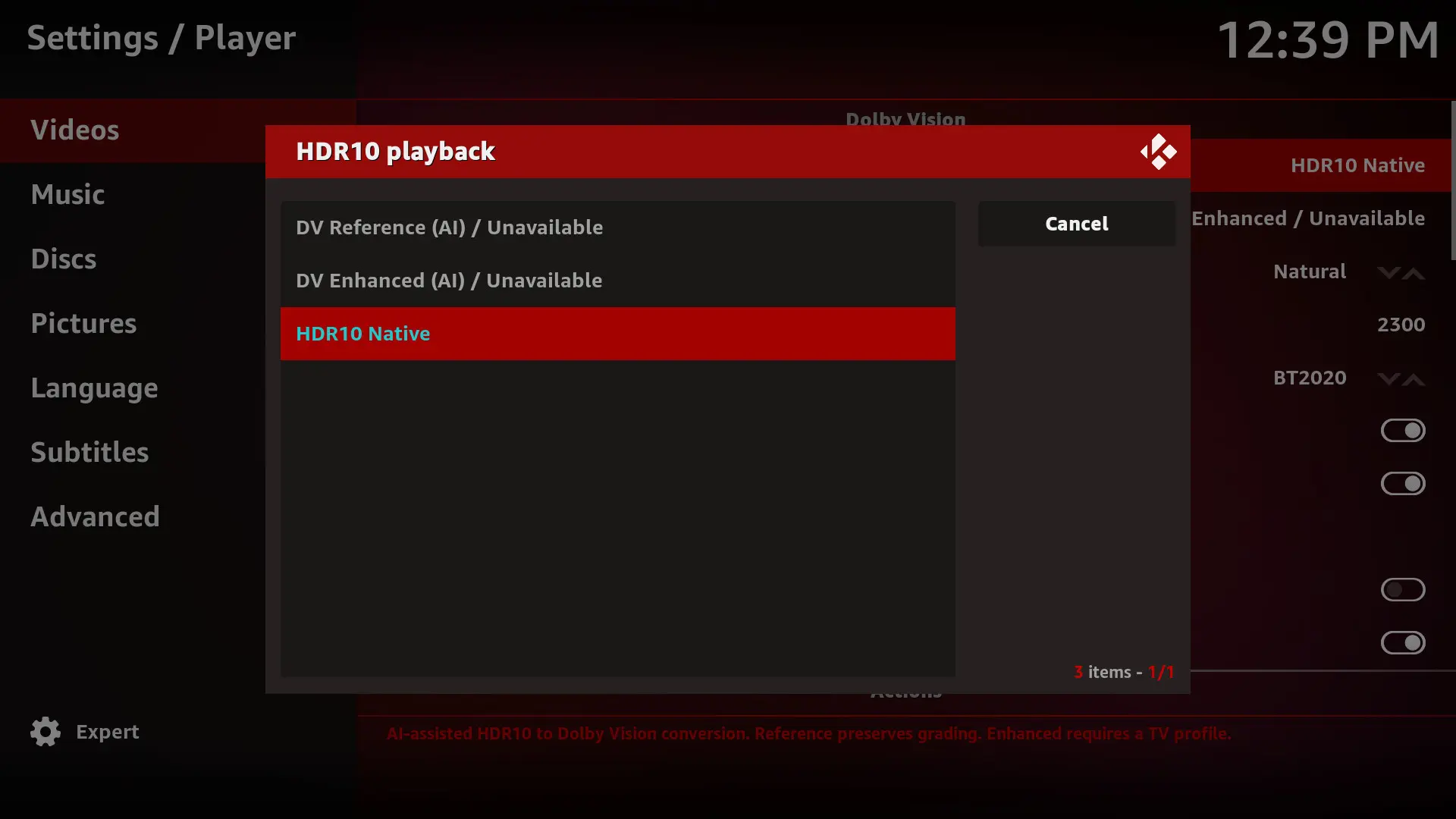
      • While playing a Dolby Vision movie, switching to an HDR10 mode from the playback menu causes the picture to freeze and then go black.
      • Kodi becomes unresponsive, and I have to reboot the system through PuTTY.
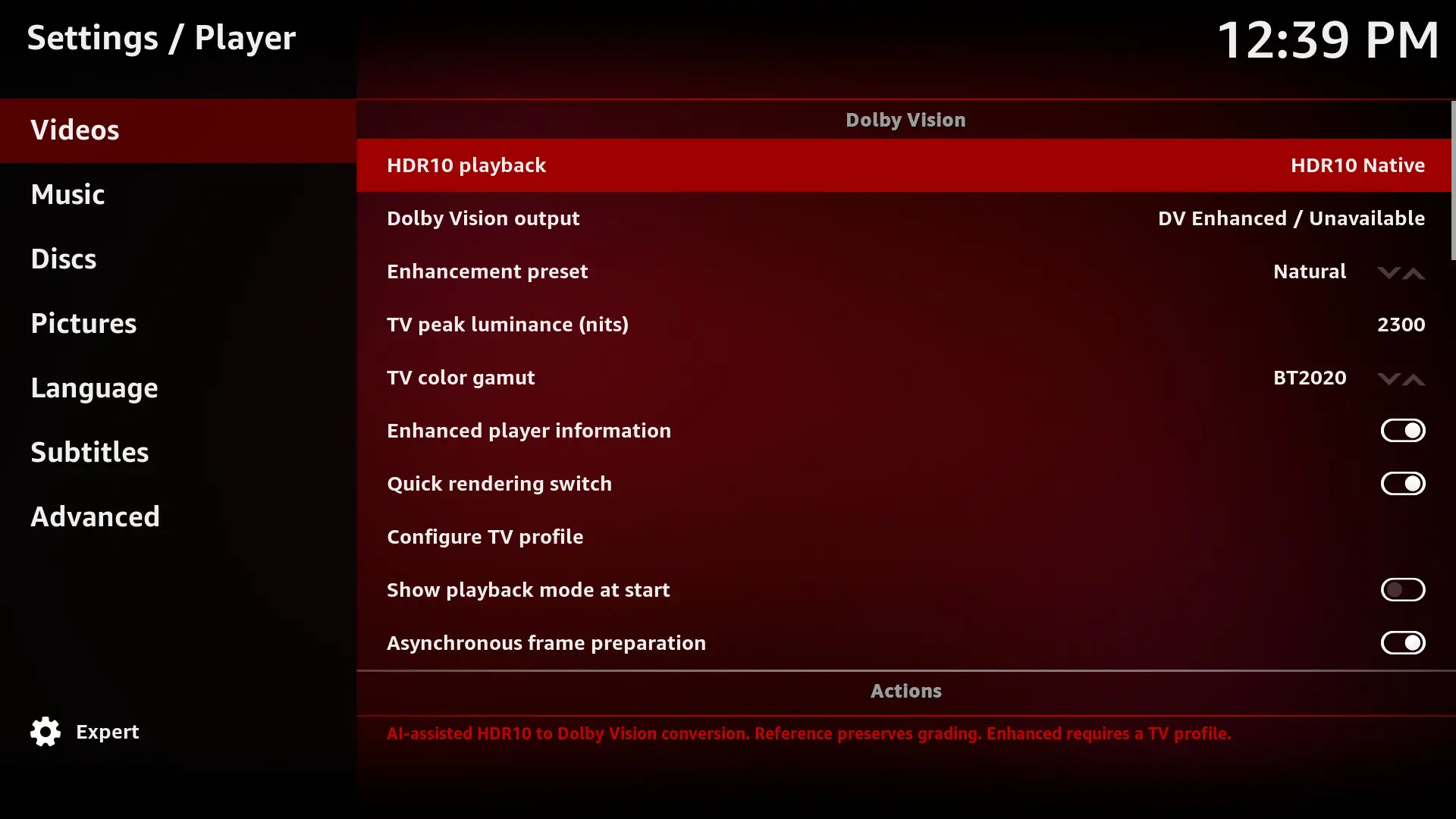
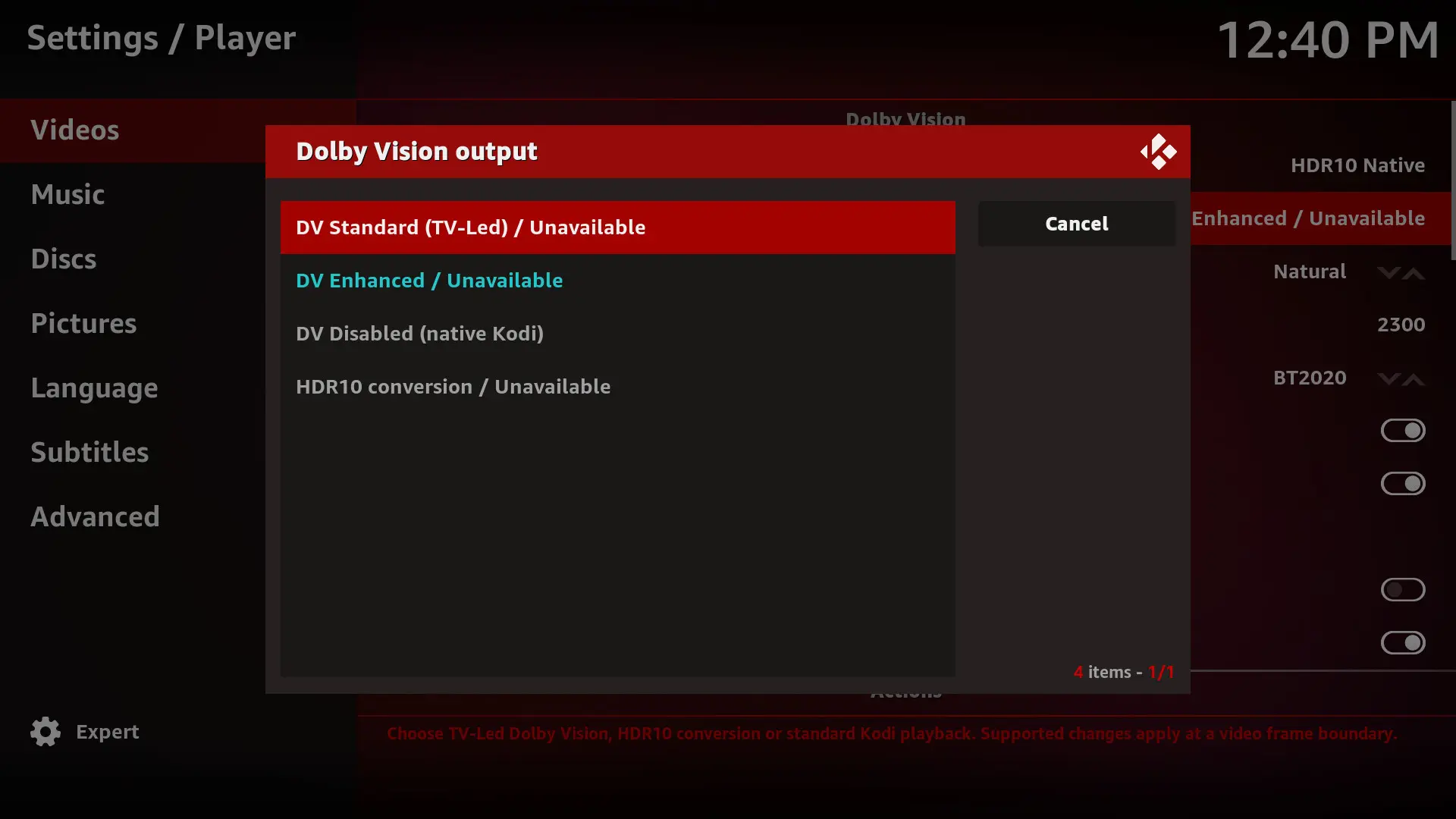
    4. Dolby Vision settings showing Unavailable
      • In Kodi's Player settings, DV Standard (TV-Led), DV Enhanced, HDR10 conversion, and the HDR10-to-DV AI options all show "Unavailable".
      • However, I can select the DV modes from the playback menu while a movie is running.
      • Is this how it's supposed to work, or is something wrong?

    I've attached the screenshots and Kodi log.

    Other than these issues, Beta2 has been working much better for me. Thanks for your work on this.

  • This is great work and I've been trying to get it going on a laptop. I suppose there are loads of laptops in cupboards that could do duty as HTPCs with this.

    • If I run it (Beta 2) without an external monitor HDR and DV don't seem to be converted to SDR (washed out)
    • Profile 5 is not converted to RGB
    • If I plug in a DV TV to the HDMI port it is not recognised.

    Am I missing a setting or two?

  • Thanks for the precise feedbacks.

    1 : For the 60fps it's a known issue, it's complicated to optimize at this point the DV engine, beta3 will improve a little bit this part but I don't think it will be possible on regular intel iGPU to read easely a 60fps DV movies yet, raw power is not necessary the main bottleneck we also see this issue on 1080p60fps DV movie. Regarding DV rendering settings, the pipeline is in place it was the most complicated part but the algorithm does not work as intended it will adjust the rendering in beta3 (or maybe in beta4 if I need some time to fine tune)

    2 : The stutter when a GUI is display at the same time of a movie is also a known issue and beta3 will improve this part a lot thanks to dangerouslaser optimization

    3 : I fixed some instabilly in the next internal build, I will see in your log if it's something new or not

    4 : Also a known issue :) I think I fixed it, I will ask you an approval when beta3 will be pushed.


    This is great work and I've been trying to get it going on a laptop. I suppose there are loads of laptops in cupboards that could do duty as HTPCs with this.

    • If I run it (Beta 2) without an external monitor HDR and DV don't seem to be converted to SDR (washed out)
    • Profile 5 is not converted to RGB
    • If I plug in a DV TV to the HDMI port it is not recognised.

    Am I missing a setting or two?

    Laptop is very complicated and are not recommanded to use as a HTPC, sometime you can not use your iGPU on a HDMI port (your dedicated GPU will be responsible to render the HDMI signal) and sometime your HDMI port is not native you have a DP converter in the pipe, you can send me the kodi.log I will see precisely what is the cause of your black screen.

    I did not work on HDR / DV to SDR, it's normal to have some issue with that,. My actual priority is getting flawless DV and HDR output, as that is the primary use case for this type of build. To be honest, I’m not sure if I’ll support SDR, it’s not simple. iGPU already struggle to convert DV to HDR, and converting to SDR is even more demanding on the GPU, it would require significant optimization and a lot of work. I think for SDR Screen I will just add a fallback on the default Kodi behavior, so no FEL reconstruction on SDR, unfortunately.

  • And as for HDR+, I’d like to enable it, but I don’t have an HDR10+ display.

    I’ve also looked into Dolby Vision 2, and I can already confirm that an integration and conversion to "Dolby Vision Enhanced" is possible and will deliver essentially the same experience as a native DV2 film on a DV2 TV.

    If DV2 becomes more widespread, it will be supported.

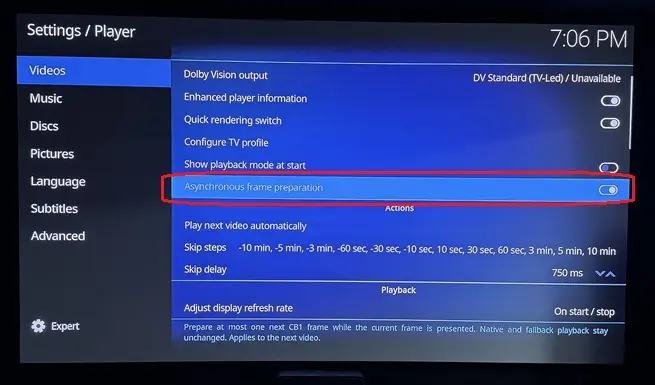
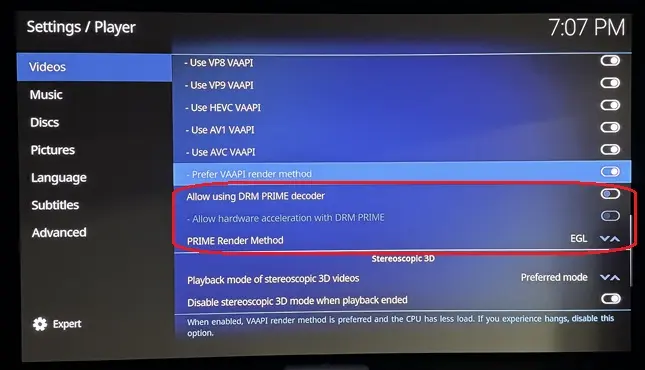
  • Are these options best for a AMD 5800H and/or N150? Asked Chat, but want to check with you guys. You can tell I've spent too many years in Amlogic land, and don't know what these actually do :) ...

    Asynchronous frame preparation: Chat says to leave 'on' unless it causes playback/sync issues? Chat says it's meant to reduce CPU bottlenecks and help smooth playback on lower-powered hardware. Correct, leave 'on'?

    Allow using DRM PRIME decoder: Chat says this wses the Linux DRM PRIME hardware-decoding path. DRM PRIME is a Linux mechanism for passing decoded video frames between the hardware decoder and GPU efficiently, often with little or no copying through system RAM. This is particularly relevant on LibreELEC and Linux GBM systems. So, should this be enabled?

    Allow hardware acceleration with DRM PRIME: Chat says this permits Kodi to use hardware acceleration through that DRM PRIME path. With it enabled, supported H.264/HEVC/VP9/etc. streams can be decoded by the GPU/VPU rather than the CPU. In most LibreELEC setups you want this 'on'. Correct?

    PRIME Render Method: EGL: Chat says this determines how those DRM PRIME decoded frames are presented to the screen. EGL imports the hardware-decoded frame into the GPU's EGL/OpenGL rendering pipeline. This is generally an efficient, low-copy rendering method and is normally the preferred/default choice when it works properly. Kodi has long supported EGL interoperability with hardware video decoding on Linux. So, EGL is the option to choose?

  • Asynchronous Frame Preparation starts rendering the next frame as soon as the previous one is sent over HDMI, parallelizing part of the pipeline.

    This puts more load on the rendering engine but extends the effective rendering window to roughly 1/20s instead of 1/24s for 24fps content, reducing frame drops.

    I recommend keeping it On. On the N100, it prevents frame drops with Profile 7 FEL. Beta 3 will include dangerouslaser's optimizations, so frame drops should be eliminated even without it. I kept it configurable because, theoretically, some GPUs might struggle with two frames in flight and perform better sequentially. I haven't encountered this use case.


    Regarding DRM PRIME, I haven't yet investigated how these settings interact with the DV pipeline. My assumption is that they only affect Kodi's native playback and have no impact on the dedicated DV pipeline.

    The DV pipelines relie on VAAPI but operates independently from Kodi native pipeline, so I don't expect these settings to make a difference.

    For the stable release, I'll verify these interactions and ensure this kind of settings don't interfere with DV playback but only with native kodi behavior.

  • CroqueMr Kodi support for DRMPRIME is designed for ARM SoC hardware using direct-2-plane rendering. Although the GUI will allow it to be enabled with VAAPI decoding too, there a bunch of unresolved issues. If you have Intel/AMD hardware you need to be using EGL/VAAPI only.

  • Hello

    i like to help to test the DV integration. I have a Mini PC with AMD Ryzen 5 7640HS and AMD Radeon 760M (RDNA3).

    I have installed the Beta 2 and connected to my TCL 98Q8C 98" QD-Mini LED TV, 4K HDR Premium 5000.

    All menus shows DV not supported. Should it work with this AGPU or does this AGPU doesn't support DV?

    Thank you for yor help.


  • Really looking forward to Beta3, especially the improvements to GUI stuttering and DV rendering. I'll be happy to test it and share my feedback when it's released.

    Keep up the great work.

  • Hello

    i like to help to test the DV integration. I have a Mini PC with AMD Ryzen 5 7640HS and AMD Radeon 760M (RDNA3).

    I have installed the Beta 2 and connected to my TCL 98Q8C 98" QD-Mini LED TV, 4K HDR Premium 5000.

    All menus shows DV not supported. Should it work with this AGPU or does this AGPU doesn't support DV?

    Thank you for yor help.

    Hello it's a known issue it will be fixed in the next release. If everything is ok beta3 will be pushed tomorrow.


    CroqueMr Kodi support for DRMPRIME is designed for ARM SoC hardware using direct-2-plane rendering. Although the GUI will allow it to be enabled with VAAPI decoding too, there a bunch of unresolved issues. If you have Intel/AMD hardware you need to be using EGL/VAAPI only.

    Thank you for the info, I’ll make sure the rendering pipelines I’ve implemented don’t rely on and are unaffected by these settings. I’ll let those settings apply to Kodi & LE native circuit when DV is disabled.

  • Ryzen gpu support coming in Linux 7.3 and 7.4 adds HDMI 2.1 FRL (kernel high frame rate 144Hz etc) - without any flags. Its built in.

    7.3 in late October and 7.4 in late Dec/Early Jan.

    7.3 adds new Intl gpus and 7.4 gets HDMI 2.1 FRL too! About time!

  • Ryzen gpu support coming in Linux 7.3 and 7.4 adds HDMI 2.1 FRL (kernel high frame rate 144Hz etc) - without any flags. Its built in.

    7.3 in late October and 7.4 in late Dec/Early Jan.

    7.3 adds new Intl gpus and 7.4 gets HDMI 2.1 FRL too! About time!

    Yeah I saw that, I will not work to add VRR QMS on AMD, I will just add the last driver and merge it with the DV signaling

  • Is it normal that I don't see the GUI at all in DV mode in Beta2? I only tested one DV FEL movie so far and I had to guess where I was in the GUI because I don't see it but the GUI does work in the background. In HDR the GUI is fine.

  • Ryzen 5 3500U / Vega 8 – Dolby Vision FEL frame skipping on R1.0.0 Beta2

    I'm testing R1.0.0 Beta2 on a Ryzen 5 3500U with Radeon Vega 8 graphics, connected via HDMI through a Denon AVR.

    Dolby Vision Profile 7 FEL playback works, including enhancement-layer processing, but I'm seeing skipped frames accumulate during playback.

    System:

    • CPU: AMD Ryzen 5 3500U
    • GPU: Radeon Vega 8 (amdgpu)
    • Build: R1.0.0 Beta2
    • Kodi: 22.0 RC1
    • Kernel: 7.2.6
    • Mesa: 26.2.3
    • Playback: 4K HEVC Dolby Vision Profile 7 FEL, 23.976 fps
    • Output mode: DV Standard (TV-led)

    What I'm observing:

    • The skipped-frame counter increases during playback, sometimes quite rapidly.
    • The skipped frames don't appear to correlate with scene complexity or visible stuttering.
    • The dropped-frame counter remains at zero.
    • The video queue is generally around 97–100% full.
    • The log repeatedly reports:
      • OutputPicture - timeout waiting for buffer
      • CRenderManager::AddVideoPicture - timeout waiting for render
    • The display correctly switches to approximately 23.976 Hz.

    The logs suggest that frames are being delayed somewhere in the decoding/rendering/presentation pipeline, although I'm not sure whether this is a GPU performance limitation or an AMD driver synchronization issue.