CroqueMr hadesdevls Is there a sweet spot with regards to how much memory should be assigned to the iGPU? My mini PC has a default of 3 GB assigned, but it can go as low as 512 MB, but also higher (4 and 8 GB).

Dolby Vision w/FEL + 3D for PC (AMD/Intel/nVidia)
-
ht2tweak -
March 14, 2026 at 2:33 PM -
Thread is Resolved
-
-
You can leave 3gb it's good.
-
Hi folks, just a quick msg to introduce myself here, I'm the person behind the HUD PR CroqueMr shared, I am also working on some improvements related to DVD playback.
-
CroqueMr hadesdevls [Feature Request] Enable CONFIG_USB_VHCI_HCD kernel module for proxmox-bluetooth support
Use case:
I run this LibreELEC build inside a Proxmox VM with Intel iGPU passthrough for Dolby Vision output. The on-board Intel AX201 Bluetooth (CNVi) frequently throws `usb error -71` and becomes completely unresponsive after long uptime, which makes USB passthrough very unreliable.
Proposed solution:
The community standard workaround for this is `proxmox-bluetooth`, which shares the host Bluetooth controller to the VM over TCP. This eliminates all USB-level lockups, as the host BlueZ stack manages the hardware with full error recovery.
Blocker:
The current kernel build does not include the `vhci_hcd` module. Running `modprobe vhci_hcd` returns:
`modprobe: FATAL: Module vhci_hcd not found in directory /lib/modules/7.2.6`
Request:
Please enable `CONFIG_USB_VHCI_HCD=m` in the kernel config so the virtual USB host controller module is available.
This change adds only a small standard kernel module, is not loaded by default, and has zero impact on bare-metal users. It would greatly improve Bluetooth reliability for all users running this build in virtualized environments with Intel CNVi Bluetooth adapters. -
Can you guys test this sample out? Getting lip synch issue w/N150 and 5800H, but perfect playback w/8745HS. Look at Freddy Mercury's lips in correlation to the audio.
To answer myself, still lip synch issue w/N150, but now not 5800H and 8745HS.
-
To answer myself, still lip synch issue w/N150, but now not 5800H and 8745HS.
I found the problem I think, I will open a PR.
-

I found the problem I think, I will open a PR.
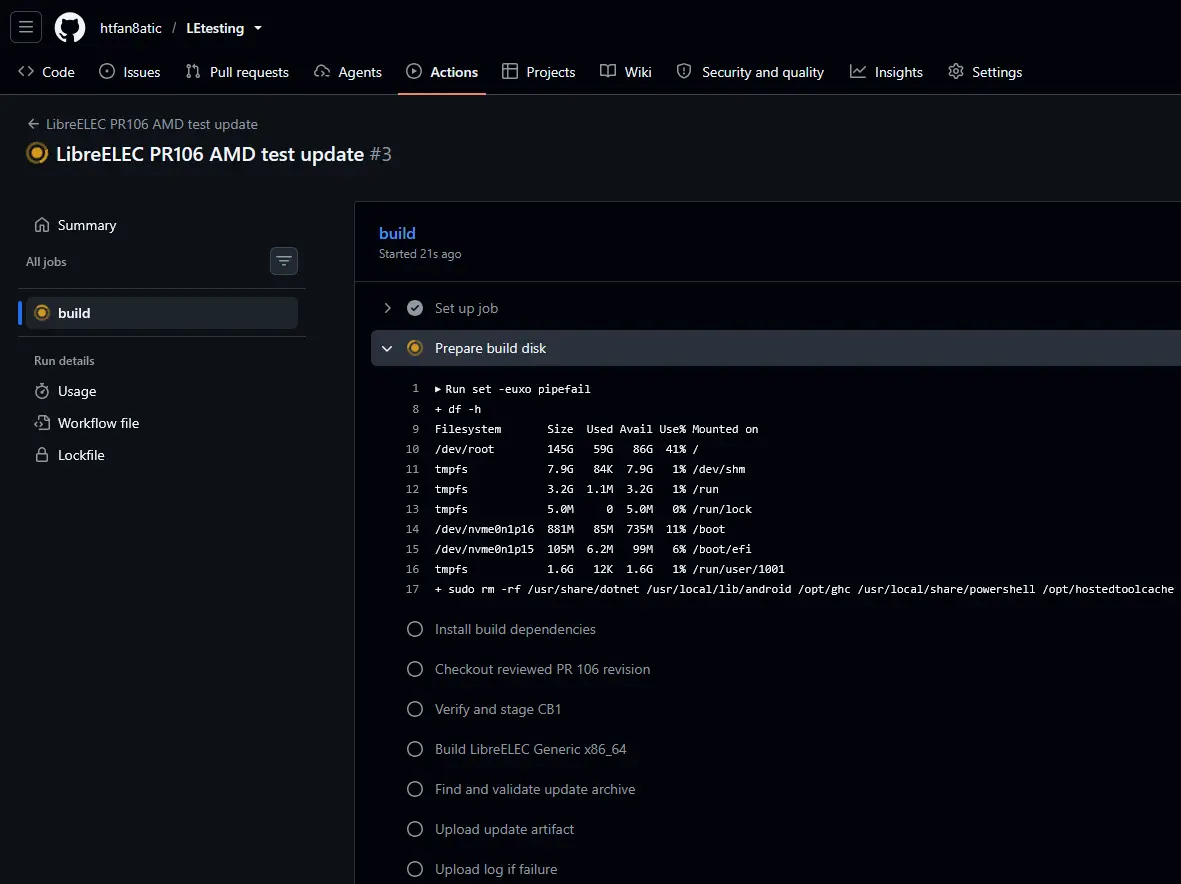
https://github.com/CroqueMr/libreelec-x86-DV/pull/106 here it is, can you try it ht2tweak and tell me if it fixes your problem? I have limited hardware to try it myself, but I think it was the bug you encountered.
-
https://github.com/CroqueMr/libreelec-x86-DV/pull/106 here it is, can you try it ht2tweak and tell me if it fixes your problem? I have limited hardware to try it myself, but I think it was the bug you encountered.
Having you on board already sounds like an awesome addition to the team. Thank you!
-
yeah another amazing Dev pushing what's possible! ty @CorentinB
-
CroqueMr Did you have a chance yet to look at allowing PGS subtitles to be moved up and down if the position is set to manual?
hadesdevls I was testing RC8 and noticed a strange issue when playing my ISO rip of Avatar 2: As soon as a PGS subtitle is displayed on screen, the video starts to judder heavily. Is this a known issue? I tried another disc with PGS subs (Fantastic Beasts: The Secrets of Dumbledore) and with that one, it didn't happen.
-
-
Hi all.
Just got new Asus NUC 14pro with Intel Ultra 5 125H + Arc graphics. Will try to test as much as possible and post results here. Any suggestions or request what to test first on this cpu + gpu combo? The whole system is LG 65G4 + Sonos Arc Ultra + Asus and i have AM6b+ also.
Also, question regarding CEC. Asus has a CEC option in BIOS and its enabled but its not visible in System/Input/Peripherals. Any idea what could i try?
-

Also, question regarding CEC. Asus has a CEC option in BIOS and its enabled but its not visible in System/Input/Peripherals. Any idea what could i try?
Pretty sure it's only for on/off functionality.
-
Hi all.
Just got new Asus NUC 14pro with Intel Ultra 5 125H + Arc graphics. Will try to test as much as possible and post results here. Any suggestions or request what to test first on this cpu + gpu combo? The whole system is LG 65G4 + Sonos Arc Ultra + Asus and i have AM6b+ also.
try transformers 2007 movie. it is FEL movie, but doesn't play in FEL. it falls back to hdr10.
transformers 2007 plays fine (in FEL) with my minix u22 (similar to am6b+). panal T4c version
try transformers with 3 builds, croquemr, hades and yblod. all with the latest releases of them.
also you can try any of this
-
Transformers and Tron Legacy have been playing in DV w/FEL for me as of @CroqueMr's RC2.
-
I have both Transformers and Tron Legacy remuxes, will test them out.
-
Hi cinemaONE, CroqueMr and everyone,
Great news! My HP EliteDesk 705 G4 SFF is now successfully playing 3D Blu-rays too! 😃
The additional HP HDMI Flex IO module arrived today, and I've installed it in my HP EliteDesk 705 G4 SFF with Ryzen 5 PRO 2400G (Vega 11).
And it works perfectly with the new LibreELEC 13 build!
Previously, I could only get side-by-side 3D through the DisplayPort-to-HDMI connection. Now, with the HDMI Flex IO module installed, proper 3D Blu-ray playback is working on the SFF as well!
The module is the HP 3TK75AA / L25757-001, the same part number as the one already working in my smaller EliteDesk.
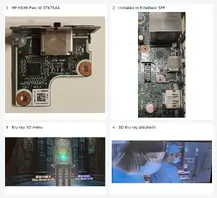
I've attached four photos showing:
- The HDMI Flex IO module and its markings.
- The module installed in the 705 G4 SFF.
- The original 3D Blu-ray disc menu.
- The movie playing successfully.
I've also attached the Kodi debug log from the successful test, so you can check the HDMI detection and 3D frame-packing output modes.
This is especially interesting considering our previous discussion about DisplayPort-to-HDMI converters and LSPCON chips.
Thanks again to everyone involved in developing this fantastic LibreELEC 13 build!
Your work has made these inexpensive HP EliteDesk machines incredibly capable multimedia PCs! 👍
HP_EliteDesk_705_G4_SFF_HDMI_3D_Log.txt -
 Display More
Hi cinemaONE, CroqueMr and everyone,
Great news! My HP EliteDesk 705 G4 SFF is now successfully playing 3D Blu-rays too! 😃
The additional HP HDMI Flex IO module arrived today, and I've installed it in my HP EliteDesk 705 G4 SFF with Ryzen 5 PRO 2400G (Vega 11).
And it works perfectly with the new LibreELEC 13 build!
Previously, I could only get side-by-side 3D through the DisplayPort-to-HDMI connection. Now, with the HDMI Flex IO module installed, proper 3D Blu-ray playback is working on the SFF as well!
The module is the HP 3TK75AA / L25757-001, the same part number as the one already working in my smaller EliteDesk.
I've attached four photos showing:
- The HDMI Flex IO module and its markings.
- The module installed in the 705 G4 SFF.
- The original 3D Blu-ray disc menu.
- The movie playing successfully.
I've also attached the Kodi debug log from the successful test, so you can check the HDMI detection and 3D frame-packing output modes.
This is especially interesting considering our previous discussion about DisplayPort-to-HDMI converters and LSPCON chips.
Thanks again to everyone involved in developing this fantastic LibreELEC 13 build!
Your work has made these inexpensive HP EliteDesk machines incredibly capable multimedia PCs! 👍
HP_EliteDesk_705_G4_SFF_HDMI_3D_Log.txt awesome news! is the DV FEL working also? how is the noise levels, can you hear the fan?
-