[x86-64] Dolby Vision Development for PC

  • Yes, it should work, although I don't see much practical use for software decoding when hardware decoding is available.

    My DV reconstruction and rendering use the GPU standard graphics/compute pipeline through libplacebo.

    I don’t plan to implement a fully SW DV renderer. The work necessary is massive to do it, and I don’t see much practical benefit. Almost every modern consumer CPU has a capable iGPU, and CPU with iGPU too weak for my current DV renderer are unlikely to have enough CPU performance to handle the same workload in the CPU anyway.

    So it wouldn’t really open up many additional compatibility or use cases.

  • Just tried it. Unfortunately it seems it did not change anything (at all) for the 2 minute file I tested. It keeps dropping somewhat around 90+ frames in total. I even increased the power limit in the BIOS to 25w to see if it improved anything but to no effect.

    As for profile 10 AV1, it plays fine with no drops at all. At least on the test file I have (Old Harrison Ford in a boat, I do not know from what movie it is). This file was already running ok on the first version you released.

    As for the DV FEL All Layers Test, it is a complete failure here. It seems to render just the first frame with no colors at all and it stays frozen forever at that image (but continues to play... even after the end of the video).

    Ty for your feedback, I saw two problems on the FEL reconstruction thanks to ht2tweak, a fix will be pushed tomorrow I think and hope it will fix your issue.

  • If debug logs would be helpful for AI, let us know.


    For later... someone asked in my YT video comments if HDR10+ is possible?


    I'm imagining a future w/an AMD mini PC w/DV working combined w/3D. A/V enthusiast nirvana 🥰!

    Edited 3 times, last by ht2tweak (September 28, 2026 at 1:07 AM).

  • For later... someone asked in my YT video comments if HDR10+ is possible?

    I saw that comment I think I answer directly in your video.

    Yes I can add HDR10+ and I even could generate a HDR10+ render from DV metadata on the fly.
    But I don't have any HDR10+ screen :S so it will stay theoretical.

    But I will work to bake DV into HDR10, it will be not complicated since ffmpeg has all function already in place

    Otherwise I pushed an update for the FEL that wasn't working it was quicker than expected, normally the test that failed should pass now, the release is R0.2.1-opt1

    Just tried it. Unfortunately it seems it did not change anything (at all) for the 2 minute file I tested. It keeps dropping somewhat around 90+ frames in total. I even increased the power limit in the BIOS to 25w to see if it improved anything but to no effect.

    As for profile 10 AV1, it plays fine with no drops at all. At least on the test file I have (Old Harrison Ford in a boat, I do not know from what movie it is). This file was already running ok on the first version you released.

    As for the DV FEL All Layers Test, it is a complete failure here. It seems to render just the first frame with no colors at all and it stays frozen forever at that image (but continues to play... even after the end of the video).

    It was quicker than expected the new version is available on github R0.2.1-opt1 it should fix a lot of your issue with the FEL layer. https://github.com/CroqueMr/intel-dv-libreelec/releases

  • That was fast, thanks! Good news: the lady at 80s FEL clips now play properly. Bad news: Lots of dropped frames w/FEL movies... debug log w/component level logging here.

    External Content youtu.be
    Content embedded from external sources will not be displayed without your consent.
    Through the activation of external content, you agree that personal data may be transferred to third party platforms. We have provided more information on this in our privacy policy.

  • That was fast, thanks! Good news: the lady at 80s FEL clips now play properly. Bad news: Lots of dropped frames w/FEL movies... debug log w/component level logging here.

    External Content youtu.be
    Content embedded from external sources will not be displayed without your consent.
    Through the activation of external content, you agree that personal data may be transferred to third party platforms. We have provided more information on this in our privacy policy.

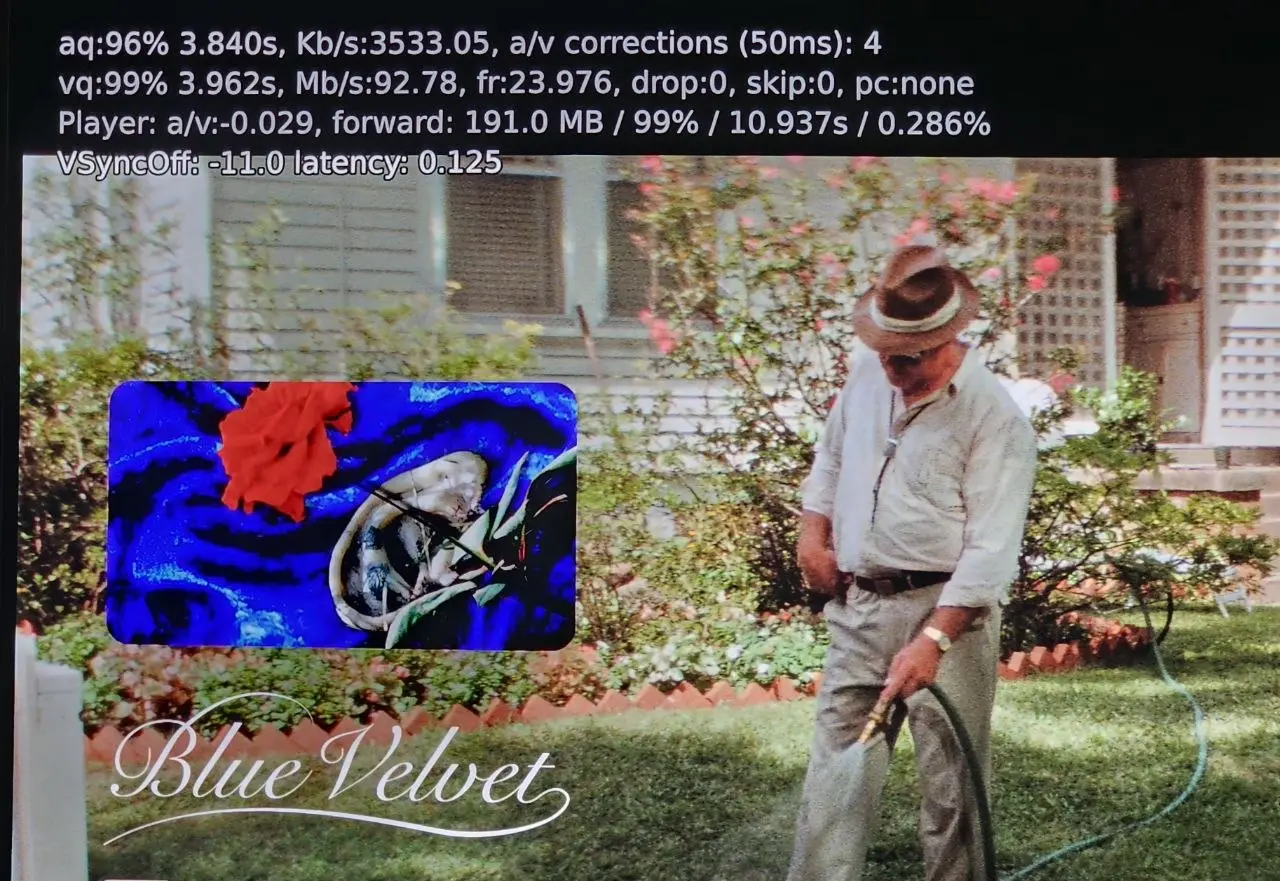
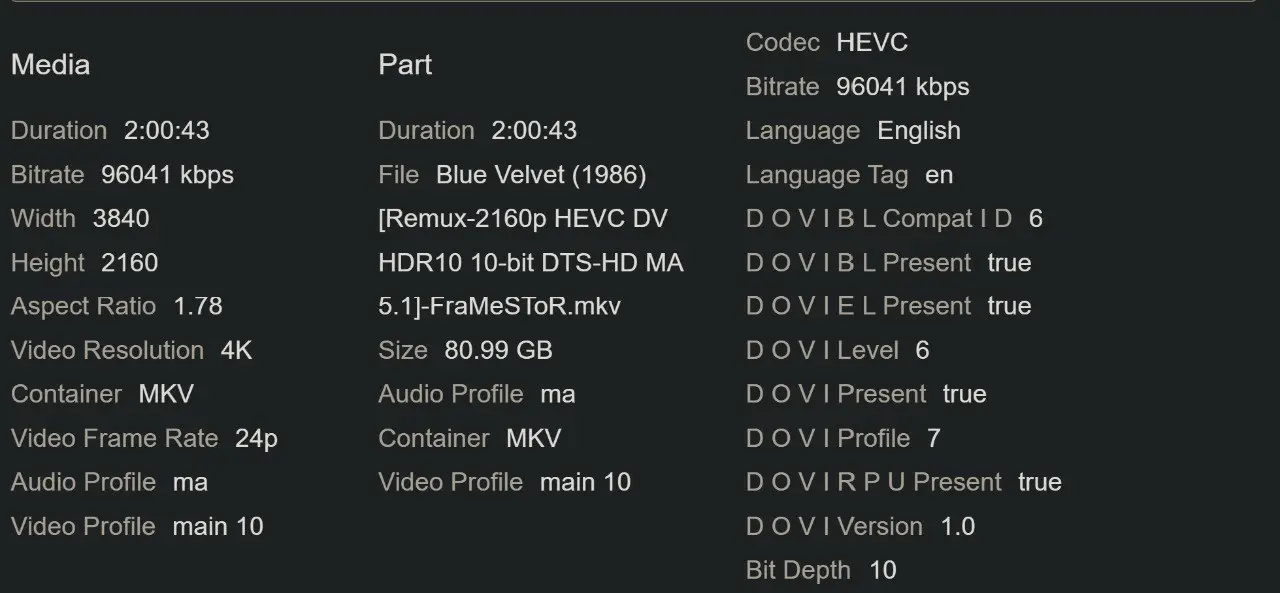
    I just tested the exact same movie. As you can see in the attached screenshots, I don't have any dropped frames. The playback is flawless for me. By the way, I follow your YouTube channel—thanks for all your hard work and the helpful videos you provide!

  • That was fast, thanks! Good news: the lady at 80s FEL clips now play properly. Bad news: Lots of dropped frames w/FEL movies... debug log w/component level logging here.

    External Content youtu.be
    Content embedded from external sources will not be displayed without your consent.
    Through the activation of external content, you agree that personal data may be transferred to third party platforms. We have provided more information on this in our privacy policy.

    Thanks again for the feedback

    At first glance, it's just the N100/150 hitting its performance limit, and my huge logs aren't helping. I wrote a quick and dirty implementation, not realizing it would generate so much data. I'll clean up those heavy enriched logs and target them much more precisely.

    I think removing them should stop the drop

    I just tested the exact same movie. As you can see in the attached screenshots, I don't have any dropped frames. The playback is flawless for me. By the way, I follow your YouTube channel—thanks for all your hard work and the helpful videos you provide!

    Are you on the R0.2.1 release or an older one? and what CPU do you have?

  • Are you on the R0.2.1 release or an older one? and what CPU do you have?

    Yes, I am on the R0.2.1 release, and I am using a Mini PC with a 13th Gen Intel Core i7-1360P.

    Also, I want to thank you so much for your incredible work and effort—no one has ever done this before, it's truly a groundbreaking project! and I really appreciate all your hard work. I hope you keep up the support and continuous updates.

    Lastly, if possible, would it be feasible to add or integrate Dolby Vision processing options/codes similar to CoreELEC's Player.process/video.dovi settings? Thanks again for everything.

  • It was quicker than expected the new version is available on github R0.2.1-opt1 it should fix a lot of your issue with the FEL layer. https://github.com/CroqueMr/intel-dv-libreelec/releases

    Nice... now the "DV FEL All Layers Test" plays as it should, colors, the actress, the whole thing seems to work and not one frame was dropped on the N100.

    I know performance wasn't the focus of the update but I went ahead and tested "FEL TEST ST DL P7 CMV4.0 4000nits V4.mp4" anyway and the 90+ frames are being dropped as before.

  • Nice... now the "DV FEL All Layers Test" plays as it should, colors, the actress, the whole thing seems to work and not one frame was dropped on the N100.

    I know performance wasn't the focus of the update but I went ahead and tested "FEL TEST ST DL P7 CMV4.0 4000nits V4.mp4" anyway and the 90+ frames are being dropped as before.

    I just released version R0.2.1a. It fixes the heavy log file build I implemented that was ruining performance and feed storage like never before, please de not use it anymore, I will remove this version from github.


    The R0.2.1a might fix your issue, though I doubt it. Could you test it and send me the log file so I can see what is going wrong, as well as your test file? for me your issue is not a performance issue, something is wrong.

  • Yeah... I guess it could be a problem with the test file. I frankly don't even remember where I got it from. Do we have any good source of test files?

    I tested two different Profile 7 FEL "red test" samples without any issues, and other N100 users haven't reported problems either with this test files.
    But with the log I will see your issue.

  • I tested two different Profile 7 FEL "red test" samples without any issues, and other N100 users haven't reported problems either with this test files.
    But with the log I will see your issue.

    Vertox
    September 28, 2026 at 10:55 AM
  • Yes, I am on the R0.2.1 release, and I am using a Mini PC with a 13th Gen Intel Core i7-1360P.

    Also, I want to thank you so much for your incredible work and effort—no one has ever done this before, it's truly a groundbreaking project! and I really appreciate all your hard work. I hope you keep up the support and continuous updates.

    Lastly, if possible, would it be feasible to add or integrate Dolby Vision processing options/codes similar to CoreELEC's Player.process/video.dovi settings? Thanks again for everything.

    Thank you, I’m just happy to contribute. Your iGPU is similar to mine and considerably more powerful than the N100, so the heavier logging should be less of an issue. I’d still recommend updating to the latest version.

    Regarding information similar to CoreELEC, I’m not very familiar with exactly what it displays. But details like the DV profile and CM version should be straightforward to expose, since I already have them in the logs.

    As for playback options, I’m currently focusing on standard, TV-led Dolby Vision. Adding LLDV (player-led) would be a substantial project. The player need to handle the display mapping currently done by the TV. That could increase GPU load and make things harder for small Intel iGPU. The main benefit would be compatibility with old TVs that require player-led DV and can not perform the display mapping. That said, I’m less familiar with LLDV, so there may be other use cases or benefits

    For me, the most interesting Dolby Vision processing features are:

    • Baking DV into HDR10
    • Generating HDR10+ metadata from DV

    As far as I know, CoreELEC doesn't support this. With a stronger GPU on x86, we actually have the performance headroom to experiment with this kind of workload, and this challenge drives me more. But if you seen more usefull usecases to cover I am listening.

  • There is no forum rule banning CE from being mentioned. However comparison discussions have a habit of attracting trolls, and we prefer to avoid that kind of behaviour. Just keep the discussion sensible.