[x86-64] Dolby Vision w/FEL + Full 3D for PC (Intel, AMD & nVidia)

  • Also, I am using the Estuary Mod V2 skin and it blocks all access to the Enhanced player information. I just get the basic one. Thats probably a "me" problem!

    Yep, some skins have incomplete implementation, so you don't see all options. Stay away from them, and use the default skin.

  • Very interessted to see how a small J4125 handle the DV playing. I think it will be ok for all standard native output but will strugle if you enable HDR Adaptative or any HDR<->DV conversion.

    Regarding your issue, it's strange, I see your player send a 4096x2180 signal, insteed of 3840*2180. I just pushed a debug version,

    This version integretate some fixes that I think will not be useful for your issue, but I adjusted the log to capture more information, could you send me back the log with de debug version installed? https://github.com/CroqueMr/libreelec-x86-DV/releases

    CroqueMr , here's the new log for the DV Freeze.

    Could you please try the beta4 debug version and send me back the log even if it fixed your issue?

    Releases · CroqueMr/libreelec-x86-DV
    LibreELEC x86_64 with Dolby Vision support for Intel and AMD iGPUs - CroqueMr/libreelec-x86-DV
    github.com
  • Okay, I installed the debug version and played the three test videos. Hope this is useful...

    I don't see any issue in the log, did you get a blackscreen with the same issues as before?

    Could you try to play your heaviest file in Master reference mode and Standard?

  • Hi CroqueMr,

    First of all, thank you again for your continued work on LibreELEC Dolby Vision. I really appreciate the time and effort you're putting into this project.

    I've been testing R1.0.0-Beta4-debug with the following setup:

    • Device: ASUS Mini PC
    • CPU: Intel Core i7-1360P
    • GPU: Intel Iris Xe

    I've noticed an issue with Dolby Vision Profile 7 FEL playback.

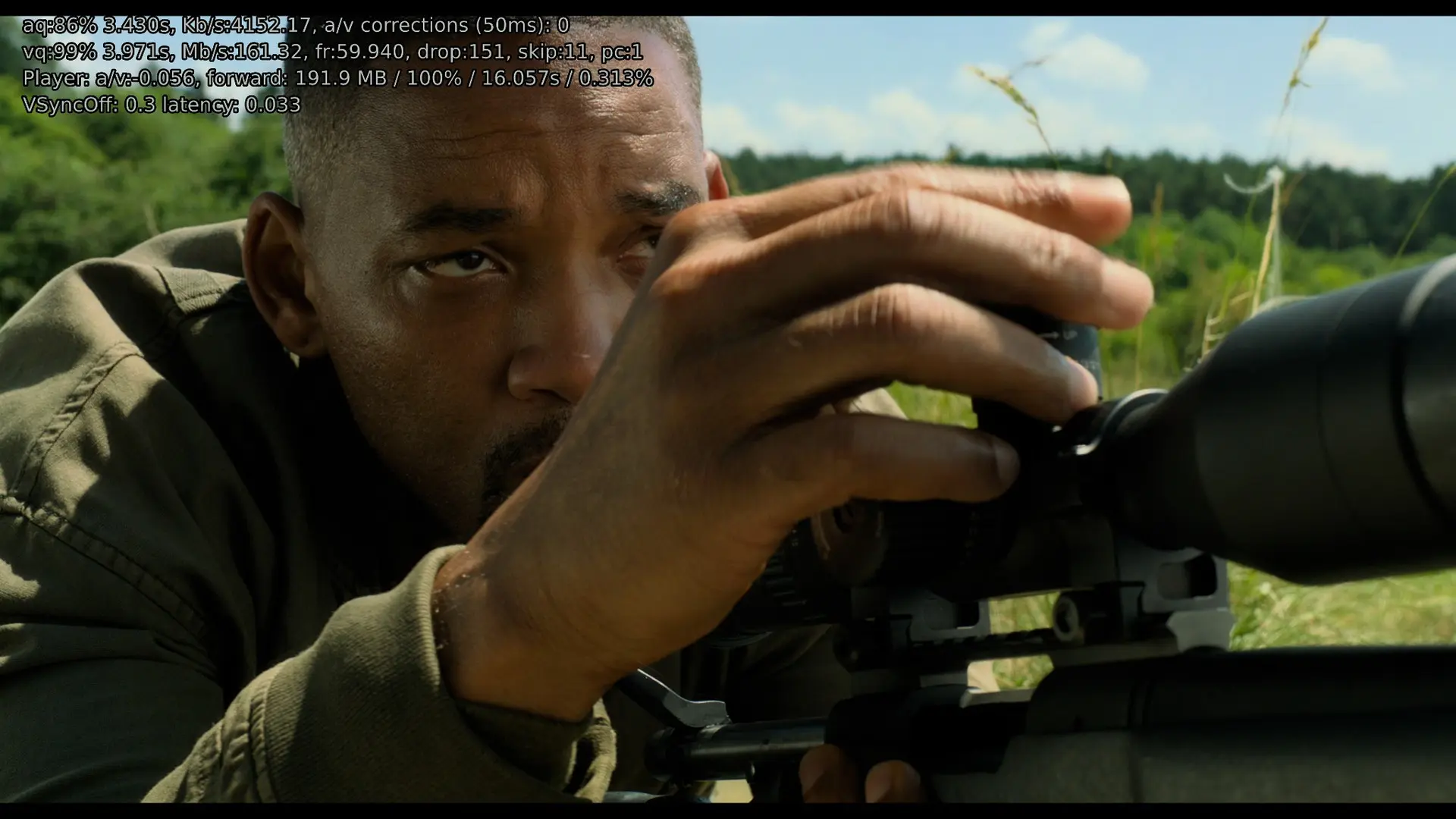
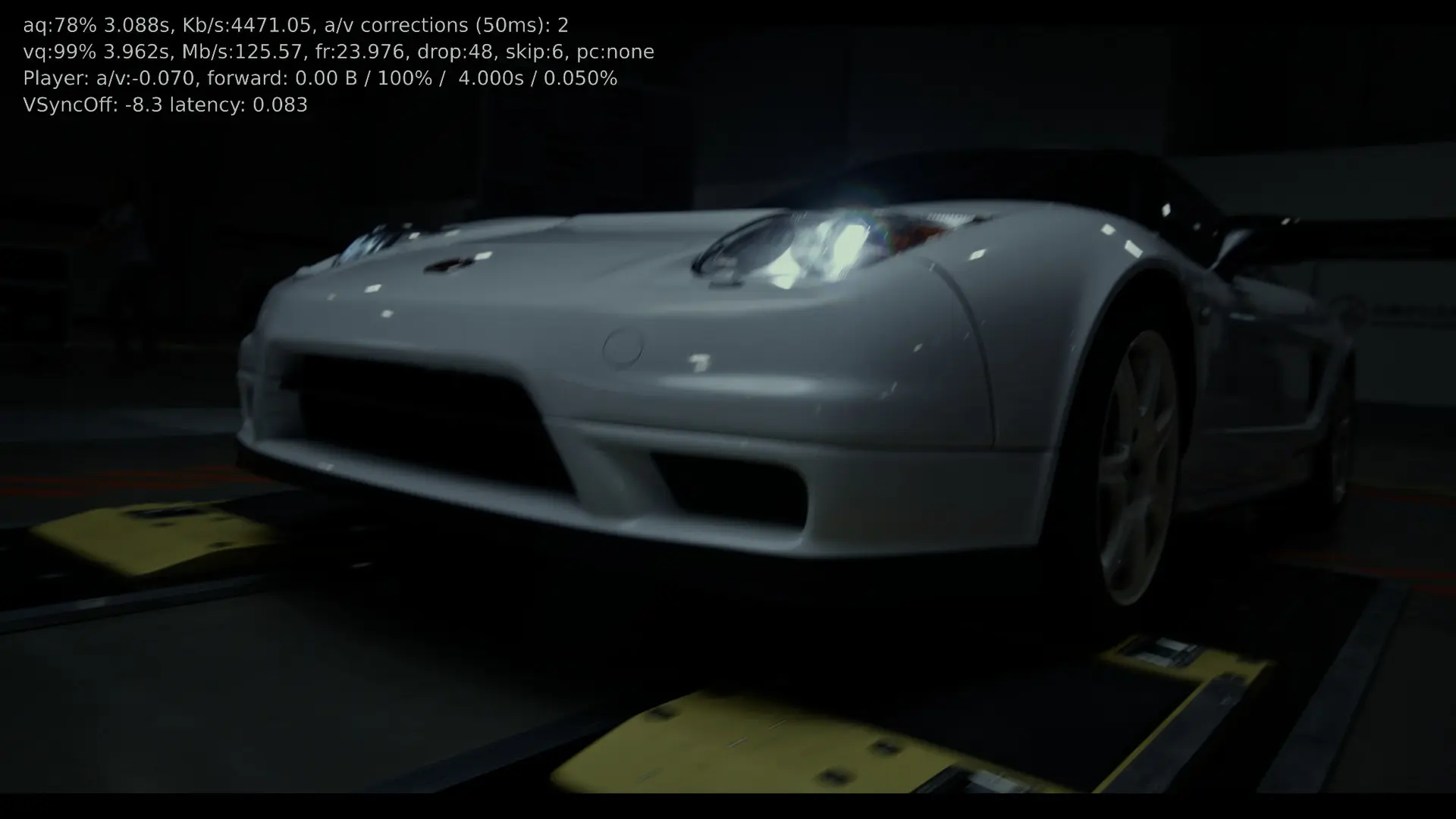
    Whenever I press O to display or cycle through the player information, frames start dropping. The more I press O, the higher the dropped-frame counter gets.

    I've reproduced this with:

    • Dolby Vision Profile 7 FEL MKV files.
    • Dolby Vision FEL Blu-ray ISO files.
    • FEL content running at 59.94/60fps.

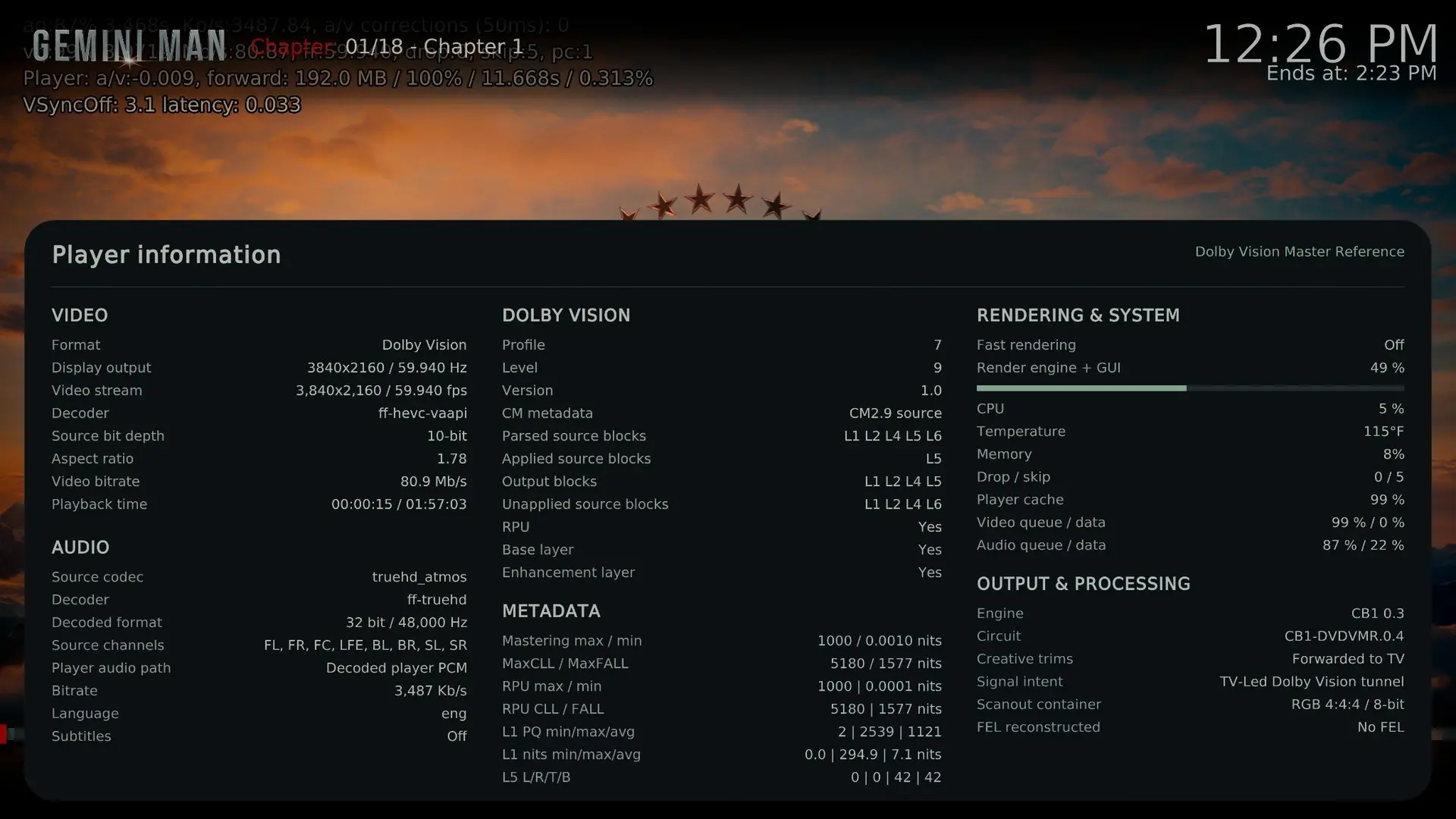
    For example, while testing Gemini Man, the dropped-frame counter reached 48 in one screenshot and 151 in another.

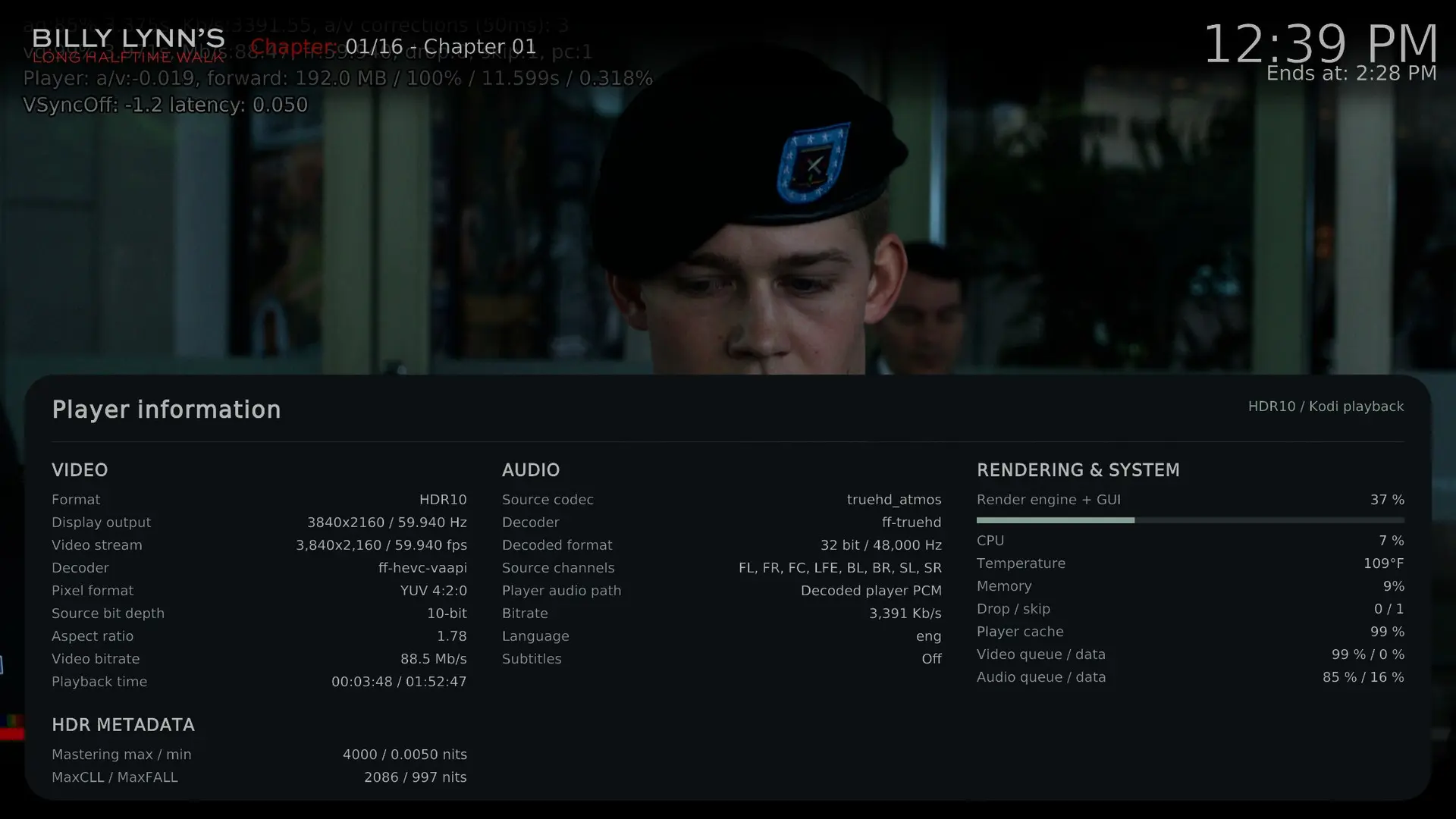
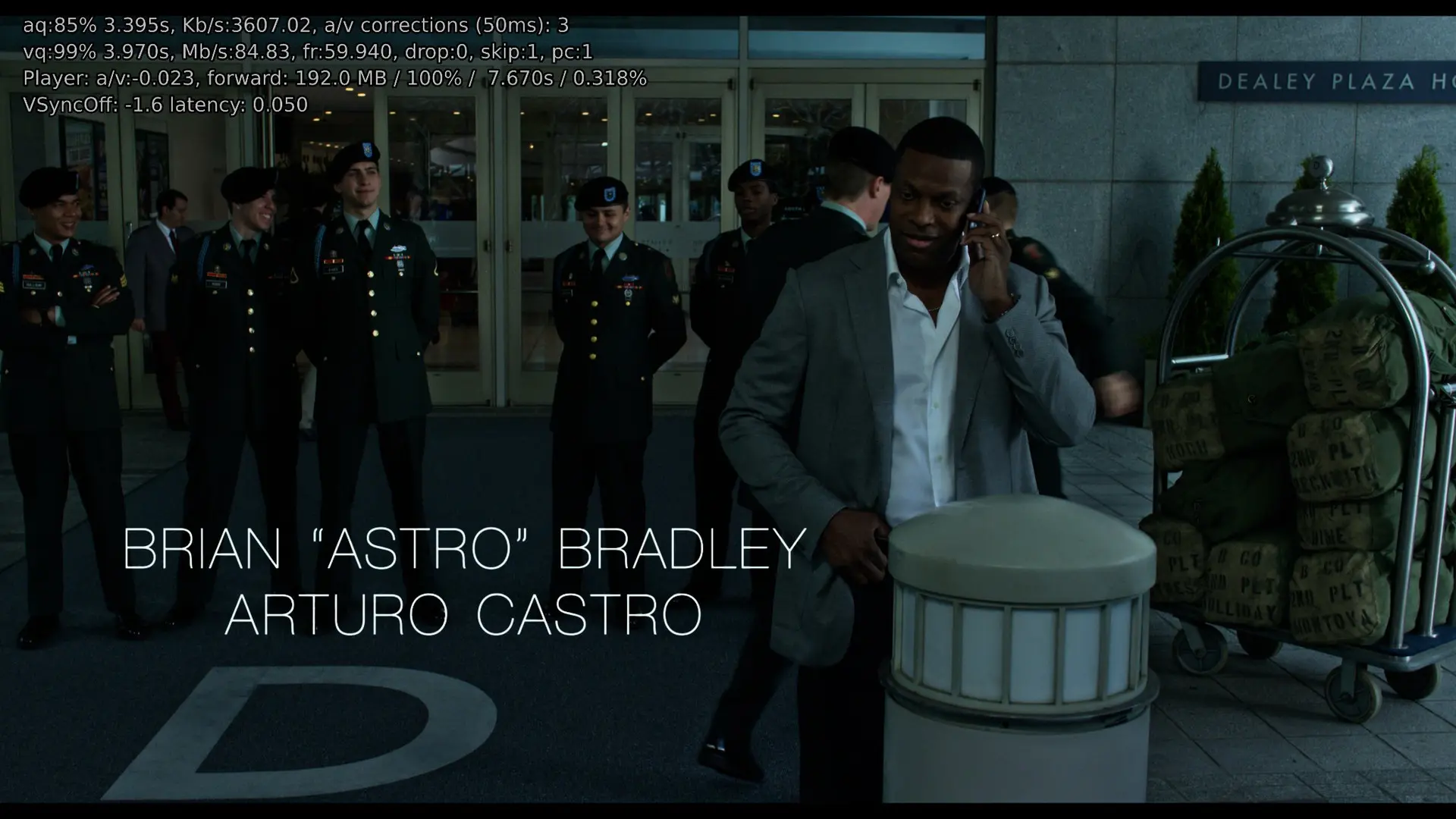
    What's interesting is that HDR10 playback works smoothly on the same Intel hardware, even at 59.94/60fps. I tested Billy Lynn's Long Halftime Walk in HDR10, and it showed 0 dropped frames and only 1 skipped frame.

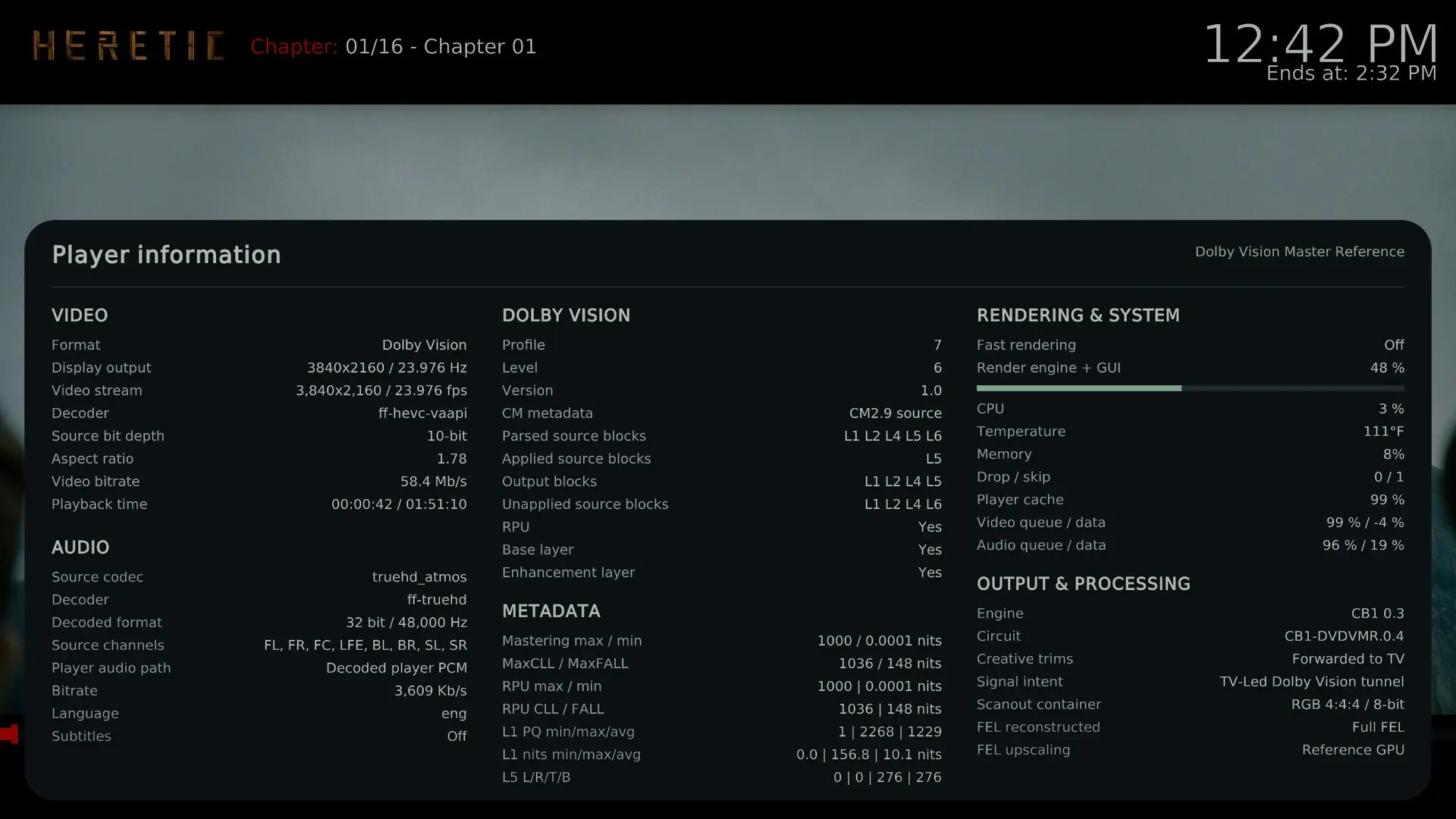
    I also tested Heretic in Dolby Vision Profile 7, and the player information confirmed:

    • FEL reconstructed: Full FEL
    • FEL upscaling: Reference GPU
    • Dolby Vision Master Reference
    • TV-Led Dolby Vision tunnel

    I've attached screenshots showing the difference between FEL and HDR10, along with Kodi log containing the relevant DVBridge and CB1 rendering diagnostics.

    I understand that the debug build may introduce additional playback stalls, so these results aren't intended as a performance benchmark. However, the difference between FEL and HDR10 when opening the player information overlay seems worth investigating.

    Could you please take a look when you have time? I'm wondering whether displaying the player information overlay adds extra rendering overhead during FEL playback on Intel GPUs.

    Thanks again for all your hard work. I really appreciate it.

  • Had a spare ssd so i installed Beta4 on my J5040 and tried Three Musketeers, here is a log:

    https://paste.libreelec.tv/anteroparietal-trina.log

    It's a very good news, a small J5040 is able to read without any drop a FEL7 Remux. Could you check if your CPU Can handle a 60fps movies or your profile 7 with FEL in Dolby vision Master reference mode and not Dolby Vision Standard?


    Thanks for the feedback, for the GUI that generate drops it's a known issue, many GPU can not handle FEL + GUI. In master reference mode I don't think I will be able to patch it completely. This mode is VERY restrictive, if any modification change the picture by one bit, even if it's invisible the mod is rejected. But I see one small issue, it may reduce the drops. I will push a debug2 later today.

  • I will receive a mini PC with an Ryzen 3 3200U (=R1505G) CPU. I plan to focus this platform on AMD, similarly to what I did with the N100 on the Intel side.

    The 3100U / R1505G is quite widespread, and here in Europe, you can find used mini PCs for under $100 with this CPU.


    N100, Avatar The Way of Water, Dolby Vision Master Reference.

    https://paste.libreelec.tv/whimsical-jerrica.log

    No drop perfect, but I am more interested in the J5040 :)

    I think my issue is something to do with this


    https://forum.kodi.tv/showthread.php?tid=366528&page=3

    Probably outside the scope of this project. Might try the CRU thing

    Yeah try this, but in your last log your issue seems fixed with the debug patches.

    Edited once, last by CroqueMr (October 19, 2026 at 2:59 PM).

  • Thanks for the feedback, for the GUI that generate drops it's a known issue, many GPU can not handle FEL + GUI. In master reference mode I don't think I will be able to patch it completely. This mode is VERY restrictive, if any modification change the picture by one bit, even if it's invisible the mod is rejected. But I see one small issue, it may reduce the drops. I will push a debug2 later today.

    Thanks for the explanation, I understand the limitations of Master Reference mode, and I'd definitely prefer to keep the picture quality intact. I'll test Debug2 when it's available and let you know if the frame drops improve. Really appreciate your work.

  • Hi, I joined your project over a week ago.
    I have a question for the developers of these two projects, CroqueMr and dangerouslaser
    The first releases sent an 8-bit RGB signal in ITP color space through the tunnel, just like all players with DV do, but starting with a certain version, I see that YCbCr is being sent instead.
    What’s the reason for this? I know that both options are considered acceptable, but I’m curious to know why.
    I’ve already tested the ITP option and compared it with other players, and it worked great; I’m still testing the new version. But since the color representation is different, it’s not possible to perfectly align the signals for comparison with other players.
    In the YCbCr tunnel output mode, are all the necessary RGB-to-LMS conversions being performed?

  • Hi, I joined your project over a week ago.
    I have a question for the developers of these two projects, CroqueMr and dangerouslaser
    The first releases sent an 8-bit RGB signal in ITP color space through the tunnel, just like all players with DV do, but starting with a certain version, I see that YCbCr is being sent instead.
    What’s the reason for this? I know that both options are considered acceptable, but I’m curious to know why.
    I’ve already tested the ITP option and compared it with other players, and it worked great; I’m still testing the new version. But since the color representation is different, it’s not possible to perfectly align the signals for comparison with other players.
    In the YCbCr tunnel output mode, are all the necessary RGB-to-LMS conversions being performed?

    Nice we can continue our discussion here :) I sent you a mail but I will past my answer here also :


    I use YCbCr inside the RGB 8bit tunnel to avoid unnecessary conversions and rounding and help small GPUs. I send the matching YCbCr to RGB and RGB to LMS matrices for the TV to handle the conversion in TV-Led mode, following ETSI specs

    For your comparison, do you need IPT PQ c2 inside the RGB tunnel, like the earlier Yblod build? Just tell me what output and tunnel format you need, I can adapt the Master Reference circuit to match your need. Other circuits deliberately modify the signal and aren’t intended as exact references and I think do not deserved to be deeply analyzed

  • Nice we can continue our discussion here :) I sent you a mail but I will past my answer here also :


    I use YCbCr inside the RGB 8bit tunnel to avoid unnecessary conversions and rounding and help small GPUs. I send the matching YCbCr to RGB and RGB to LMS matrices for the TV to handle the conversion in TV-Led mode, following ETSI specs

    For your comparison, do you need IPT PQ c2 inside the RGB tunnel, like the earlier Yblod build? Just tell me what output and tunnel format you need, I can adapt the Master Reference circuit to match your need. Other circuits deliberately modify the signal and aren’t intended as exact references and I think do not deserved to be deeply analyzed

    Yes, to ensure 100% accuracy in the analysis, I need all players to use the same color space. Otherwise, I’d have to convert ITP to YUV or vice versa, and that isn’t a lossless process—I need a lossless process without any color conversions.
    I’m testing on an Intel i3-12100 (UHD730)—it seems to be sufficient for 30 fps tests.

  • Hi, I have one more general question: does LibreELEC-x86-DV run entirely from a USB stick without using the internal SSD, so that I can keep Windows running on the mini PC for other purposes?

    If so, I would likely choose an i3 or i5 processor instead of the N100, which would be too slow for Windows.

    or is LibreELEC-x86-DV just perfectly optimized for the N100?

  • Yes, to ensure 100% accuracy in the analysis, I need all players to use the same color space. Otherwise, I’d have to convert ITP to YUV or vice versa, and that isn’t a lossless process—I need a lossless process without any color conversions.
    I’m testing on an Intel i3-12100 (UHD730)—it seems to be sufficient for 30 fps tests.

    I will add a new circuit that includes this in the next version, it will be available tomorrow, or the day after if I run into any issues.

    Thanks a lot for your help.

  • Hey CroqueMr I have an rtx 4080 gaming laptop. I flashed the latest beta 4 on my usb and connected to tv via hdmi. I am not getting output to tv. Only the initial one line libreelec r1.0.0 beta 4 shows up on both tv and laptop, but after that everything is on laptop screen. I have tried libreelec hades build before and I was able to get output to my tv , I tested fel files and everything worked properly on that build. Any idea what's going on?