Display MoreHi everyone. This thread and CroqueMr's fork got me started, so I'd like to share where it led: LibreELEC Hades, an unofficial LibreELEC build for x86_64 PCs that sends native Dolby Vision (Standard, TV-led) over HDMI from NVIDIA, AMD and Intel graphics, dedicated or built into the processor, profile 7 with the full enhancement layer included.
It began from CroqueMr's dvbridge module and Intel output (credited in the README) and adds:
- NVIDIA output with NVIDIA's open kernel modules (GTX 16, RTX 20 and newer), through the driver's vendor InfoFrame property, 8 bpc and dithering off.
- AMD output (amdgpu, recent display hardware, not DCN 1 or 2). It needs an HDMI TMDS link.
- Profiles 7 FEL, 8.1 and 5, and Dolby Vision in two video tracks (Blu-ray .m2ts structure).
- For integrated graphics: where a frame takes most of the refresh period it is prepared one refresh ahead, and the faster of two drawing paths is measured and remembered.
- Kodi's refresh rate is kept, exact rates included. On NVIDIA it adds the exact 24, 30, 60 and 120 Hz modes the driver did not offer.
- It fails closed: if the video, TV, link or driver does not qualify, the video plays the normal way, no black screen.
- Dolby Vision shown as HDR10 (no tone mapping) where native output is not possible, profile 5 by default.
- Safer defaults for a PC with other disks (internal disks hidden when started from USB), a small Windows installer and a diagnostic switch.Seen working so far, with the test builds that led to this RC, on an LG C5: RTX 4080 SUPER, the integrated Radeon of a Ryzen 9 7950X3D, and an Intel Core i5-12450H laptop. Profile 7 FEL on all three (measured on the 4080 and the Radeon: 240 frames every 10 s, none dropped, FEL in every one), 8.1 and 5 on the 4080, TrueHD Atmos passed through on all three and DD+ Atmos on the 4080.
Everything else is untested, and that is where help would be great: other NVIDIA, AMD and Intel graphics, other TVs, and 3D (new in this version: 3D Blu-ray MVC decoding and switching a 3D display over HDMI, never tried on a 3D display).
Repository: https://github.com/hadesdevls/LibreELEC-Hades
Release 1.0 RC1 (image, update .tar, Windows installer and the complete source): https://github.com/hadesdevls/Lib…es/tag/v1.0-rc1Before trying: Secure Boot has to be off, and the TV input must advertise Dolby Vision Standard (on the LG C5, Quick Frame Transport off on that input; Hades tells you when an input offers only low-latency Dolby Vision). A USB SSD is much smoother than a stick.
It is unofficial: please report problems in the GitHub issues, not to LibreELEC or Kodi. A report with the diagnostic switch on helps a lot (a tick box in the installer, or rename DIAG-OFF.TXT to DIAG-ON.TXT on the boot partition); docs/diagnostics.md explains.
Many thanks to CroqueMr for the fork this grew from, to Dom Cobley and cinema-ONE for the 3D work it uses, and to everyone in this thread.
[x86-64] Dolby Vision w/FEL + Full 3D for PC (Intel, AMD & nVidia)
-
ht2tweak -
March 14, 2026 at 2:33 PM -
Thread is Resolved
-
-
-
Don't buy extra RAM, it won't help. This conversion process is just a draft in Beta3 and will be optimized in Beta4, maybe your hardware will be good enough
I've already updated the basic HDR10 conversion in my internal beta4 preview build, but since it's heavy on the GPU, I think low end chips like the N100 won't handle it, but we will see after the rebuild of the pipepline. In the next release Beta4 the performances and optimization will not moved we will be close to the R1.0.0 stable. Important point, in Expert mode, tone mapping is managed by the rendering engine in LE, so be sure to disable tone mapping on your TV/projector.
Determining whether a CPU/iGPU is powerful enough is tricky. Performance relies heavily on the rendering engine in the GPU, which is hard to benchmark, and other limiting factors are still not perfectly understand.
Brilliant I'll wait then! Thought maybe it was the memory bus/bandwidth from single stick of ram instead of 2. Thanks for all your efforts I've genuinely got a smile on my face finally something works.
-
Glad it worked for you! Thanks for testing it so quickly. If you find any bugs or have suggestions, please let me know. And if you could share your PC specs so I can add them to the list of tested hardware, that would be great too!
-
Display More
Hi everyone. This thread and CroqueMr's fork got me started, so I'd like to share where it led: LibreELEC Hades, an unofficial LibreELEC build for x86_64 PCs that sends native Dolby Vision (Standard, TV-led) over HDMI from NVIDIA, AMD and Intel graphics, dedicated or built into the processor, profile 7 with the full enhancement layer included.
It began from CroqueMr's dvbridge module and Intel output (credited in the README) and adds:
- NVIDIA output with NVIDIA's open kernel modules (GTX 16, RTX 20 and newer), through the driver's vendor InfoFrame property, 8 bpc and dithering off.
- AMD output (amdgpu, recent display hardware, not DCN 1 or 2). It needs an HDMI TMDS link.
- Profiles 7 FEL, 8.1 and 5, and Dolby Vision in two video tracks (Blu-ray .m2ts structure).
- For integrated graphics: where a frame takes most of the refresh period it is prepared one refresh ahead, and the faster of two drawing paths is measured and remembered.
- Kodi's refresh rate is kept, exact rates included. On NVIDIA it adds the exact 24, 30, 60 and 120 Hz modes the driver did not offer.
- It fails closed: if the video, TV, link or driver does not qualify, the video plays the normal way, no black screen.
- Dolby Vision shown as HDR10 (no tone mapping) where native output is not possible, profile 5 by default.
- Safer defaults for a PC with other disks (internal disks hidden when started from USB), a small Windows installer and a diagnostic switch.Seen working so far, with the test builds that led to this RC, on an LG C5: RTX 4080 SUPER, the integrated Radeon of a Ryzen 9 7950X3D, and an Intel Core i5-12450H laptop. Profile 7 FEL on all three (measured on the 4080 and the Radeon: 240 frames every 10 s, none dropped, FEL in every one), 8.1 and 5 on the 4080, TrueHD Atmos passed through on all three and DD+ Atmos on the 4080.
Everything else is untested, and that is where help would be great: other NVIDIA, AMD and Intel graphics, other TVs, and 3D (new in this version: 3D Blu-ray MVC decoding and switching a 3D display over HDMI, never tried on a 3D display).
Repository: https://github.com/hadesdevls/LibreELEC-Hades
Release 1.0 RC1 (image, update .tar, Windows installer and the complete source): https://github.com/hadesdevls/Lib…es/tag/v1.0-rc1Before trying: Secure Boot has to be off, and the TV input must advertise Dolby Vision Standard (on the LG C5, Quick Frame Transport off on that input; Hades tells you when an input offers only low-latency Dolby Vision). A USB SSD is much smoother than a stick.
It is unofficial: please report problems in the GitHub issues, not to LibreELEC or Kodi. A report with the diagnostic switch on helps a lot (a tick box in the installer, or rename DIAG-OFF.TXT to DIAG-ON.TXT on the boot partition); docs/diagnostics.md explains.
Many thanks to CroqueMr for the fork this grew from, to Dom Cobley and cinema-ONE for the 3D work it uses, and to everyone in this thread.

I've reviewed your code, and unfortunately, it's based on an old version of my build. We've made significant progress since then, particularly in performance optimization. As it stands, your build will struggle quite a bit on weak CPUs.
Your NVIDIA integration looks good, though. I'll incorporate it into my release this weekend

-
I've reviewed your code, and unfortunately, it's based on an old version of my build. We've made significant progress since then, particularly in performance optimization. As it stands, your build will struggle quite a bit on weak CPUs.
Your NVIDIA integration looks good, though. I'll incorporate it into my release this weekend

Hey Croque, glad you took a look at it and that you're planning to implement some things in your build!!!
I actually started working on this the very day you first shared your code, trying to get it running on my hardware and experimenting with other implementations. I've also made quite a few general updates to the code since then, but I'll check out the latest changes in your fork to see if there are any useful optimizations I might have missed. Thanks for the heads-up!
So far, it's been running pretty well on the hardware I've tested, although I haven't tested it on that many different setups, and none of them have been particularly low-end since I don't really have any modest hardware at home. I guess that could explain why I haven't encountered the issues you mentioned, which would make sense.
The lowest-end hardware it's been tested on so far is a borrowed laptop with an Intel i5-12450H. I also want to test it on a couple of laptops I have at home, but neither is exactly representative of lower-end hardware (one has a Ryzen 9 5980HX with an RX 6800M, and the other has an i7-12650H with an RTX 3080 Ti Mobile).
So if anyone else gives it a try and notices any performance issues, please let me know!
-
CroqueMr , here is the kodi log for the Stranger Things black screen freeze.
It played about 10 secs appx then did the black screen freeze forever. I then quitted the video back to Kodi.
-
Send me the complete log please. I will check
Was finally able to solve my own issue. Turns out changing the refresh rate to 120Hz messes up Libreelec recognising the TV's ability to play dolby vision. Switching it back to 60Hz and now all is well again. Funny enough if you switch to 120Hz within the Kodi it still works as long as you don't reboot

-
Turns out changing the refresh rate to 120Hz messes up Libreelec recognising the TV's ability to play dolby vision
Well, this ain't normal. If you can, you should provide logs as maybe it's something that can be fixed.
-
Was finally able to solve my own issue. Turns out changing the refresh rate to 120Hz messes up Libreelec recognising the TV's ability to play dolby vision. Switching it back to 60Hz and now all is well again. Funny enough if you switch to 120Hz within the Kodi it still works as long as you don't reboot

That's possibly the same "bug" that I saw in CoreElec NO when I was talking to Portisch. He pointed me to a line of code that checks if a certain bit in the Dolby Vision VSVDB (Vendor Specific Video Data Block) in the EDID of the display is not ON then this says that the display cannot do DV at 120Hz. I have an older TV that cannot do DV at 120Hz and one that can and the bit was different on both, that's how I found out about the bit.
The problem is, it seems that CoreELec NO is checking the GUI Hz wrongly and thinks the video that you are starting the playback is a 120Hz video even if it's the GUI that is 120Hz and not the video. Probably something about when the video starts the playback because I was seeing 2 or 3 times switching res and/or Hz in the kodi log.
I still have the picture of the bit it's this one:
It says "reserved" but it's in fact called "Parity" and it'S a 120Hz compatibility bit for DV for the display. That picture is just from an older DV Header when it didn't yet serve any purpose.
I said to Portisch maybe this should be fixed but he just said use 60Hz in GUI so I did that on my AM9 Pro. I also think it may be from LibreElec 13 since CoreElec NO is a fork of LibreElec 13 if I am not mistaking. So that's why we see it here too maybe?
On my AM6B+ with CoreElec NG I do NOT have that problem and am using 1080p 120Hz and DV works fine so they changed or added the check for this bit in CoreElec NO / LibreELec 13.
Portisch replied with the line of code for the check here:
Amlogic-NO discussionThis is your bit: So don’t use higher than 60Hz! And read Wiki how to provide logs:discourse.coreelec.orgThe line of code is here:
common_drivers/drivers/media/vout/hdmitx_common/hdmitx_edid_parse.c at 5.15.196_20260225 · CoreELEC/common_driversContribute to CoreELEC/common_drivers development by creating an account on GitHub.github.comI don't see "common_drivers" in LibreELec's git repos though... I will try to put 1080p 120Hz and see if I have the same problem.
...
tested and I do NOT have a problem playing back DV while my GUI is at 1080p 120Hz. This may be a CoreElec NO only problem and maybe this has nothing to do with bang gun 's problem? It sure looks like the same problem from what he his experiencing though but I don't experience that like I did on CoreElec NO. Also, if I do a search for "dv->parity" in LibreElec's repo I find nothing.
Which file were you trying to play bang gun ?
-
hello, new to libreelec, I felt the need to change my player after my shield tv tube started stuttering with high bitrate mkvs (thought the problem was my nas )
my humble contribution
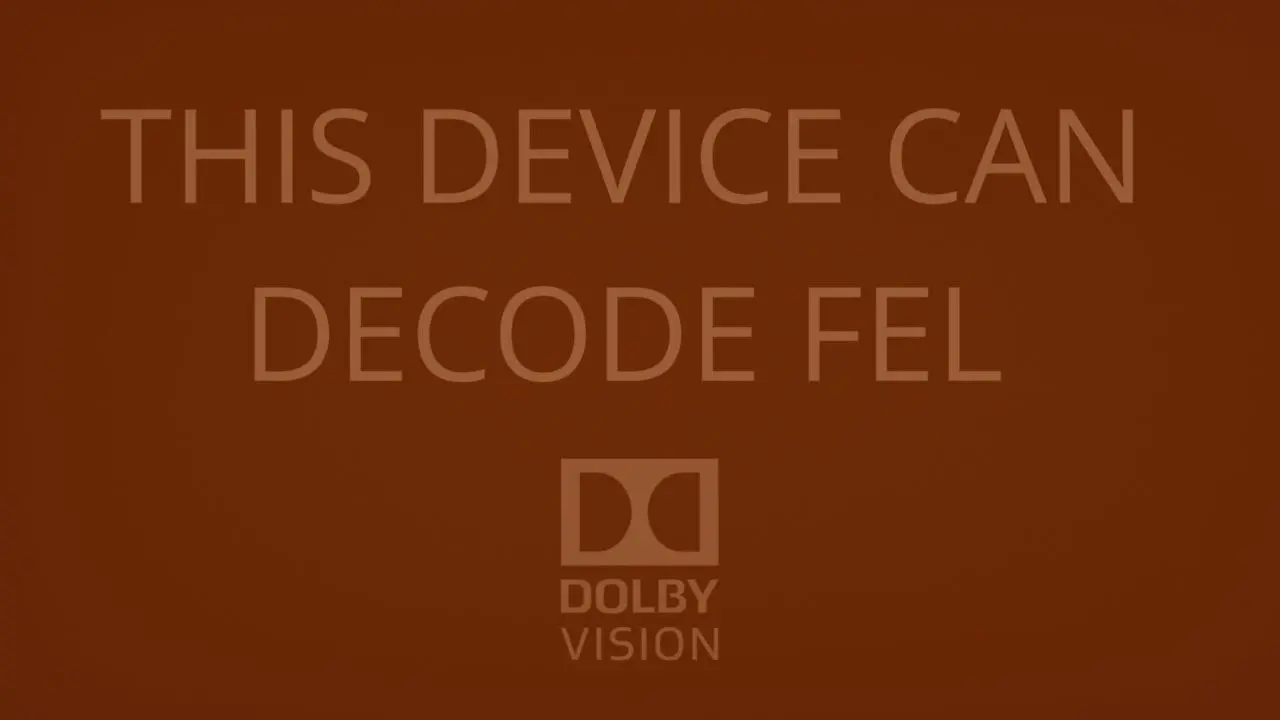
I was able to see the red sign screen "this device can decode fel", the white font credits and the character from mortal engines on the sample videos, using this gear.
i5 7600/ 9070xt pc
marantz sr7012 AVR
Hdfury drHDMI4k - set to LLDV display
tw9400 projector
Hope that indeed everything was working. I read that receivers were not part of any test so far, in my case they seem to work fine.
-
Display More
Hi everyone. This thread and CroqueMr's fork got me started, so I'd like to share where it led: LibreELEC Hades, an unofficial LibreELEC build for x86_64 PCs that sends native Dolby Vision (Standard, TV-led) over HDMI from NVIDIA, AMD and Intel graphics, dedicated or built into the processor, profile 7 with the full enhancement layer included.
It began from CroqueMr's dvbridge module and Intel output (credited in the README) and adds:
- NVIDIA output with NVIDIA's open kernel modules (GTX 16, RTX 20 and newer), through the driver's vendor InfoFrame property, 8 bpc and dithering off.
- AMD output (amdgpu, recent display hardware, not DCN 1 or 2). It needs an HDMI TMDS link.
- Profiles 7 FEL, 8.1 and 5, and Dolby Vision in two video tracks (Blu-ray .m2ts structure).
- For integrated graphics: where a frame takes most of the refresh period it is prepared one refresh ahead, and the faster of two drawing paths is measured and remembered.
- Kodi's refresh rate is kept, exact rates included. On NVIDIA it adds the exact 24, 30, 60 and 120 Hz modes the driver did not offer.
- It fails closed: if the video, TV, link or driver does not qualify, the video plays the normal way, no black screen.
- Dolby Vision shown as HDR10 (no tone mapping) where native output is not possible, profile 5 by default.
- Safer defaults for a PC with other disks (internal disks hidden when started from USB), a small Windows installer and a diagnostic switch.Seen working so far, with the test builds that led to this RC, on an LG C5: RTX 4080 SUPER, the integrated Radeon of a Ryzen 9 7950X3D, and an Intel Core i5-12450H laptop. Profile 7 FEL on all three (measured on the 4080 and the Radeon: 240 frames every 10 s, none dropped, FEL in every one), 8.1 and 5 on the 4080, TrueHD Atmos passed through on all three and DD+ Atmos on the 4080.
Everything else is untested, and that is where help would be great: other NVIDIA, AMD and Intel graphics, other TVs, and 3D (new in this version: 3D Blu-ray MVC decoding and switching a 3D display over HDMI, never tried on a 3D display).
Repository: https://github.com/hadesdevls/LibreELEC-Hades
Release 1.0 RC1 (image, update .tar, Windows installer and the complete source): https://github.com/hadesdevls/Lib…es/tag/v1.0-rc1Before trying: Secure Boot has to be off, and the TV input must advertise Dolby Vision Standard (on the LG C5, Quick Frame Transport off on that input; Hades tells you when an input offers only low-latency Dolby Vision). A USB SSD is much smoother than a stick.
It is unofficial: please report problems in the GitHub issues, not to LibreELEC or Kodi. A report with the diagnostic switch on helps a lot (a tick box in the installer, or rename DIAG-OFF.TXT to DIAG-ON.TXT on the boot partition); docs/diagnostics.md explains.
Many thanks to CroqueMr for the fork this grew from, to Dom Cobley and cinema-ONE for the 3D work it uses, and to everyone in this thread.

Hi everyone,
LibreELEC Hades 1.0 RC2 is out, and it is a big step from RC1. It is still native Dolby Vision (TV-led) from a PC over HDMI, on NVIDIA, AMD and Intel graphics, dedicated or built into the processor.
What changed most:
- **The Dolby Vision picture is now rebuilt exactly as the published specification (ETSI GS CCM 001) defines it**, and sent to the TV the way certified players send it. Every profile: 5, 7 FEL, 7 MEL and 8.1.
- **Lighter on modest graphics.** Repeated frames are not redrawn, shaders are cached and prepared before the first frame, and profile 7 MEL no longer decodes its empty enhancement layer. On hardware that still cannot keep up, there is an automatic, measured fidelity step-down that only kicks in when frames are actually being missed. Hardware that keeps up stays bit-exact.
- **Menus at 119.88/120 Hz**, starting and stopping Dolby Vision/HDR with a single display change, and Dolby Vision working even if the TV is switched on after the PC.
- **A new "Overview" page** in the player info showing what is really sent to the TV, plus a mode for projectors and non-Dolby Vision displays.
- **Native Dolby Vision on older AMD APUs and GPUs** (Raven, Picasso, Navi 1x, Renoir, Cezanne), HDR10 at 10 bits on Intel and AMD, and live TV fixes.I tested this version on my own PC (Ryzen 9 7950X3D + RTX 4080 SUPER, both the NVIDIA card and the integrated Radeon, LG C5, TCL Q85H Pro): profiles 5, 7 FEL, 7 MEL and 8.1, HDR10, menus at 119.88 and 120 Hz, TrueHD/DD+ Atmos and DTS-HD MA passthrough.
**What I'd really like now is feedback from other hardware**, especially smaller iGPUs (N100 and similar, older AMD APUs). The Dolby Vision page in the player info shows the GPU time per frame and the headroom, so a screenshot of it tells a lot. Logs help even more: tick "Save diagnostics" in the installer.
Release, changelog and what has been tested: https://github.com/hadesdevls/Lib…es/tag/v1.0-rc2
Secure Boot has to be off. As always, it is unofficial: please report problems on GitHub, not to LibreELEC or Kodi.
Thanks to everyone working on Dolby Vision on PC. The README credits the builds whose ideas I took.
-
Display More
That's possibly the same "bug" that I saw in CoreElec NO when I was talking to Portisch. He pointed me to a line of code that checks if a certain bit in the Dolby Vision VSVDB (Vendor Specific Video Data Block) in the EDID of the display is not ON then this says that the display cannot do DV at 120Hz. I have an older TV that cannot do DV at 120Hz and one that can and the bit was different on both, that's how I found out about the bit.
The problem is, it seems that CoreELec NO is checking the GUI Hz wrongly and thinks the video that you are starting the playback is a 120Hz video even if it's the GUI that is 120Hz and not the video. Probably something about when the video starts the playback because I was seeing 2 or 3 times switching res and/or Hz in the kodi log.
I still have the picture of the bit it's this one:
https://drive.google.com/file/d/1UOvdWz…iew?usp=sharing
It says "reserved" but it's in fact called "Parity" and it'S a 120Hz compatibility bit for DV for the display. That picture is just from an older DV Header when it didn't yet serve any purpose.
I said to Portisch maybe this should be fixed but he just said use 60Hz in GUI so I did that on my AM9 Pro. I also think it may be from LibreElec 13 since CoreElec NO is a fork of LibreElec 13 if I am not mistaking. So that's why we see it here too maybe?
On my AM6B+ with CoreElec NG I do NOT have that problem and am using 1080p 120Hz and DV works fine so they changed or added the check for this bit in CoreElec NO / LibreELec 13.
Portisch replied with the line of code for the check here:
https://discourse.coreelec.org/t/amlogic-no-discussion/46663/3668
The line of code is here:
https://github.com/CoreELEC/commo…id_parse.c#L888
I don't see "common_drivers" in LibreELec's git repos though... I will try to put 1080p 120Hz and see if I have the same problem.
...
tested and I do NOT have a problem playing back DV while my GUI is at 1080p 120Hz. This may be a CoreElec NO only problem and maybe this has nothing to do with bang gun 's problem? It sure looks like the same problem from what he his experiencing though but I don't experience that like I did on CoreElec NO. Also, if I do a search for "dv->parity" in LibreElec's repo I find nothing.
Which file were you trying to play bang gun ?
Not sure if I followed everything you mentioned there. Anyway as far as I can tell it used to happen on any file with Dolby Vision though I usually refer to the (in)famous DV FEL All Layers Test (Womxn at 80s) file. The issue is somewhat more annoying then I initially surmised because detection happens every time Kodi starts. Which means if you use add-ons like vacuumtube which exit and restart Kodi on exit I need to ensure it stays fixed on 60Hz to ensure Dolby Vision files will play back. I'm not nearly technical enough to understand any of this but it feels like Kodi simply won't play back the file cause on initial startup of the app it has decided the TV is incapable of playing back dolby vision (as a false negative in this case). Would there be a not so elegant solution as to ignore this detection and still force DV playback maybe as a setting toggle in the options. Of course it would be nicer if DV detection could be improved I could try to send logs if that helps but all I can see is only a simple DV=0 or DV=1 mention in the log files not sure if that's too helpful
-
Couldn't you all join efforts and work collaboratively towards a common goal? hadesdevls
Having multiple builds to test, on a different development path seems to be a waste of resources. Both from a development point of view and, maybe more importantly, from a testing point of view.
What do you think?
I could try to send logs if that helps but all I can see is only a simple DV=0 or DV=1 mention in the log files not sure if that's too helpful
First of all you have to activate debug logging (sorry, you might be aware of this but you never know). Then devs could then point you to activate different detailed logging options in settings, in order to get more information.
-
Not sure if I followed everything you mentioned there. Anyway as far as I can tell it used to happen on any file with Dolby Vision though I usually refer to the (in)famous DV FEL All Layers Test (Womxn at 80s) file. The issue is somewhat more annoying then I initially surmised because detection happens every time Kodi starts. Which means if you use add-ons like vacuumtube which exit and restart Kodi on exit I need to ensure it stays fixed on 60Hz to ensure Dolby Vision files will play back. I'm not nearly technical enough to understand any of this but it feels like Kodi simply won't play back the file cause on initial startup of the app it has decided the TV is incapable of playing back dolby vision (as a false negative in this case). Would there be a not so elegant solution as to ignore this detection and still force DV playback maybe as a setting toggle in the options. Of course it would be nicer if DV detection could be improved I could try to send logs if that helps but all I can see is only a simple DV=0 or DV=1 mention in the log files not sure if that's too helpful
Yes DV=0 is the issue, I added for the next release a better audit in the log to see where this issue happen. The issue is not on DV detection side, your TV said properly that it can play TV-led and LLDV Dolby Vision, but for an unknown reason, your mini PC does not send a DV signal.
Couldn't you all join efforts and work collaboratively towards a common goal? hadesdevls
Having multiple builds to test, on a different development path seems to be a waste of resources. Both from a development point of view and, maybe more importantly, from a testing point of view.
What do you think?
First of all you have to activate debug logging (sorry, you might be aware of this but you never know). Then devs could then point you to activate different detailed logging options in settings, in order to get more information.
I completely agree with you; it feels like a lot of work has been duplicated, AMD support, CPU optimization, and so on. (and I received the log from bang gun by PM, don't worry I see the issue)
I’ve already integrated Nvidia support into the build coming this weekend, along with a few other interesting additions. As for performance adjustments via bilinear filtering, that’s an intriguing idea. It seems I’m getting the same performance on an N100 without needing such filters, which would otherwise compromise image fidelity. Still, it’s a solid concept, because you can reduce a little bit the fidelity to something very small, almost invisible that makes it possible to read a file that couldn't be read before. I already have something like this with "fast" mode, but the Hades build takes the concept further.
-
I completely agree with you; it feels like a lot of work has been duplicated
Hopefully you'll be able to join forces. From a regular user's point of view (mine), you're all heroes anyway. Keep up the good work!
-
Couldn't have said it better ashlar.
-
Hopefully you'll be able to join forces. From a regular user's point of view (mine), you're all heroes anyway. Keep up the good work!
I'm glad to collaborate, with CroqueMr and with anyone else working on Dolby Vision on PC. All of the Hades code is on GitHub, so CroqueMr, use whatever helps your build, and ask me if you want to know why something is done the way it is. Hades started from your work, and the README says so.
That said, Hades is a hobby project I started for my own setup, and much of it has nothing to do with Dolby Vision. It has privacy and safer defaults, like hiding the internal disks when booting from USB, Samba off unless you turn it on (and then with a password), no update server that could replace the build, and logs kept on the device unless you choose to upload them. There's also a Windows installer. That probably doesn't fit your build, so I'll keep working on Hades in parallel and share what works.
On bilinear: I agree it costs fidelity, which is why Hades only steps down when it has to. It isn't a mode you choose. It starts only when the GPU is actually missing refreshes, goes back up as soon as frames fit again, is remembered per GPU and driver, and can be turned off. A GPU that keeps up gets the full picture, bit-exact, so if the N100 keeps up it never steps down there either.
That full picture is also more faithful in RC2. It now follows the normative composer of ETSI GS CCM 001 and matches an integer reference of the spec bit for bit in every case I tested. On the profile 7 FEL stream I measured, libplacebo's reshaping, which mpv and the PC builds use (Hades too, until this release), differs from it by 4 to 15 codes out of 4095 on almost every pixel and by hundreds at high-contrast edges. If you want it, the composer and the exact Lanczos weights are libplacebo patches in the repo, and the chroma siting fix is a small change in the bridge.
-