[x86-64] Dolby Vision Development for PC (Intel & AMD)

  • hi, my first post on LE forum. and my findings about this project

    LE image version 0.2.1a opt1

    my hardware:

    asrock industrial x1314

    intel i5-12400 cpu (has uhd 730 as igpu)

    corsair 64 gb (4* 16gb at 2133mhz), ordinary memory (no ecc or no registered)


    i installed bootable img.gz LE on samsung 256gb usb stick


    booted and at LE bootscreen did RUN command (works like as Live Linux usb)


    tried couple of DoVi FEL movies (mkv and bdmv)


    my findings:

    all my FEL-movies play as HDR10

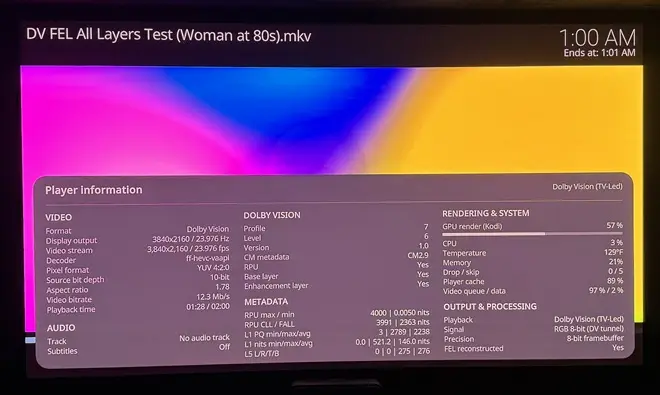
    tried with cheap ass hdmi cable and with high-end hdmi cable. even with high-end hdmi cable i get hdr10 according player proces info (key O during playback in kodi, O of Otto).

    hdmi cable isn't the cause, because the same cable i use with minix u22-xj (coreelec panal p3i) and i get FEL according PPI.


    is there anything that i am missing to get FEL?

  • what TV are you using?

    philips 65" oled 808, from 2023.

    this tv is comparable with lg c2, even better (it has dts support). peak brightness is around 800 nits.

    it has even support for hdrp10+ adaptive. and of course also dolby vision support

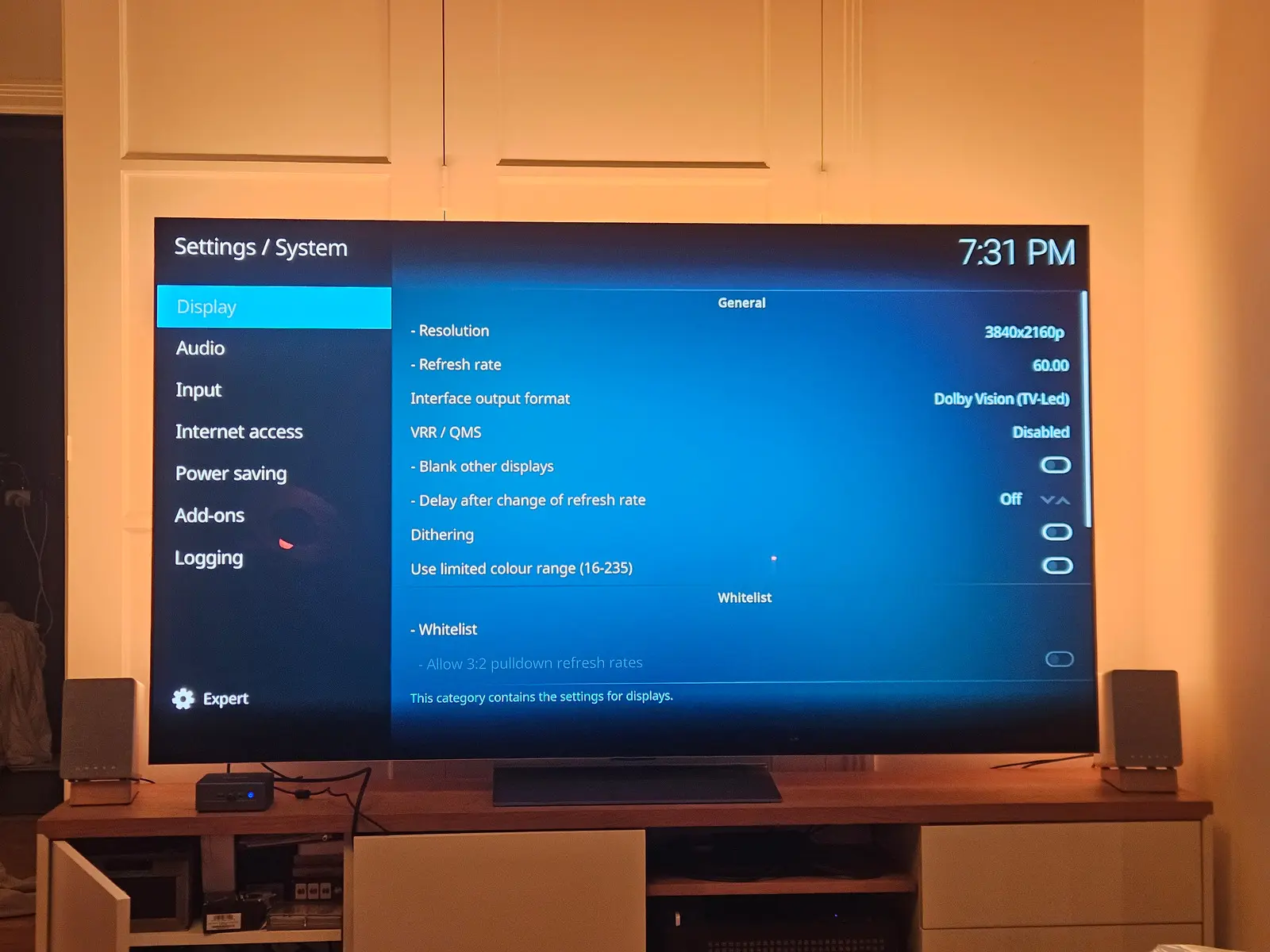
    computer is connected to hdmi port 1 (with 48gbps support, 4k 120hz)


    kodi gui resolution is set to 1080p at 30hz, to reserve more power for video playback

  • Can you send me the kodi.log file please?

    It seems a driver issue, the system consider your iGPU as not supported, but I should be able to confirm with your kodi.log file.

    Also ISO file is not read properly in this release, Kodi take the HDR10 video track (it's fixed in my internal build)

    FI : My next release will be huge with many new features, and will extend supported drivers for Intel iGPU and with a first version of AMD DV drivers. Should be published next week if everything goes smoothly.

    Edited once, last by CroqueMr (October 4, 2026 at 11:34 AM).

  • Can you send me the kodi.log file please?

    It seems a driver issue, the system consider your iGPU as not supported, but I should be able to confirm with your kodi.log file.

    Also ISO file is not read properly in this release, Kodi take the HDR10 video track (it's fixed in my internal build)

    bdmv is a bit different from iso

    https://paste.libreelec.tv/multispired-jaye.log

    playing movie CLOUD ATLAS 2012 (FEL movie) as bdmv


    2nd log, playing Titanic movie (FEL) as mkv

    https://paste.libreelec.tv/squirmiest-adah.log


    during mkv-playback the fos drops to around 12-13fps when i press O button for PPI information. closing PPI sets playback fps back to around 24fps

  • Looking forward to it. With AMD, could the 3D work by cinemaONE be merged at some point. Thought of DV FEL + perfect 3D in a non-Amlogic box sounds amazing.

    Everything is possible. Unfortunately, I think the merge won't be straightforward

    I don't have a 3D TV or the hardware to test it and be sure that everything is correct. I'll state right now that I won't be doing the merge, but if cinemaONE feels up to integrating my DV engine into its work and build, it would be my absolute pleasure.

  • ht2tweak  CroqueMr Thanks for the offer. Some background first:

    • The 3D playback in my builds is mainly work by popcornmix (Kodi and the FFmpeg MVC decoder); bringing it to Kodi upstream is his call. My part is the AMD kernel side (HDMI 3D output in amdgpu, under review at AMD) and some Kodi fixes.
    • Your transport helpers, CroqueMr, are GPL-3.0-or-later. Linked into Kodi, they make the whole Kodi binary GPL-3, and that could never go upstream the way the 3D work is meant to.

    I'm happy to put work into a combined build as long as those helpers can be licensed GPL-2.0-or-later. Is that possible, or does their PGenerator-Plus origin rule it out? If it works out, I'd start once your AMD release is out. I can test DV now and then on a Panasonic TV, but more testers would be welcome.

    Prepared with Claude Code (Anthropic)

  • ht2tweak  CroqueMr Thanks for the offer. Some background first:

    • The 3D playback in my builds is mainly work by popcornmix (Kodi and the FFmpeg MVC decoder); bringing it to Kodi upstream is his call. My part is the AMD kernel side (HDMI 3D output in amdgpu, under review at AMD) and some Kodi fixes.
    • Your transport helpers, CroqueMr, are GPL-3.0-or-later. Linked into Kodi, they make the whole Kodi binary GPL-3, and that could never go upstream the way the 3D work is meant to.

    I'm happy to put work into a combined build as long as those helpers can be licensed GPL-2.0-or-later. Is that possible, or does their PGenerator-Plus origin rule it out? If it works out, I'd start once your AMD release is out. I can test DV now and then on a Panasonic TV, but more testers would be welcome.

    Prepared with Claude Code (Anthropic)

    I need to review the licensing details properly,I relied on ChatGPT for that early on. The repo right now is a bit of AI-slop, but I'm doing a complete rewrite for the next release. I mostly just wanted to push the code quickly to identify big compatibility bugs.

    Everything is being redone and cleaned up (even the implementation of DV support) the new release should drop next weekend (Saturday or Sunday).

    A little bit of teasing but I am working on something cool 👀, a lot of thing to fixe before a potential release of this feature, I don't think this one will be available next weekend.


    Edited once, last by CroqueMr (October 4, 2026 at 9:30 PM).

  • A new build to test.

    libreelec-yblod

    • CroqueMr's Intel Dolby Vision engine (CroqueMr/intel-dv-libreelec) : Standard (TV-led) Dolby Vision output from Kodi's own player, including Profile 7 FEL, on supported Intel GPUs.
    • Video output calibrated to licensed Dolby hardware: IPT tunnel signal like Dolby players, a chroma siting fix, co-sited 4:2:2 packing and Gaussian chroma upsampling.
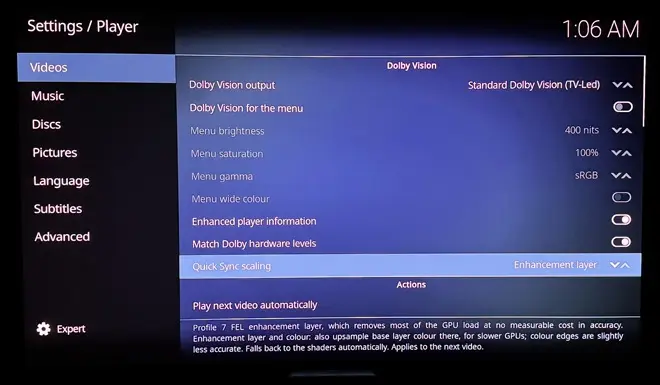
    • Quick Sync enhancement-layer offload: Profile 7 FEL playback scales the enhancement layer on the Intel media engine (Quick Sync, via VA-API) instead of in shaders. On an i5-1135G7 this cut GPU render load during FEL playback from about 46% to about 12%, with no dropped frames, and the HDMI output stays within about one 12-bit code of the shader path. It is aimed at making FEL playable on smaller Intel GPUs. It can be switched off, and falls back to the shader path automatically when the media engine or driver can't do it.
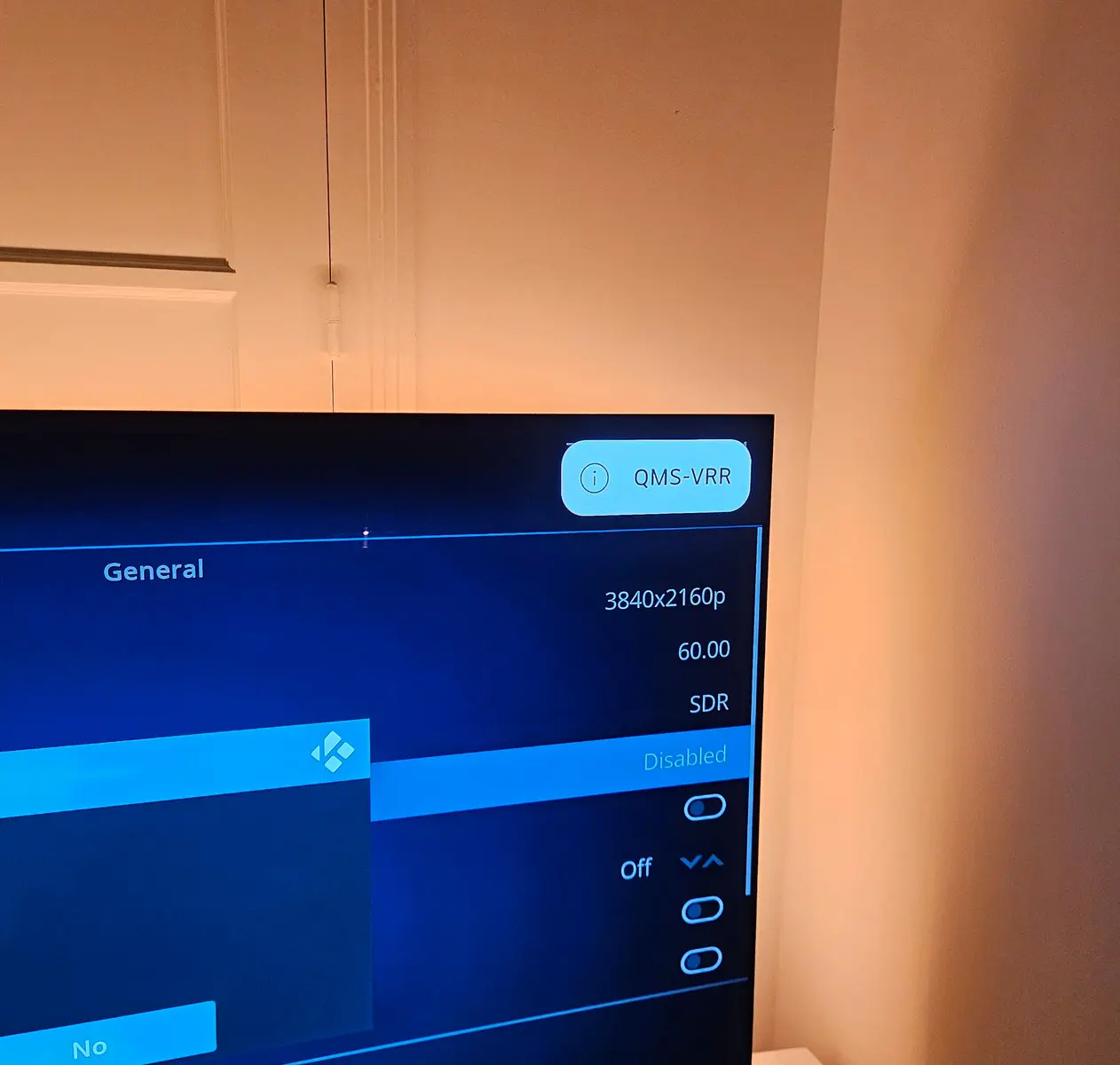
    • Seamless refresh rate changes (QMS-VRR): on TVs with HDMI 2.1 Quick Media Switching, a change between 24, 25, 30, 50 and 60 Hz (and 23.976, 29.97, 59.94) no longer blanks the screen.
    • Dolby Vision menu (optional): the menu is sent in Dolby Vision too, so a Dolby Vision film starts without the TV switching picture format. With QMS, starting and stopping a Dolby Vision film causes no blackout at all.
    • And more......
    GitHub - dangerouslaser/libreelec-yblod: Unofficial LibreELEC build with native Dolby Vision for Intel HDMI systems (yblod)
    Unofficial LibreELEC build with native Dolby Vision for Intel HDMI systems (yblod) - dangerouslaser/libreelec-yblod
    github.com
  • dangerouslaser, just tested on my N150. Nice implementing player process info.:

    With the scaling options you added, I'm not seeing any difference in performance subjectively. In terms of GPU load, didn't check. Tried off, Enhancement, and Enhancement and color:

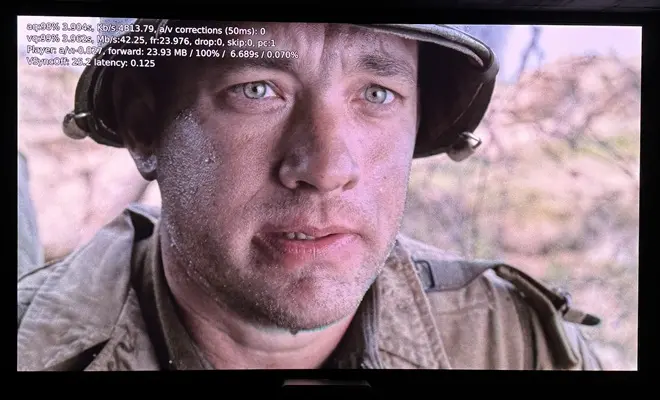
    Feel like you or CroqueMr can solve the frame drops issue on lower-end Intel like N150/N150. It's weird. With 'Saving Private Ryan' DV P7, none, and it's playing well:

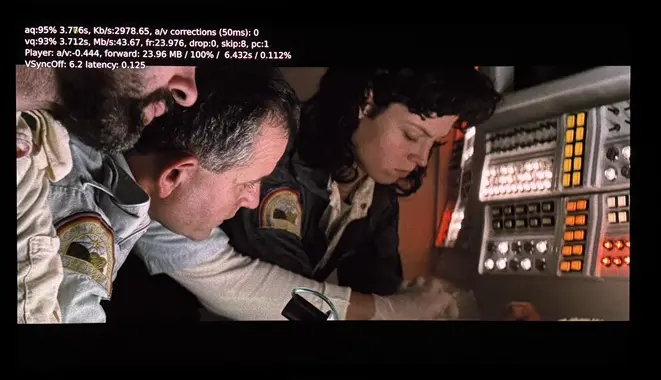
    And fine with 'Alien' DV P7 as well:

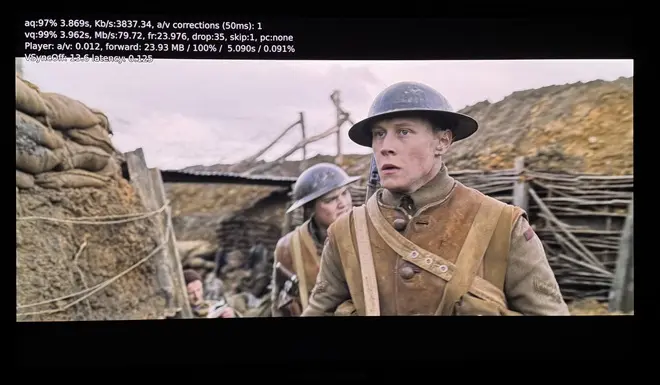
    But, with '1917' DV P7 about 1 drop every second... wonder why? Because of its higher bitrate?

    Enabling 'Enhancement' or 'Enhancement and color' didn't help w/frame drops.

  • A new build to test.

    libreelec-yblod

    • CroqueMr's Intel Dolby Vision engine (CroqueMr/intel-dv-libreelec) : Standard (TV-led) Dolby Vision output from Kodi's own player, including Profile 7 FEL, on supported Intel GPUs.
    • Video output calibrated to licensed Dolby hardware: IPT tunnel signal like Dolby players, a chroma siting fix, co-sited 4:2:2 packing and Gaussian chroma upsampling.
    • Quick Sync enhancement-layer offload: Profile 7 FEL playback scales the enhancement layer on the Intel media engine (Quick Sync, via VA-API) instead of in shaders. On an i5-1135G7 this cut GPU render load during FEL playback from about 46% to about 12%, with no dropped frames, and the HDMI output stays within about one 12-bit code of the shader path. It is aimed at making FEL playable on smaller Intel GPUs. It can be switched off, and falls back to the shader path automatically when the media engine or driver can't do it.
    • Seamless refresh rate changes (QMS-VRR): on TVs with HDMI 2.1 Quick Media Switching, a change between 24, 25, 30, 50 and 60 Hz (and 23.976, 29.97, 59.94) no longer blanks the screen.
    • Dolby Vision menu (optional): the menu is sent in Dolby Vision too, so a Dolby Vision film starts without the TV switching picture format. With QMS, starting and stopping a Dolby Vision film causes no blackout at all.
    • And more......

    https://github.com/dangerouslaser/libreelec-yblod

    I really don’t understand the point of your release... If you see things that need fixing or improving, just open PRs.

    This approach is clearly counterproductive. I had already mentioned that my internal build has been completely reworked, with a dedicated Dolby Vision engine, support for more GPUs, and many new features.

    You’re basically going to have to redo a large part of your work, while also creating unnecessary confusion by maintaining another build that essentially does the same thing.

    It’s extremely frustrating to see someone working on a project you created without communicating what they’re doing, and then suddenly releasing something that directly overlaps with and interferes with your own work.

    Player process info came from my build ;)
    I have a N100 I will test your file on it, but I think the issue came from your file it will be complicated to fixed it without it.

    Edited once, last by CroqueMr: Merged a post created by CroqueMr into this post. (October 5, 2026 at 2:39 AM).

  • ht2tweak I have been testing with saving private ryan and 1917. I ordered an n150 mini pc so that I have hardware I can physically test on. I was getting frame drops on 1917 before (especially with the OSD up), but I no longer am with FEL offloaded to quicksync - but I am using a more powerful GPU than whats in the n150

    CroqueMr I don't understand where you are coming from. You don't push commits to your repo, and I don't feel like waiting around for "next week" so I am just doing my own thing. Feel free to take or leave whatever you want from my builds - just as I have from yours. Its open source.

  • dangerouslaser I’m not pushing commits to my repo? I pushed both of your commits once I had reviewed and tested them in 24h

    The only one I haven’t merged is your RPs to move to Kodi 22RC1 ahead of your other PRs. You’ll understand that a change like that takes more than a day to properly test, especially with all the required regression testing.

    In any case, I really don’t have to justify myself here.

    Regarding your repo, this part “Video output calibrated to licensed Dolby hardware” is clearly not aligned with my approach. it raises legal questions, and beyond that, the approach is technically ugly. At the end of the chain, you're essentially tuning the output to make it look as close as possible to an Ugoos AM9, without really understanding why your rendering diverges from it in the first place.

    That's fundamentally different from what I'm trying to achieve, you're right it is open source, and it's your right to create confusion and to be conterproductive.

    This will be my last message on this. I’ll continue working on my project and simply ignore approaches that don’t align with mine.