

Sorry if it's a stupid question but any chance someone has tested DV and or 3d with a 3500U? Very cost effective at the moment.

[x86-64] Dolby Vision Development for PC (Intel & AMD)
-
ht2tweak -
March 14, 2026 at 2:33 PM -
Thread is Resolved
-
-

I think that if Dolby Vision ever makes it into LibreELEC officially, it will probably be through an approach closer to my initial implementation, before R1.0.0 Beta1, with minimal changes to FFmpeg and other upstream dependencies. I believe such an implementation is possible, but it will take time. It might also be useful to maintain a much simpler build with just the bare minimum needed for DV support. Performance won't be as good, but it will help with the implementation.
All absolutely understandable. For the time being I suppose the question becomes: how likely are you in the future to maintain your builds up to date with changes/new features from upstream? I think everybody understands there's no guarantee and, of course, no obligation. But before committing to a switch from existing working solutions, a reassuring answer on this would go a long way.
I want to stress, though, that, at least for me, a "not likely as I've got better things to do" would be 100% ok. You've already done a lot.
-
Beta 3 is very smooth on N100, its way better than Beta 2 was on N150.
-
I think that if Dolby Vision ever makes it into LibreELEC officially, it will probably be through an approach closer to my initial implementation, before R1.0.0 Beta1, with minimal changes to FFmpeg and other upstream dependencies. I believe such an implementation is possible, but it will take time. It might also be useful to maintain a much simpler build with just the bare minimum needed for DV support. Performance won't be as good, but it will help with the implementation.
We could definitely work on a branch for this. It would not work on an N100 (at least not FEL or 4k60), but it would be more maintainable and higher probability of being accepted upstream.
-
Hi CroqueMr,
First of all, thank you so much for all the hard work you've put into this project. I've been testing Beta3 on my Mini PC (Intel Core i7-1360P / Iris Xe), connected to my LG OLED G5 (TV-Led Dolby Vision), and I have to say this is by far the best version I've tested so far. The improvements are really impressive!, and I have to say this is by far the best version I've tested so far. The improvements are really impressive.
I wanted to share a few things I've noticed:
1. Huge improvement in 4K 60fps playback
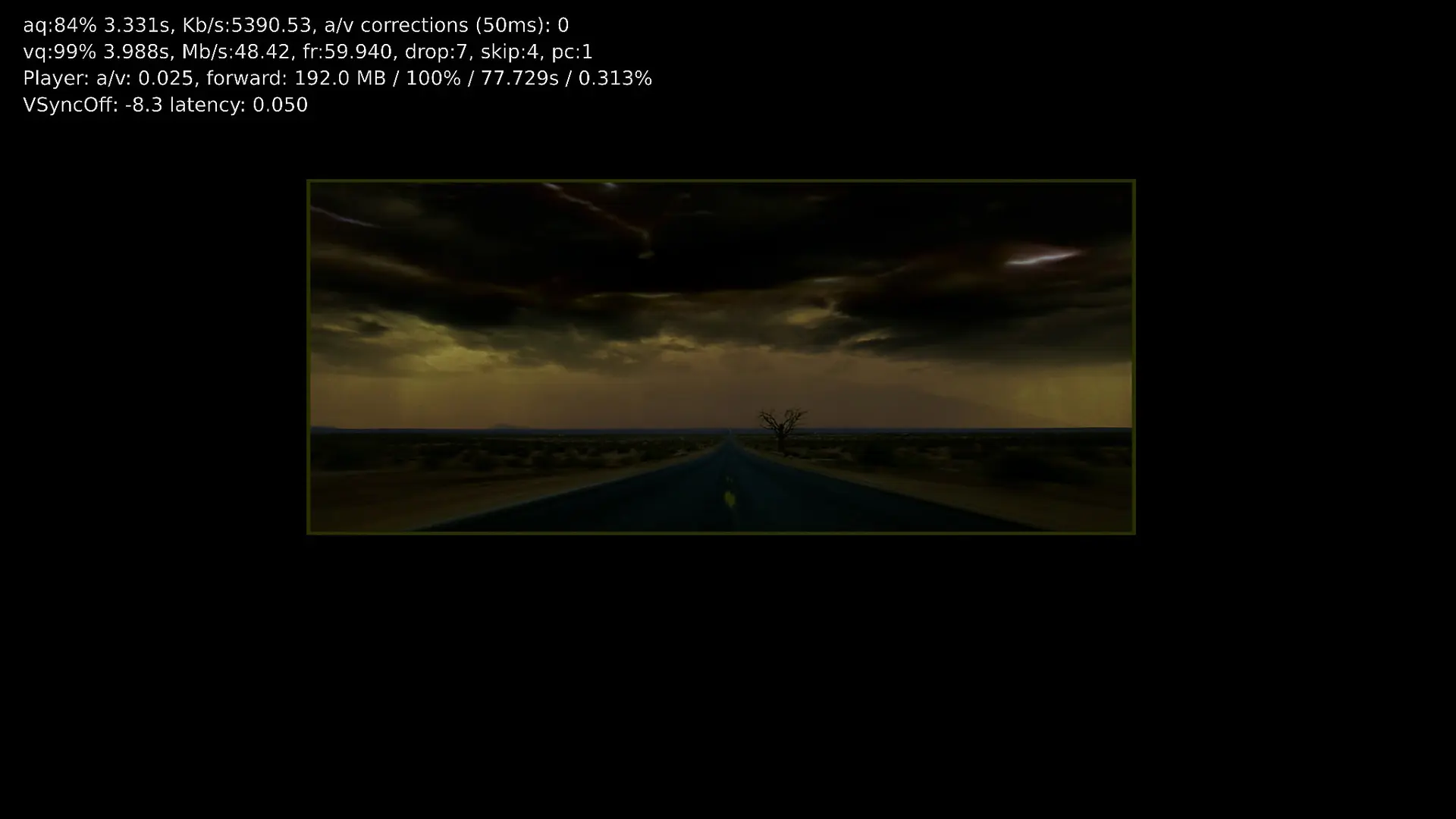
This is probably the biggest improvement for me. In previous builds, movies like Gemini Man had really bad frame drops, sometimes exceeding 100 dropped frames.
With Beta3, I'm now seeing fewer than 10 dropped frames, usually around 7. There are still a few drops, but compared to the previous versions, this is a massive improvement. Really great work here!
2. HDR10 to Dolby Vision conversion and player information
HDR10 to DV conversion still has a couple of issues.
When I stop a movie that's being converted from HDR10 to Dolby Vision, the screen sometimes goes completely black for a few seconds before the picture comes back.
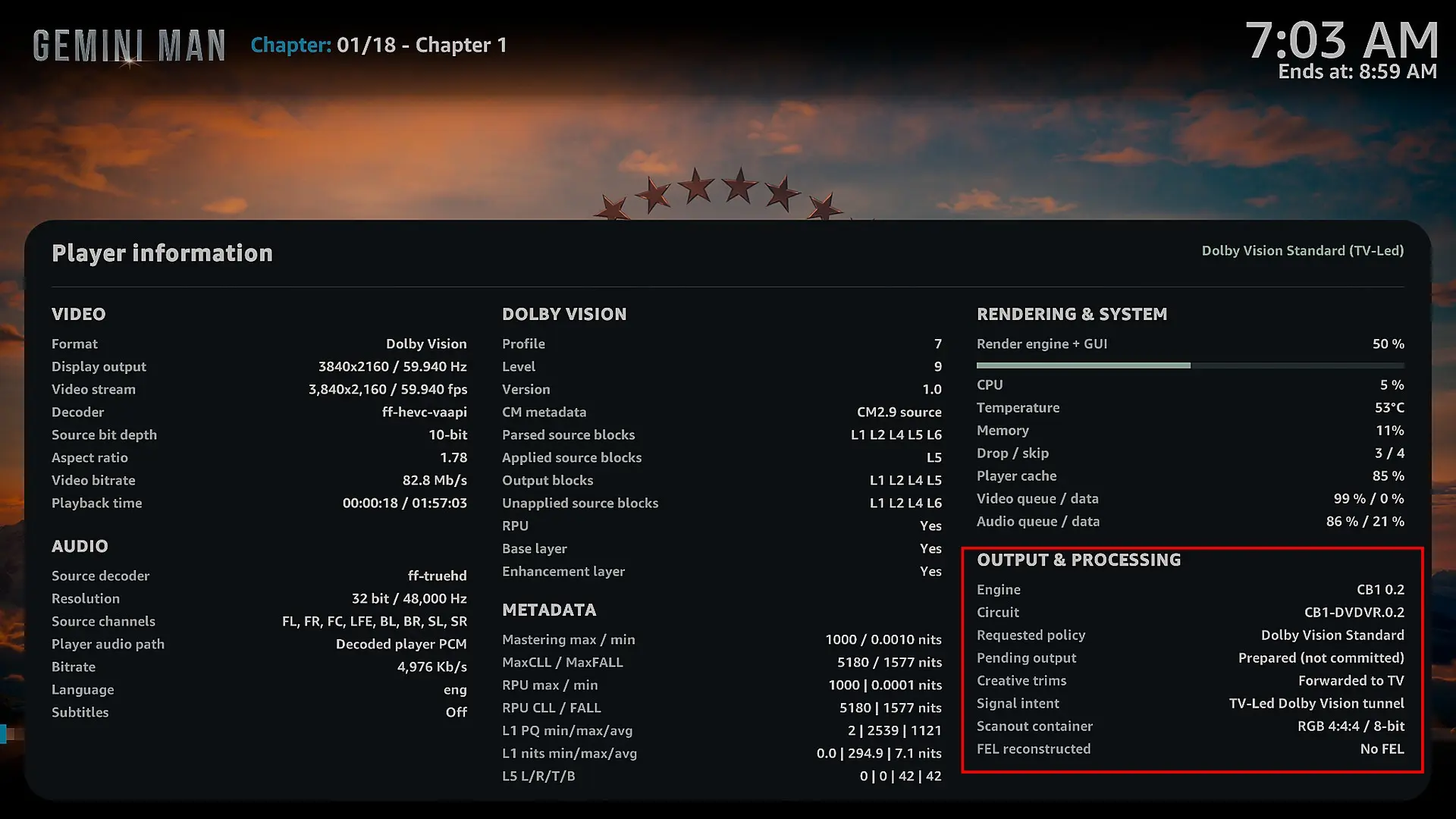
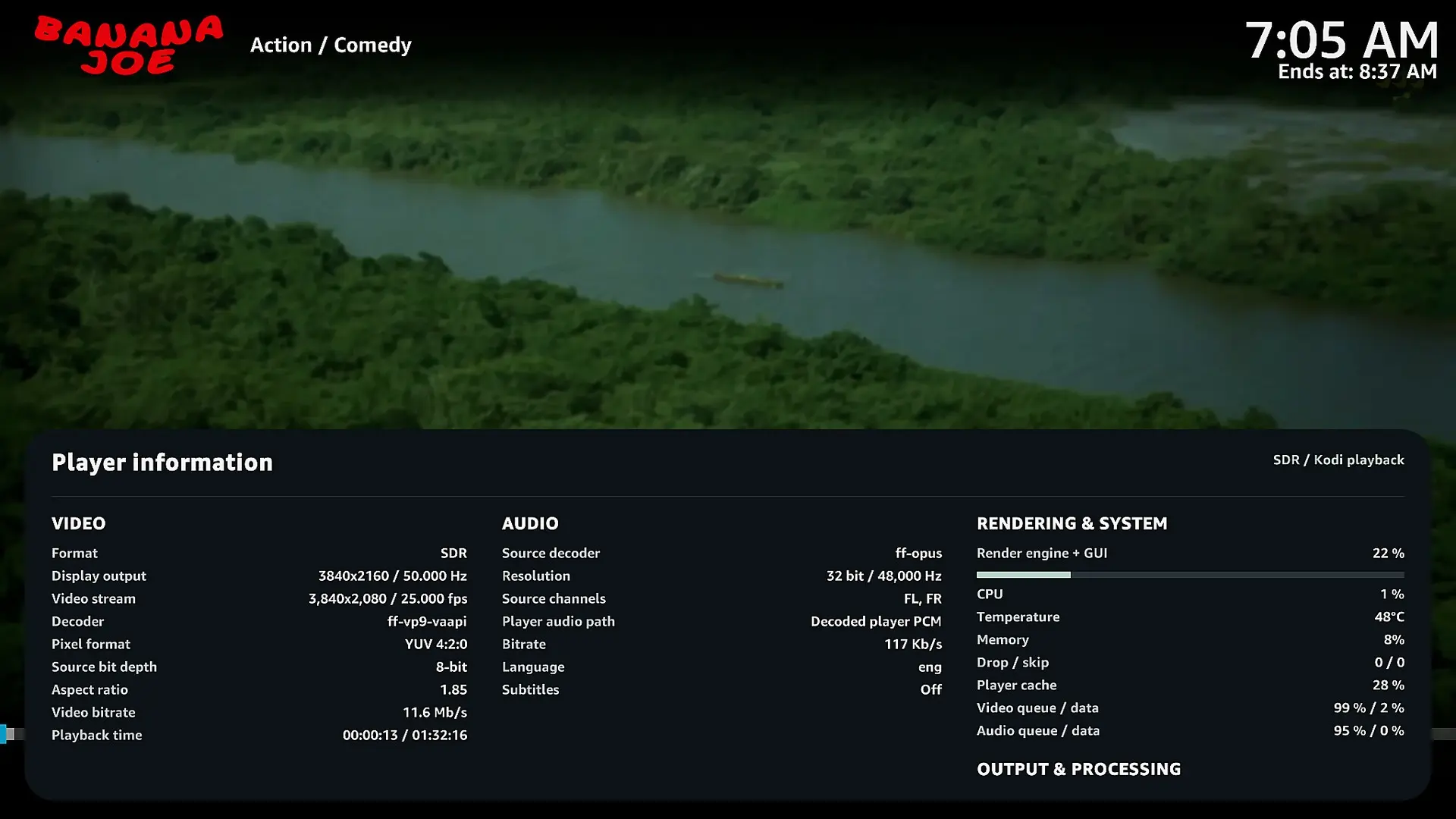
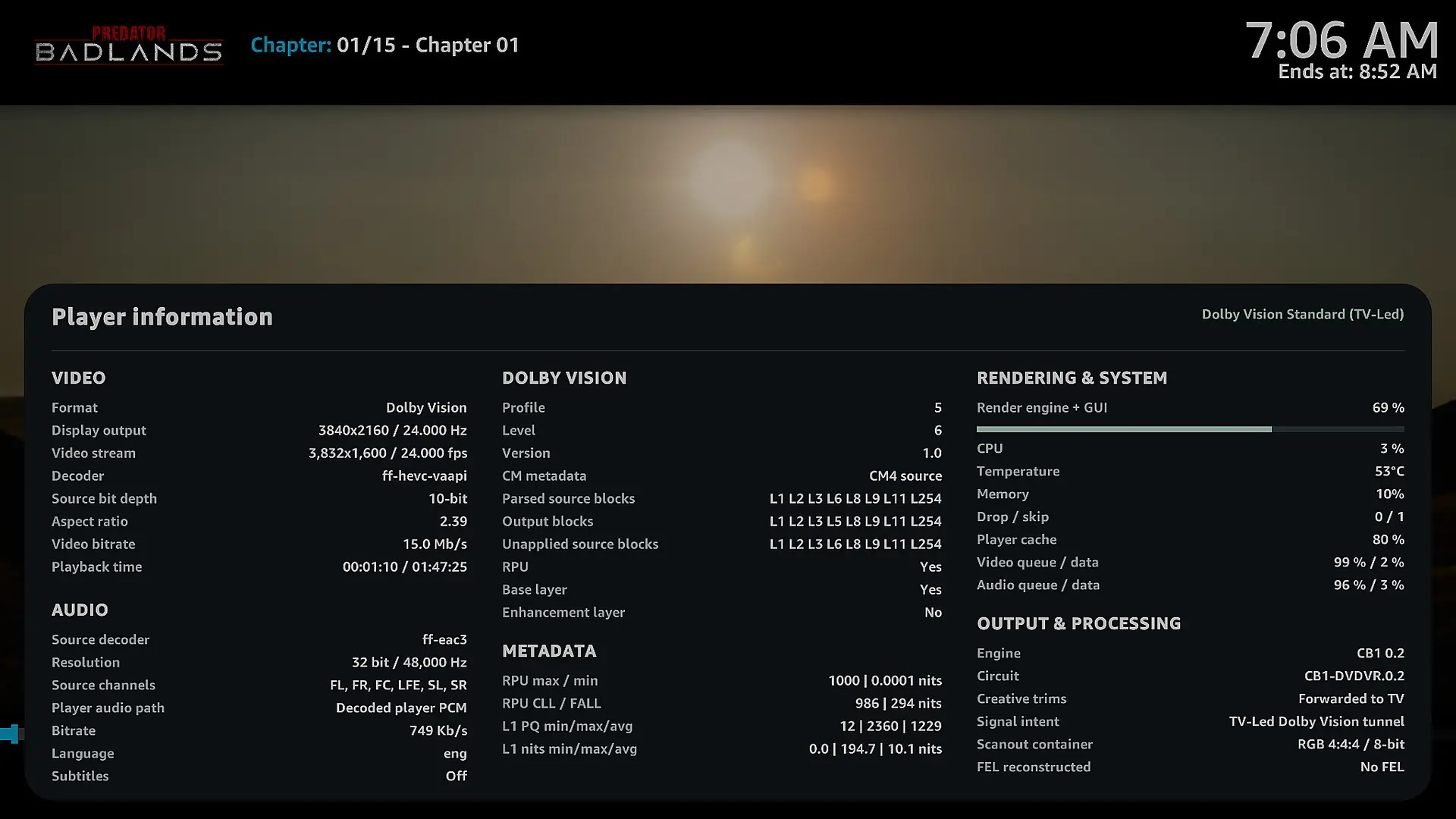
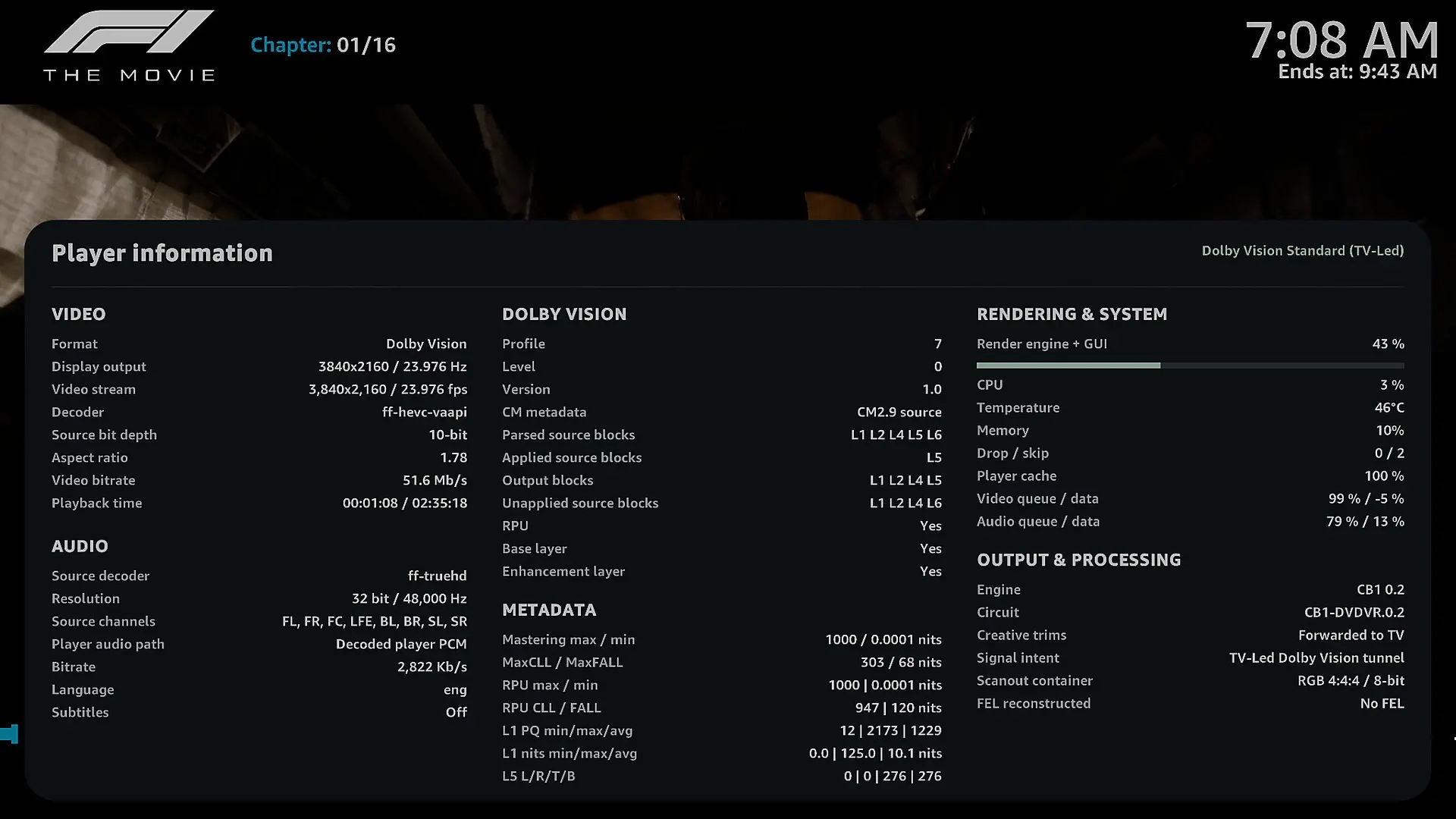
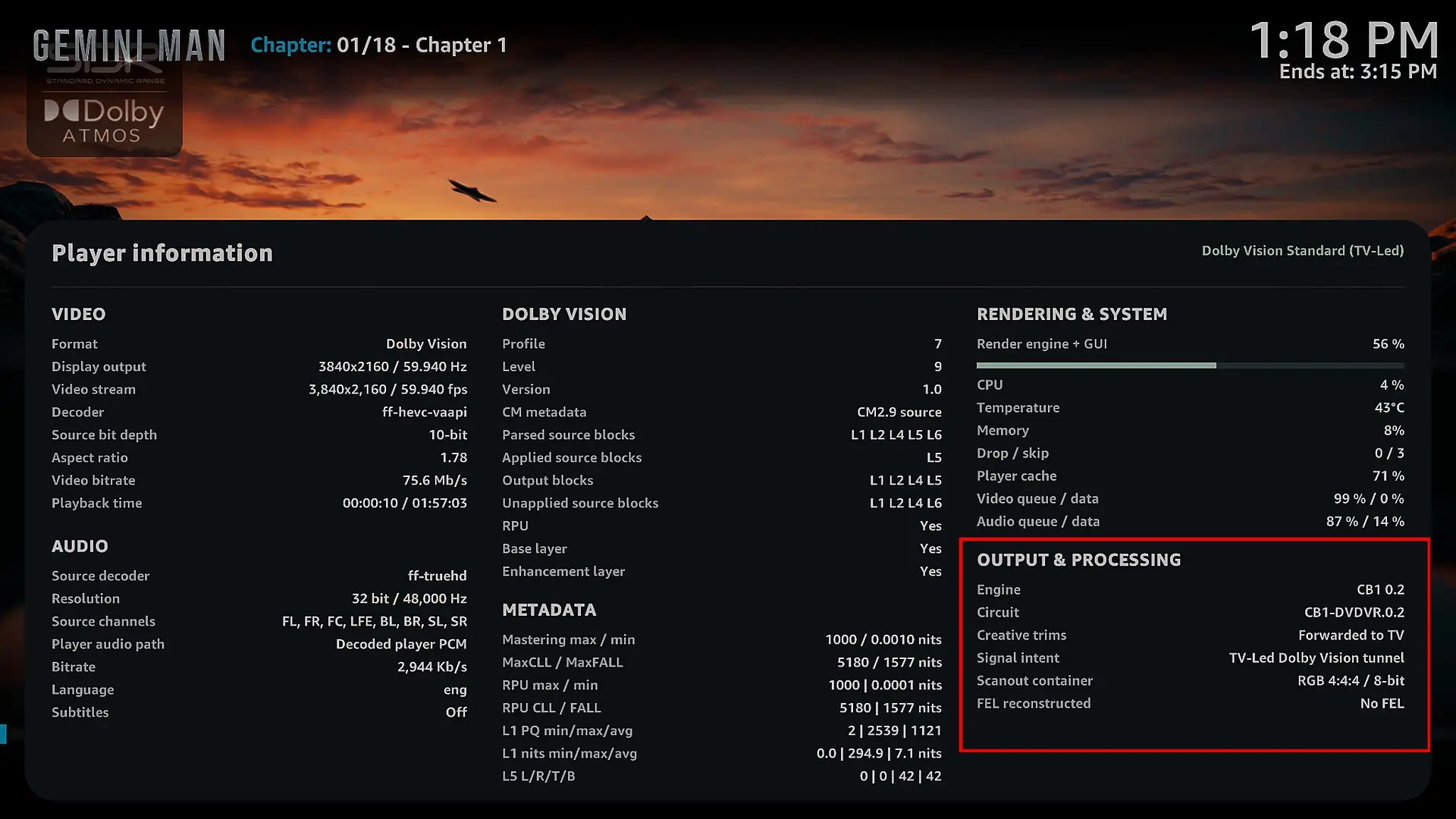
I've also noticed something strange when pressing "O" to display the player information. The information under Output & Processing doesn't stay consistent. Some fields appear, disappear, or change unexpectedly while the movie is playing.
I've attached screenshots with red boxes showing exactly what I mean.
3. Kodi crash when stopping playback
Unfortunately, I experienced a crash while watching Boy Kills World. As soon as I pressed Stop to return to the Kodi interface, Kodi crashed and restarted automatically.
I've attached a privacy-cleaned technical crash log. The log shows a failure during the transition back to the GUI, including GBM initialization and EGL errors, followed by SIGABRT.
Hopefully, it helps you track down the issue.
4. Audio information still shows PCM
When pressing "O" during playback, the audio information still shows Decoded player PCM, even when the source audio is Dolby TrueHD or Dolby Digital Plus.
I'm not sure whether this is just how the decoded audio path is reported, but it would be great if the player information could clearly show the original audio codec and whether passthrough is being used.
5. Request for Beta4 – Correct Dolby Vision and HDR10 codec logos
There's one more thing I'd really love to see in Beta4.
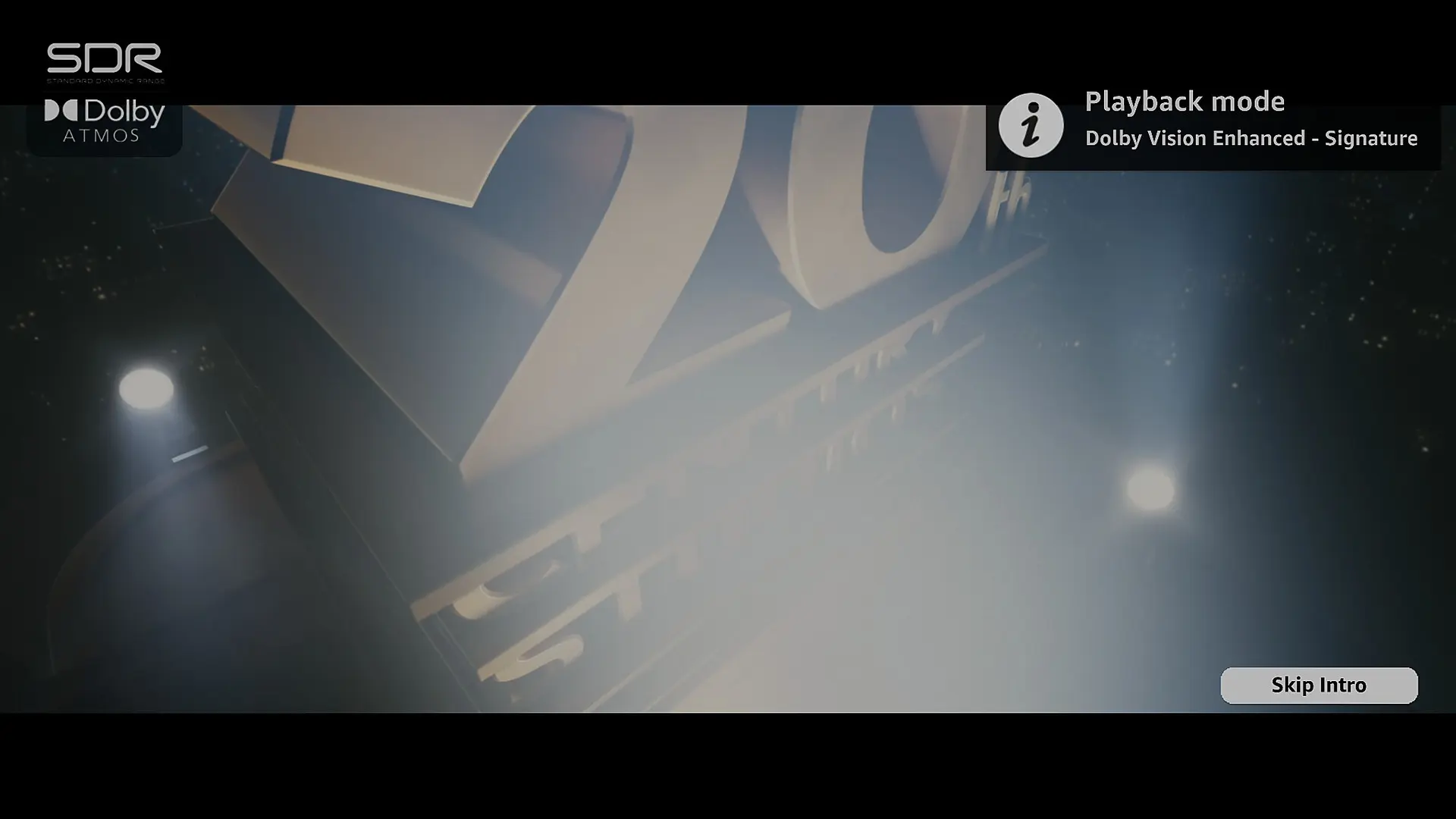
When playing a Dolby Vision or HDR10 movie, the Arctic Fuse 3 (AF3) skin still displays the SDR logo instead of the correct video format.
I actually contacted the AF3 skin developer about this. He explained that the skin reads the codec information directly from Player.Process/video.dovi, but Kodi isn't correctly identifying the video codec in this LibreELEC DV build, so the skin falls back to its default logo.
According to him, this would need to be addressed in the LibreELEC DV build itself rather than in the skin.
Would you mind taking a look at this for Beta4? It would be great if Kodi could correctly report Dolby Vision and HDR10 so the skin could display the appropriate logos automatically.
I've attached a screenshot showing what I mean.
I know it's a small visual detail compared to all the technical work you're doing, but I think it would be a really nice addition.
Overall, I'm genuinely impressed with Beta3. The improvement in 60fps playback alone makes a huge difference, and it's amazing to see how far this project has come.
Thanks again for your time, effort, and dedication. Really appreciate everything you're doing, and I'm looking forward to seeing what comes next! 🙂

-
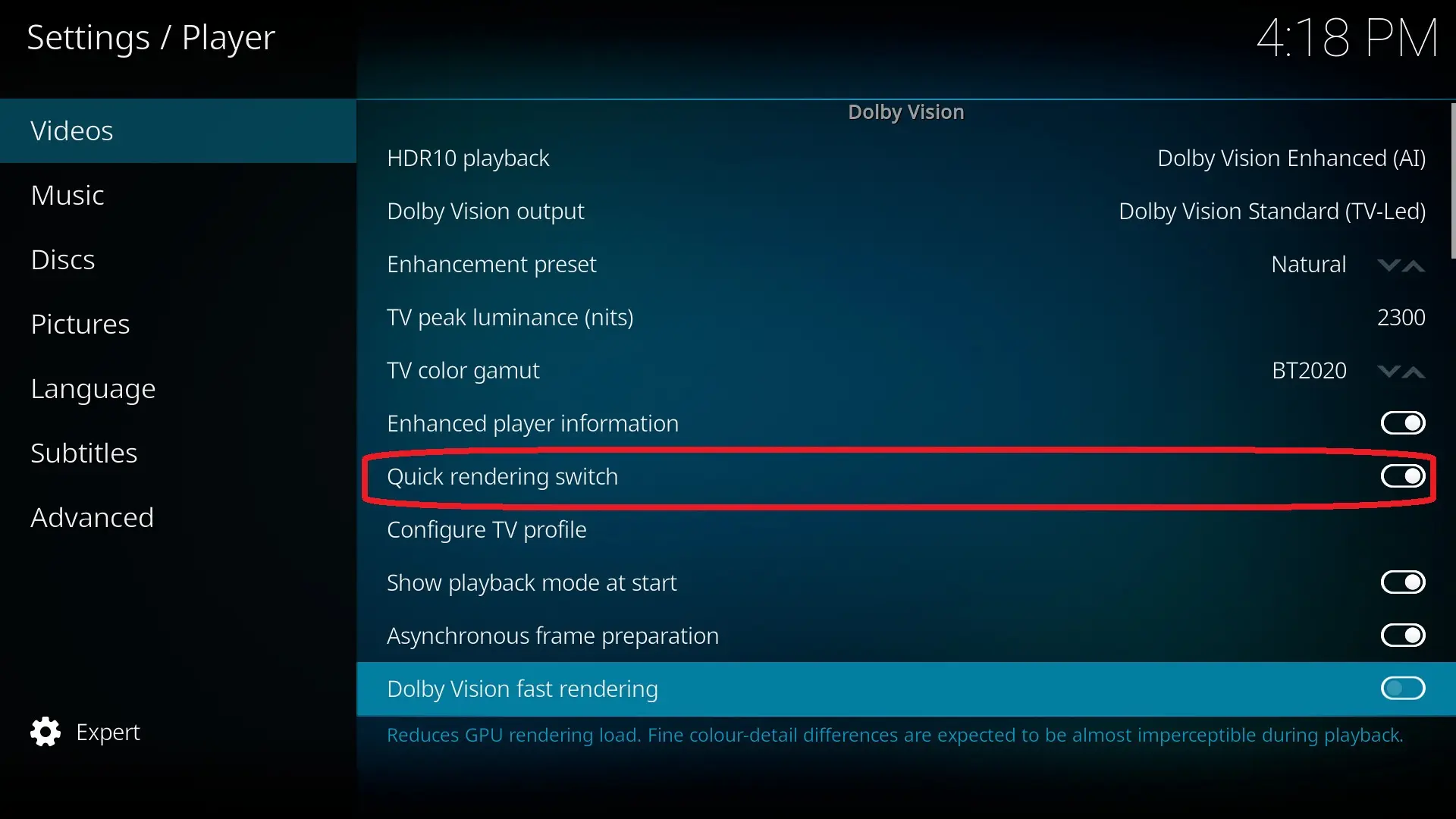
Thanks I will investigate on that, if you want to remove all framedrop in 60fps you need to activate the quick dolby vision rendering, it impact a little bit color detail it is almost invisble but since it affects a little bit the picture this settings is optional and disable by default, in beta4 I will add an option to activate this settings only when you play a 50fps+ DV track.
For your other points I will try to cover all of them for beta4.
-
Thank you, I will check if we can have a better approch for this kind of CPU can you send me the kodi.log file please.
I see exactly why it does that the cause is an optimization I made in the R0.3 build, I will fix that.It's attached to my original post. Are you not seeing that?
-
Thanks I will investigate on that, if you want to remove all framedrop in 60fps you need to activate the quick dolby vision rendering, it impact a little bit color detail it is almost invisble but since it affects a little bit the picture this settings is optional and disable by default, in beta4 I will add an option to activate this settings only when you play a 50fps+ DV track.
For your other points I will try to cover all of them for beta4.
I actually have fast rendering enabled already, as you can see in the screenshot. I'm still getting around 7 dropped frames with Gemini Man at 4K 60fps, but it's definitely much better than before. Thanks again for all your work.
-

Sorry if it's a stupid question but any chance someone has tested DV and or 3d with a 3500U? Very cost effective at the moment.
You can see my other posts where I have. Better performance with beta 3 but still getting frame drops, especially without fast processing enabled.
-
To recap recommended settings, do these look right for lower-end Intel (N97/N100/N150) and AMD (5800H, 3500U or similar). If so, I'll add them to post #1.
Setting Recommended Hardware acceleration — VAAPI ON DRM PRIME decoder OFF DRM PRIME hardware acceleration OFF PRIME Render Method Not used Render path EGL / VAAPI Direct-to-Plane / D2P OFF Asynchronous Frame Preparation ON Dolby Vision Fast Rendering ON (Try OFF for lower-end Intel, but if any skipped or dropped frames, revert to ON)
OFF (for lower-end AMD) -
To recap recommended settings, do these look right for lower-end Intel (N97/N100/N150) and AMD (5800H, 3500U or similar). If so, I'll add them to post #1.
Setting Recommended Hardware acceleration — VAAPI ON DRM PRIME decoder OFF DRM PRIME hardware acceleration OFF PRIME Render Method Not used Render path EGL / VAAPI Direct-to-Plane / D2P OFF Asynchronous Frame Preparation ON Dolby Vision Fast Rendering ON (Try OFF for lower-end Intel, but if any skipped or dropped frames, revert to ON)
OFF (for lower-end AMD)Most of these settings don't impact DV playback. Only Asynchronous frame preparation and DV fast rendering actively affect it, the rest only apply to the standard Kodi pipeline. I’m going to avoid including a lot of complex settings as much as possible, after all, a developer's goal is to hide the technical details. I’ll keep the "quick rendering" option, and possibly include other optimizations that might theoretically affect image quality behind this settings. I think asynchronous image preparation will be removed from the stable version and either forced to "Enabled" or made available in the Expert settings.
I actually have fast rendering enabled already, as you can see in the screenshot. I'm still getting around 7 dropped frames with Gemini Man at 4K 60fps, but it's definitely much better than before. Thanks again for all your work.
Very strange on my N100 I do not have any framedrop with a BR Iso of Gemini man, and the N100 is far weaker than your CPU. I will check with your log.
Beta4 won't focus on performance improvements. The priority will be fixing DV Enhanced and the DV ↔ HDR conversion pipelines and other small stuff (3D, FEL not working on some AMD GPU...)I have a busy week ahead, and I'd rather take the time to properly refine and test the conversion and enhancement algorithms than rush the release. My priority is to deliver something reliable and stable.
I'm aiming for a release on Sunday or next week.
-
Most of these settings don't impact DV playback. Only Asynchronous frame preparation and DV fast rendering actively affect it, the rest only apply to the standard Kodi pipeline. I’m going to avoid including a lot of complex settings as much as possible, after all, a developer's goal is to hide the technical details. I’ll keep the "quick rendering" option, and possibly include other optimizations that might theoretically affect image quality behind this settings. I think asynchronous image preparation will be removed from the stable version and either forced to "Enabled" or made available in the Expert settings.
Understand, but for those less familiar w/LE, or migrating from CE now because of DV and/or 3D, it's like what should these settings be, not just for DV, but general playback.
chewitt did mention that Kodi support for DRMPRIME is designed for ARM SoC hardware using direct-2-plane rendering. That if we're using Intel/AMD, to only use EGL/VAAPI.
I'll add the recommendations to post #1.
-
G'day!
Thanks for all the work on this.
A question about discrete Intel cards, specifically Arc Battlemage.
I've picked up an Arc B570 and have a Ryzen 5600 / B550 box to run it in. From having Claude read the patch series the Intel DV patches seem to touch only drivers/gpu/drm/i915/display/* plus the generic hdmi core, with nothing in gt/ or gem/. As far as I understand, the xe driver builds that same display code, and Battlemage is xe-only.
Claude noticed no CONFIG_DRM_XE, so xe isn't built at all and the native_hdmi check should be fine on Battlemage, since its HDMI looks native and not through a converter (connectors show up as HDMI-A-n under xe).
Is xe/Battlemage supported, planned or a non-starter and if I use Claude to enable xe in a custom build and the patches apply, is there anything in the userspace/engine side that assumes an iGPU?
Cheers!
-
Sorry if it's a stupid question but any chance someone has tested DV and or 3d with a 3500U? Very cost effective at the moment.
Update this has worked perfectly! Thank you so much I don't know what to say, I've been dreaming for a solution like this. 270AUD and I've now got 3d and Dolby Vision. For those interested this is what I'm using ORIGIMAGIC C5 Mini PC AMD Ryzen 5 3500U Quad Core 8GB DDR4 RAM 256GB NVMe SSD Window 11 Pro Dual HDMI 4K Triple Display Dual USB-C Full Function PD WiFi 5 BT5.0 Gigabit LAN: Minis: Amazon.com.au
-
-

