[x86-64][hadesdevls Builds] LibreELEC Hades - native Dolby Vision, HDR10+ and 3D


  • Thank you for your hard work, and continuous improvements. The new features and enhancements are greatly appreciated, especially the new neural shaders 8)

  • What would help most now:

    • An RTX 20, 40 or 50 card, in frame packing: on NVIDIA it comes from a patch of mine to the driver, and it's the part I'd most like a report on.
    • The 780M, in frame packing.


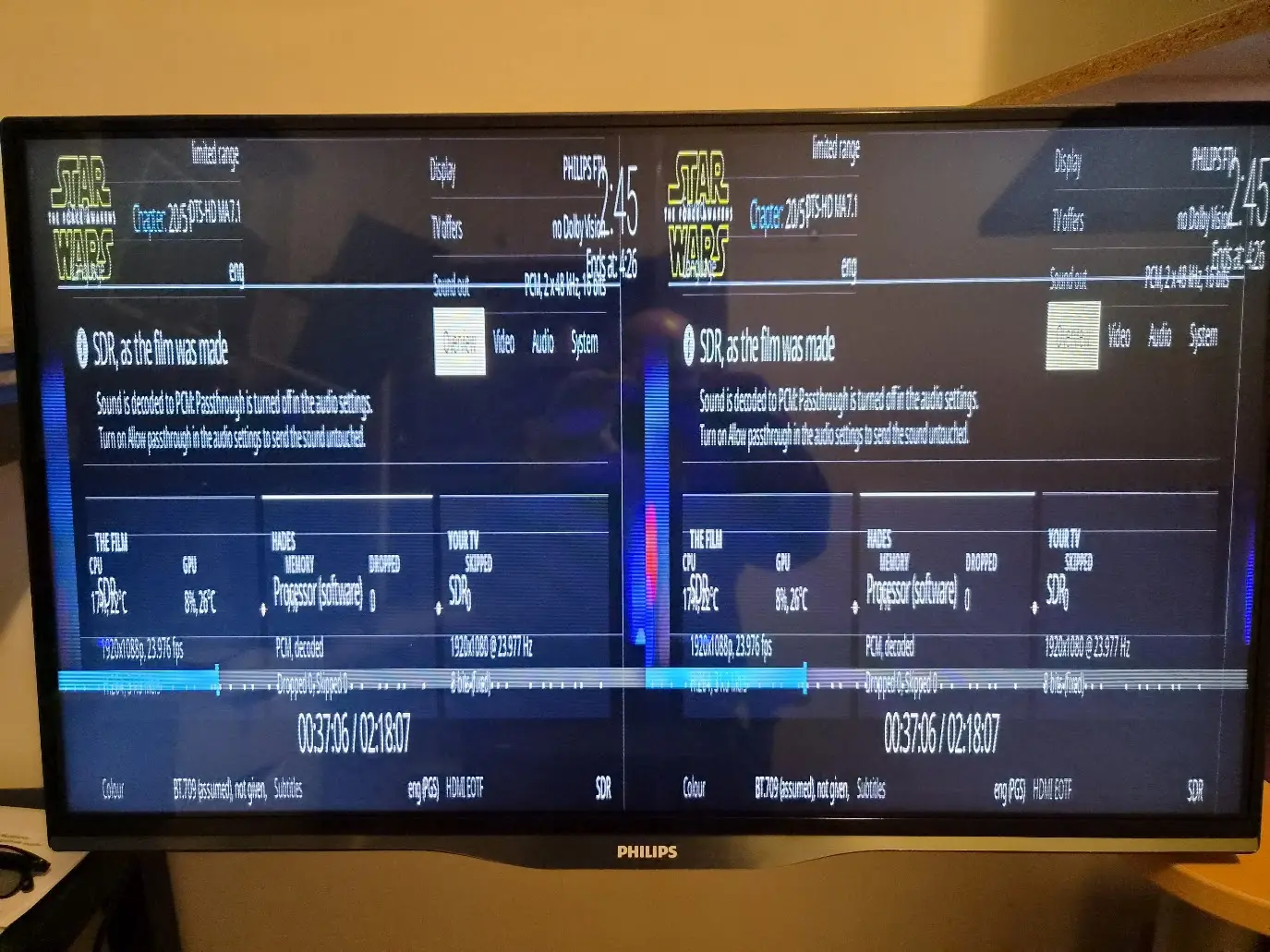
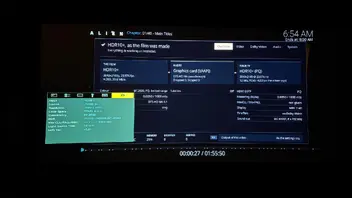
    A 3D Blu-ray (disc, ISO or folder) or an MVC MKV is enough, with Player > Videos > Adjust display refresh rate on. Does the display switch to 3D by itself, in which format, and does each eye look right? A photo of the player info (O) helps, and a diagnostic report if something looks off.

    3D test on a 5090 with the Titan Noir Max projector was very successful, only one .mkv didn't show in 3D.

    Also a little bit of confusion with over-under VS frame packing in the overlay info.

    Already opened an issue on GitHub with logs.

  • Quote from lvasan

    even in Dolby Vision Master Reference mode, DV-R1.0.1-RC2 still looks noticeably brighter and punchier on my Sony A80K OLED than Hades 1.1.


    Thanks for checking, that's useful. The L5 change CroqueMr pointed to is already in Hades since 1.1, so it isn't that either. If Master Reference still looks brighter, there's a real difference somewhere in what the two send, and I want to find it. Your report will tell me exactly what Hades sends. One quick try would also narrow it down a lot: Settings > System > Display > Dolby Vision engine > Transport (Expert level) set to "As licensed players send (IPT)", then the same scene. If that brings Hades up to CB1 on your Sony, the difference is in the YCbCr form of the tunnel.

    Quote from JonnyVee

    Be happy to help.


    Thanks, glad the player info works for you. Since you have the 3400GE coming, that's the one I'd most like to hear about: its Vega graphics with a Dolby Vision film, and what Settings > LibreELEC > System > Submit Log > Check the Dolby Vision output says there. On the 4650GE, HDR10+ on the NZ800 and 3D frame packing on either projector would be good to confirm, with a photo of the player info (O) for each.

    Quote from sat4all

    especially the new neural shaders


    Thanks! FSRCNNX and RAVU are the work of igv and Bin Jin, I only measured them and wired them in, so the credit is theirs too.

    Quote from Khazar

    3D test on a 5090 with the Titan Noir Max projector was very successful


    Thanks for testing it on the 5090. The over-under you saw instead of frame packing is a fault on my side with NVIDIA: I've explained it in the GitHub issue, and it's on the list for the next version.

    Edited once, last by hadesdevls (November 20, 2026 at 8:45 PM).

  • Quote from CroqueMr

    I wonder from whom you got the idea to add neural based upscalers to Kodi in particular the FSRCNNX. Must be a wonderful person....


    Ha, you're right! I credited the authors of the shaders and forgot the amazing dev who had the idea. It goes in the changelog with the next version, next to your other ideas, which are credited there as always. I just measured the candidates and kept the ones that came out ahead. Looking forward to your upscaler benchmark PDF, btw. 8)

  • For the upscaler, I’ve been working on revising my evaluation protocol for the last 6 hours, figuring out the right KPIs has been a nightmare. But I’ve finally got a protocol I’m happy with, I’m going to run a first benchmark but I expect, go through some iterations. There’s bound to be some subjectivity involved.

    And for the credit, credit ashlar not me ;)

  • hadesdevls - Thank you for putting these builds together. I love the Player Info details. Great layout.


    I’ve installed your latest build on a Lenovo M75q with a 4650GE. So far, works quite well with both a JVC NZ800 and Xgimi Titan Noir Max running through an Anthem 1140. GPU usage sits between 46-50%.

    Also, going to try your build with a M75q with a 3400GE and Aura 3. The 3400GE units are very inexpensive locally on the used market.

    Is there any specific testing scenarios you’d like confirmed? Be happy to help.

    are you not limited to 30fps because of hdmi 1.4, the M75q is around £120 from ebay uk,
    it's not a bad option


  • Thanks for checking, that's useful. The L5 change CroqueMr pointed to is already in Hades since 1.1, so it isn't that either. If Master Reference still looks brighter, there's a real difference somewhere in what the two send, and I want to find it. Your report will tell me exactly what Hades sends. One quick try would also narrow it down a lot: Settings > System > Display > Dolby Vision engine > Transport (Expert level) set to "As licensed players send (IPT)", then the same scene. If that brings Hades up to CB1 on your Sony, the difference is in the YCbCr form of the tunnel.


    Thanks, glad the player info works for you. Since you have the 3400GE coming, that's the one I'd most like to hear about: its Vega graphics with a Dolby Vision film, and what Settings > LibreELEC > System > Submit Log > Check the Dolby Vision output says there. On the 4650GE, HDR10+ on the NZ800 and 3D frame packing on either projector would be good to confirm, with a photo of the player info (O) for each.


    Thanks! FSRCNNX and RAVU are the work of igv and Bin Jin, I only measured them and wired them in, so the credit is theirs too.


    Thanks for testing it on the 5090. The over-under you saw instead of frame packing is a fault on my side with NVIDIA: I've explained it in the GitHub issue, and it's on the list for the next version.

    Will give it a try this weekend.

    • An RTX 20, 40 or 50 card, in frame packing: on NVIDIA it comes from a patch of mine to the driver, and it's the part I'd most like a report on.
    • The 780M, in frame packing.

    I have now tried 1.1 on all my different Nvidia GPUs. The 780M is part of my laptop that has the 5050. The HDMI is connected to the 5050. Tried coaxing it to use the AMD by going through the USB C but LibreELEC did not detect any display on the USB C. So was not able to test the 780M on a 3D display, was only able to boot LibreELEC using the 780M on the internal display.

    Now to the Nvidias, all have the same issue. They first trigger frame packing (under/under) but then go to side by side. Some of my 3D displays handle this switch and goes into side by side mode. This was the same for all my four computers and the three different 3D displays I used in the testing. My Philips did not handle the switching from first frame packed then to side by side and stayed in frame packed resulting is this mess ;)


    However this switching into side by side mode throw away alot of resolution. I see the loss clearly compared to the true frame packed output from my Intel laptop. But as far as I can tell they all first switch into frame packed correctly for a few seconds in the menu before then switching to side by side. See the attached report from all the runs :)

    See you already have an issue with this but would be nice if frame packed is marked as such and not over/under and also properly show the resolution 1920x2205 in the info.

  • hadesdevls  CroqueMr Found it in CB1 (under Settings > Player > Videos > CB1 - Dolby Vision engine > Master Reference output), and my CB1 build (DV-R1.0.1-RC2/RC3) is actually set to "YCbCr" (not IPT-PQc2)—yet CB1 still looks noticeably brighter and punchier on my Sony A80K OLED than Hades 1.1.

    In Hades 1.1, I tested both transport modes on the exact same 4K Dolby Vision scene on my Sony A80K (Dolby Vision Bright):
    - Transport = "As composed" (YCbCr): Noticeably dimmer and flatter than CB1.
    - Transport = "As licensed players send (IPT)": Still the exact same dimmer/flatter brightness as YCbCr—switching to IPT did not bring it up to CB1.

    Here is my CB1 log from the test:
    https://paste.libreelec.tv/nonpharmaceutic-ettie.log

    I've also attached my Hades diagnostic report (hades-report-2026-11-21-09.30.21.zip) from the test.hades-report-2026-11-21-09.30.21.zip


    hadesdevls  CroqueMr Found it in CB1 (under Settings > Player > Videos > CB1 - Dolby Vision engine > Master Reference output), and my CB1 build (DV-R1.0.1-RC2/RC3) is actually set to "YCbCr" (not IPT-PQc2)—yet CB1 still looks noticeably brighter and punchier on my Sony A80K OLED than Hades 1.1.

    In Hades 1.1, I tested both transport modes on the exact same 4K Dolby Vision scene on my Sony A80K (Dolby Vision Bright):
    - Transport = "As composed" (YCbCr): Noticeably dimmer and flatter than CB1.
    - Transport = "As licensed players send (IPT)": Still the exact same dimmer/flatter brightness as YCbCr—switching to IPT did not bring it up to CB1.

    Here is my CB1 log from the test:
    https://paste.libreelec.tv/nonpharmaceutic-ettie.log

    I've also attached my Hades diagnostic report (hades-report-2026-11-21-09.30.21.zip) from the test.hades-report-2026-11-21-09.30.21.zip

    hadesdevls  CroqueMr Comparing both logs on my Intel Arc B570 + Sony A80K OLED (Dolby Vision Bright) shows three concrete differences in how CB1 (DV-R1.0.1-RC3) and Hades 1.1 drive the Dolby Vision output:

    1. Target Peak Luminance:
    - CB1 honors my Sony A80K's exact Dolby Vision EDID block ("CB1 LLDV: ... peak=896.539 black=0.000000").
    - Hades overrides CMv4.0 to 1000 nits ("content mapping v4.0 is decided against a peak of 1000 cd/m2 set by hand (videoscreen.hadesdvcm40peak), not the 897 cd/m2 that the Dolby block of the TV declares"), compressing mid-tones and highlights downward.

    2. Connector Colorspace & Link Signaling:
    - CB1 sets the DRM connector colorspace to BT2020_RGB ("setting connector colorspace to BT2020_RGB (source BT2020_YCC, RGB output)") with forced_422_10=true and clock_khz=296703.
    - Hades leaves Colorspace at Default (0) ("Colorspace Default (0) -> Default (0)"), sets Broadcast RGB to Full (1), and caps max_bpc at 8 ("max bpc 8 -> 8").

    3. Tone Mapping / PQ LUT:
    - Even in "Master Reference" mode (with YCbCr), CB1 loads its internal 256-entry PQ LUT ("CGuiCompositeShaderGLES::CreateLUTs - created PQ LUT (256 entries)") and maps directly to the TV's 896.539-nit peak, resulting in noticeably brighter and punchier highlights than Hades in either YCbCr or IPT-PQ-c2 transport.


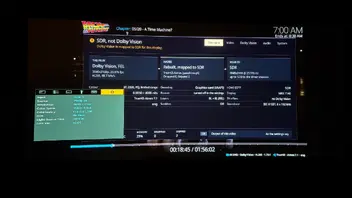
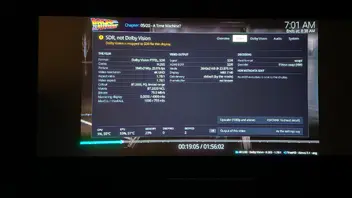
    hadesdevls  CroqueMr Here is my CB1 overlay during playback of a Dolby Vision Profile 8.1 (CMv4.0) stream while set to "Dolby Vision : Master Reference" (no Adaptive HDR boost active):

    - Input: 3840x2160p @ 24.000 fps, 10-bit BT.2020 PQ Limited, Profile 8.1 (CMv4.0, HDR10 BL + RPU, Mastering 1000/0.0001 nits, MaxCLL 1341 / MaxFALL 183 nits)
    - Processing: Dolby Vision : Master Reference (forwarding L1 / L2 / L8 / L9 metadata directly to TV)
    - Output: Dolby Vision TV-Led, 8-bit RGB 4:4:4 @ 24.000 Hz

    This confirms CB1 outputs a noticeably brighter, punchier image than Hades 1.1 across both Profile 7 (CMv2.9) and Profile 8.1 (CMv4.0) content even in pure Master Reference mode over the same 8-bit RGB TV-Led tunnel.

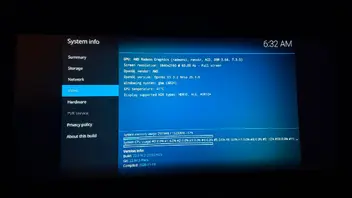
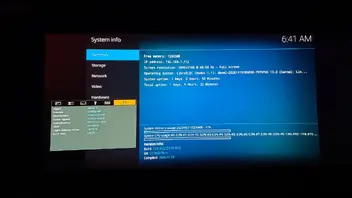
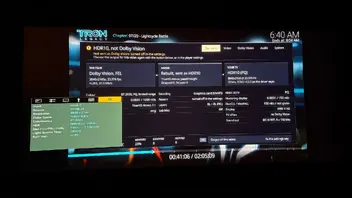
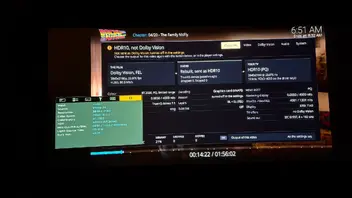
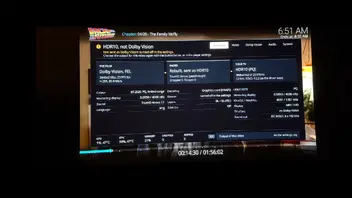
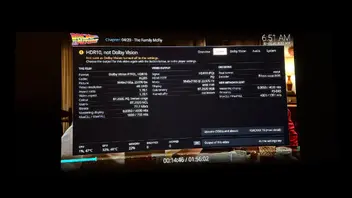
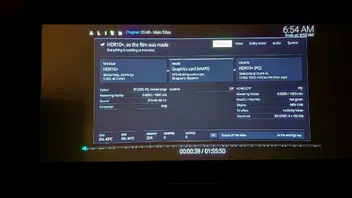
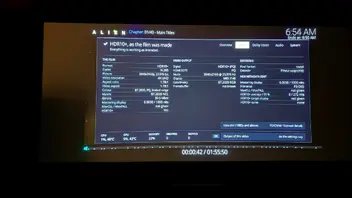
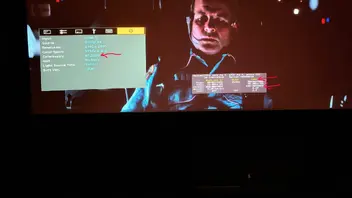
  • Here’s photos of the 4650ge in action. For the most part, the GPU hovers around 50% depending on the settings used.

    I am not a programmer in the slightest, just an end-user home theatre enthusiast. But some comments after some usage:

    • I was unable to send native HDR10 and HDR10+, and everything was converting to SDR. Couldn’t figure out why until I came across the “Adjust Display HDR mode” toggle under “Setting/Player/Videos” section. I had toggled this earlier this week to send HDR as SDR.
      • Would love to see this moved next to “Settings/System/Display” section next to and work in sync with “Play HDR videos as SDR”
    • I was also only able to send HDR10+ to the NZ800 when “send it as HDR10+ where the display takes it”.
    • I had Hades set to max nits on the display to 150nits. Seemed to work really well
    • HDR to SDR conversion. I have used this function with a Lumagen for a couple of years, which sends SDR within DCI or BT2020 and gamma 2.4. My JVC would also show up BT.2020 colorimetry and was set to SDR2020
      • However, Hades is showing BT.709 colorimetry in the JVC Info screen.
      • Is it feasible to add DCI and BT2020 colorimetry for SDR-HDR conversions?

    Photos …

    System & HDR10


    HDR10+

  • SDR to HDR Conversion


    Example of Lumagen output and JVC


    this is awesome news. these lenovo systems are very cheap , better than the 3500U minimum requirements, and from what I heard really quiet , can you comment on the noise when playing?
    did you test 60fps video and did your tv actual output 60fps?

    @hadesdevls I know see why you are proud of your OSD, it's incredible, well done!

  • this is awesome news. these lenovo systems are very cheap , better than the 3500U minimum requirements, and from what I heard really quiet , can you comment on the noise when playing?
    did you test 60fps video and did your tv actual output 60fps?

    @hadesdevls I know see why you are proud of your OSD, it's incredible, well done!

    I haven’t tested 60fps video, but the GUI is definitely 60 fps. Very clean image with 60 fps GUI and 24 fps video. I actually sold my Lumagen and swapped out an AM6B+ for the Lenovo with Libreelec. Not sure what is making the difference, but this is the sharpest and “cleanest” video has looked out of the NZ800 in a long time. I’m very impressed with what I see.


    Edit: To be clear, sold my Lumagen to get a Luma. I swapped the Ugoos AM6B+ with the Lenovo as a test.

    Edited once, last by JonnyVee (November 21, 2026 at 8:58 PM).

  • hadesdevls :D You even copied my feature that lets users select different upscalers for 1080p and higher resolutions vs above

    You didn't even mention this evolution in your changelog, and you did not credit anyone... Do you even know you added this feature to your own build?...

    It would be nice to see some actual innovation from you. So far, what I’m seeing is essentially a copy of my build, with a player information overlay that’s heavily inspired by mine.