

hadesdevls Dolby Vision is falling back to HDR on my setup. Could you please check the attached logs?
Thanks in advance!

hadesdevls Dolby Vision is falling back to HDR on my setup. Could you please check the attached logs?
Thanks in advance!

hadesdevls Dolby Vision is falling back to HDR on my setup. Could you please check the attached logs?
Thanks in advance!
sat4all Thanks, the logs show exactly what happens. Dolby Vision does start, but at 3840x2160 23.976 Hz the driver of your GTX 1060 wants to send its own HDMI vendor InfoFrame for that mode (the HDMI VIC of a 4K 24 Hz mode), and that is the same InfoFrame the Dolby Vision signal travels in. So the driver turns down every Dolby Vision frame, 268 times in two seconds, and then Hades goes back to HDR10, as it's meant to. That one is on Hades to handle: the way is to give the mode in the AVI InfoFrame instead, as Hades already does for HDR10+ on those modes, so the vendor InfoFrame stays free for Dolby Vision. Your Denon shows the PC its own EDID, which is why the driver picks the HDMI VIC there.
Two things you can try meanwhile, and both tell me more: turn "Adjust display refresh rate" off so the video plays at 4K60, which has no HDMI VIC, and Dolby Vision should go out; and, if you can, connect the PC straight to the TV once.
hadesdevls I tested through USB key. One thing I could suggest: make the options clearer when one boots from it.
I have a dedicated NUC (NUC11TNKI3) for this, so I prepared the key on a different, Windows 10, machine. Once I booted the NUC with usb key inserted, I was trying to understand what the different "Run/Run*/Installer/Live" options meant and it autostarted as Run almost immediately (a few seconds, really). Maybe it was on your github page, I don't know, but I found it alarming.
The HDR10+ movie that was giving me trouble on CroqueMr build played fine, converted to Dolby Vision. And, generally speaking, everything seemed to work ok. I connect the NUC to a Denon X3800H AVR and that to an LG C1 (I mention this as I saw on your github that you keep track of hardware tested and you mentioned no AVR tested yet). Both Atmos and DTS-X played ok.
I noticed the GPU was always or almost always sitting at 100% and headroom was most definitely not ample (and this on 24fps movies). Not something I'd be comfortable with if we were talking madVR profiles optimization. It looked like it could easily drop frames on "complicated" scenes.
Considering my hardware should be a fair bit more powerful than the N100 which works fine for 24p content on CroqueMr, I wonder if I am missing something or if, simply, your builds are more targeted toward more powerful hardware (I come from a past where the last HTPC I used for media purposes had a RTX 4070, but I'd very much like to remain fanless).

hadesdevls I tested through USB key. One thing I could suggest: make the options clearer when one boots from it.
I have a dedicated NUC (NUC11TNKI3) for this, so I prepared the key on a different, Windows 10, machine. Once I booted the NUC with usb key inserted, I was trying to understand what the different "Run/Run*/Installer/Live" options meant and it autostarted as Run almost immediately (a few seconds, really). Maybe it was on your github page, I don't know, but I found it alarming.The HDR10+ movie that was giving me trouble on CroqueMr build played fine, converted to Dolby Vision. And, generally speaking, everything seemed to work ok. I connect the NUC to a Denon X3800H AVR and that to an LG C1 (I mention this as I saw on your github that you keep track of hardware tested and you mentioned no AVR tested yet). Both Atmos and DTS-X played ok.
I noticed the GPU was always or almost always sitting at 100% and headroom was most definitely not ample (and this on 24fps movies). Not something I'd be comfortable with if we were talking madVR profiles optimization. It looked like it could easily drop frames on "complicated" scenes.
Considering my hardware should be a fair bit more powerful than the N100 which works fine for 24p content on CroqueMr, I wonder if I am missing something or if, simply, your builds are more targeted toward more powerful hardware (I come from a past where the last HTPC I used for media purposes had a RTX 4070, but I'd very much like to remain fanless).
ashlar Thanks for testing it, and for the AVR detail: a Denon X3800H with an LG C1, Atmos and DTS:X working, goes on the tested list, and so does HDR10+ as Dolby Vision on your NUC.
You're right about the boot menu, it should say more. What each entry does: Run, the default, starts Hades from the key with the internal disks hidden; "Run (internal disks read-only)" shows them, read-only; Live starts without keeping anything; and Installer only installs if you pick it, and asks which disk and for confirmation before it writes. Five seconds is short for a first look, so I'll give the menu a longer wait and plainer names.
On the GPU: Hades draws every frame at full fidelity for as long as the graphics keep up, so the meter sits high, and what matters is whether frames arrive in time, not the percentage. In madVR terms, the number to watch is the render time against the 41.7 ms of a 24p frame: kodi.log gives the average GPU time per frame every 10 s, much like the render times in madVR, along with how many frames came late, and the automatic step-down works like a profile that switches itself to a lighter one only when frames stop fitting. All of that GPU time goes into the picture and the menus, and the log accounts for it frame by frame. HDR10+ converted to Dolby Vision is a 4K picture rebuilt and sent as Dolby Vision on every frame, which is heavy work for UHD Graphics with 48 units, and bringing that load down on graphics like yours is on my list. If you'd like a firm answer for your NUC, a diagnostic of that film would show the GPU time per frame and every frame that came late.
 Display More
CroqueMr , I tested RC1.1 and I am happy to report the freeze when PGS subtitles are on the screen at the same time as any GUI in DV movies is gone! All seems fine now!
My guess is that fixed it?:
Fixed mixed PGS subtitles and SDR GUI composition in Master Reference.
In any case, I want to thank CroqueMr and hadesdevls for their work on this it's really exciting! I didn't test HADES yet because no time but I will check it out too!
Congrats to CroqueMr to making the most accurate DV of any player according to DMDreview ! This is great to see and makes it so my am6b+ will not be used anymore probably but I'll keep it as an option!
Open source is so great, especially lately with AI's help it's so refreshing compared to big corpos who makes half-assed products just to make money. The passion in open source projects will always make more refine products in the end because the makers actually care about the end result product.
Creator44 Thank you, that's kind, and you're right about open source: a lot of people here clearly care about the result. When you find the time, Hades runs from a USB drive, so it's easy to try next to what you already have, and I'd love to hear how it does on your setup. And if DMDreview runs another round, Hades would be glad to be part of it.
if DMDreview runs another round, Hades would be glad to be part of it.
DMDreview would be cool if you could compare different builds, how accurate and how long each takes to draw a frame, as part of your backlog, I'm sure you have many projects you're planning. thanks for your consideration
sat4all Thanks, the logs show exactly what happens. Dolby Vision does start, but at 3840x2160 23.976 Hz the driver of your GTX 1060 wants to send its own HDMI vendor InfoFrame for that mode (the HDMI VIC of a 4K 24 Hz mode), and that is the same InfoFrame the Dolby Vision signal travels in. So the driver turns down every Dolby Vision frame, 268 times in two seconds, and then Hades goes back to HDR10, as it's meant to. That one is on Hades to handle: the way is to give the mode in the AVI InfoFrame instead, as Hades already does for HDR10+ on those modes, so the vendor InfoFrame stays free for Dolby Vision. Your Denon shows the PC its own EDID, which is why the driver picks the HDMI VIC there.
Two things you can try meanwhile, and both tell me more: turn "Adjust display refresh rate" off so the video plays at 4K60, which has no HDMI VIC, and Dolby Vision should go out; and, if you can, connect the PC straight to the TV once.
Indeed, disabling "Adjust display refresh rate" allows DV output to work. However, connecting the PC directly to the display doesn't change anything—DV output still fails when "Adjust display refresh rate" is ON.
Thank You!
hadesdevls Hey there, so installation went very smooth and easy thanks to the installer, but I have sadly a pretty big issue with using it in my Home Theater.
My HTPC is my gaming PC which is in my office, it's next to my HT room, so if bring the USB dongle close enough to the door I can use a wifi mouse and keyboard just fine in the HT room.
For some reason the keyboard does not work at all and the mouse works okayish, but with some outages.
The mouse works in the LibreELEC main menu, but as soon as any of the menu points on the left are hovered over and something changes in the right panel, the mouse has outages. It's like the OS is only using 1 CPU thread and every action has to share that thread.
Most funny thing here is the file selector menu, I can scroll through all the folders just fine, but don't I dare have a scrolling filename anywhere, hoo boy does that animation kill my wifi mouse.
Wifi Mouse is a Keychron Vertical mouse, Keychron M5 8K
Wifi Keyboard a pretty no-name cheapo product from "Rii"
Can't find anything .log on the USB stick from Windows side, gonna guess I would need to turn that on?
Completed full suite of test files I have on both CroqueMr's and hadesdevls builds. Both are very good, with just a few things to address from what I see...
hadesdevls' 1.0 RC5:
Both builds play all 3D formats well. Tested a few random actual FEL movies ('Alien Romulus', 'Mission Impossible: Dead Reckoning - Part 1', and 'Saving Private Ryan'), and both did well, including bringing up OSD and player process info. HDR10 was also fine on both. AV1 24p HDR and 60p HDR also; no issues. Even an 8K AV1 24p HDR sample played surprisingly okay-ish most times, with a few dropped frames. No dice on OSD working, but surprised this clip played at all.
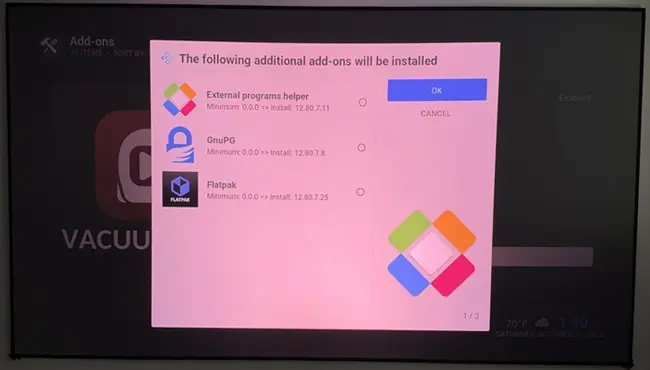
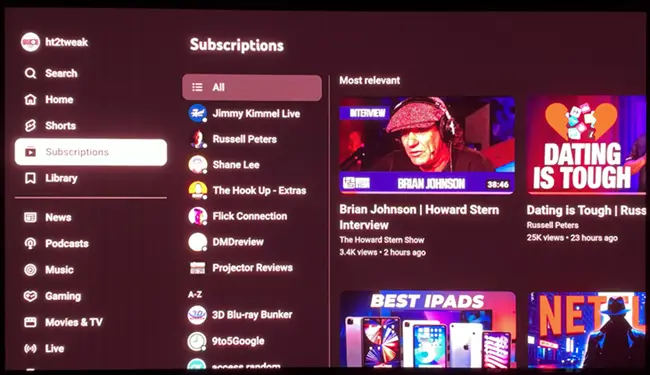
As an aside, I mentioned this in Kodi forum, but had no idea VacuumCube existed until recently, and just installed... it's fantastic! Ad-free YouTube with SmartTube-like interface from right within LE. So easy to set-up. The only online streaming service I was really using was SmartTube on Android boxes, with almost no premium streaming apps. It's really bye-bye Amlogic for now for the most part now.
ht2tweak , that's good to know that it plays well on hades's build, I will try it out probably today.

hadesdevls' 1.0 RC5:
- No on-the-fly switching between HDR formats via OSD, so couldn't test. Unless it's there and I missed how to initiate. If not, hadesdevls, are you planning to add? Hope so as I love it on CroqueMr's build... times it works reliably, it's great for conveniently switching from HDR to DV or vice versa
There is a quick settings menu while watching a movie, in the bottom-right after clicking the settings gear, there you can choose normal DV or DV-conversion into HDR etc.
Though that is not quite on the fly.
ht2tweak awesome! if you ever make a video about this, I'll be ready! and your thoughts compared to Smart-Tube
As good as SmartTube. Only thing is w/it, you can set it to go to your subscriptions tab upon start. Not seeing a way to do so with VacuumTube. Having it integrated into Kodi is a huge plus vs a separate app like w/Android.
As good as SmartTube. Only thing is w/it, you can set it to go to your subscriptions tab upon start. Not seeing a way to do so with VacuumTube. Having it integrated into Kodi is a huge plus vs a separate app like w/Android.
this is great news, feels like a dream how fast this happened! also if you know how or can use AI, you can set a button on your remote to load YouTube addon. You'll have to change your keyboard.xml and figure out the command to launch and the command for your key. using AI it would help you and guide you. as soon as you press the button it will stop kodi and load YouTube. once you do that, you can start customising more menus, like a button to load your library etc. But the YouTube button will make it feel instant when you want to go into YouTube.
for the other parts, you can mess around with AI to see if can help. send the source code to chatgpt and ask
I'm tied up at the moment, but I'm keeping track of the reports and suggestions here. I expect to release the next version before Wednesday, and I'll review these for it.
sat4all Thanks for trying both the direct connection and the refresh-rate setting, and for attaching the logs. The direct connection is useful to know: the Denon is not necessary to reproduce the problem.
I'll compare the direct-to-TV logs with the earlier ones and check whether the same InfoFrame conflict occurs there. For now, leaving refresh-rate switching off lets Dolby Vision play at 4K60, as you confirmed.
Khazar Thanks for trying Hades, and I'm glad the installation went smoothly. I've noted both input problems and will look into them.
The diagnostics need to be enabled first. In Windows, open the LIBREELEC partition on the Hades drive and rename DIAG-OFF.TXT to DIAG-ON.TXT. If Windows hides file extensions, you'll see DIAG-OFF and can rename it to DIAG-ON.
Then start Hades, reproduce the mouse problem and try the keyboard, and shut down from Kodi. A hades-diag folder should appear on the LIBREELEC partition. Please review its contents, zip it and attach it to an issue here:
If you can, also try the receivers closer to the PC and let me know whether the keyboard and mouse use the same receiver. That will help narrow down what is happening.
siriusbox Thanks for explaining the tests you did on the PX1 Pro. Comparing the individual L2 target blocks is useful, especially since you found a difference with the 100-nit block on some films.
The Hades setting was added after a report on the Kodi forum about a projector whose picture improved when the L2 trims were removed with dovi_tool. It is broader than removing one L2 target: it leaves out L2 and L8 trims, as well as L10, which contains the targets for L8.
I can't yet say why that particular block changes the result on some films and not others on your projector. I've noted your findings and will review them.
ht2tweak Thanks for taking the time to run the full set of tests and write up the results. It's great to hear that HDR10+, the Transformers sample, the FEL films and the 3D formats played well on RC5.
About switching formats during playback: Hades has a "Dolby Vision output (this video)" option in the video settings and on the player information page. It is intended for changing the output of a Dolby Vision video, but there is a bug in RC5 that prevents the change from taking effect. I plan to fix that, and I've noted your request for a quicker way to switch formats.
I've also noted the pauses at the start of the anime clips and the sample you linked. If you get a chance to reproduce the pause with diagnostics enabled, the log would help too.
Khazar Thanks for pointing out the video settings menu as well. That is where the per-video Dolby Vision output option is; the bug above is why changing it currently has no effect.
Creator44 Thanks! I'd be interested to hear how the Transformers clip and the other files work on your setup when you get a chance.
DMDreview Thanks for explaining the capture and analysis, and for sharing djnice77's test files. I understand you already have plenty of testing planned, so no pressure about comparing builds. The details you've shared are useful.
ok so now both forks are getting stuck, Hades installs itself and after the reboot the same window with the LibreELEC version gets stuck.
The only thing that changed(since the last time I successfully started Hades with zero problems), is that I installed the newest hotfix NVIDIA drivers and I removed the overclock on my GPU.(so one Windows thing and something that should increase stability, not create more problems...)
Could it be the driver update that causes these problems?
The only .log that was created with Hades fork is the "fs-resize.log", I'm gonna assume that's just for the install start and not the real first run?
2026-11-01T20:41:49+00:00
/dev/sdb2 /storage ext4 rw,noatime 0 0
DISK: /dev/sdb PART: /dev/sdb2 NUMBER: 2 LABEL: STORAGE UUID: 2d559a3b-5820-4f3b-b44a-5c05bd0cd045
*** parted -s -f -m /dev/sdb resizepart 2 100% >>/flash/fs-resize.log 2>&1
*** mke2fs -F -q -t ext4 -m 0 -L "STORAGE" -U "2d559a3b-5820-4f3b-b44a-5c05bd0cd045" /dev/sdb2 >>/flash/fs-resize.log 2>&1
*** e2fsck -f -p /dev/sdb2 >>/flash/fs-resize.log 2>&1
STORAGE: 12/7749632 files (0.0% non-contiguous), 632924/30995537 blocks
It just confuses me, why this is happening now. RC5 didn't change, I didn't change much... so why?
I ran Hades with absolutely no problems on Friday the very first time I tried it.
Told me it will turn off my DP monitor and run over HDMI, now the message doesn't come up anymore and it's stuck in that black void with some text... so odd.

It just confuses me, why this is happening now. RC5 didn't change, I didn't change much... so why?
I ran Hades with absolutely no problems on Friday the very first time I tried it.Told me it will turn off my DP monitor and run over HDMI, now the message doesn't come up anymore and it's stuck in that black void with some text... so odd.
For what it is worth, I am still able to boot into Kodi on hadesdevls RC5 so it's possible you have something else going on.