[x86-64][hadesdevls Builds] LibreELEC Hades - native Dolby Vision, HDR10+ and 3D

  • HomerJau  NTM-3D  lvasan  JonnyVee  testmest

    I'm reading and noting everything. Thank you all for the support and for sharing bugs, things that can be improved and suggestions. And a special thanks to those of you who took the time to test this so thoroughly and send such detailed reports.

    What I've noted so far:
    - The MV-HEVC 3D request.
    - The follow-up on the A80K brightness. I'm going through both logs.
    - The 3400GE report with the temps, GPU load and photos, plus the ideas about DV as SDR and the layout of the settings.
    - The explanation of the 3400GE and 4650GE temps.

    A new update should arrive between tomorrow and Thursday. If you see any other bug or have another suggestion, let me know.
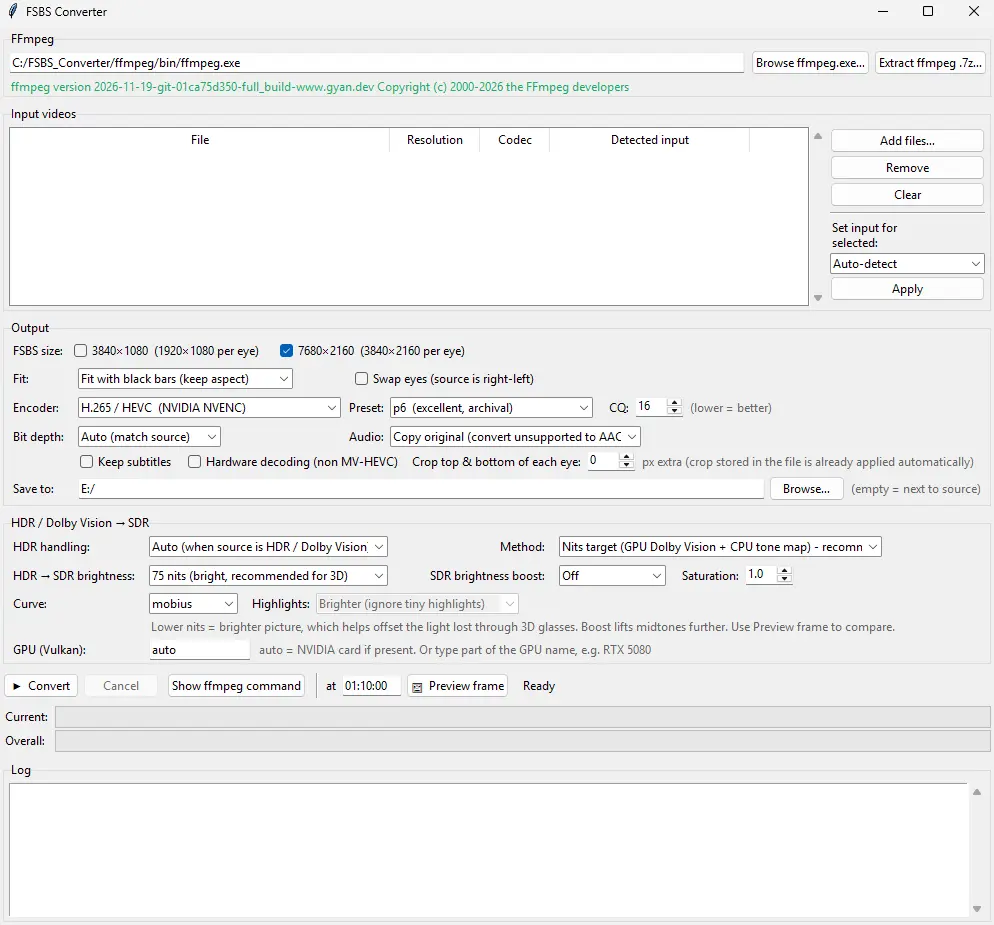
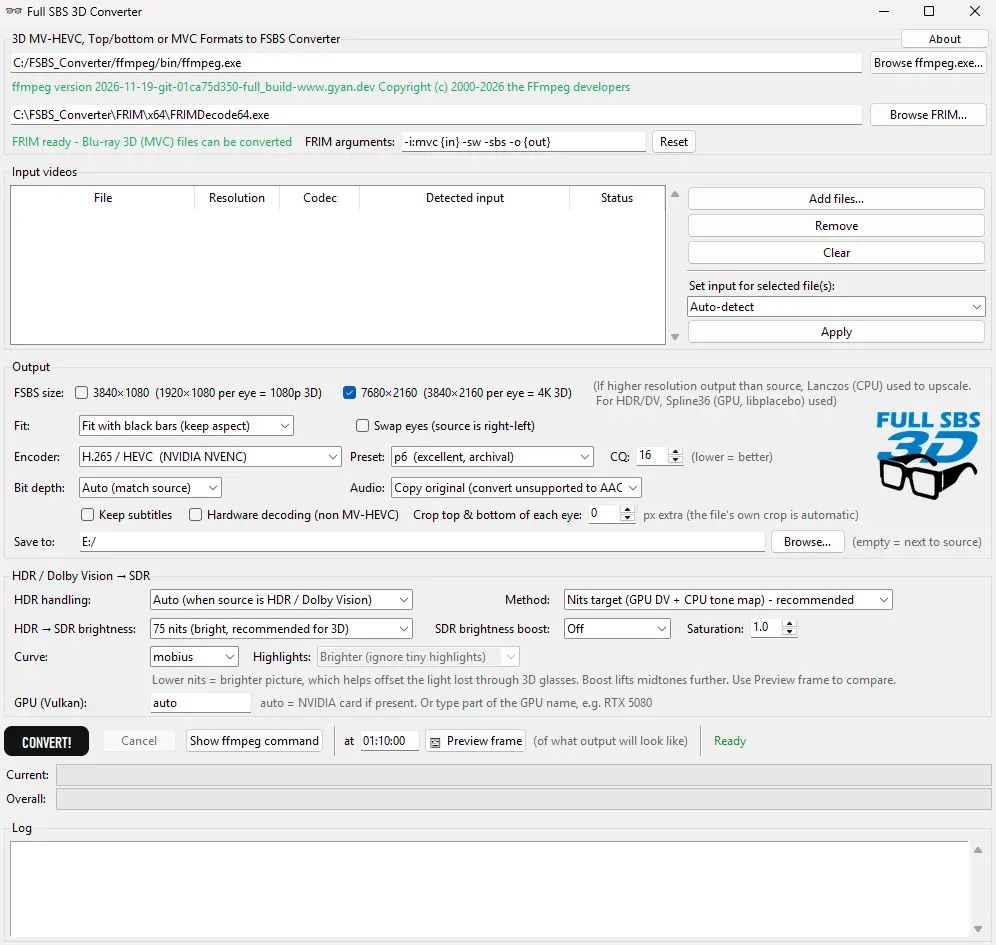
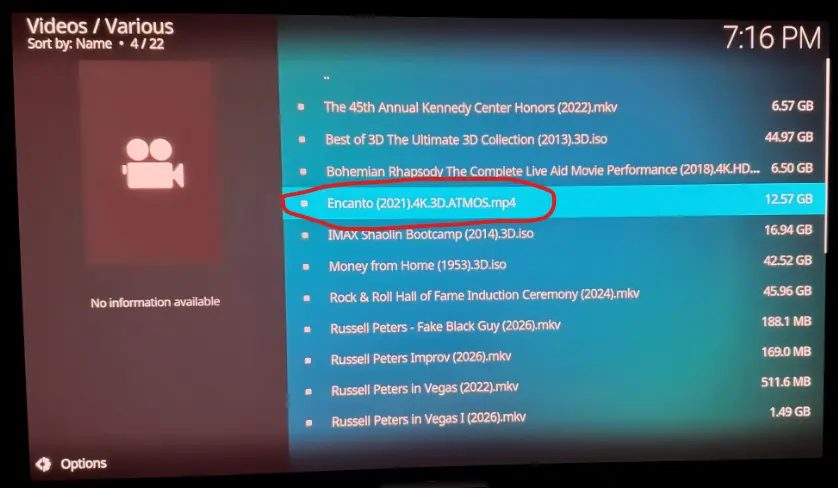
  • On MV-HEVC 3D (DV P20), latest FFmpeg supports decoding, but would need to figure out how to pass it as SDR, properly tonemapped. When doing conversions, I've found boosting brightness by 75 nits is about right. Built this app, thanks to claude:

  • We've done a lot of testing here on many mini PCs (NUCs) and the best has been new Intel Wildcat Lake 304 cpu based (bang for buck/performance):

    5 Core with 1P 4.3GHz + 4E 3.3GHz, RAM: LPDDR5X Up 7467 MT/s Up to DDR5 6400 MT/s, 2.3 GHz gpu Xe3 Linux 7.3.6 supported and Mesa 26.3.1, some with 10GBE, most 2.5GBE and WiFi7 = Perfect DoVi and blinding speed with PCIE 4x4 NVMEs for LE13/Kodi 22. Way faster than N150 based Intel NUCs.

    Many Chinese brands with affordable prebuilt kits on Amazon world-wide. Black Friday sales too.

    For LE that's way over spec'ed but for us with our own muliti-threaded SQL Server this enables superb performance when scanning huge music libraries. Full scanning including all metadata and images in minutes no days. Ungated peer-to-peer metadata, 2.5GBE internet, NVME SSDs (7000MB/s writes), 5 core multithread database saves. Enterprise performance on a cheap NUC.

    Edited once, last by HomerJau (November 23, 2026 at 7:57 PM).

  • We've done a lot of testing here on many mini PCs (NUCs) and the best has been new Intel Wildcat Lake 304 cpu based (bang for buck/performance):

    5 Core with 1P 4.3GHz + 4E 3.3GHz, RAM: LPDDR5X Up 7467 MT/s Up to DDR5 6400 MT/s, 2.3 GHz gpu Xe3 Linux 7.3.6 supported and Mesa 26.3.1, some with 10GBE, most 2.5GBE and WiFi7 = Perfect DoVi and blinding speed with PCIE 4x4 NVMEs for LE13/Kodi 22. Way faster than N150 based Intel NUCs.

    Many Chinese brands with affordable prebuilt kits on Amazon world-wide. Black Friday sales too.

    For LE that's way over spec'ed but for us with our own muliti-threaded SQL Server this enables superb performance when scanning huge music libraries. Full scanning including all metadata and images in minutes no days. Ungated peer-to-peer metadata, 2.5GBE internet, NVME SSDs (7000MB/s writes), 5 core multithread database saves. Enterprise performance on a cheap NUC.

    no one should be looking at an N150, the igpu on the Intel Wildcat Lake 304 is ~0.59 TFLOPS and CroqueMr has said

    "LLDV Reference, demanding conversions circuit above 30 fps — AMD Ryzen 3 7330U, Intel Core i3-1315U, or faster graphics.

    Future features may be more demanding and will likely require faster hardware."

    it doesn't even come close to the iGPU of the Core i3-1315U (~1.28 TFLOPS), this is a bad SOC and I wouldn't get it, I'd get Ryzen 6600H as a minimum, but we know how amazing this software is, something you'll use daily. Just get something like a 7735HS on the Firebat A6 mini. on sales it can hit $260-$290

    it's got amazing cooling, and you'll never have to worry about any feature being added that your box can't handle since it's that powerful.

  • $290


    with taxes it'll be slightly more? then wait for Rakuten for 15% black friday.
    the extra RAM is wasted and just sucking power while not doing anything. I won't go past $300 on an LE box, we'll have deals on other times of the year, flash sales etc.

  • Hi hadesdevls, thank you for building and sharing Hades. This is the Kodi setup I’d wanted for years. I’d always hesitated to buy a dedicated box just for FEL support, and the models I considered were hard to find in stock in my country. Thanks to Hades, I got it working on a laptop I already owned.

    I’m running Hades 1.1 in a Proxmox VM on an Intel Core i5-7200U with HD Graphics 620, passing through both the Intel GPU and HDA audio controller. Both HDMI setups worked:
    - Laptop → Sony X900H HDMI 4, with audio sent from the TV to the Samsung HW-Q800T over eARC.
    - Laptop → Samsung HW-Q800T HDMI IN → Sony X900H HDMI 3, using the soundbar’s HDMI passthrough.
    I verified TV-led Dolby Vision Profile 7 FEL with both single-track and dual-track test clips. The enhancement-layer text appeared, and the DVBridge logs confirmed residual reconstruction. A full-length FEL remux also played successfully. I verified 4K at 23.976 Hz, native HDR10, and TrueHD Atmos, DTS:X, and multichannel PCM audio.

    I mainly wanted to say thanks. Getting real FEL playback and lossless audio from my old laptop made this the Kodi setup I’d been hoping for. I appreciate all the work you put into it.

  • Greetings and thank you for this very cool project! Been using for a few weeks thanks to ht2tweak's suggestion.

    With the MV-HEVC 3D files, it is quite possible some displays could take advantage of the DV in 3d, or HDR; SDR BT2020 etc. While SDR BT709 is probably the safe fallback, would be great to have the options in there of how to send it if it's doable in the first place. That way we can test to see what is viable for some of these displays. I am going off someone getting 4k 3d 60fps HDR working on a now 3 or 4 year old 4k projector.

  • Built a companion Windows app (my first 😛), Claude-assisted of course... download from my GitHub. Especially as this and CroqueMr's build can handle 4K 3D's.

    OK - This is head scratcher - I don't believe that there is any "offical" 4K 3D format. DAMMIT!

    However i'm Guessing this uses an upscaller on 3D files to convert 1080p to 4K - Which I'm *REALLY* curious if my projector is going to work with and show as even my Lumagen doesn't scale 3D films and I don't think my projector uses it's pixel shifting tech on them either.

    Certainly curious here :love:

  • LibreELEC Hades 1.2 is out

    Download LibreELEC Hades 1.2: the image, the update file and the Windows installer.

    More for the picture and for 3D, and fixes for what you reported after 1.1. Thank you to everyone who tested 1.1 and wrote here and in the issues.

    The highlights

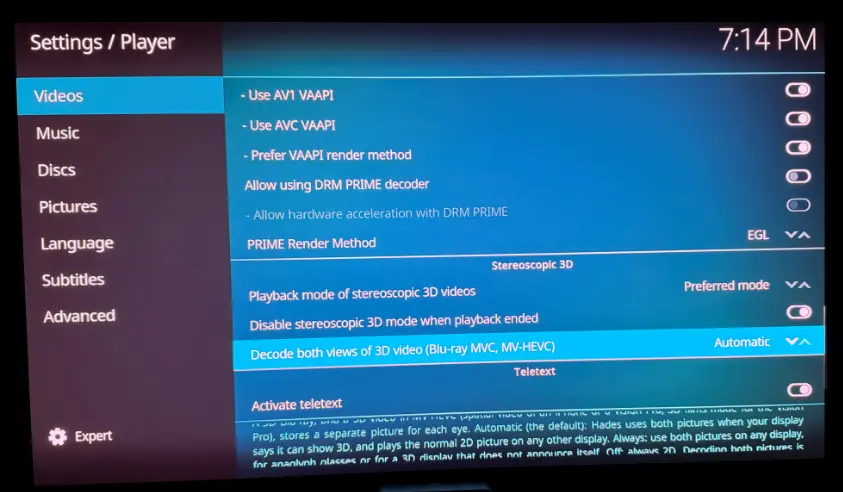
    • 3D in MV-HEVC. The spatial videos of an iPhone or a Vision Pro, and 3D films made for the Vision Pro, in MP4, MOV or Matroska, play in 3D as a 3D Blu-ray does: frame packing, side by side or top and bottom. NVIDIA cards with driver 620 (Turing and later) decode both views on the card, other graphics on the processor. Subtitles and menus over a 3D video without depth data now sit just in front of the picture, and Dolby Vision 3D films (profile 20) play in 3D with their right colours.
    • Filmmaker Mode by itself. While a video plays, Hades tells the TV over HDMI that it is a film (and a game that it is a game), so an LG with Filmmaker Mode Auto Start switches to Filmmaker Mode for the film and back for the menus. Not a byte of the picture changes, and the type changes only with a mode change that happens anyway. On by default.
    • A projector that follows the film. For a home-cinema projector on your network (JVC D-ILA, Sony ADCP and SDCP, and ESC/VP.net), Hades selects the lens memory by the shape of the picture, for a wide screen with constant image height, and the picture mode by the signal: SDR, HDR10, HLG, Dolby Vision, 3D. System > Display > Projector control over the network, off by default.
    • A 3D LUT for each display. The calibration of your display from Calman, ColourSpace, DisplayCAL or madVR (.cube, .3dl or .3dlut), one LUT for SDR and one for HDR, applied as the last step of the colour of the video. Each display keeps its own, so the LUT of the projector never reaches the TV. Never on native Dolby Vision, which the TV maps itself.
    • The player information tells you more. While an HDR video plays, its first page names any setting of yours that makes the picture differ from the film, with a button that puts exactly those back. It says when frames are lost steadily and why, what content type the TV is told, and the GPU time of each pass. Hold Menu to open it from a remote without colour keys.
    • Hades or a licensed player, on your own TV. Check this setup > Dolby Vision: Hades or licensed players (A/B) compares native Dolby Vision as Hades sends it and as licensed players send it, with a test clip made for it. Nothing changes unless you say so.
    • Your display, and Share my results. A few questions at the first start (is it a projector, how bright, HDR as HDR or as SDR) set the picture for your display. Share my results makes one line with your PC, graphics, driver, display and the results of the last check, to paste here or in an issue, with no serial number, address or name of the PC.
    • The display settings, in the order of what goes out: from the general to the fine, each setting right under the one it depends on. Every setting keeps its value.
    • A truer picture: truer colour edges in every video that Kodi draws itself (the colour error goes down by 13 % on animation and 26 % on film), smooth gradients on 8-bit screens, subtitles in the black bars of wide films, HDR shown as SDR in BT.2020 or DCI-P3 for projectors that take it, and AiUpscale among the upscalers.
    • Updates from Hades itself. From 1.2, Hades looks on GitHub every six hours for a newer version, tells you, and downloads and installs it after your yes. It takes a version only when it is signed with the key of LibreELEC Hades, newer than yours and whole. Looking sends nothing about your system. The first version offered this way is the one after 1.2.
    • Fixes: Low-Latency is no longer shown as TV-led; the TV remote works as soon as CEC is connected, and a CEC line that answers nothing no longer holds up sleep or shutdown; kodi.log says what powered off, suspended or quit the PC, HDMI-CEC included; 3D Blu-ray in MKV plays in 3D in every form a file declares its second view; the player information names frame packing with its real size; Intel graphics with AV receivers that switch inputs; a start that stayed on the start picture; ASUS Xonar cards with NVIDIA; an SDR copy of every HDR screenshot; Dolby Vision shown as HDR10 or SDR keeps up on small graphics; and 8-bit HLG as Dolby Vision.
    • Up to date: Linux 7.4-rc4, FFmpeg 9.1, Mesa 26.3.1, NVIDIA 620.73.04 and 580.196.11, the latest commits of Kodi 22 and LibreELEC master, and security fixes of OpenSSL, curl, FFmpeg, libass, BlueZ, Python, glibc and more.


    Every change, with its details, is in the release notes and the changelog. What has been tested says what has been seen working, and on which hardware.

    Updating from 1.1
    Your settings and add-ons are kept either way.

    • With the Windows installer: choose the drive that has Hades, then "Update".
    • Or copy the .tar file to the Update folder (the Update share over Samba, or /storage/.update) and restart.


    From 1.2 on, Hades finds its next versions by itself. Two things you may notice: a saved "Use limited colour range" now reads Colour range: Limited (on AMD graphics with a TV that cannot select the range, set it back to Auto), and the display settings have moved, each with its value. The installer is the same program as in 1.1 and is not signed, so Windows may ask whether to run it.

    Tell me how it looks
    If you have a 3D display, a home-cinema projector or a calibrated display, I would love to hear how the new features look on it. Share my results (Settings > LibreELEC > System > Check this setup) makes the line to post. For a problem, post here or open an issue with a diagnostic report: Settings > LibreELEC > System > Submit Log > Create a diagnostic report. A photo of the player information (O) helps a lot.

    Thanks to fandangos, whose measurements the A/B comparison rests on; to CroqueMr, whose build pointed to five fixes of this version and to 8-bit HLG as Dolby Vision; to SamuriHL, who found faults of the sound; to ht2tweak, whose Full SBS 3D Converter showed the colours of profile 20 and the eye of each MV-HEVC view; to YBLOD, for the idea of keeping variable refresh on TVs with AMD graphics; and to corgeone, for the measurements with an AV receiver. AiUpscale is the work of Alexkral, shipped unchanged. Thanks also to JonnyVee, lvasan, NTM-3D and MrPhenix007 for the requests this version answers. Every credit, with its source, is in CREDITS.md.

  • Some answers, now that 1.2 is out.

    Quote from Ryudoadema

    While SDR BT709 is probably the safe fallback, would be great to have the options in there of how to send it if it's doable in the first place.


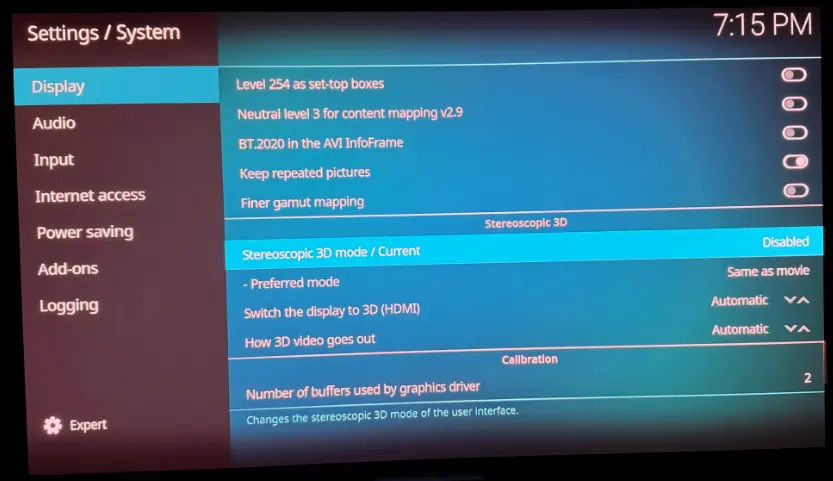
    Welcome, and good timing: 1.2 has that choice. It is in System > Display > Stereoscopic 3D > How 3D video goes out (with the settings level on Expert): Automatic, HDR, SDR in BT.2020 or SDR in BT.709, for every HDR 3D video, MV-HEVC included. Automatic sends HDR where the display takes it and SDR everywhere else. A choice only goes out where the display says it takes it and the graphics driver can send it, and the player information (O) tells you what went out.
    Dolby Vision itself is not sent in 3D, so a Dolby Vision 3D film (profile 20) goes out with each eye as HDR10 or as SDR.
    Side by side and top and bottom 3D at 3840x2160 use the normal 2160p mode of the display, so Hades adds no limit of its own: 4K 3D at 60 Hz with HDR depends only on what the display and the HDMI link take. Frame packing goes out at 1080p per eye, as 3D Blu-ray does.
    If you try it: turn on Player > Videos > Adjust display refresh rate, set Switch the display to 3D (HDMI) to Automatic, and play an HDR 3D video with each choice. For each one I would love to know whether the projector shows 3D, which signal its info menu reports, and whether colours and brightness look right in both eyes. A photo of the player information helps, and Share my results (Settings > LibreELEC > System > Check this setup) makes a line with your setup.

    Quote from lvasan

    It looks like Hades is applying a 1000-nit CMv4.0 target-peak mapping in TV-Led mode (even on a CMv2.9 Profile 7 stream)


    Thank you for both reports and for the lines you copied: they let me check what leaves the PC byte by byte. That mapping comes from three settings that were changed on your system, not from what Hades does by default:

    • Dolby Vision: ignore the studio's fine-tuning (trims): on
    • Dolby Vision: new tone mapping (v4.0): Automatic: add v4.0 for bright masters
    • Tone mapping v4.0: set the TV's peak by hand: on


    Together they leave out the fine-tuning of the studio and add a v4.0 part to your 4000-nit FEL titles, so the A80K got different metadata and mapped them differently. For most of the minutes in your report the player information or a menu was also over the picture, which changes what the TV gets. With the defaults, Hades sends the metadata as the film carries it.
    1.2 makes this easier to spot: while an HDR video plays, the first page of the player information lists any setting of yours that changes the picture from the film, with a Restore button that puts them back after a question. There is also Check this setup > Dolby Vision: Hades or licensed players (A/B), a guided comparison with a test clip made for it.
    Could you compare once more?

    1. Press Restore, or set those three back by hand: trims off, new tone mapping on "As in the video", the peak by hand off.
    2. Same file, same scene, same picture mode on the Sony. Close the player information, turn subtitles off and wait two seconds before you judge.
    3. If Hades still looks dimmer, add this to /storage/.kodi/userdata/advancedsettings.xml, restart Kodi and look at the same scene again:

      Code
      <advancedsettings>
       <video>
         <dvscenerefreshall>true</dvscenerefreshall>
       </video>
      </advancedsettings>


      It marks every frame as the start of a scene, which is the one byte left that differs from what you compared. Please tell me whether it changes what you see, then remove it again.

    4. Run the A/B card on the A80K and tell me which one it prefers.


    Also new in 1.2: HLG as Dolby Vision now takes 8-bit HLG videos too, the kind many cameras record, with the same result as the same picture in 10 bits.

    Quote from JonnyVee

    I couldn't figure out how to make DV output as SDR.


    Sorry, it was too well hidden. While the film plays, press O, then OK on Output of this video, and choose As SDR (without HDR). In 1.2 the help of the HDR settings says so, and so does the player information when Dolby Vision goes out as HDR10 because of the display.

    Quote from JonnyVee

    Is it feasible to add DCI and BT2020 colorimetry for SDR-HDR conversions?


    It is in 1.2: System > Display > HDR to SDR: gamut of the output (Expert), with BT.709, BT.2020 or DCI-P3. The video is mapped straight into that gamut, the display is told so, and the menus and subtitles are converted to match. It goes out only where the display declares the gamut and the driver can signal it. The AMD driver offers no DCI-P3, so on the Lenovo it is BT.2020, and through the Anthem it is the EDID of the Anthem that counts. Your JVC should then show BT.2020 in its info screen.
    The order you suggested for the settings is in 1.2 too: System > Display now goes from the general to the fine, and each setting sits right under the one it depends on.

    Quote from JonnyVee

    3400GE definitely needs some optimization.


    Your report found it. Dolby Vision shown as HDR10 or SDR now steps down the same measured way as native Dolby Vision, only where the graphics really can't keep up and one level at a time, with the enhancement layer always drawn. Graphics that keep up show the exact same picture as before. The 100 % of the 3400GE and the 50 % of the 4650GE were also two different measures; in 1.2 every AMD GPU uses the same one, and the System page shows the GPU time of each pass, so the two can really be compared.
    And since you have an NZ800: 1.2 can switch its lens memory by the shape of the picture and its picture mode by the signal. In System > Display > Projector control over the network (Advanced), choose JVC D-ILA, give its IP address (a fixed one in the router) and its network password, then Test the connection, which should show the model. Then turn on Lens memory by the shape of the picture: by default memory 1 is for narrower pictures and memory 2 for pictures from 2.10:1. A 2.39 film, a 16:9 film and one with IMAX scenes would show whether the lens goes to the right memory, how long it takes, and whether it goes back at the end. kodi.log has every command and answer on its "Projector:" lines, never the password.

    Quote from NTM-3D

    Showing frame packed output more clearly in the OSD, both name but also 1920x2205 instead of 1920x1080 like now would be great.


    Done in 1.2: it now reads "1920x2205 @ 23.976 Hz, 3D frame packing". The fall back to side by side on NVIDIA is not fixed yet. In 1.2 the display goes straight to side by side instead of top and bottom for a few seconds first, which is what left your Philips in the wrong mode, and the driver now writes to the kernel log every reason it refuses frame packing. Check this setup also has a frame packing card for 3D displays. If you run it once on one of the RTX cards and make a diagnostic report right after, the log will name the reason, and that is what I need to fix it.

    Quote from NTM-3D

    Any chance of supporting these new MV-HEVC 4K per eye 3D Dolby Vision files?


    Yes, 1.2 plays MV-HEVC in 3D. NVIDIA cards from Turing on (GTX 16, RTX 20 and newer) with driver 620 decode both views on the card, other graphics on the processor, and where the processor can't keep up the video carries on in 2D and the player information says why. A Dolby Vision 3D file (profile 20) plays in 3D with each eye as HDR10 or SDR, in the right colours. With your collection of 3D displays, a Share my results line from each would be great.

    Quote from Alaric

    Mapping the O key to my Amazon fire remote took way more hassle than expected


    In 1.2 you don't need that keymap any more: while a video plays, hold Menu and the player information opens, and a short press still opens the on-screen controls. If you want the short press back for the controls, delete the firetv.xml from my earlier post. Your X9900 is a JVC D-ILA too, so the projector control works with it if you have a scope screen.

    Quote from theged

    Thanks to Hades, I got it working on a laptop I already owned.


    Thank you, that made my day. FEL from a laptop you already had, in a Proxmox VM with the graphics passed through, is a great result, and it is in What has been tested now.

    Quote from CroqueMr

    3D Lut nice, I had the same idea, I already started to work on 1D/2D/3D lut, I will check your implementation.


    Thank you! It is all in the open, so please do: the 3D LUT is in kodi-9266 to kodi-9272 and kodi-9279, in projects/Generic/patches/kodi/x86-2 of the repository. In short, there is one LUT for SDR and one for HDR for each display (.cube, .3dl or the .3dlut of madVR), applied as the last colour step of the video, both in the Dolby Vision bridge and in the video shaders of Kodi, and never on native Dolby Vision, which the TV maps itself. The table is loaded off the render thread, so even a large madVR LUT never holds a frame up. If you see something that can be done better I would be glad to hear it, and good luck with yours.

  • hadesdevls Do you have any idea why your IPT conversion is much more GPU intensive than in the CroqueMr builds?

    When I force your build to convert the output to IPT instead of using "As composed", the GPU temperature of my mini PC (with an AMD 6600H CPU) rises to somewhere between 50 and 53 Celsius and I see the GPU usage regularly hitting 100%. When this happens, the fan of the mini PC starts to spin up and makes a quite audible hissing sound. If I leave the setting on "As composed", the GPU temperature stays well below 50 C and GPU usage is much lower.

    If I do the conversion to IPT in the CroqueMr builds, the GPU temperature stays well below 50 C and the fan does not spin up.

    Is it because you're using a different algorithm / path to do the conversion?

    I'm sure it will get more efficient but you can get this for very cheap on sales right now to basically get zero noise

    https://forum.kodi.tv/showthread.php?tid=389920

    a pwm fan (artic p12 pro, cheap) a usb fan controller and some feet
    set it to low around 700 rpm, figure out if you want to remove the panel so it's blowing directly over it or through some vents,
    at 800RPM that fan is inaudible. total cost is under $8

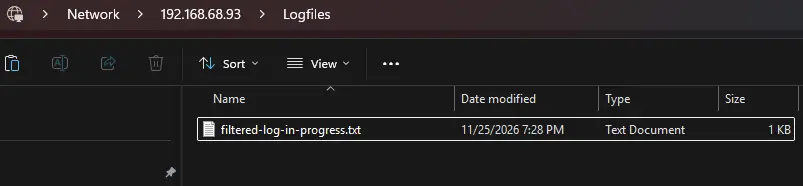
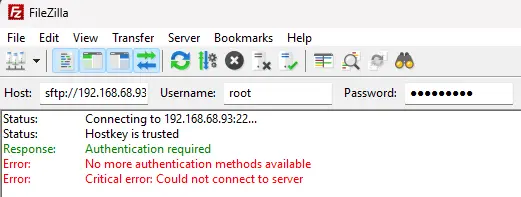
  • Hey hadesdevls, thanks for this latest version, especially adding MV-HEVC (DV P20) support. Takes some getting used to... the custom menus, the SMB login/password change from LE default (not a fan on this; trips me up all the time 🤪), and the debug logging behavior.

    Can't grab log the usual way, but got it as you designed I think (see below):

    But, eventually the filtered-log finished. Here it is.

    So, with MV-HEVC 3D (DV P20), you're getting there, but it isn't quite working yet:


    Video demo of what happens:

    External Content youtu.be
    Content embedded from external sources will not be displayed without your consent.
    Through the activation of external content, you agree that personal data may be transferred to third party platforms. We have provided more information on this in our privacy policy.

    Edited once, last by ht2tweak (November 26, 2026 at 3:41 PM).