Dolby Vision Hardware

  • I am starting to really look at the Beelink SER9 as this system seems to have the best quiet solution or even the SER10 a lot more cash but this is the only options left for me if I want the best possible quiet machine


    Anyone had a beelink what they like they do look quality to be fair

    the SER9? it costs an arm and a leg, are you serious about buying a machine? I've helped you so much on kodi forums, and you just think of another box. a box like K12 or Firebat, won't be so loud. they are running a 4nm node, they have quiet mode, and the work these machines will be doing is so little. you even have examples of how to make them even quieter, if you really dead set on quiet machine get the K15

    GMKtec K15 Barebones Mini PC Intel Core Ultra 5 125U / 3x M2 / Dual 2.5GbE / USB4 Oculink with code at GMKtec Direct Store
    This preview deal goes live on the 11th Wednesday at 8am!We worked with Aliexpress to get this exclusive code for the community.Specification:CPUIntel Core
    www.hotukdeals.com


    that's 15W TDP. should handle everything DV FEL you can throw at it, only thing is I don't think it does 3d as you need AMD chipset. it's far more capable than the 3500U that dev said would be fine.

    you don't have access to the k12 anymore either.

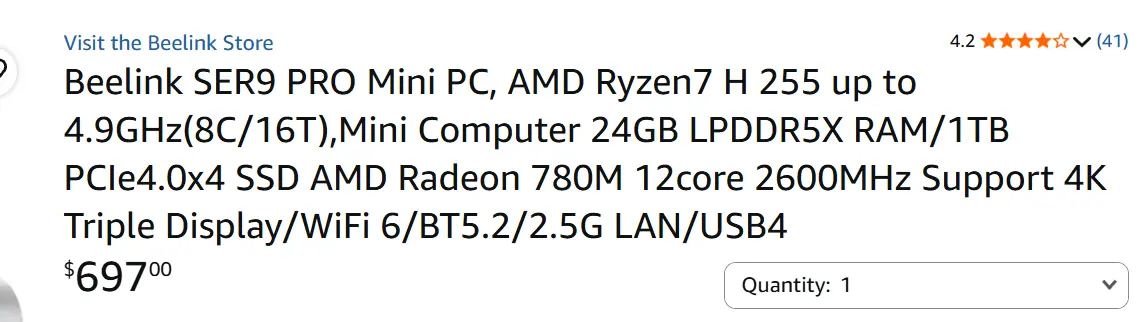
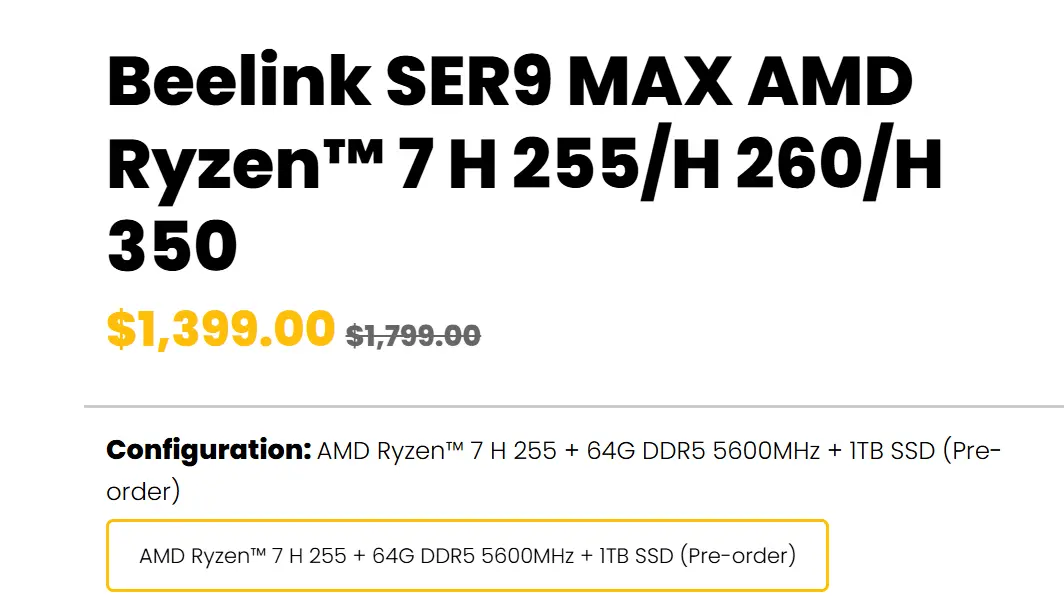
    and these are the prices for a SER9

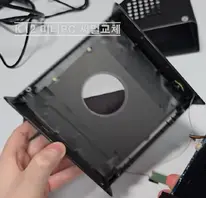
    You could have gotten a K12 and added the fan mod to have it literally silent
    but way to late for that, if you don't buy anything in the next couple of days, you won't have anything on offer and looking at $500 rather than the $300 you could have had

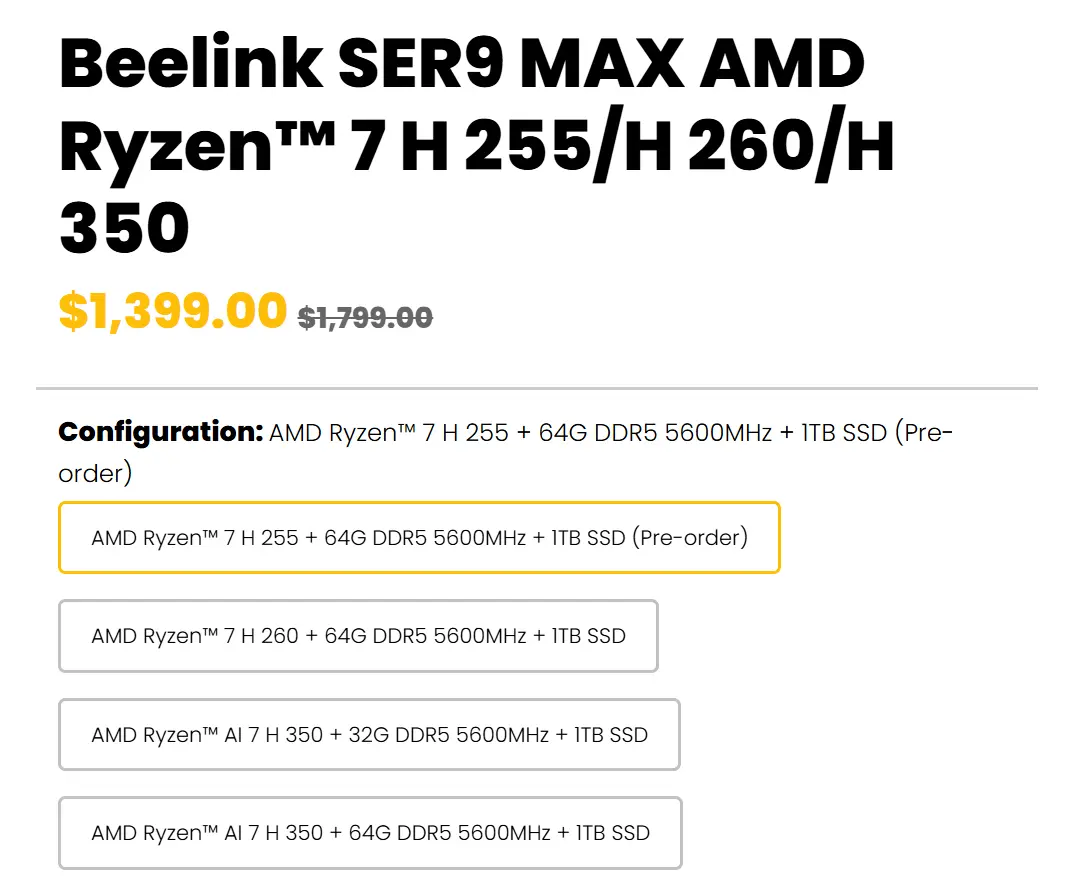
  • Well... that's the price with 64GB of RAM, come on...


    With 24GB of RAM (plenty enough for LE), it costs about half of what you posted.

    https://www.amazon.com/Beelink-SER8-C…B0F1D91CDR?th=1

    lowest config on their site


    I didn't bother trying to find a cheaper deal. my point stands , you think $700+ is any better for an LE box (the deal you posted)?


    the stuff I've tried to help people is around $300 and that's for the same chipset, he just won't bite and keeps thinking it's going to be super loud

  • The thing is


    1. The intel chipsets do not do full hdmi 2.1 support

    2. The reason I keep holding of buying the k12 because I read this on some posts

    "The top fan is a tad noisy sadly its sort of got a mind of its own some days its ok and others clicky noise, I have had a few K12s and K15 myself and its got the same fan/heatsink and case set up.

    Bottom cpu fan is ok, with the original K12 bios you can set to 20-30% if you are doing non gaming and its silent enough from say 1 metre away. Id advise to stick with original bios, the newer ones changed the fan noise profile and you won't get that percentage scale back."


    So some say they are not ok and others say they are plus they altered the bios for the fan speed so not sure why


    3. I bet the k12 will be on sale again


    i do appreciate the help but these boxes are very cheap and I just Don’t get why they are so cheap. Are they poor build quality or is there some sort of longevity of the boxes.

    I am just trying to look at all angles and seeing which is the best option for me

  • I've seen you post on Hotukdeals. you should have noticed almost universally this box is loved and praised, it was on for £155, you had another £35 cashback from TopCashBack, £120 barebones
    would have cost you £105 for 16GB DDR5

    £260, and get some storage for like £40
    the top fan I gave you a solution. you buy the cable, and noctua fans , it's not even bad looking and also won't add much height, bottom fan was alright, at 20-30% fan speed it would be silent at 2 metres or more

    what do you want? we might get it back or we might not, maybe you won't have paypal and less TCB. there are many ways to make it quieter if the noise bothered you. Aliexpress have always done these great deals for UK. hotukdeals gives them guarenteed group of people who are willing to buy. I've been doing this with them since 2013. we get good deals

  • From what I've gathered, the minimum specs needed to get the most out of LE and DV FEL + 3D would be AMD 7640HS, 16GB LPDDR5 (dual), SSD NVMe storage (128GB+), and HDMI 2.1 (optional).

    Am I getting this right?

  • No need for 16GB RAM, mine only uses around 15% of it.

    System takes up 1GB of space, the rest is Storage and if you use a NAS for your movies there is no need for a big expensive SSD.

    Edited once, last by MatteN (November 12, 2026 at 11:47 AM).

  • Just seen a miss price I think the Beelink SER8 Gaming Mini PC, Ryzen7 8845HS(up to 5.1GHz),32G DDR5 1TB NVMe SS for £555


    Not sure on this chip as it’s not the 255 as I have read it’s the quietest box out there. But it’s got to be a miss price for that as these are normally about £900 as it has 32gb and 1tb already fitted.

    I think if you Buy the g12 for £160 plus £200 for ram and £140 for the ssd that’s £500 all in so not far from the beelink ?

  • Not sure on this chip as it’s not the 255 as I have read it’s the quietest box out there

    H 255 is a slightly, very slightly modifed 8845HS, IIRC. And it's not the quietest box out there. Neither it nor the H255. Don't know where you read about that. Price with that RAM is really good, sure. Don't know you'll need it for LE but still, good price.

  • My GMKtec K12 arrived a yesterday and I've been giving it a good test. I'm in the UK and got the bare-bones kit from Aliexpress (GMKtec Direct Store) for £170. It arrived quickly so was actually UK stock as claimed, it came brand new sealed and UK spec. I already had some spare DDR5 so-dimm just 2 x 8GB and some NVME drives so didn't buy anything else. Here are some of my observations:

    • Came with the latest BIOS but updates are here https://drive.google.com/drive/mobile/f…Tf5SpTqgAMwJ3Xp if anyone else needs them.
    • BIOS/UEFI is pretty basic but works fine, has 3 power levels quiet (45w), balanced (55w) and performance (65w). The power limit is shared between the CPU and iGPU. I'm using quiet and have also disabled SMT.
    • It has some bios level CEC that supports power on/off but has no configuration and it turns off my TV/AVR when i shutdown so I've disabled it.
    • No power on via USB, which was a feature of my NUC. But waking from suspend seems to work.
    • Wake on LAN works, so that's primarily how i'm turning it on.
    • Hardware all detected and working well, ethernet operating well at 2.5Gbit. I'm not using bluetooth or WiFi so can't comment about that.
    • The standard automatic fan control is awful, it constantly stops and starts both fans when its at idle temps and which makes an annoying noise. Luckily you can tweak it in the bios and get it behaving sensibly and quiet. I've got the top fan fixed at 40% PWM which is about 700rpm this fan just cools the SSDs, memory and back of the motherboard. The CPU is a bit more annoying as it forces you to use fan stop but I've basically got it running at 35% PWM / 1000rpm until 45c before slowly ramping up in speed. In LibreElec the temps never go over 30c so it stays at the base speed the whole time. From across the room this is inaudible but with your head up against it you can hear it.
    • HDMI 2.1 is present and native so Dolby Vision builds work fine. Most HDMI 2.1 features are currently unavailable / disabled in Linux/LibreElec but you can enabling some of them via a kernel parameter and try them out. I got FRL working so 4k120 10bit is possible but no luck with VRR yet, these should be enabled by default in Linux 7.4. I'm back to using HDMI 2.0 / TMDS for now as i can get 4k120 420 with Freesync working in Moonlight that way.

    Overall i'm happy and will probably keep it and sell my NUC.

  • My GMKtec K12 arrived a yesterday and I've been giving it a good test. I'm in the UK and got the bare-bones kit from Aliexpress (GMKtec Direct Store) for £170. It arrived quickly so was actually UK stock as claimed, it came brand new sealed and UK spec. I already had some spare DDR5 so-dimm just 2 x 8GB and some NVME drives so didn't buy anything else. Here are some of my observations:

    • Came with the latest BIOS but updates are here https://drive.google.com/drive/mobile/f…Tf5SpTqgAMwJ3Xp if anyone else needs them.
    • BIOS/UEFI is pretty basic but works fine, has 3 power levels quiet (45w), balanced (55w) and performance (65w). The power limit is shared between the CPU and iGPU. I'm using quiet and have also disabled SMT.
    • It has some bios level CEC that supports power on/off but has no configuration and it turns off my TV/AVR when i shutdown so I've disabled it.
    • No power on via USB, which was a feature of my NUC. But waking from suspend seems to work.
    • Wake on LAN works, so that's primarily how i'm turning it on.
    • Hardware all detected and working well, ethernet operating well at 2.5Gbit. I'm not using bluetooth or WiFi so can't comment about that.
    • The standard automatic fan control is awful, it constantly stops and starts both fans when its at idle temps and which makes an annoying noise. Luckily you can tweak it in the bios and get it behaving sensibly and quiet. I've got the top fan fixed at 40% PWM which is about 700rpm this fan just cools the SSDs, memory and back of the motherboard. The CPU is a bit more annoying as it forces you to use fan stop but I've basically got it running at 35% PWM / 1000rpm until 45c before slowly ramping up in speed. In LibreElec the temps never go over 30c so it stays at the base speed the whole time. From across the room this is inaudible but with your head up against it you can hear it.
    • HDMI 2.1 is present and native so Dolby Vision builds work fine. Most HDMI 2.1 features are currently unavailable / disabled in Linux/LibreElec but you can enabling some of them via a kernel parameter and try them out. I got FRL working so 4k120 10bit is possible but no luck with VRR yet, these should be enabled by default in Linux 7.4. I'm back to using HDMI 2.0 / TMDS for now as i can get 4k120 420 with Freesync working in Moonlight that way.

    Overall i'm happy and will probably keep it and sell my NUC.

    awesome! £170 is allot more than you could have gotten it for, it was going for £155 with paypal. also in future when you buying check top cashback, it had 15% cashback and the 30% cashback with max £35, and TCB are good. potentially gotten this for £120!!!

    I also heard the top fan is the one that makes the most noise?

    here are a few things you can do, replace the thermal paste with ptm7950 as detailed here

    External Content www.youtube.com
    Content embedded from external sources will not be displayed without your consent.
    Through the activation of external content, you agree that personal data may be transferred to third party platforms. We have provided more information on this in our privacy policy.


    in UK I only found this which says it's geniune

    Honeywell PTM7950 UK – Genuine Phase Change Pads | Thermify
    Genuine Honeywell PTM7950 in stock in the UK. Pads cut to 40x40, 80x40 and 80x80mm, raw sheets and PTM7950-SP paste. Same-day dispatch before 4pm.
    www.trmfy.co.uk


    or you can buy thermal grizlly sheet and according to this it's similar or better

    Thermal Grizzly Phase Sheet PTM Review
    I'm deliberately starting this test at the beginning, because the question of the actual origin and quality of such phase change pads often determines the…
    www.igorslab.de


    and you can take out the top fan, the metal thing and replace with a pwm fan, I detailed it here

    hcliec001
    November 3, 2026 at 1:54 PM


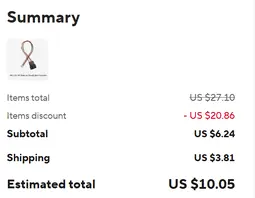
    it's the top fan that causes most of the noise I heard, you'll have to order the adapter, for two it's about $10, then get the fans I mentioned, I don't even think you'll need noctua. it will make it bulkier if you added both fans, no solder needed with adapter

    I'd definitely invest in better thermal paste if . you could use in future instalment to.
    but good job on the box. next year use the discounts more


    Meridius are you convinced you won't hear the box at all when watching a movie at distance? there are even more optimisations like replacing the stock thermal paste for very cheap which should help even more. get the K12

    Edited once, last by hcliec001: Merged a post created by hcliec001 into this post. (November 13, 2026 at 2:17 PM).

  • Beelink EQ12Pro user here for 3rd year now.

    Intel Core i3 N305 (Alder Lake), 15W TDP
    iGPU 24EU 1.25GHz
    16GB DDR5, Single channel only
    Dual 2.5GbE I226-V Network Ports
    HDMI2.0

    Stock fan with no additional cooling.
    Changed to PTM7950 to prevent the stock thermal interface from drying out.

    Ambient room temperature about 28C.
    CPU typically operates around 55-65C with no throttling running on Hades v1.0.

    Fan is absolutely silent even from a hand away.

    BIOS has auto boot up upon incoming power supply applied.

    Had changed the AC/DC adapter to a dedicated Meanwell 12VDC power supply as it went dead after 2 years of heavy usage. It's powered on almost everyday for 5-8 hours.

    If you're buying a miniPC/NUC, do try to get one with an external power brick. It will be easier to look for a compatible replacement in the future.

    Built in AC/DC power supply will lead to higher fan noise since it needs to remove this additional heat source apart from the computer components (CPU, SSD, etc).

    Servethehome review of the Beelink EQ12Pro N305

    For HDMI 2.1 FRL support, look for Intel Meteor Lake processor and newer.

    FOSS Linux on AMD, Intel & NVIDIA driver support for HDMI 2.1 with FRL.

  • hcliec001

    The price is fine, could have signed up for PayPal credit and other cashback stuff but didn't care to.

    The top fan is quiet enough for me when running at a low fixed speed as i explained. I do have some ptm7950 on order though.

    Part of my LibreElec for everything plan is to not have my LG connected to the internet or network at all anymore, but i have tried that youtube app in the past and it's not as slick as VacuumTube.

  • hcliec001

    The price is fine, could have signed up for PayPal credit and other cashback stuff but didn't care to.

    The top fan is quiet enough for me when running at a low fixed speed as i explained. I do have some ptm7950 on order though.

    Part of my LibreElec for everything plan is to not have my LG connected to the internet or network at all anymore, but i have tried that youtube app in the past and it's not as slick as VacuumTube.

    I'll be interested in your results once you added ptm7950, and where did you get it from?

  • My GMKtec K12 arrived a yesterday and I've been giving it a good test. I'm in the UK and got the bare-bones kit from Aliexpress (GMKtec Direct Store) for £170. It arrived quickly so was actually UK stock as claimed, it came brand new sealed and UK spec. I already had some spare DDR5 so-dimm just 2 x 8GB and some NVME drives so didn't buy anything else. Here are some of my observations:

    • Came with the latest BIOS but updates are here https://drive.google.com/drive/mobile/f…Tf5SpTqgAMwJ3Xp if anyone else needs them.
    • BIOS/UEFI is pretty basic but works fine, has 3 power levels quiet (45w), balanced (55w) and performance (65w). The power limit is shared between the CPU and iGPU. I'm using quiet and have also disabled SMT.
    • It has some bios level CEC that supports power on/off but has no configuration and it turns off my TV/AVR when i shutdown so I've disabled it.
    • No power on via USB, which was a feature of my NUC. But waking from suspend seems to work.
    • Wake on LAN works, so that's primarily how i'm turning it on.
    • Hardware all detected and working well, ethernet operating well at 2.5Gbit. I'm not using bluetooth or WiFi so can't comment about that.
    • The standard automatic fan control is awful, it constantly stops and starts both fans when its at idle temps and which makes an annoying noise. Luckily you can tweak it in the bios and get it behaving sensibly and quiet. I've got the top fan fixed at 40% PWM which is about 700rpm this fan just cools the SSDs, memory and back of the motherboard. The CPU is a bit more annoying as it forces you to use fan stop but I've basically got it running at 35% PWM / 1000rpm until 45c before slowly ramping up in speed. In LibreElec the temps never go over 30c so it stays at the base speed the whole time. From across the room this is inaudible but with your head up against it you can hear it.
    • HDMI 2.1 is present and native so Dolby Vision builds work fine. Most HDMI 2.1 features are currently unavailable / disabled in Linux/LibreElec but you can enabling some of them via a kernel parameter and try them out. I got FRL working so 4k120 10bit is possible but no luck with VRR yet, these should be enabled by default in Linux 7.4. I'm back to using HDMI 2.0 / TMDS for now as i can get 4k120 420 with Freesync working in Moonlight that way.

    Overall i'm happy and will probably keep it and sell my NUC.

    Excellent information there.

    Q1 Did you have the old bios then update it as I herd the older bios had a better control of the fans ? How did you stop the fan from starting and stopping for the cpu ? Set it to 35% does that keep the fan running all the time at a slow 1000rpm.

    Q2 Is the case fan blowing air into the case or pulling ? I was looking around and you can find a case fan that’s 5v at 92mm but I think it’s 25mm deep not sure how deep the fan is inside the case that comes out the unit as if it s the same that’s a straight swap fan right there.

    Q3 so is this a true HDMI 2.1 FRL or TMDS because they don’t state the spec on there site like others do

    Q4 can you disable the fan in the unit if it’s just running video from Kodi or do you think the cpu would get to hot

    I contact the manufacturer and u can get the cover for £30 if you wanted to doctor the case to fit a bigger 120mm fan


    I would use home assistant to wake the pc as I do this to wake my server that hold my library so as long as wake in lan works that should be fine. Also have a flirc donlge which should work.

    Cheers for the report


    I'll be interested in your results once you added ptm7950, and where did you get it from?

    I herd the mx6 thermal paste is on par with the pad if you can not get it.


    hcliec001

    It’s just I don’t know what to do as was thinking of even getting a mini pc with desktop class cpu and the making sure the unit had a graphics plug to play pc games full on with an added card in the future. This k12 could do a good job but seen better desktop class CPU but at a higher cost in a mini box.

    Or do I just say sod the gaming and get the k12 and mod it and just use for movies. And look at a gaming pc later

    Edited 2 times, last by Meridius: Merged a post created by Meridius into this post. (November 13, 2026 at 4:46 PM).


  • I herd the mx6 thermal paste is on par with the pad if you can not get it.

    not heard anyone talking about mx6 but have seen expert audit of thermal grizzly compared to it

    Thermal Grizzly Phase Sheet PTM Review
    I'm deliberately starting this test at the beginning, because the question of the actual origin and quality of such phase change pads often determines the…
    www.igorslab.de


    it's slightly cheaper on amazon but if you can trust the UK place for ptm7950 it's barely that much extra
    (posted above for the shop)

  • So what your saying is these devices are HDMI 2.1 FRL it’s just there locked out even AMD ? As all advertise as 18gb ports on there sites apart form some other Chinese manufacturers