Posts by louyeh

    It's been some years since I've bough thermal paste. Are these PTM7950 pads supposed to be the best choice now?

    It's better since it won't dry out - apply once and forget. Thermal paste will harden and get pumped out, probably 1-3 years depending on usage. Leaving almost none to little thermal interface material after a long period of thermal cycling.

    The challenge is applying ptm7950 since it's one whole piece like a thermal pad, except it's way thinner and sticky when it's handled at room temperature. Removing the first protective layer is easy. After applying on the CPU die/IHS, removing the second protective layer without the ptm7950 sticking to it is the challenge.

    Freezing it is one trick. Applying a scotch tape to the second protective layer and quickly lifting it in one pull is another.

    Good thing is the ptm7950 sheet comes as a large piece, so you'll get there after 2-3 tries.

    By the way, it needs manual precision cutting with sharp knife or scissors to match the CPU die/IHS size.

    Either LTT's ptm7950 or Thermal Grizzly Phase Sheet PTM works, whichever is available and more cost effective for you. Or digilently change thermal paste before it causes damage.

    Especially if you have a projector, I believe most of them uses thermal paste. Mine dried out and luckily the firmware has good thermal safety measures. Laser dimmed and video playback stops. The symptom was like a stuck DMD mirror but clearly it wasn't.

    Going back to HDMI@120Hz support, on hardware perspective if cost is not much of an issue and the goal is for long term usage, then it's a better buy.

    Else HDMI@60Hz is the safe upper limit for a media box.

    So what your saying is these devices are HDMI 2.1 FRL it’s just there locked out even AMD ? As all advertise as 18gb ports on there sites apart form some other Chinese manufacturers

    Quoting from my understanding of FOSSlinux, yes AMD GPU needs Linux Kernel v7.2 + amdgpu.dc_feature_mask=0x400 boot kernel parameter. Linux v7.3 will have native FRL & VRR support for AMD. Physically it has no issue to run using FRL, kernel support is the limitation.

    LE Croque & Hades are v7.2.6 & v7.3 respectively

    Beelink EQ12Pro user here for 3rd year now.

    Intel Core i3 N305 (Alder Lake), 15W TDP
    iGPU 24EU 1.25GHz
    16GB DDR5, Single channel only
    Dual 2.5GbE I226-V Network Ports
    HDMI2.0

    Stock fan with no additional cooling.
    Changed to PTM7950 to prevent the stock thermal interface from drying out.

    Ambient room temperature about 28C.
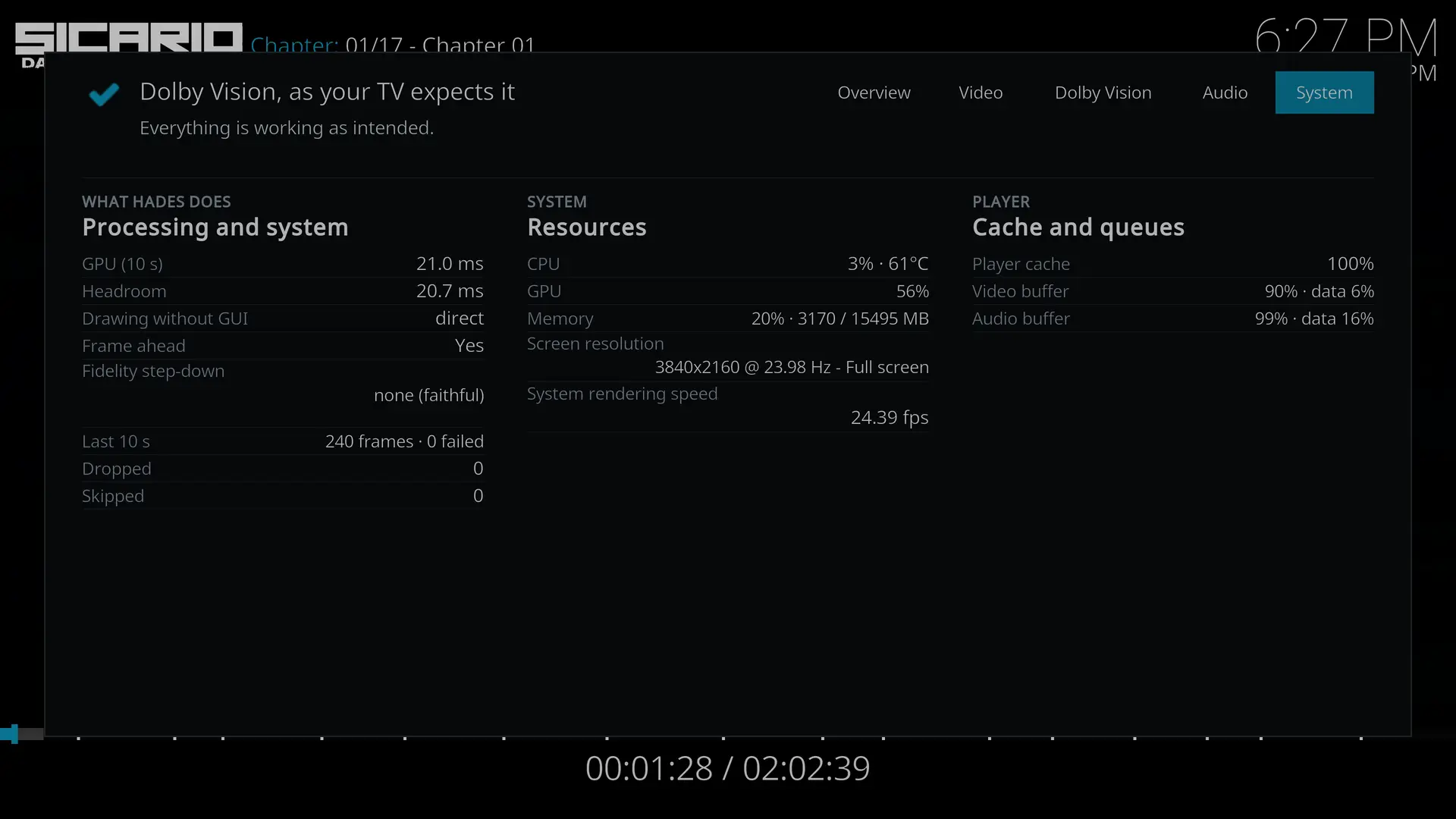
    CPU typically operates around 55-65C with no throttling running on Hades v1.0.

    Fan is absolutely silent even from a hand away.

    BIOS has auto boot up upon incoming power supply applied.

    Had changed the AC/DC adapter to a dedicated Meanwell 12VDC power supply as it went dead after 2 years of heavy usage. It's powered on almost everyday for 5-8 hours.

    If you're buying a miniPC/NUC, do try to get one with an external power brick. It will be easier to look for a compatible replacement in the future.

    Built in AC/DC power supply will lead to higher fan noise since it needs to remove this additional heat source apart from the computer components (CPU, SSD, etc).

    Servethehome review of the Beelink EQ12Pro N305

    For HDMI 2.1 FRL support, look for Intel Meteor Lake processor and newer.

    FOSS Linux on AMD, Intel & NVIDIA driver support for HDMI 2.1 with FRL.

    Hardware
    Beelink EQ12 Pro (Intel Core i3-N305, 16GB DDR5 RAM, Alder Lake iGPU 32EU 1.25GHz, 2.5GbE Network)
    Hisense L9H 4K Projector
    Samsung HW-Q990C Soundbar
    Jellyfin Server on TrueNAS CE also on 2.5GbE Network

    Hades v1.0 on SATA SSD-USB3 adapter
    Jellyfin Kodi Client Add-on.
    Default settings from fresh install.
    No bugs so far.
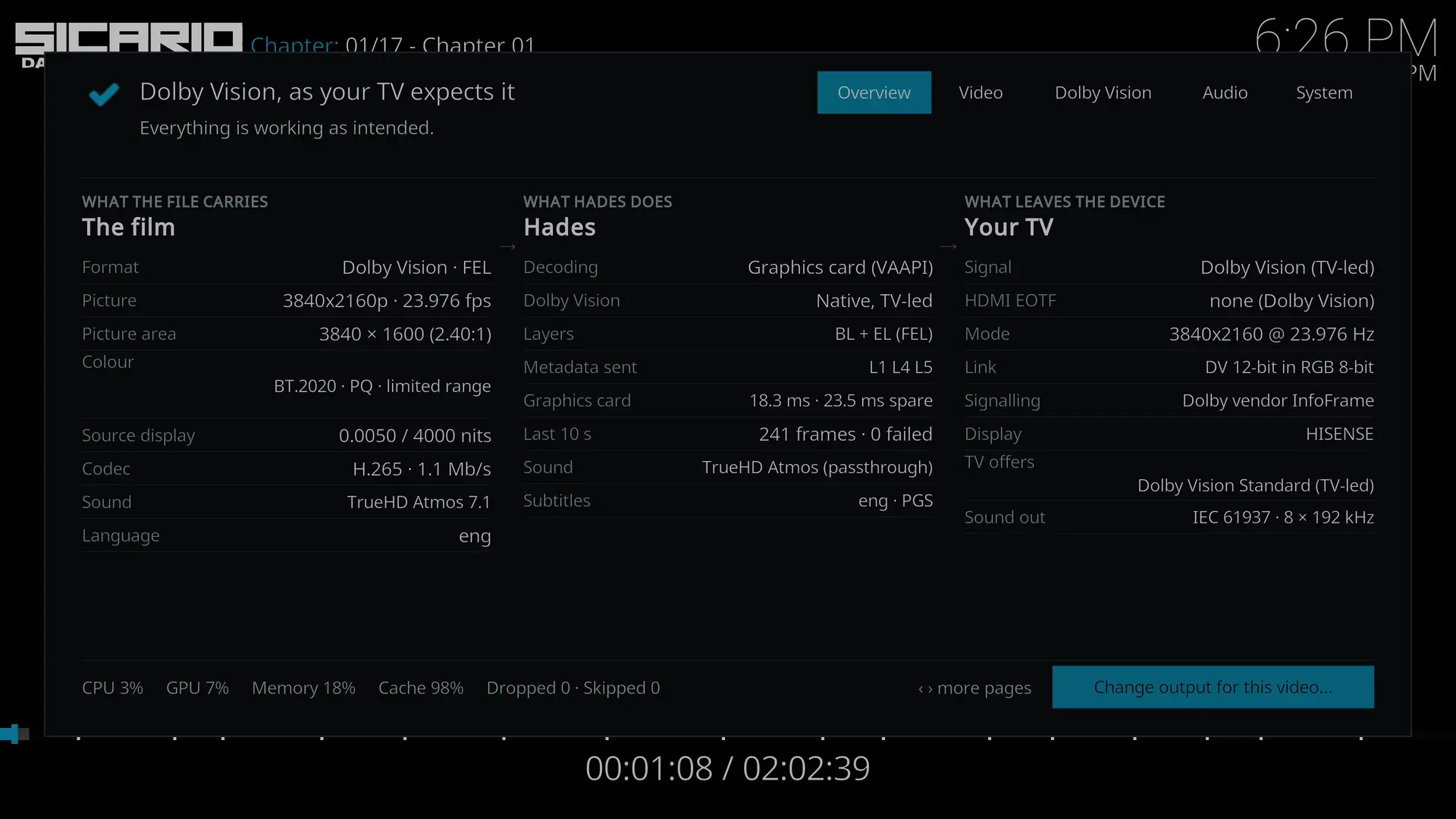
    Previously on Hades RC8, Sicario2 will jump back to Main Menu just after the end of the opening credits (Lionsgate & Black Label Media). On v1.0 Sicario2 plays fine.

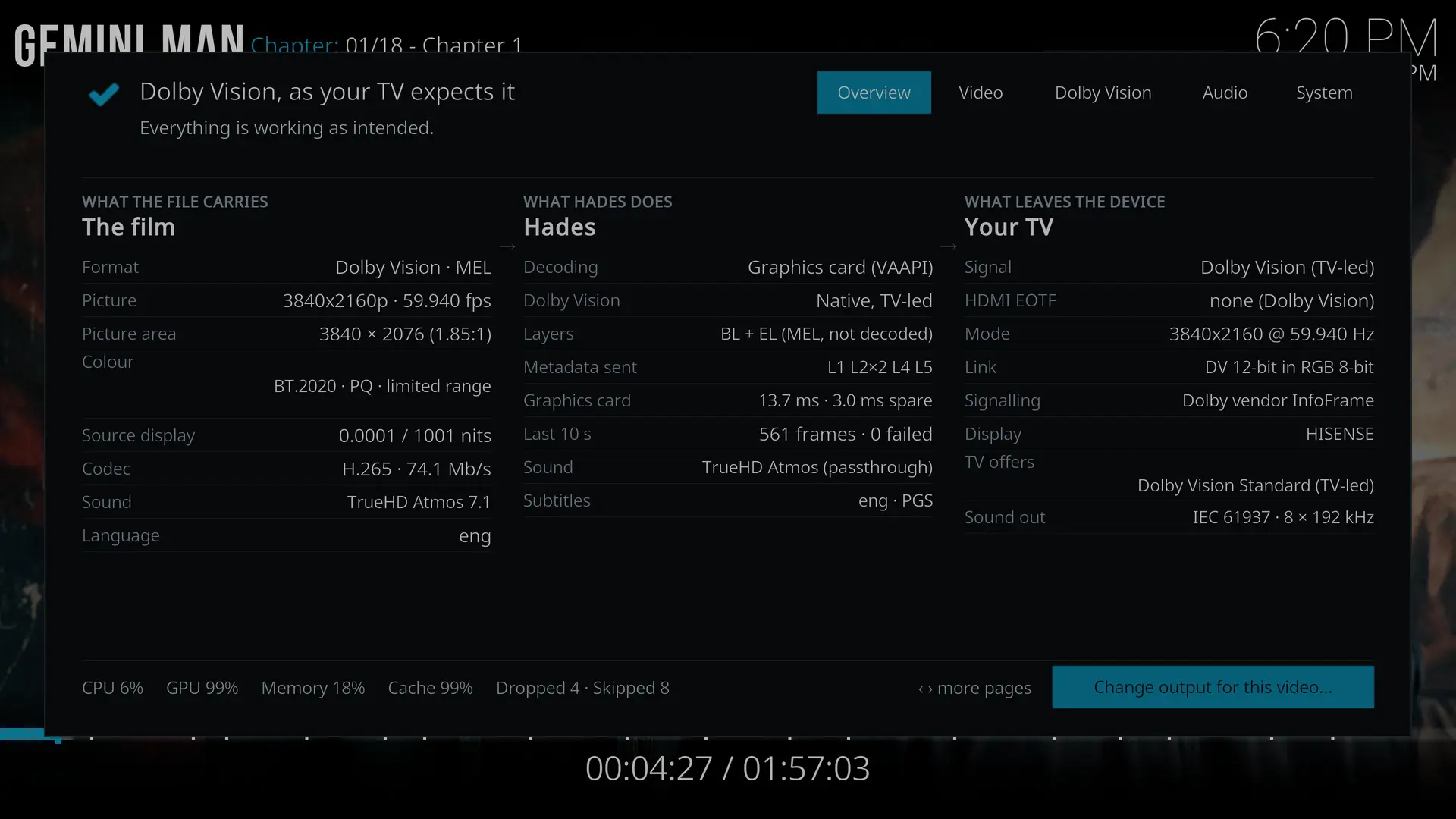
    Gemini Man plays fine even with near GPU ceiling limit.
    Dropped & skipped frames kept increasing only with OSD turned on.

    Typical DoVi 4K @ 24Hz playback, GPU is around 50-60%.