[RPi] 3D Support builds

  • I may need a sample to understand exactly how the subs are encoded.
    I assume you don't mean harcoded subtitles (i.e. in the pixels of the video).

    I'm assuming some format where each subtitle's text appears twice for each timestamp, with some positional offset aligning it to left eye or right eye half of screen?

    That sounds like a hack to support a media player that doesn't understand 3d.

    Without some metadata describing the format it is probably going to be awkward to handle.

    Exactly, made so you can play using like VLC and then just activate the SBS or OU settings on your TV and you get 3D subs.
    In the swisstransfer link in my last post has both a video of the Cars glitches and a small MKV from Cars HSBS MKV that has the stereo subtitles I am talking about.

    Also I just notices that resume does not work anymore. I guess the "playlist already in use" fix broke the resume? Video files still remeber their last postition but 3D ISOs now always starts for the beginning. Would be great if each ISOs remebers its position like other video files.

  • I know I'm late to the party but this is amazing - many thanks to popcornmix (and Claude) for all of this.

    If I think back to the original 3D on a RPi3, I don't believe it did an automatic detection of the 3D signal and I would have to manually change the projector settings for SBS, TAB and FP.

    This new incantation will automatically change to the correct 3D format, with one issue that I am 99.9% certain is down to my setup.
    I have a splitter that is connected to my AVR and then onto a 2D TV and a 3D projector so I think there is probably some confusion with the EDID from each display?

    Even though the projector is showing the correct 3D format I get an error on the screen:

    Code
    Notice
    This TV is not 3D capable.
    Please change to 2D signal on your source.
    
    OK

    I don't mind having this notice due to my setup but I am unable to remove it. I'm assuming this is coming from le since pressing the projector remote ok button doesn't work but also pressing ok on my le remote doesn't work either. The "Ok" in the notice doesn't look like an ordinary button as well - I can provide a photo if necessary.

    Other than my possibly unique issue I once again thank popcornmix for resurrecting 3D - you never know it might catch on this time.

  • Cars still has the same glitching. I tried making a sample ISO but the glitching does not show up in that one so the issue may be on another level. See the attached video I made that show the glitching and notice how the time jumps back to 00:57 during the first glitch, playlist issues causing them maybe?

    I think that rules out the MVC decoder (it doesn't have the means to make the elapsed time jump).

    So, probably at the playlist/demuxer end. Possibly some older packets turning up (causing a timestamp jump backwards and potentially corrupt video frames). I have now got Cars.2006 iso so I'll see if I can reproduce.

  • Even though the projector is showing the correct 3D format I get an error on the screen:

    Code
    Notice
    This TV is not 3D capable.
    Please change to 2D signal on your source.
    
    OK

    Pretty sure this doesn't come from Kodi. It is likely coming from projector, AVR or splitter.

    It depends exactly on how these are connected. Giving a list of hdmi cables connected from device A to device B may help me understand that.

    Personally I'd start from the simplest setup (pi connected to projector) and check if that works (without the "Notice") and add the splitter then AVR back in one at a time and see at which point it appears.

  • Pretty sure this doesn't come from Kodi. It is likely coming from projector, AVR or splitter.

    It depends exactly on how these are connected. Giving a list of hdmi cables connected from device A to device B may help me understand that.

    Personally I'd start from the simplest setup (pi connected to projector) and check if that works (without the "Notice") and add the splitter then AVR back in one at a time and see at which point it appears.

    Sorry about the false alarm regarding me believing the notice was something coming from Kodi.

    You are correct popcornmix, the notice was coming from my AVR for some reason (it's a 4K AVR with all the correct cables). I didn't spot it at first since I have all of my remotes (TV, projector, AVR, RPi5 etc) mapped to a Harmony 525 (an oldie but goodie) and had misplaced the AVR remote - when I found it and pressed the Ok button the notice disappeared and I can watch in 3D.

    A problem for me to solve is why a relatively new 4K AVR (with HDMI 2.0 cables) doesn't correctly recognise a 3D signal to pass through from the Pi (fyi: it's Pi to AVR to powered splitter to 2D TV + 3D projector) but I'll try doing as you suggest in your last paragraph.

  • This is incredible stuff - thanks for making this happen. I have a couple of RPI 4's lying around, so I would prefer to use this for 3D MVC playback and not spend another $150 to $200 on a new RPI 5. If I were to overclock the RPI 4 to 2.1 ghz, would that pretty much provide the same viewing experience as an RPI 5 specifically for 3D movies? My collection is mostly 3D MVC ISO's. Thanks!

  • This post did suggest an overclocked Pi4 was successfully playing. Maybe NTM-3D can report more.

    He was trying a test build with performance improvements (seemed to save about 20% performance during MVC playback) - I've just updated the builds on first page to include those.

  • Would be good to know if that made the difference for him.

    Thanks for the latest build. Question on this:

    Quote

    Enable "Allow double refresh rates" and "Allow 3:2 pulldown" as 3D modes are often only have 50/60Hz and not 25/30Hz.

    My projector is currently doing 6:4 cadence for 3D vs 5:5. And its MEMC function does nothing in 3D mode. Would one of the new options you added potentially help with the motion judder present in 3D?

  • I just updated both my RPi5 and RPi4 to the latest 20260909 versions. I have not been able to do extensive testing but as far as I can tell the MVC playback are identical on both.


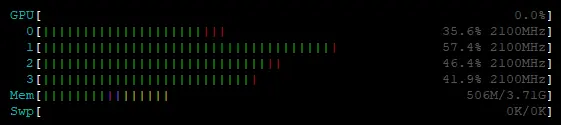
    (Example of the typical load on my RPi4 during 3D Blu-ray ISO playback)

    I am running the RPi4 at 2.1GHz overclock on the CPU. I have no overclock at all on the GPU since it is not used. Keep in mind that you need proper cooling if you plan to overclock you RPi4. I am running the GeekPi Armor case on all my RPi4s.
    51LSCn3op8L._SL1000_.jpg

    The graphical issues with for example Cars is still present on both RPi4 and RPi5 versions. The RPi5 versions still has the playlist is used by another file issue for 3D Blu-rays and the RPi4 has the issue instead of broken resume for 3D Blu-rays.

    Menus are still a bit hit and miss. Dune (2021) for example just refuse to even launch any menu at all.
    I saw that ht2tweak had luck with Money from Home but when I try to play it from the menu I just get this box telling me I need a 3D TV, while the menu is playing in 3D ;) Playing directly from the playlist works fine.
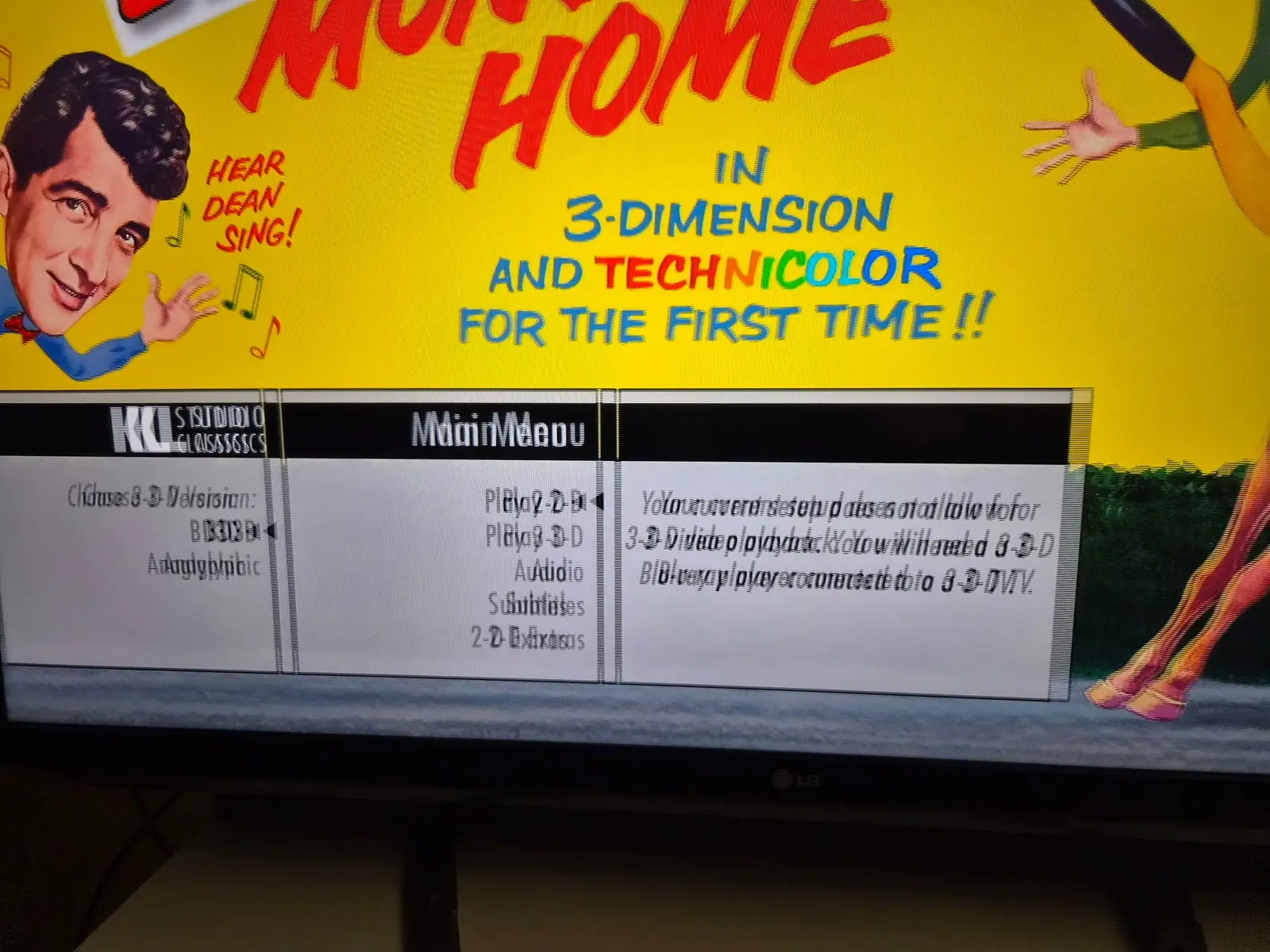
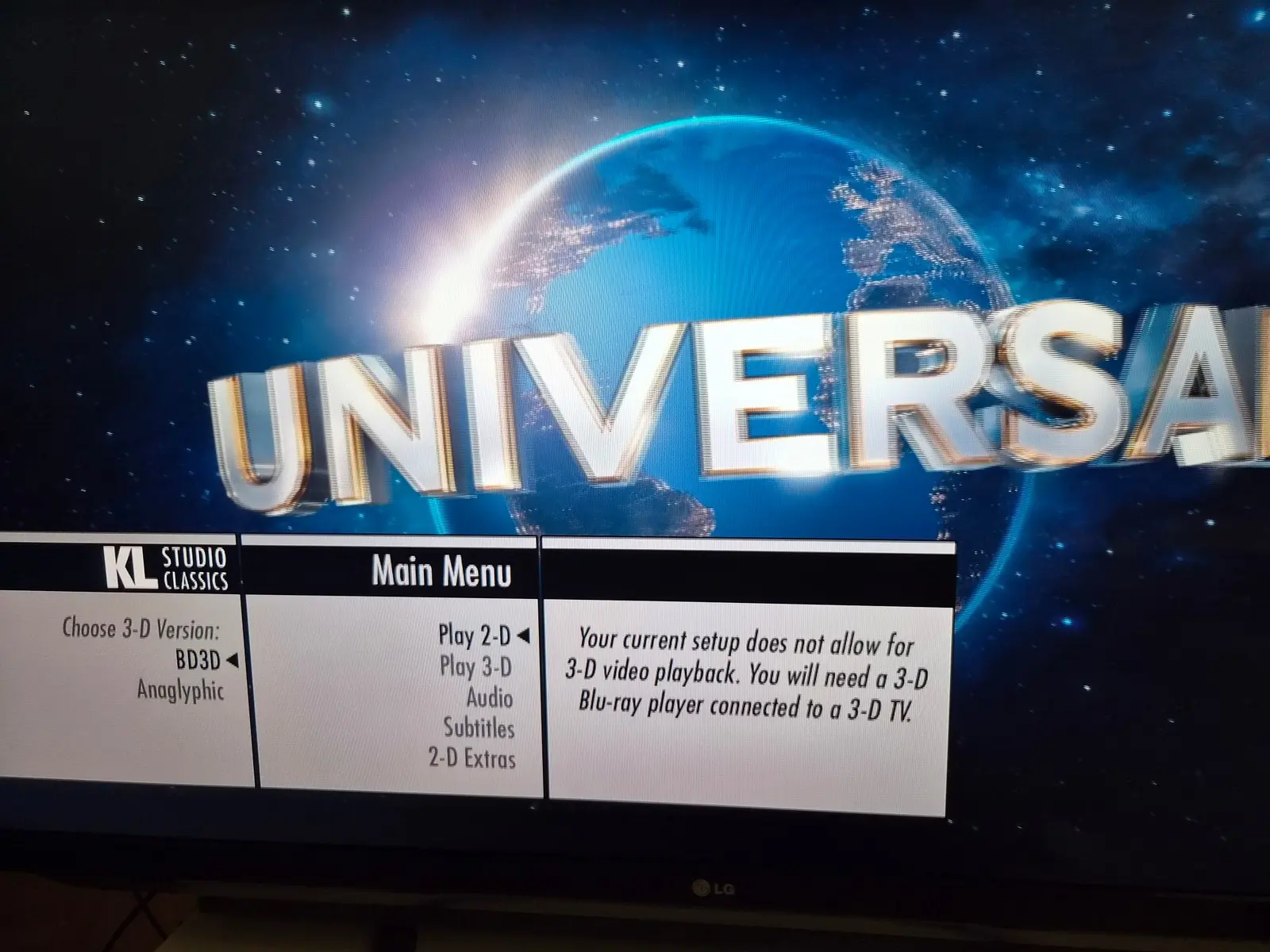
    I then forgot to first stop Money from Home and tried starting Jurrasic World from the menu. The menu did not show but the movie starting playing behind the Money from Home menu, but now the menu was 2D. So got some sort of hybrid thing going ;)

    Edited once, last by NTM-3D (September 10, 2026 at 9:23 AM).

  • My projector is currently doing 6:4 cadence for 3D vs 5:5. And its MEMC function does nothing in 3D mode. Would one of the new options you added potentially help with the motion judder present in 3D?

    Need a few more details. What is the frame rate of a video with judder? What is the frame rate the kodi is outputting at?

    If these are both 24, then this is a projector issue we can't help with. If kodi is driving 60Hz (and projector reports support of 24), then we can look into that.

  • Thanks for the update - it's reassuring to hear that the rpi4 is able to to handle the playback similar to the rpi5 with a 2.1 ghz overclock. I plan on running a good fan - it's part of the case I am using anyway. Did you notice any difference in the quality of the 3D between the 2 devices?

    Regarding the rest of the issues, hopefully these will get fixed over the due course of time.