T9 TV box : Not sure about my chip version

  • Hi :) For a noob with TV boxes hacking, I have a T9 box running Android with Kodi,mdlna... But i'd like to add my own things on a lightweight OS.


    The case, labels... look identical to this one in this video

    I did a backup using multitools
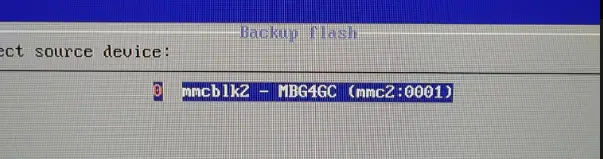
    I followed some topics here, armbian and even on dietpi.

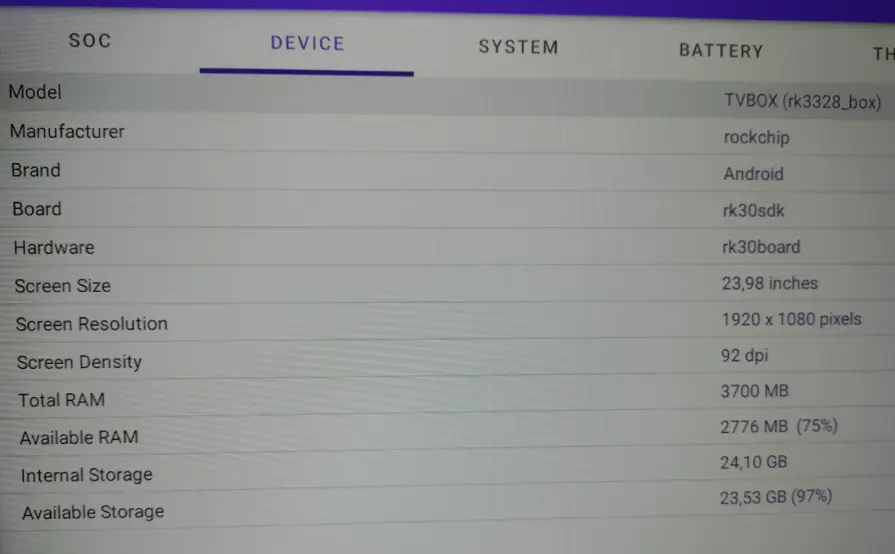
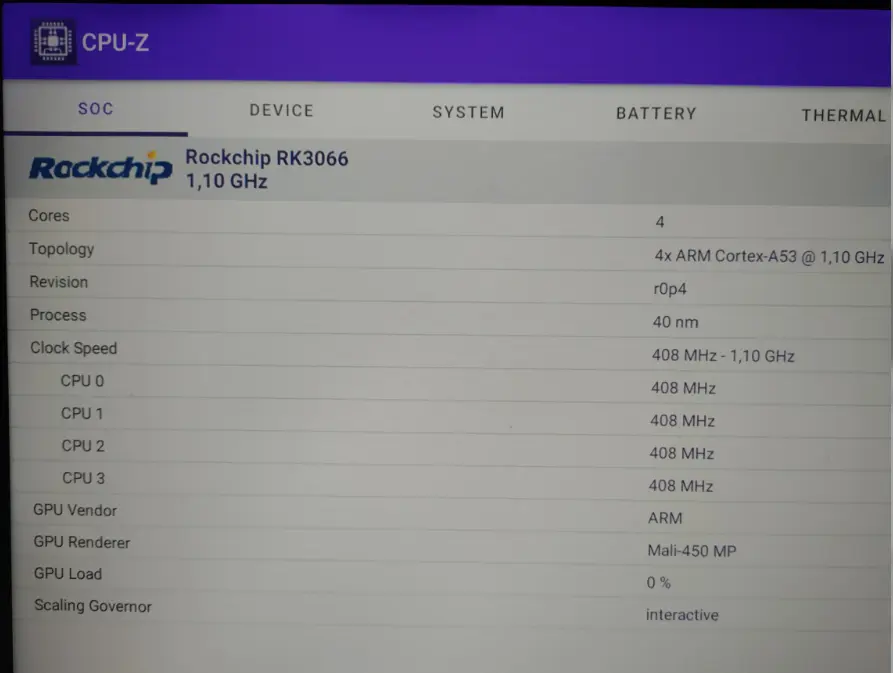
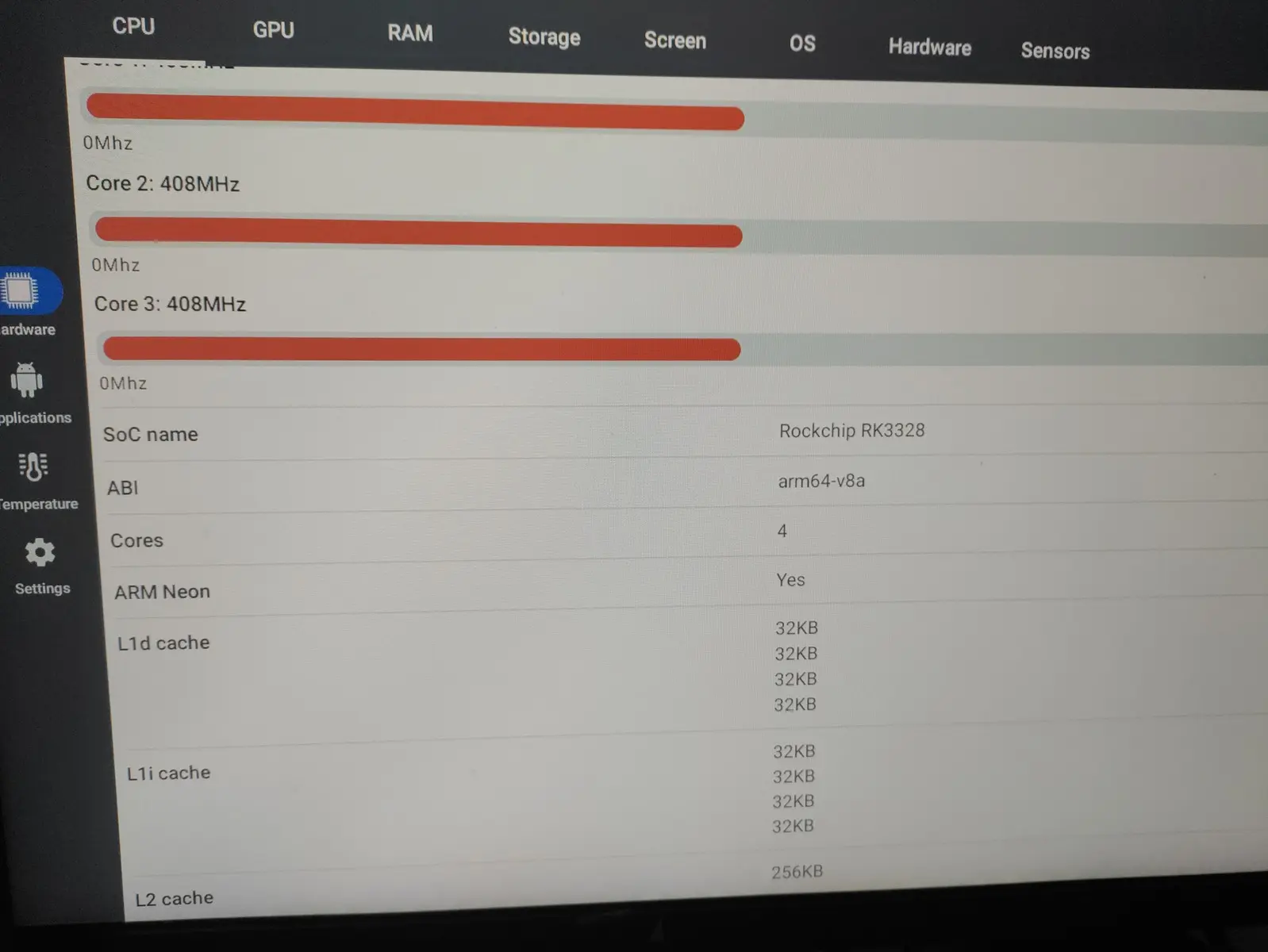
    I hesitated when I wasn't sure about my chip version because cpuz (on android) and cpuid gave me different results !

    Which safe safe image I could start with to test libreelec from SDcard?

    Thank you

  • Yeah sorry I didn't mentionn it ... I wasn't sure if it's a RK3328 or RK3318
    And cpuz showed RK3066 !! (that sounds weird :-/ )


    I'd go for a RK3328 stable release then...
    I found a nice tutorial posted here but I can't manage to find the appropriate links.
    May be someone had an experience with such board. Thank you

  • Two comments:

    a) It's not unheard of for Android boxes to hard-code CPU identifiers in their software so that less scrupulous manufacturers can pass off older or cheaper SoC chips for something more expensive, or even chips from a completely different SoC vendor, if that helps to sell more boxes and/or clear stock. Hence you might find different SoC chips being reported in different places. The best way to check what's physically inside the box is to open it and literally see what's under the heatsink (if one is present). NB: Even that's not infallible, as we've also seen chips silk-screen reprinted to hide what they are, but that's not common.

    b) There is currently a single LE image for an RK3328 based Android box, the "a1" image. If this works, great. If not, there are no plans to add more images for Android set-top boxes. As a general rule, trying to support them is a challenge. Boxes are typically based on reference designs so there is enough in-common to easily boot an image, but booting is no guarantee of reliability and there is enough variation in designs (combined with selection of cheap low-bin components) to ensure reliability always remains slightly beyond reach; whether that's due to electrical or thermal or other reasons.

  • I'll open the case and see.. I avoided it while thinking that the multitool was compatible only with those chips.

    Next if ok, i'll try LibreELEC-RK3328.aarch64-12.90.1-a1.img.gz


    Thank you sir!

  • I'll open the case and see.. I avoided it while thinking that the multitool was compatible only with those chips.

    Next if ok, i'll try LibreELEC-RK3328.aarch64-12.90.1-a1.img.gz

    Why don't do it in reverse order?

    Try the LibreELEC-RK3328... image and if isn't working open the case?

    If a heatsink is glued to the CPU, sometimes isn't a simple task to remove it without the risk to be damaged something... and will need to be glued back too... with a heat resistent glue...

  • VLouis That's a great advice .. Thank you!
    If I understood well Libreelec image' bootloader would be recognized so I can test it from SDcard before flashing to the emmc and risk breaking a cloned chip.


  • I flashed the image using Balena Etcher, it didn't boot ! (The only thing I see is my mouse red-light)

    I also tried armbian dtb using aigartua method here but still no boot :/

    It's like Apollo11 had the same box mentioned here

    Someone here also said that if we keep the android on eMMC, this could prevent LE from booting to SDcard.

    I'll try to flash the same image on a usb and put them both.

  • hi bilel,

    If you have stock Android on your internal memory, the only image that might work is for the A1, as you were told.
    If it doesn't work, it means you have an RK3318, which is slightly different from the RK3328. I recently received an android box with the RK3318 as a gift, which has the same problem, and I was thinking of doing an unofficial build for it (as Chewitt told you, officially supporting android boxes is a pain).

  • Hi! What a coincidence, I'm exactly in the same boat. I also have the Sunvell T9 and I'm really confused about what the actual chipset inside is.

    I've tested it using 3 different hardware info apps and the results are totally inconsistent:

    • CPU-Z: Detects it as RK3066 (but weirdly, it shows a quad-core Cortex-A53 architecture).
    • Device Info HW: Reads it as RK3328, but the clock speed is capped at 1.1 GHz.
    • AIDA64: The "Product" is read as rk3318_box, but the "Device" says rk3328_box. To make things even more confusing, the PCB itself is silkscreened with T9-RK3328!

    Right now, I'm also hunting for a compatible firmware. My main issue is that on my current stock firmware, my 2.4GHz wireless gamepad isn't detected at all when I try to play games on RetroArch. I strongly suspect the stock kernel doesn't support it or is missing the necessary driver modules for the gamepad dongle.

    If you don't mind me asking, what firmware are you currently using on your T9? If you have any recommendations for a firmware where wireless controllers work flawlessly for retro gaming, please let me know!