

Sorry, don't have a Pi4, but good to hear it's working well w/overclocking.

[RPi] 3D Support builds
-
popcornmix -
July 31, 2026 at 7:35 PM -
Thread is Resolved
-
-
I don't mean to sound like a dummy even if I am, but is there anyway to update these builds rather than just re-image? I installed and have running this currently: devel-20260831213406-7e8026e
I see lots of comments about updates but unclear if they are re-imaging the system every time an update comes out.
if I look at the updates options I had it set to auto. However, if I change it to manual there are no "update channels" available and no "available versions".
Thank you for helping a relative newbie.....certainly with this build anyway! -
I leave mine in Manual update setting, then copy over any new image to the Update folder when popcornmix releases it, reboot, and done.
-

I leave mine in Manual update setting, then copy over any new image to the Update folder when popcornmix releases it, reboot, and done.
Does that leave in place any addons, config etc?
Thank you! -
It does. Your settings are all retained.
-
I leave mine in Manual update setting, then copy over any new image to the Update folder when popcornmix releases it, reboot, and done.
yep, this is what I do too. I have Samba share enabled, so I upload the new image file from my computer to the Update folder and reboot the Pi and it's done. It retains all the settings and add-ons.
-
I leave mine in Manual update setting, then copy over any new image to the Update folder when popcornmix releases it, reboot, and done.
That worked, thank you! I guess I was thinking it would just automatically update or at least notify me (as per my settings) that there was a newer version.
Thank you to popcornmix for even doing all this! It's a game changer!! -

I was also wondering if you have had any success on solving the resume problem?
Latest build in first post fixes an issue with iso resume.
There's also been quite a lot merged (some Blu-ray related) to kodi master today.
And a couple of subtitle related fixes from cinema-ONE.
-
BD/BD-J menus also seem to be working better:
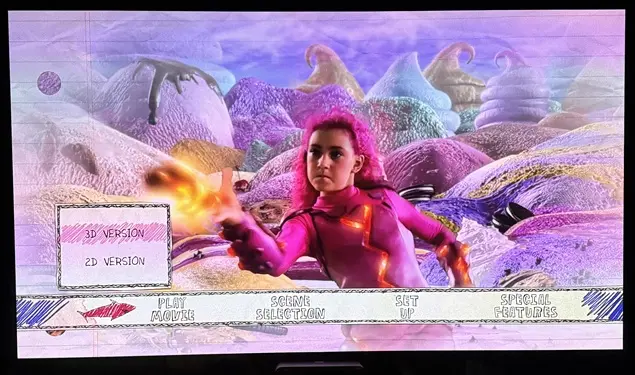
But, w/this latest version, after starting playback, or skipping chapters, there no audio for about 10 seconds. Then, get audio back, but there are dropouts for a few seconds before it starts playing normally. Debug log.
-
Latest build in first post fixes an issue with iso resume.
There's also been quite a lot merged (some Blu-ray related) to kodi master today.
And a couple of subtitle related fixes from cinema-ONE.
Awesome, resume seems to work fine now

But I did notice some issues, I get the same audio problems as ht2tweak
I also found a couple of movies that used to play without issue that now basically will not play at all, maybe related to the GOP changes? I notice a large delay entering my ISO folder now if in file mode. Library open instant, file mode used to open instant but now takes several seconds. I can see that it opens every one of my ISO's in the log.
Debug logs
1. Playing movie that basically will not play.
2. Play and skip around in movie that works, except the audio bug.
3. Going to folder in file mode with the delay and browsing to another ISO that will no longer play. -
The audio issues are probably this.
I'll try a build with that PR reverted. -
Builds in first post have audio PR reverted. It may help.
-
I notice a large delay entering my ISO folder now if in file mode. Library open instant, file mode used to open instant but now takes several seconds. I can see that it opens every one of my ISO's in the log.
Ah, it looks up resume point for each file in directory, and the fixed version goes through a slower path.
Does this avoid it? RPi4 RPi5
The other issues in your log may be fixed by the audio revert. -
This version seems to have fixed all my issues. Skipping around now causes no issues with audio. The two files I found that played a a a frame or two every second now work fine again and opening my main ISO folder i file mode is now instant again. Tried it on the RPi5 but I am updating my RPi4 right now also.
Thank you -
sThis version seems to have fixed all my issues. Skipping around now causes no issues with audio. The two files I found that played a a a frame or two every second now work fine again and opening my main ISO folder i file mode is now instant again. Tried it on the RPi5 but I am updating my RPi4 right now also.
Thank youGreat bumped first post to those versions.
-
Two minor issues, one of which may be related to Kodi:
1. If “Invert stereoscopic 3D mode (flip eyes)” is enabled for a movie and then “Set as default for all media” is selected, the latter setting remains in effect until the Pi5 is rebooted. After that, the flip eyes setting is only saved for the movie in which it was enabled. The default for all media is gone.
2. When a 3D movie is started from the “In progress movies” poster list on the main page, framepacking only works for MKV 3D files, but not for FSBS 3D files. -
Confirming the audio issue is fixed w/the latest build; thanks.
-

Two minor issues, one of which may be related to Kodi:
1. If “Invert stereoscopic 3D mode (flip eyes)” is enabled for a movie and then “Set as default for all media” is selected, the latter setting remains in effect until the Pi5 is rebooted. After that, the flip eyes setting is only saved for the movie in which it was enabled. The default for all media is gone.
2. When a 3D movie is started from the “In progress movies” poster list on the main page, framepacking only works for MKV 3D files, but not for FSBS 3D files.Possible fix here: RPi5
-

