
[x86-64][hadesdevls Builds] LibreELEC Hades - native Dolby Vision, HDR10+ and 3D

  • Nice for your works on HDR10+ when it will be tested I will integrated it in my build. :)
    What algorithm and decision did you take to convert DV metadata to HDR10+? it's not a simple conversion, of course it's lossy.

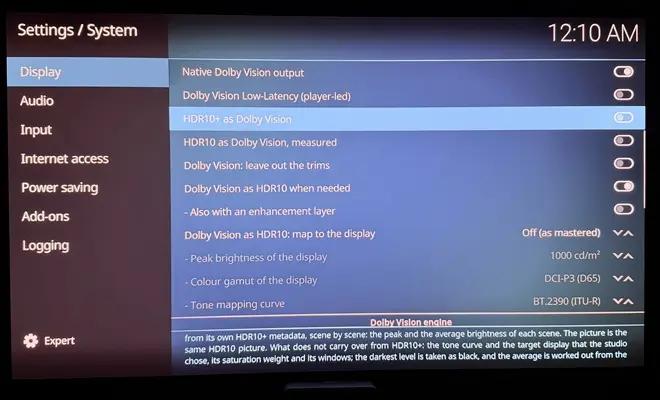
    There's no DV to HDR10+ conversion in Hades at the moment. HDR10+ output sends the film's own HDR10+ metadata, frame by frame, to displays that declare HDR10+. Nothing is taken from the Dolby Vision RPU.

    The one conversion there is goes the other way, HDR10+ to Dolby Vision, off by default. It builds a profile 8.1 RPU per scene from the HDR10+ metadata, and on 166 frames its L1 stays within about 11 nits-codes of what ST 2094-10 gives from the pictures, without clipping the maximum. In practice it rarely matters, since most HDR10+ titles carry Dolby Vision too. Dolby Vision to HDR10+, for TVs like Samsung's, is the more useful direction, and it's what I'm looking at next.

    On fidelity: on the 14 FEL frames I compared, Hades' default output matches the CCM 001 composer exactly, the same as your Master Reference. Where a GPU can't keep up, Hades steps down automatically, only as far as it measures it has to, and says so in the log. On GPUs that keep up, nothing changes.

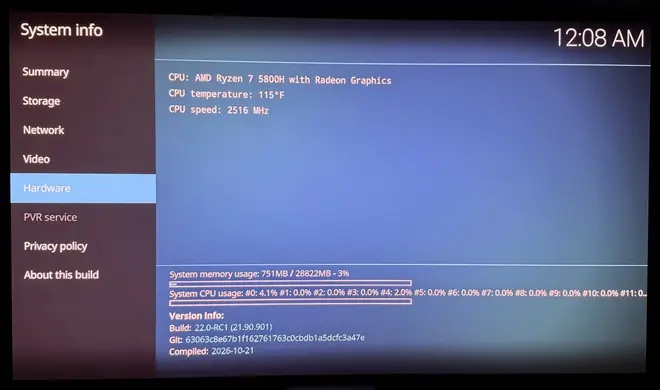
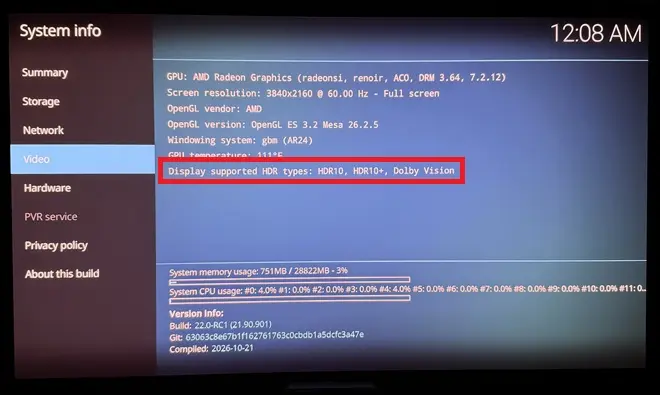
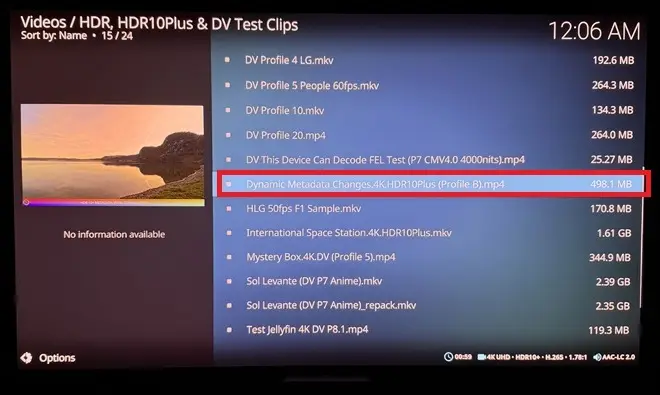
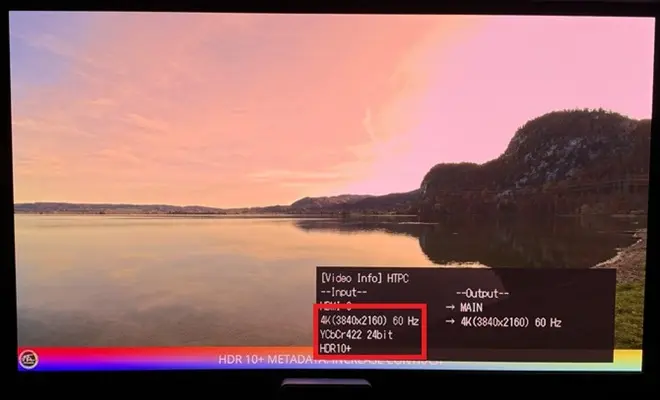
  • Confirming HDR10+ working great on AMD. Also tested the lake test clip to make sure dynamic changes (brightness, contrast) were happening as expected... awesome work!

    Actually spent a couple of hours testing your latest build with SDR, HDR10+-to-DV conversion, DV FEL and 3D, and it's as impressive as what CroqueMr has accomplished. Your style and features, functionality are a little different. Choice for users is great, as is the collaboration happening to make each other's work better.

  • Since there are discussions about picture quality differences and you guys seems to know a lot about this I will ask the question I am still wondering about today: is there a picture quality difference between VAAPI and ffmpeg software decoding of the codecs (HEVC, H264, etc)?

    I had both yes and no told to me but in my testing I think software looks better but it's close so it's hard to say. Also, the logic that says that the softwatre ffmpeg decoders are probably constantly fine tuned whereas the hardware decoders from vaapi are static in the gpu leans towards software probably got better with time?

    So what's the truth on this?

    I know that VAAPI with the DV builds look super nice to me and I am unsure I see a difference compared to software but I can't test software for DV because DV doesn't work in software. I mainly compared HDR10 or SDR.

    I also know back in the older days software decoding was always better picture quality but it's not that easy to see anymore. For encoding I see the differences easily and still use cpu software encoding.

    Yes I am a purist so I hope DV Master Reference will stay in the builds especially since my mini pc is powerful and only uses about 50% of the rendering engine in master reference.

    Last note, I compared the DV picture between my AM6B+ and my mini PC and I think the AM6B+ is a little brighter than the mini pc with CroqueMR's build but I don't know which is right? When I say brighter I mean in all the picture, like more elevated but it's very minor or I imagine it maybe since I need to switch between two inputs to try and compare and there's 2-3 seconds of switch delay. I also think the Highlights are higher on CroqueMR's build which makes everything more popping, again slightly.

    If there is a difference, can it be due to the HDMI Full versus Limited setting that you need to put to limited by force in that LibreElec build?

    Also, why do we need to put that setting forced to limited so that everything is not overdark? I never had to do that on other LibreElec or CoreElec builds?

  • Thanks for giving my build a try! It genuinely makes me happy to see how much progress we're making with LibreELEC on PCs, without being limited by the hardware and resources of TV boxes, and being able to run it on all kinds of devices, including PCs we already have at home, sometimes with nothing more than a reasonably fast external storage drive.

    It's great to see how far we've come as a community since CroqueMr's first build. I'll keep doing my best to contribute, even in small ways, to improving what we already have and pushing things further.

    If you run into any bugs or have suggestions, please let me know!

  • On the decoding itself there shouldn't be a quality difference. HEVC, H.264 and AV1 define the decoder's output exactly: for a stream without errors, a decoder that follows the standard, in hardware or in software, gives the same numbers for every frame, and the conformance streams check exactly that. Software decoders get faster and better at handling broken streams over time, but not better looking. Encoding is different: the standard fixes what a decoder outputs, not how an encoder compresses, which is why encoders still differ.

    So if software looked a bit better to you, the difference comes from after decoding, barring a driver bug. In Kodi a VAAPI frame and a software-decoded frame go through different render paths (different shaders, and for interlaced video VAAPI can deinterlace with its own methods), and chroma upsampling, scaling, colour conversion and deinterlacing are where pictures can differ.

    In Hades, Dolby Vision is decoded with VAAPI, both layers, and the picture is then rebuilt in shaders following the composer of the ETSI CCM 001 specification. On a software renderer it matches an integer reference of the specification bit for bit in every case we tested. So the decoder isn't where the quality is decided, for Dolby Vision or for HDR10 and SDR.

  • Hi hadesdevls i tried to update my usb stick to RC2 and today to RC3 but it won't take the update files, I would only take the image file (.img.gz). Just letting you know in case you want to check it. Maybe im doing something wrong. Thanks for sharing your build.

  • Hi hadesdevls i tried to update my usb stick to RC2 and today to RC3 but it won't take the update files, I would only take the image file (.img.gz). Just letting you know in case you want to check it. Maybe im doing something wrong. Thanks for sharing your build.

    Thanks for letting me know. The installer's Update works with the .img.gz on purpose: it replaces only the system part of the drive and keeps your settings, add-ons and diagnostics, so using the .img.gz there is the right way. The .tar is for updating from inside Hades: copy it to the Update folder (/storage/.update) and restart. File sharing (Samba) is off by default in Hades, so to reach that folder over the network, turn Samba on in the LibreELEC settings first. If it was the .tar route that didn't work, tell me and I'll look into it.

  • hadesdevls

    Hi, I'm having a problem connecting to your LibreELEC-Hades build using FileZilla on Windows. I'm using SFTP (SSH File Transfer Protocol) with the username root, but the connection keeps getting rejected.

    The same FileZilla setup works perfectly with CroqueMr's LibreELEC build, so I'm not sure what's different here. I also tried changing the SSH password through the LibreELEC settings, but that didn't help.

    Is SFTP supported in your build, or is there something else I need to enable?

    I also have one question about the RC3 release. I noticed this file:

    LibreELEC-Hades-1.0-RC3-firmware-and-nvidia.tar

    I'm not sure what it's meant for. Is it an update package, or does it need to be installed separately? Is it specifically for systems with NVIDIA GPUs? I'm using an RTX 5090, so I'd appreciate some guidance on how to use it.

    Thanks again for your help and all the effort you're putting into this project.

  • Hi Vertox, SFTP is there: Hades has the same SFTP server as LibreELEC. Three things differ by default, and one of them is probably what you're hitting:

    1. SSH is off, as in LibreELEC: LibreELEC settings, Services, SSH.
    2. While root still has the default password, Hades accepts only SSH keys, not passwords. Once you set a password in the same place, SSH takes it right away.
    3. The firewall starts in Home mode, which lets in the local network (addresses 10.x, 172.16 to 172.31.x and 192.168.x) and turns everything else away, a VPN address for example. It's in LibreELEC settings, Network, Firewall.

    If FileZilla still can't connect, its message says which one it is: "connection refused" or a timeout points at SSH being off or the firewall, "authentication failed" at the password.

    The firmware-and-nvidia .tar is nothing to install. It's part of the source code that the licences ask us to publish with the image: the firmware files and NVIDIA's driver package that the image takes its NVIDIA files from. The image already has everything your RTX 5090 needs. To install or update, use the .img.gz (the installer's Update option keeps your settings), or copy the LibreELEC-Generic .tar to the Update folder to update from inside Hades.

    Thanks for the kind words.

  • Hi, CroqueMr   hadesdevls

    Huge thanks for making this happen, DV on PC was basically a myth before!

    Do you think adding support for older NVIDIA Pascal cards might be possible in a future update?

    Thanks for the kind words! Pascal is on the list for Hades too. Those cards need NVIDIA's older 580 driver, since the one Hades uses covers GTX 16 and newer, so the work is getting that driver to send what Dolby Vision needs. I'll post here when there's something to try.

  • hadesdevls do you think your build would run better with my 3500u? I still get a lot of frame drops opening the OSD on a profile 7 movie.

    Which build and version are you on right now? It helps to know what you're comparing against.

    Hard to say without trying, since nobody has run Hades on a 3500U yet, but its graphics (Vega 8 ) are supported for native Dolby Vision. Your case is what the latest version worked on: with the OSD, the seek bar or subtitles over a Dolby Vision film, each frame is now redrawn only where they are. On the integrated graphics of a Ryzen 9 7950X3D, which has just 2 compute units, a profile 7 FEL film with the seek bar and the info panel open keeps all its frames, and a user saw the same on a Radeon RX 7600. The 3500U has more compute units but usually much slower memory, so I can't promise the same. If you try it, the Dolby Vision page of the player info shows the GPU time of each frame and how much headroom is left.

  • Which build and version are you on right now? It helps to know what you're comparing against.

    Hard to say without trying, since nobody has run Hades on a 3500U yet, but its graphics (Vega 8 ) are supported for native Dolby Vision. Your case is what the latest version worked on: with the OSD, the seek bar or subtitles over a Dolby Vision film, each frame is now redrawn only where they are. On the integrated graphics of a Ryzen 9 7950X3D, which has just 2 compute units, a profile 7 FEL film with the seek bar and the info panel open keeps all its frames, and a user saw the same on a Radeon RX 7600. The 3500U has more compute units but usually much slower memory, so I can't promise the same. If you try it, the Dolby Vision page of the player info shows the GPU time of each frame and how much headroom is left.

    Just switched to your RC3 build. Same issue. Would I be better off swapping this out for an N150? Or do you think this is fixable for the 3500u?

  • Just switched to your RC3 build. Same issue. Would I be better off swapping this out for an N150? Or do you think this is fixable for the 3500u?

    Thanks for trying it. I wouldn't buy an N150 for this: I want to fix it on the 3500U. The drops come from the extra work of the OSD over a profile 7 FEL frame, and the automatic step-down that Hades uses on slower graphics doesn't cover frames with menus over them yet (only profile 5 gets help there). That's what I'm going to work on.

    To fix it for your 3500U and not just in general, I need to see how long those frames take on its graphics. A diag shows that: rename DIAG-OFF.TXT to DIAG-ON.TXT on the LIBREELEC partition, start Hades, play the profile 7 film for a minute with the OSD open for part of it, shut down from the menu, and attach the hades-diag folder as a zip in an issue here: https://github.com/hadesdevls/LibreELEC-Hades/issues

  • LibreELEC Hades 1.0 RC4 is out: release page

    Dolby Vision

    • Native Dolby Vision on GeForce GTX 900, GTX 10 and TITAN V. NVIDIA's driver 615 doesn't support them, so Hades now also carries driver 580, patched to give Kodi native Dolby Vision, Low-Latency, HDR10+ and 3D frame packing. It's chosen at boot. Nobody has run it on one of these cards yet.
    • Zoom, vertical shift and stretch keep native Dolby Vision, scaled the way a certified player scales them. A 1080p video on a 4K screen is now scaled the same way, which brings it closer to the 4K master (average ΔE ITP 0.349 to 0.266 on profile 5 film, measured in software).
    • New: Dolby Vision sent as HDR10+, for HDR10+ displays without Dolby Vision such as many Samsung TVs. The film is rebuilt and sent with HDR10+ metadata that Hades measures from the picture, scene by scene (Hades' measurements, not the studio's). Seen working with a profile 7 FEL film on a Samsung Odyssey OLED G6. Off by default.
    • Profile 8.4 (the HLG Dolby Vision that iPhones record) goes out natively where its metadata declare PQ, profile 8.2 is composed as the specification describes, and profile 5 is always rebuilt where it can't go natively.
    • The 2016 Dolby Vision TVs that need the older HDMI 1.4b signalling, LG's OLEDs of that year among them, get it as an option on Intel, AMD and NVIDIA.
    • Discs with flat Dolby Vision metadata can play, per video, with metadata measured from their HDR10 picture.
    • Fewer ways to lose native Dolby Vision: an unusable v4.0 metadata block is skipped, NVIDIA's driver now hands Kodi the whole EDID, and the output is set again after a wake from suspend.

    HDR10+, HDR10 and the display

    • HDR10+ seen working on a Samsung Odyssey OLED G6 from an RTX 4080 SUPER, with the values sent shown in the player info.
    • A bug in NVIDIA's own driver fixed: its InfoFrames lost their last byte, which cut HDR10 MaxFALL values of 256 and above and signalled top-and-bottom 3D as frame packing.
    • HDR10 on NVIDIA to TVs that declare HDMI 3D (NVIDIA's driver sent the 2016 LG OLEDs none), and at 4K 24, 25 and 30 Hz to TVs that take those modes by HDMI VIC.
    • SDR at 8 bits on NVIDIA and Intel, as Windows sends it, and an option to hold HDR10 and HLG at 8 bits for TVs with 8-bit panels.
    • New TV modes, such as Deep Colour turned on at the TV, are picked up without a restart.
    • On NVIDIA laptops whose HDMI port is dual-mode DisplayPort, Dolby Vision starts once the video's mode is set, with the link brought up from scratch.

    Faster, same bytes
    Each of these leaves the output identical, checked with the Dolby Vision bridge running in software: fewer row reads and half floats in the enhancement layer's resampling (24.9 to 12.4 MB per 4K FEL picture), 16-bit composed planes, both 4:2:2 rows of each 4:2:0 row from one shader invocation, repeated pictures recommitted instead of redrawn on NVIDIA, Dolby Vision as HDR10 kept at 10 bits, and the windows over a video loaded ahead while the menus are idle.

    Smoother on modest GPUs
    Frames that keep missing their refresh are presented a frame ahead, frames with menus over profile 7 FEL step down only on GPUs that can't keep up and only while the menus are up, and the enhancement layer's decoder waits for a free surface instead of restarting the layer. On the 7950X3D's integrated Radeon, profile 5 with the player info up went from 32, 31, 58 and 6 late frames per 10 s in RC3 to 26, 8 and 0.

    Disks, sound, graphics

    • A USB start now keeps every internal disk away. Disks on controllers other than NVMe and AHCI (SATA in IDE mode, RAID, UFS, virtio, eMMC) used to be mounted read-only.
    • You choose which internal disks and partitions are shown. An unticked disk is released before anything else runs, with the kernel locked down.
    • Until you choose an audio output, Kodi uses the HDMI output of the display it's showing on.
    • Blu-ray Java (BD-J) menus can run with the "JRE for BD-J menus" add-on.
    • Intel Arc B and Core Ultra 200V get the xe firmware they need for a picture.

    Up to date and safer
    Linux 7.3, LibreELEC and Kodi 22 "Piers" at their latest commits, OpenSSL 4.1.0 and Python 3.14.10. Known security issues fixed in avahi (17 CVEs), expat, OpenSSL, glibc, BlueZ, BusyBox, FFmpeg and MariaDB Connector/C, plus two that upstream hasn't fixed yet, fixed in Hades: connman (CVE-2026-115863) and avahi (CVE-2025-59529).

    Tested
    With this image on my Ryzen 9 7950X3D: Dolby Vision 5, 7 FEL and 8.1, HDR10 and TrueHD Atmos with an LG C5 on both the RTX 4080 SUPER and the integrated Radeon, and HDR10+ plus a profile 7 FEL film sent as HDR10+ on a Samsung Odyssey OLED G6 from the 4080. Everything not tried yet is listed in the release notes.

    If you have a GTX 900 or GTX 10 card, a 2016 LG OLED, an HDR10+ TV or Intel Arc B graphics, I'd especially like to hear how it goes.

    Edited once, last by hadesdevls (October 29, 2026 at 3:25 AM).