[x86-64][hadesdevls Builds] LibreELEC Hades - native Dolby Vision, HDR10+ and 3D

  • ht2tweak that's great to hear, thanks for testing it and for the report! A big part of this is thanks to cinemaONE, whose FFmpeg patch made decoding both views much faster.

    frodo19 thanks for the crash log, it led straight to the problem in Hades. It's fixed for the next version, and until then Allow passthrough avoids it, as you found.

    Ryudoadema a you guessed right, it's the graphics card. On AMD the driver takes frame packing, while on NVIDIA it has been refusing the buffers Hades gives it, so Hades falls back to side by side. That's what I'm working on for the next version.
  • ht2tweak that's great to hear, thanks for testing it and for the report! A big part of this is thanks to cinemaONE, whose FFmpeg patch made decoding both views much faster.

    frodo19 thanks for the crash log, it led straight to the problem in Hades. It's fixed for the next version, and until then Allow passthrough avoids it, as you found.

    Ryudoadema a you guessed right, it's the graphics card. On AMD the driver takes frame packing, while on NVIDIA it has been refusing the buffers Hades gives it, so Hades falls back to side by side. That's what I'm working on for the next version.

    That's great. Maybe the option can be left in though because with how mine are playing I think they are at least half-4k since it's sbs 3840x2160, while the over-under/frame-pack route looks like it might be playing only at 1080p judging from the res shown in ht2tweaks info panel. I could be wrong about that.

    I also ran into an issue yesterday with a 48fps MV-HEVC playing at 60fps only (1.2.2). That could be my settings or my projector. I didn't get a log, but will try again to get that today. When this particular video I got the same issue as ntm-3d with the blank right half of screen.

    Start on the xbox controller only seemed to bring up the simple overview and not the more in-depth multi-tabbed overview. I used to be able to get to the multi-tabbed one at least by pressing x and then selecting overview or settings or something like that in the menu that pops up at the bottom of the screen. Now it seems that option is gone and only the simple overview is there as well.

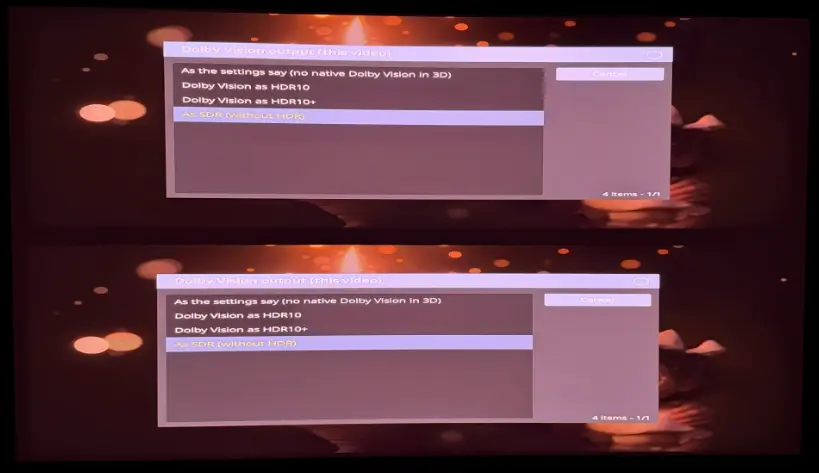
    Any chance for mapping keys to a controller so I can get to things like the quick-set DV to SDR/DV to HDR/Keep DV menu? Or just find an add-on for that?

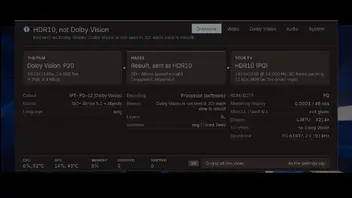
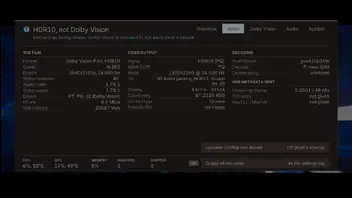
  • hadesdevls a short report on 1.2.2 with a JVC DLA-RS4100 projector (RX 7600, HDMI straight to the projector):

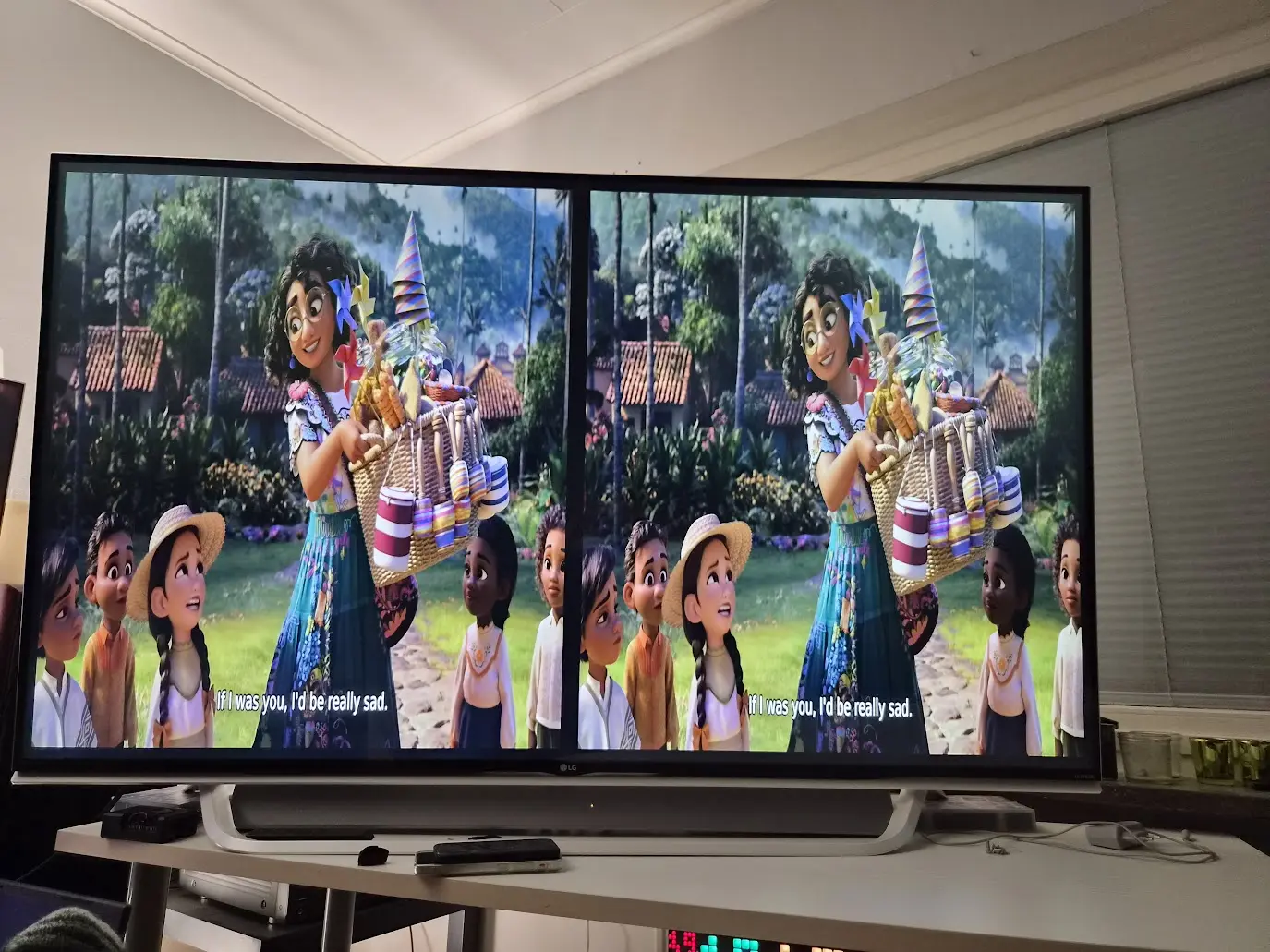
    • MV-HEVC 3D (Dolby Vision profile 20) plays in 3D frame packing, 1920x2205 @ 24 Hz, for the whole film, with no fallback to 2D.
    • With 3D colour set to HDR, the projector accepted HDR10 in 3D frame packing: its own input information shows 3D, PQ and BT.2020.
    • 0 dropped and 0 skipped frames, decoded in software.
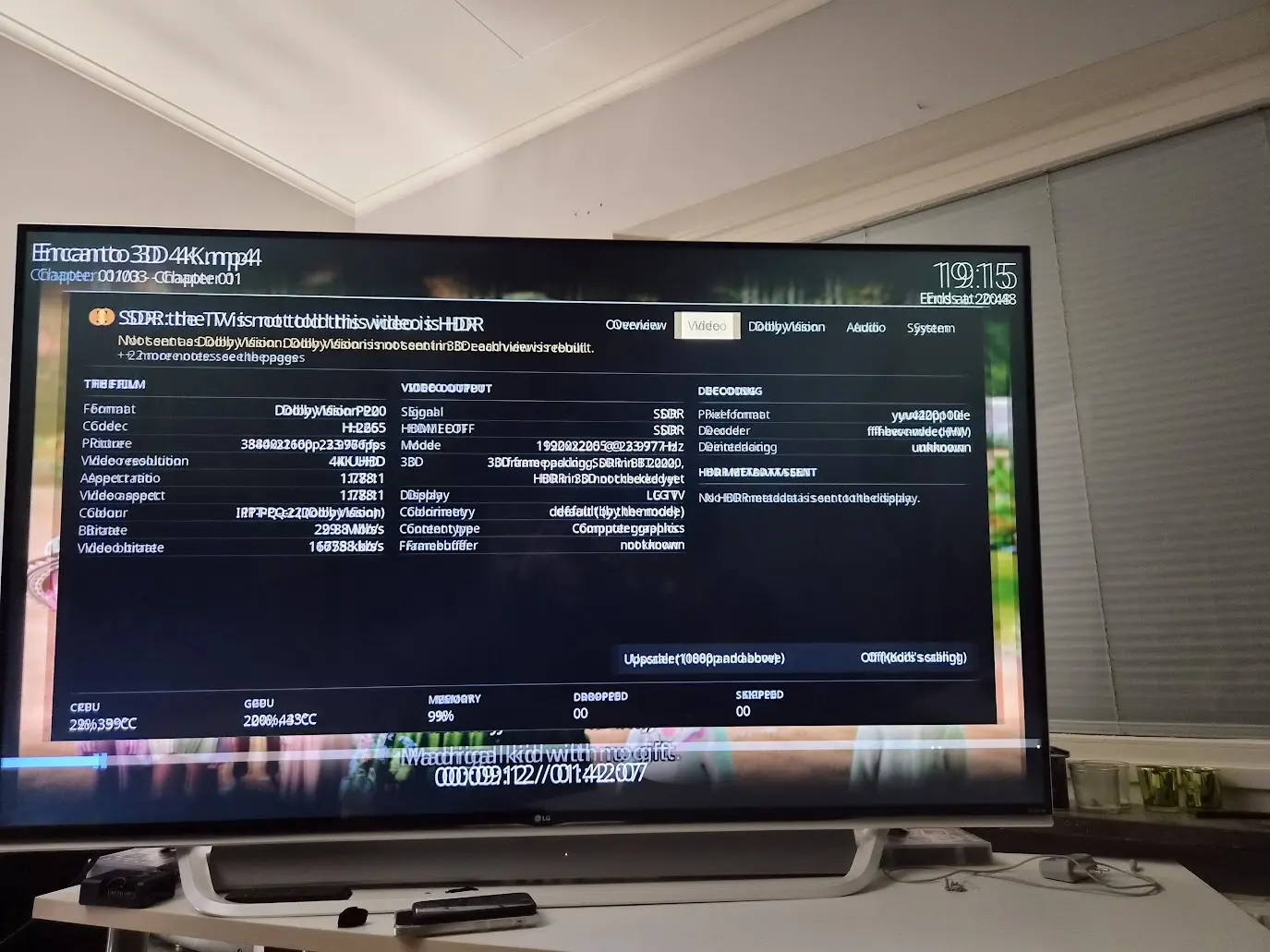
    • The mastering display of 0.0001 / 48 nits in the info panel is right: it is what the film's own Dolby Vision metadata says (a 3D grade).

    Two pages of the info panel during playback:

  • LibreELEC Hades 1.2.3 is out
    Download LibreELEC Hades 1.2.3: the image, the update file and the Windows installer.

    1.2.3 brings HDMI 3D frame packing to NVIDIA cards, MV-HEVC 3D with the graphics card's help on AMD and Intel graphics, JVC projector control by the shape of the picture, sound that starts with the picture and stays in step, and a Windows installer that checks that an image is the one I published. It also fixes what you found in 1.2.2.

    Updating
    If you run 1.2, 1.2.1 or 1.2.2, Hades offers this version by itself (Settings > LibreELEC > Updates), signed with the key of LibreELEC Hades. From 1.0 or 1.1, use the .tar file or the Windows installer.

    What's new

    • HDMI 3D frame packing on NVIDIA through buffers the driver takes. Check this setup > 3D: frame packing now asks the driver first whether it takes it on your display.
    • MV-HEVC 3D on AMD and Intel graphics: where the processor can't decode both views in time, the graphics card decodes the first one, with exactly the same pictures, instead of the film going back to 2D. Not tried on a graphics card yet.
    • A TV with 3D only up to 1080p now switches to 3D by itself for side by side and top and bottom.
    • The sound stays on the audio output you chose while its device is there, also with the picture on another graphics card.
    • Sound in step from the start: passthrough sound no longer starts up to a second late after the TV changes mode, and its sync lands within a millisecond, the same from one film to the next and after a pause.
    • The Audio page says what your soundbar or receiver accepts and which device says it, wherever it is connected.
    • Dolby Vision on Radeon RX 400, RX 500 and Vega cards (experimental setting): the whole display pipe is set and read back, and Check the Dolby Vision output reads the checksum of the card itself after the last stage.
    • The IPT transport and the Dolby Vision composer take less work on Radeon graphics, with the same picture byte for byte.
    • HDR10+ as Dolby Vision, also by choice: Play HDR10+ videos as Dolby Vision has a new value, Always, for those who prefer Dolby Vision on a TV that takes both (the film's own HDR10+ stays the more faithful picture there), and the player information says why a video did or didn't go out as Dolby Vision.
    • For JVC projectors: the anamorphic mode by the shape of the picture, picture modes for the menus and for SDR in BT.2020, and the player controls and subtitles inside a scope picture.
    • The Windows installer checks the signed SHA256SUMS before it writes an image, and a USB drive that DMA protection hid on a laptop is now found.

    Fixes

    • Kodi no longer closes when a decoded surround track starts on a stereo output, or when the player information is opened over one.
    • 3D subtitles in side by side and top and bottom are the right size again, and the menus come back whole after a 3D film.
    • The mouse pointer no longer leaves a copy of itself in one eye, and the speaker names on the Audio page are never cut.
    • The TV remote over DisplayPort keeps working through mode changes on Intel graphics.
    • The editor of a start entry (e in the boot menu) is readable, and frames left out before a video's first picture no longer count as skipped.


    Every change, with its details, is in the release notes and the changelog.

    Safe by default
    Hades keeps everything LibreELEC does, with safer defaults for a PC that is often also your Windows machine: started from USB it keeps the internal disks out of reach, Samba and SSH ask for a password or a key, and the firewall is on. If you prefer the own defaults of LibreELEC, Network access in Services switches them in one step.

    Updates work the same calm way. Hades tells you when a new version is out, and nothing is downloaded or installed until you choose to. Every version is signed with a key that never lives on GitHub or any server, and Hades checks the signature and the file before installing it. How updates are kept safe explains it in more detail.

    About the pace of updates
    Hades updates are usually cumulative: about once a week, once a good set of fixes and improvements has come together. These last days I had more free time, so I took on most of your issues and suggestions as they came in, so you could test them and report back sooner, and so the quality-of-life improvements could reach everyone quickly.

    I'll be busy and away for the next few days, so the next update will most likely come between Tuesday and Thursday, unless something comes up that needs to be fixed sooner, or something holds me up a little longer. I'll still be reading and answering here when I can.

    Thank you
    Thank you to everyone who tested, sent logs, made suggestions or spotted something that could be better: this version is full of what you found.

    If something looks wrong, a diagnostic report helps the most: Settings > LibreELEC > System > Submit Log > Create a diagnostic report.

    NTM-3D thanks again for the logs and the patience. In 1.2.3:

    • Frame packing on NVIDIA goes through buffers the driver takes, with no GBM in between this time. Check this setup > 3D: frame packing asks the driver first and says what it answered, so you can see it before playing a film, and kodi.log says whether the graphics card draws into them or the processor copies each picture.
    • Your TV declares 3D only up to 1080p, so side by side and top and bottom now go out at 1080p with the 3D signal and the TV switches by itself. If you prefer 2160p, Switch the display to 3D (HDMI) > Automatic, keep 2160p.
    • The subtitles: in 1.2.2 I read the pixel shape the wrong way round. Now each eye gets the subtitle of the 2D picture, so once the TV stretches it back it should look like 2D.
    • The menus come back whole after the 48 fps MV-HEVC film.
    • The waits after a skip over Wi-Fi are measured by the cache itself, so the notice only says the source is slow when it really is.


    Interlaced and full side by side aren't in this one. Which display were you thinking of for those?

    Ryudoadema the pointer left in one eye, the speakers "not known yet" and the cut labels are fixed in 1.2.3. The Audio page now reads the speakers of your receiver from its EDID wherever it's connected, room blocks included, or from its ELD, and updates as soon as the receiver says something new.

    Ryudoadema on the controller: in the keymap that Kodi has for game controllers, during a video Start opens the on-screen menu, White the short info and Black the full player information pages. An Xbox controller has neither White nor Black, which is why you only get the short one. A keymap of your own in userdata/keymaps that gives a button the action PlayerProcessInfo brings the pages back. For the 48 fps film, a log would be great when you have one. Choosing side by side and a button for the Dolby Vision menu I'll look into for the next version.

    cinemaONE thanks for the report from the RS4100. The whole film in frame packing with HDR10 in 3D and nothing dropped is great to see.

    MrMagic the IPT pass should take about a third less on Radeon graphics, going by the shader compiler of AMD, with the same picture byte for byte. I haven't measured it on a real Radeon, so if you can, I'd love to know the GPU load with the same film on 1.2.3. JonnyVee same for you, if you get a chance.

    frodo19 the crash with the decoded DTS-HD track is fixed. The downmix row of the player information gave the audio library a smaller buffer than the one it writes. Thanks again for the crash log.

  • the IPT pass should take about a third less on Radeon graphics, going by the shader compiler of AMD, with the same picture byte for byte. I haven't measured it on a real Radeon, so if you can, I'd love to know the GPU load with the same film on 1.2.3.

    I just checked with 1.2.3 and I don't notice any difference compared to 1.2.2.

    Playing the ISO rip of Avatar 2 with IPT conversion enabled, the GPU usage hovers between 65% and 70% and the GPU temp between 45 and 48 Celsius. This causes the fan of my mini PC to spin up a bit higher that when idle. It is audible, but only during very quiet scenes.

  • I just checked with 1.2.3 and I don't notice any difference compared to 1.2.2.

    Playing the ISO rip of Avatar 2 with IPT conversion enabled, the GPU usage hovers between 65% and 70% and the GPU temp between 45 and 48 Celsius. This causes the fan of my mini PC to spin up a bit higher that when idle. It is audible, but only during very quiet scenes.

    MrMagic thanks for measuring it. You have it right: with "As licensed players send (IPT)" chosen, 1.2.3 runs the new version of that pass. What changed is that one pass, the IPT tunnel: its filter no longer needs the full 32-bit multiplies that a Radeon runs at a quarter of its speed. That is where "a third less" came from, the instructions of that pass, not the whole load. Decoding, the composer and the other passes are the same as in 1.2.2, so the total barely moves, as you saw. For the next version I'll measure each pass on a Radeon and look at what keeps the card that busy.

  • hadesdevls two results from 1.2.3 on the same setup (RX 7600, JVC, AC3 passthrough to a processor on the Intel HDMI port):

    • MV-HEVC with the graphics card decoding the first view (set to Always): it took over after the bit-for-bit check within 1.5 s on two MV-HEVC 3D films, never went back to the processor, and every picture had both views. Kodi's processor use on one of them went from 2.13 to 1.68 cores, so about 20% less rather than half. The decode rate the log prints in this mode jumps between 74 and 17000 pairs a second, so it doesn't seem to count the GPU's share.
    • The start of passthrough sound: the first word of an episode is still cut, with and without a display mode change. The log shows the first 9 AC3 packets (288 ms) going out as pauses while the sync is measured; the speech in that episode starts 83 ms into the file.

    cinemaONE nice, glad the graphics card held the first view through both films. That rate in the log is clearly off in that mode, I'll sort that line out. The 288 ms of pauses at the start I'm noting down too, to fix in the next version.

  • For the next version I'll measure each pass on a Radeon and look at what keeps the card that busy.

    Thanks for looking into this. Some more info in case it matters:

    • When using the "As composed" option, the GPU usage drops down to about 40%
    • I also monitored the CPU temp on the Proxmox host (I'm running LE in a VM with PCI-e passthrough):
      With IPT conversion enabled, the CPU temp goes up to almost 50 C (which is the reason for the fan spinning up).
      With "As composed" the CPU temp maxes out at a little over 45 C.
    • When using the CroqueMr build with IPT conversion, the CPU goes up to about 47 C (which is just below the threshold to make the fan spin up) and the GPU hovers between 45 and 48 C. The render engine percentage (not sure if that is the same as GPU usage?) hovers around 40-45 %.
    • Finally, when switching the CroqueMr build to YCbCr tunneling, the render engine usage drops to about 35%, GPU temp stays about the same (45-47 C) and CPU temp is a little over 45 C.
  • NTM-3D thanks again for the logs and the patience. In 1.2.3:

    • Frame packing on NVIDIA goes through buffers the driver takes, with no GBM in between this time. Check this setup > 3D: frame packing asks the driver first and says what it answered, so you can see it before playing a film, and kodi.log says whether the graphics card draws into them or the processor copies each picture.
    • Your TV declares 3D only up to 1080p, so side by side and top and bottom now go out at 1080p with the 3D signal and the TV switches by itself. If you prefer 2160p, Switch the display to 3D (HDMI) > Automatic, keep 2160p.
    • The subtitles: in 1.2.2 I read the pixel shape the wrong way round. Now each eye gets the subtitle of the 2D picture, so once the TV stretches it back it should look like 2D.
    • The menus come back whole after the 48 fps MV-HEVC film.
    • The waits after a skip over Wi-Fi are measured by the cache itself, so the notice only says the source is slow when it really is.


    Interlaced and full side by side aren't in this one. Which display were you thinking of for those?

    Awesome release :)

    - Frame packing now works on my 5050 laptop!
    - Tried the "Automatic, keep 2160p" and seems to work. A 3D blu-ray goes out as frame packed but the 4K per eye MV-HEVC goes out as SBS in 4K instead.
    - Subtitles i SBS now seem correct.

    - They did, never saw any split half missing image this time.
    - This is true and I know why now. All my other laptops I've tried have no issues seeing and connecting to my 5Ghz network but for some reason this 5050 laptop only shows the 2.4 Ghz networks. That why the slow speeds.

    Interlaced for the passive 4K TVs like mine. If you output a correct interlaced image you get 3D without having to trigger anything since the filter is passive and always there. So this would be a better solution than 4K SBS for passive TVs. Ideally you would be able to choose the mode you want for this, SBS, OU, Interlaced etc. 4K SBS or OU still needed for the 4K 3D projectors and active 4K 3D TVs to be abelt o get more than 1080p per eye.

    The full SBS output would be to support all the AR glasses, like the XREAL, Rayneo etc. They show up as 3840x1080 or 3840x1200 super wide screens when connected over HDMI or USB C. I will be able to test this is you choose to implement it.

    Few issues I saw in 1.2.3:

    - When playing a MV-HEVC DV file over frame packed it did not convert the colors to SDR.

    - When in 3D the OSD, play buttons, time etc does not seem to respect the depth setting in Kodi and is very forward and even seems to shift in depth maybe? So much high contrast content, white text on dark background make it very crosstalk prone.

    - When testing 3D blu-ray playback I managed to see the same subtitles goes 2D bug I have previously reported in the RPi fork thread. Guessing you are using the same code?
    - 5Ghz wifi networks not showing on AMD RZ616 Wi-Fi 6E.
    - Updating from 1.2.2 to 1.2.3 from inside Kodi failed.

    I have two log files attached, managed to get into a bit of a weird state on the first boot so restarted.
    Log files were just to big to attach directly: https://www.swisstransfer.com/dl/01a21e4f-68…c4-1643fac20695

  • NTM-3D thanks, great to hear frame packing works on the 5050 too, and that the subtitles and the split image are sorted.

    The 4K per eye MV-HEVC going out as side by side is what Automatic, keep 2160p does on a TV that takes frame packing only up to 1080p. Interlaced for passive TVs, a choice of layout and full SBS for AR glasses I'm noting down for the next version, together with the Dolby Vision MV-HEVC not going to SDR in frame packing and the depth of the OSD in 3D.

    On the 3D Blu-ray subtitles going 2D: partly, yes. Placing them at the depth the disc asks for comes from the work of Dom Cobley, with changes of mine on top, so it may well be the same bug. I'll look into it for the next version.

    For the 5 GHz Wi-Fi, try setting your country in Settings > LibreELEC > Network > Wireless Regulatory Domain; without it some cards don't show 5 GHz networks.

    The failed update from 1.2.2 matters most to me. Could you open an issue on GitHub and attach the logs there? Thanks!

  • Just tested 1.2.3. Report attached below.

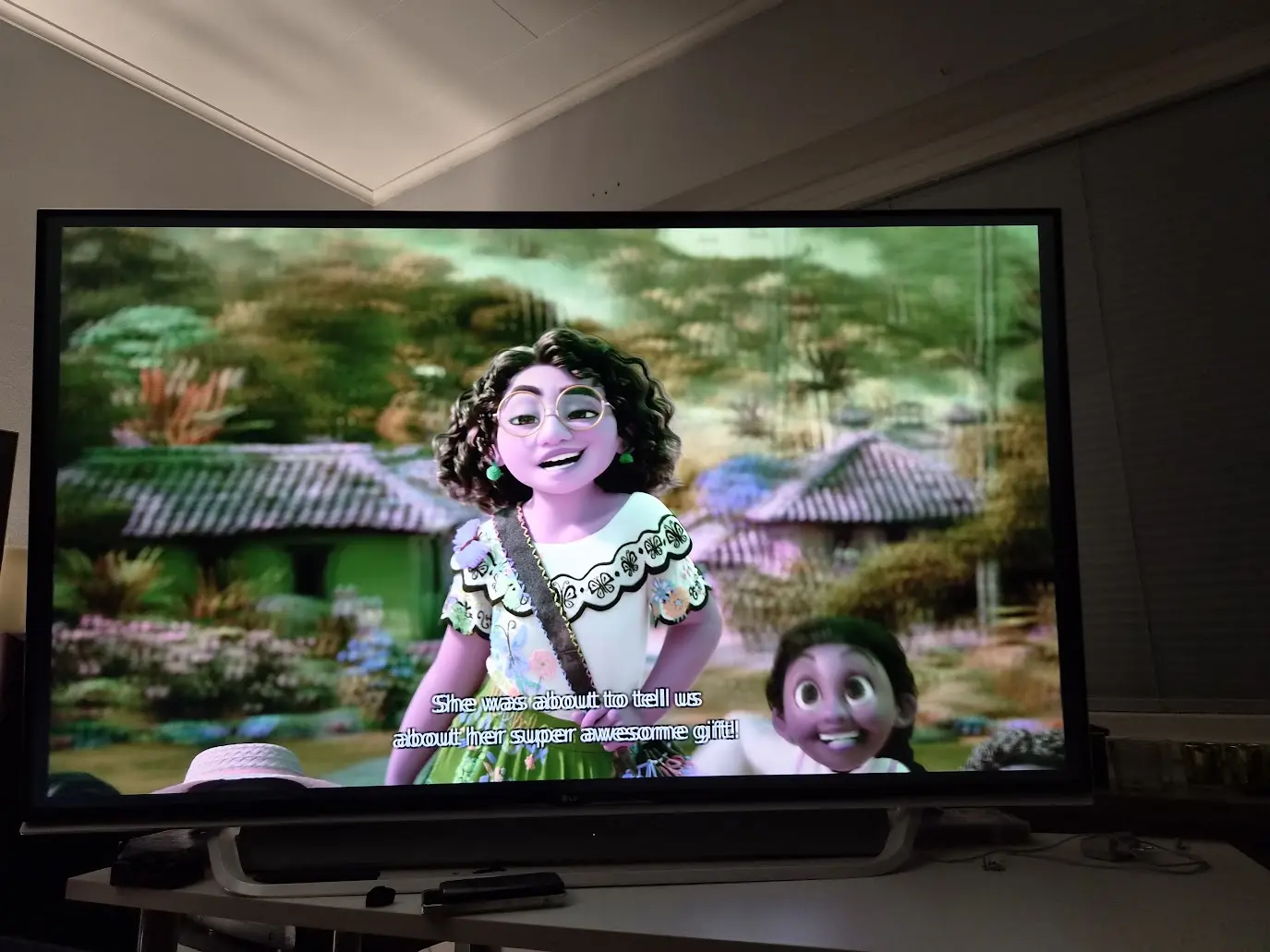
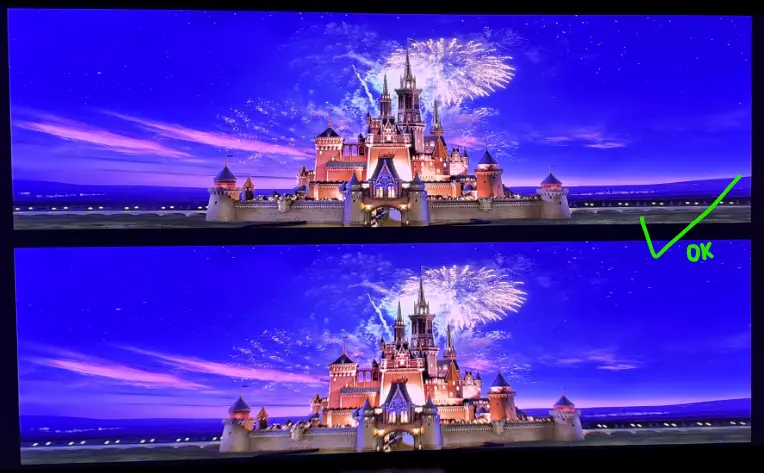
    Did the .tar update, and re-tested a 24p MV-HEVC mp4, and it initially played fine w/the right colors as SDR2020 (as w/last build). I then brought up the OSD and tried to switch to DV (just to see how my projector would handle), which didn't work (like most projectors, mine only supports 3D in SDR). But, from this point onward, all my 24p MV-HEVC mp4's started playing with wrong colors like NTM-3D above. Still 3D though. But, a reboot, resetting settings didn't fix being able to play with right colors like before.

    With 48fps MV-HEVC mp4, played in SBS mode, and in 3D, but video stutters and freezes. Oddly, no dropped or skipped frames shown. Was trying to see if my projector displays this as 60fps or something else. It does display normal FSBS 60fps as 60.

    Video of trying out above.

    ht2tweak thanks for the report and the video, they helped a lot. In your log, Hades sends that file exactly the same way before and after the reboot (rebuilt as SDR in BT.2020), so nothing of the Dolby Vision attempt stayed in Hades. The colour change is most likely the projector or the receiver holding on to another mode, which a PC reboot doesn't reset, so try switching both fully off and on. If the colours are still off, set Settings > System > Display > Stereoscopic 3D > How 3D video goes out to SDR in BT.709 (an expert setting), which every 3D display shows right.

    For the 48 fps file, the graphics card already took over decoding the first view, as it should. What doesn't keep up is rebuilding the Dolby Vision picture of both 4K views 48 times a second, and it went out at 1080p 60 Hz, so it can't be smooth on that mode anyway. Making that rebuild lighter is the first thing I'm looking at for the next version.

  • Rebooting PC and my projector didn't solve the greenish/purplish color issue. Tried multiple options in settings; see video. Later on (around 2:46 timestamp), I show trying 3D HDR and my projector engages 3D and quickly disengages, and shows '3D not supported in HDR' message. What I expected.

  • Rebooting PC and my projector didn't solve the greenish/purplish color issue. Tried multiple options in settings; see video. Later on (around 2:46 timestamp), I show trying 3D HDR and my projector engages 3D and quickly disengages, and shows '3D not supported in HDR' message. What I expected.

    ht2tweak thanks a lot for all the testing, and sorry for the trouble. If 3D was working fine for you on 1.2.2, you can go back to it until the next update: copy the 1.2.2 .tar into the Update folder and restart (Hades asks on the TV before installing an older version). The next update should be out between Tuesday and Thursday, and if more reports like this come in, I'll put out a quick fix on Tuesday.

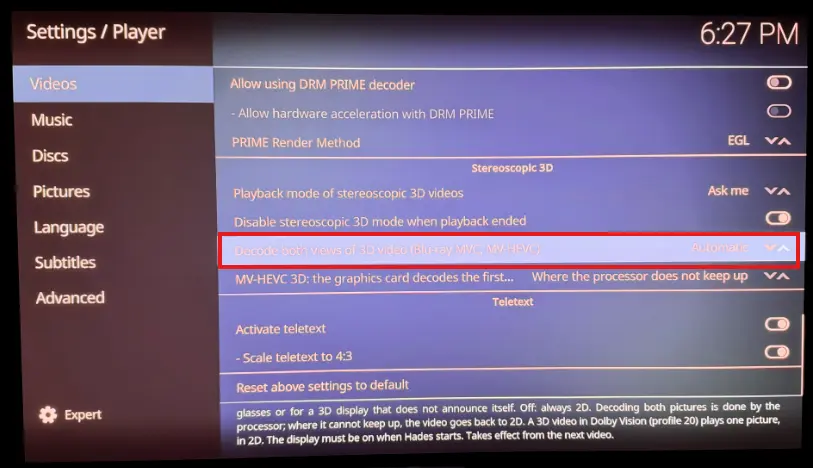
    If you'd like to help pin it down before going back, try setting Settings > Player > Videos > Stereoscopic 3D > MV-HEVC 3D: the graphics card decodes the first view to Off and play a 24p file again. If the colours come back, I'll know exactly what to fix.

  • Happy to help. So, think we found the bug. Doing what you suggested brings the colors back, but of course video plays in 2D. Then, when I chose this, and go back and re-enable 'Automatic' for MV-HEVC, all's good again:

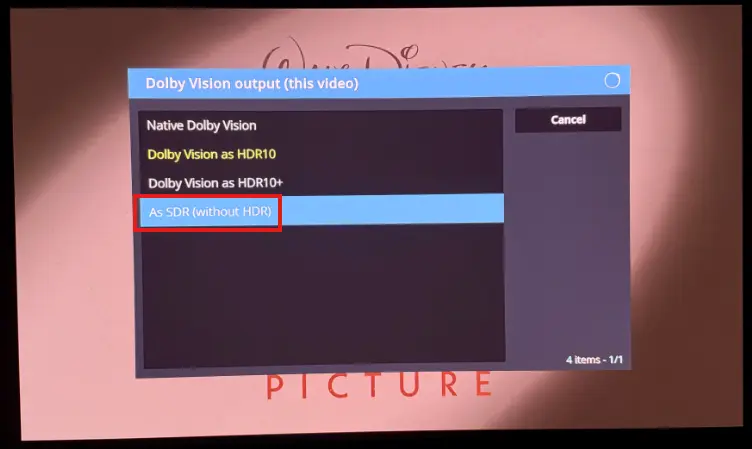
    Choosing anything other than 'As SDR' seems to mess up things. Unless I assume one has a display that can handle 3D and HDR simultaneously. Ryudoadema, your MKII does right?

  • Here is my log from right after playing a mv-hevc 48fps, but it went out as 60. Also the right eye was glitching after leaving to the home screen as if it was still showing the movie on and off. From 1.2.2 as I was weary of the color bug in 1.2.3 and this has been working well for me besides this 48fps issue; right-eye bug I think only happens with this 48/60 mv-hevc movie; and QOL stuff like xbox controller keys and in-depth overview menu.

    ht2tweak It might, but I haven't tried and it could need specific setting like 8-bit 4:2:0 and custom resolution etc. I have only been testing on TNM. SDR 2020 is likely better anyway depending on the mapping.