

OK. I also guess it's the splitter.

[RPi4] No video output on HDMI-0
-
Luvide -
August 15, 2026 at 1:10 PM -
Thread is Unresolved
-
-
is Windows getting that information another way?
There is no other way of determining the display capabilities.
Are you sure windows can see the full list of display modes?
i.e. if you change display resolution in windows, do you get the same list of resolution/refresh rates both with and without the splitter?
-
okk so it turns out it really was the splitter! FeinTech sent me a new one (same model) and now if the channel of the switch is set correctly when I start the TV & RPi i get EDID=ok in debug mode - yayy!
New problem is, now when I select 4k display mode in Kodi Display Settings, The UI switches to only a quarter of the Frame and weird glitches start appearing from the Skin, Video Playback (also of 4k video) is the same, If I switch to 1080p, the UI works as expected but when I try to play a 4k movie the UI shrinks down to the same upper left quarter including the film, running in 4k.
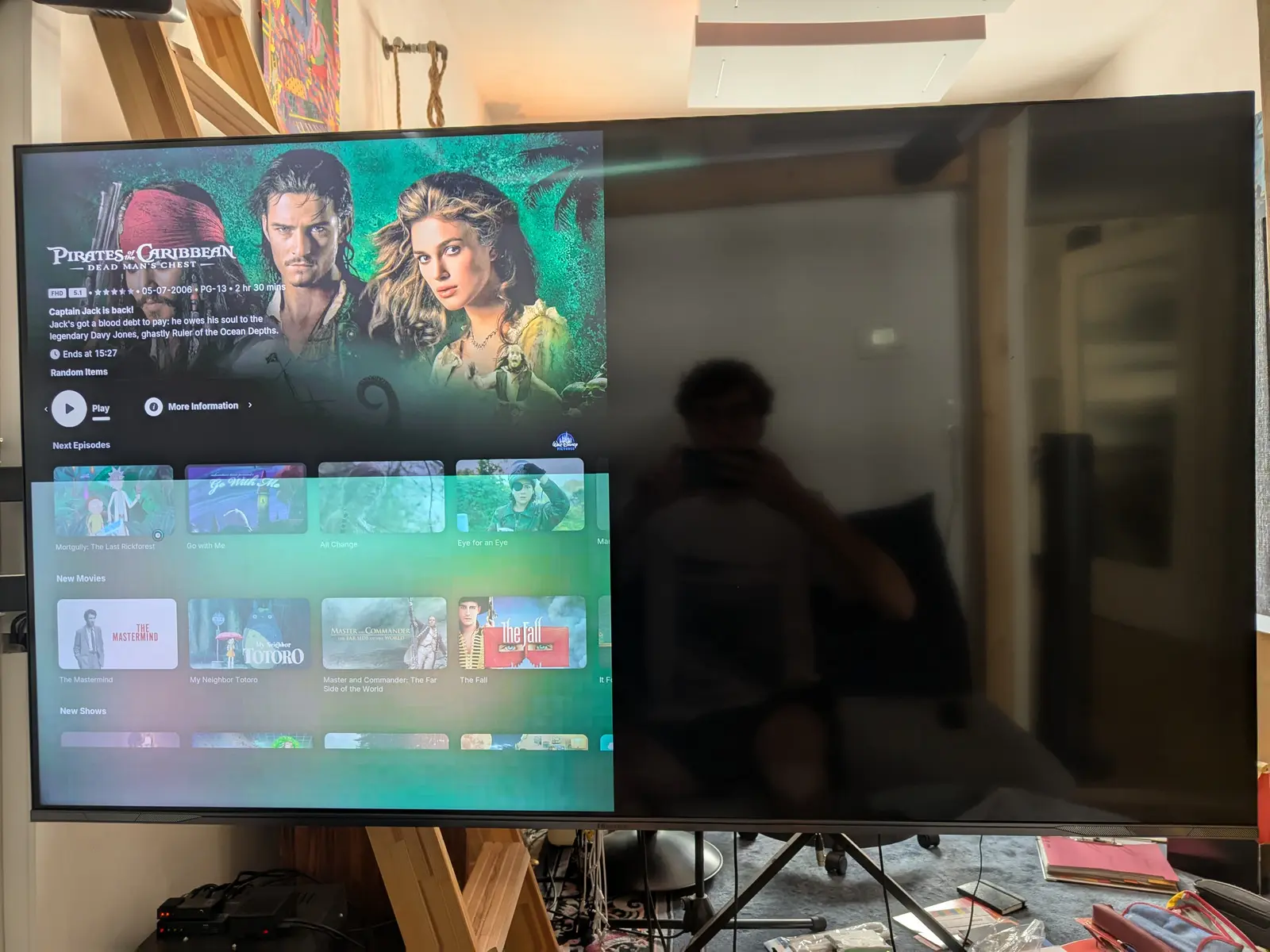
Probably something broke from all the EDID stuff? Of course I deleted the EDID overrides I created from before but to no avail. My cmdline.txt looks like this, i only changed the hotplug.
Codeboot=UUID=0111-0454 disk=UUID=4c74a0fe-98a5-4395-9d8a-ca9a2997521d quiet console=tty0 vc4.force_hotplug=1Also when switching to 4k, I can't set the refresh rate to 60Hz while 1080p 120 seems to be no problem.
Any ideas? Thanks for your help so far!!
quick update after some further digging & testing, it appears it's the skin breaking when setting the GUI resolution to unlimited. Setting that to 1080p, rebooting and THEN reconfiguring the display settings to 4k works again. Setting it to 60fps is still not working but since it's just the GUI I can live without it, unless anyone knows a quick fix off the top of their head..
Thanks again for the great help on this forum and this wonderful software, enabling us to ditch those pesky proprietary streaming devices!!
-
okk so it turns out it really was the splitter!
We'll feign surprise at discovering that

-
