

[x86-64] Mount error at boot time

  • Hi all,

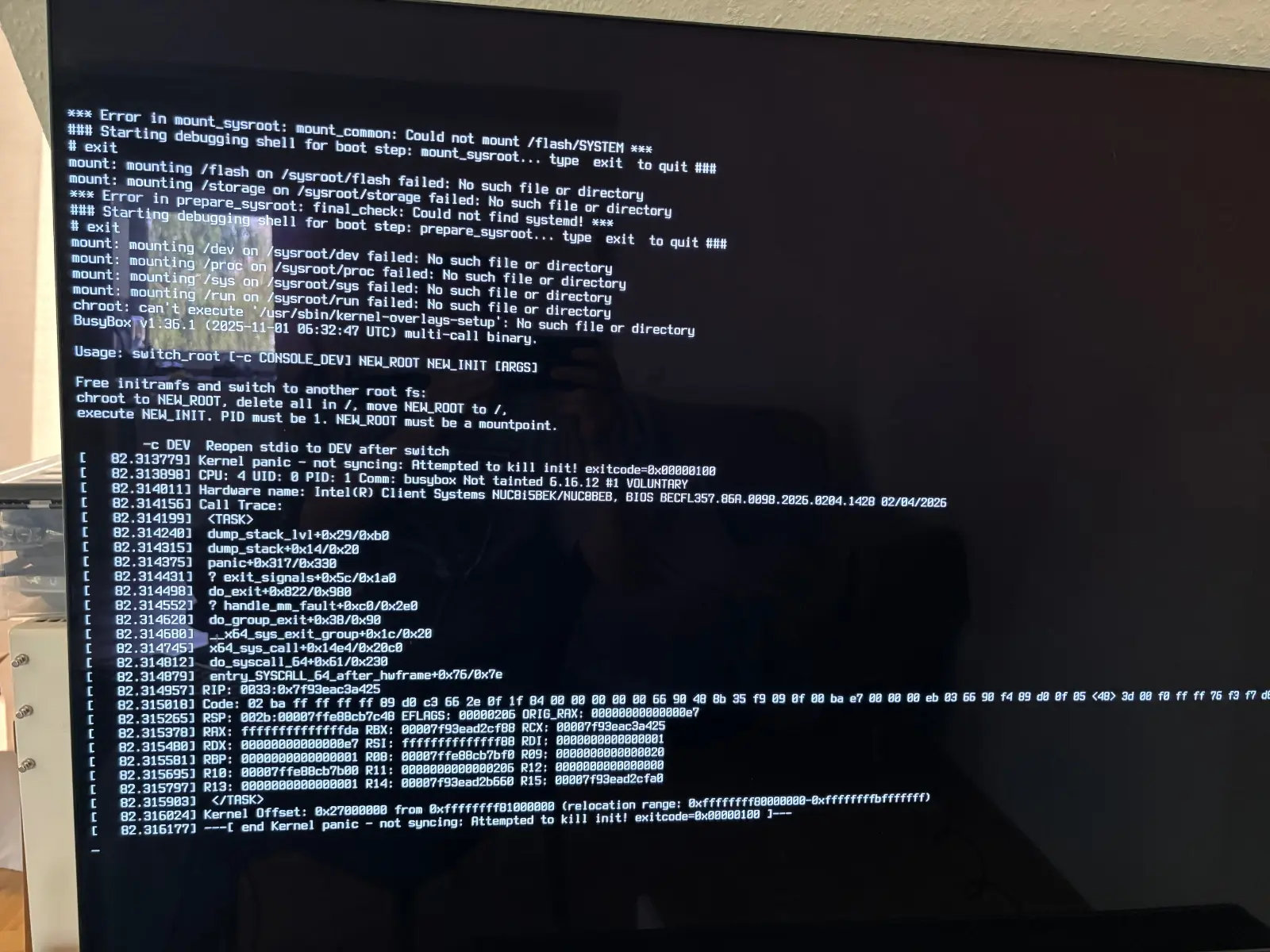
    I just made a fresh new install of LE on my Intel NUC. After the 2nd boot today, the following error was printed on my screen (I was just able to make a photo with my phone) - I then typed "exit" twice and it booted up. On the 3rd boot, it booted into LE without any issues.

    Shall I need to be worried about that error ? I have never encountered it in all my years prior using LE. Using a Western Digital WDS120G2G0B WD Green 120 GB Internal Solid State Drive - SATA - M.2 in my LibreELEC machine.

    It happened only once and since then I have no issues with booting ...
    Edited 2 times, last by Quiffy (May 3, 2026 at 6:54 PM).

  • It's unusual and something to monitor. If it occurs again it might be the first signs of the memory device inside the SSD starting to have problems. It's the kind of panic that you see when there are faulty cells resulting in bad sectors on the block device; causing a failure to read partition data or preventing successful reading/decompression of the SYSTEM file from the boot partition.

  • Thank you chewitt appreciate it! I also found another related thread:

    Again, so far I never had any issues with the SSD, that is the first time I ever had such an error. I will for sure monitor - I'll do this anyway when I boot up my Kodi machine. As all my data/media is on a seperate NAS, even if the SSD would be corrupt, it wouldn't be the end of the world.

    If I see this error during bootup one more time, I will replace the SSD with a new one and make a clean install again.

    Offtopic: is there any specific SSD brand / model /series that you can recommend from your experience in terms of a) reliability and b) low power consumption?

  • Offtopic: is there any specific SSD brand / model /series that you can recommend from your experience in terms of a) reliability and b) low power consumption?

    I've never considered power consumption with SSD's in LE installs as the hardware it runs on has far more impact than the choice of drive and because LE runs in RAM on anything with more than 1GB so there's negligible read/write on the drive.

    I've always picked name branded SSD's on the debatable assumption they won't use low-bin chips. Thus the only drives I've ever had die (not a frequent occurence) were name-brand ones. I pull things apart, move things around, and reinstall the OS on a much higher frequency than any normal user though.

  • Got it - makes sese. I think years ago I also only picked that WD Green 120GB SSD because of the price and known brand. In case it will fail (again) at some point, I guess I would switch to another brand and pick a small size again.

  • chewitt one last question: based from your experience: how likely do think it is that this error occurs again if it happened once? Reason I ask: I am think of either leaving it as is - for now - monitoring if anything similar will occur again and then trashing the SSD, buying a new one and attempting another new install of LibreELEC.

    Option B: It would be likely that it happens again - because it already happened once - so trash the SSD now, buy a new SSD and do another new install of LE.

    Any thoughts based on your experience?

  • /shrug

    OK - was hoping to get a 2nd opinion ;) Alright, I'll ride with my current SSD/Setup for now. Hope & pray that the SSD holds up and that I do not ever see that error again. In case I do even one more time, that SSD will be trashed and I'll buy a new one ...
