Legacy v9.2 (LTS) builds for Amlogic S805/S8X2, S905/S912 and all WeTek boxes

  • Now I'm in a bit of a dilemma because from the information I found, the T8 Plus is equipped with the S812 SoC, and the T8 Plus 2 is the one with the S912. So which one do you have?

    Edit: I assume that you really have a T8Plus-2 with S912, since Android 6 was not released for the previous model.

    The opening post of this topic contains all the important information, from which I have highlighted the installation part. Otherwise, I highly recommend reading the entire post.

    The RESET (Restore) button is on the right side of this box, near the WiFi antenna, based on the photos I found.

    Sorry for the delayed response - I assure you I wasn't farting around despite the username.


    The version of the box I have says:

    • Amlogic 64Bit Octa Core A53 S912


    To make sure I get the procedure right, I have to download that USB Creator (Windows), install, then I need to select the file I want to download ... but which one do I want to download?


    Then once downloaded, do I copy and paste the "raw" file onto the USB? Or how does that work?


    Then once I put it in the unit and do the reboot / toothpick method, what should the unit / screen do if I was successful?

  • To make sure I get the procedure right, I have to download that USB Creator (Windows), install, then I need to select the file I want to download ... but which one do I want to download?

    Then once downloaded, do I copy and paste the "raw" file onto the USB? Or how does that work?

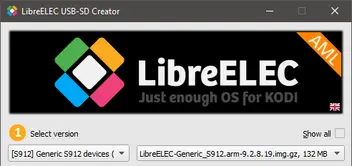
    You need the LE-AML USB-SD Creator version from here: https://libreelec.dtech.hu/LibreELEC-AML.…eator.Win32.exe

    Then you need to select this:

    After that, press the Download button, and when it's done, select your USB/SD media, then Write.

    When it's done, you need to close the program, then open the media before releasing it, and copy gxm_q200_2g.dtb from the devices_tree to the root directory, and rename it to dtb.img, overwriting the one already there.

    Then once I put it in the unit and do the reboot / toothpick method, what should the unit / screen do if I was successful?

    If you did it correctly, the storage partition will first be expanded to the full size of the USB/SD media, then after a restart you will see the LE boot logo, followed by the Kodi initial setup screen.


  • A few updates:

    • Followed the instructions; however, I had to delete the original dtb.img file because if I copy and paste it there and just try to rename it, it won't work (it gives an error that there's already a file with that name).
    • Now, you mentioned the "storage" partition will first be expanded to the full size of the media - what did you mean by that? I still have over 300+ MB available.

    When I put this drive into the box, there's 3 USB inputs ... not sure if it matters which one I pick, but when I follow the instructions (turn it off, use the toothpick, plug it in and hold for 3-5 seconds), it doesn't "turn on". The light remains red. So I played with it a bit and tried using the toothpick, turning it "on" for 3-5 seconds, and it always goes to the Android recovery (doesn't matter if I do it for 3, 4, or 5 seconds). When I do it for 2 seconds, then it boots into the "Freedom Box" screen that I had seen before ... but I'm not seeing an "LE Boot Logo" or the Kodi initial Setup Screen. I'm seeing a "Freedom Box Setup" screen but that's likely because I factory reset it.


    Any ideas?

  • Followed the instructions; however, I had to delete the original dtb.img file because if I copy and paste it there and just try to rename it, it won't work (it gives an error that there's already a file with that name).

    Then delete it first. It should work without deleting it and ask if you want to overwrite it, but it's irrelevant to the outcome now.

    Now, you mentioned the "storage" partition will first be expanded to the full size of the media - what did you mean by that? I still have over 300+ MB available.

    You asked what you should see on the screen. Well, this operation, because that's what it will display while it's doing it.

    When I put this drive into the box, there's 3 USB inputs ... not sure if it matters which one I pick, but when I follow the instructions (turn it off, use the toothpick, plug it in and hold for 3-5 seconds), it doesn't "turn on". The light remains red. So I played with it a bit and tried using the toothpick, turning it "on" for 3-5 seconds, and it always goes to the Android recovery (doesn't matter if I do it for 3, 4, or 5 seconds). When I do it for 2 seconds, then it boots into the "Freedom Box" screen that I had seen before ... but I'm not seeing an "LE Boot Logo" or the Kodi initial Setup Screen. I'm seeing a "Freedom Box Setup" screen but that's likely because I factory reset it.

    Did you unplug the DC jack at all? Just because the box turns on automatically after connecting the DC power.

    Based on your description, you didn't do this, even though it is clearly described.

    Quote
    • Boot LibreELEC from your previously prepared bootable media:
      If you want to boot the device from your bootable media, you need to perform the toothpick method first:
      Disconnect the power plug, insert the prepared boot media, and then press and hold the reset button. Reconnect the power jack while holding down the reset button, then release it after about 3-5 seconds*.
      * If the Android recovery menu appeared, you pressed the button for too long.

    Sorry, but I can't present a more detailed description than this, I think it's written in pretty kitchen language anyway.

  • Then delete it first. It should work without deleting it and ask if you want to overwrite it, but it's irrelevant to the outcome now.

    You asked what you should see on the screen. Well, this operation, because that's what it will display while it's doing it.

    Did you unplug the DC jack at all? Just because the box turns on automatically after connecting the DC power.

    Based on your description, you didn't do this, even though it is clearly described.

    Sorry, but I can't present a more detailed description than this, I think it's written in pretty kitchen language anyway.


    Turns out that my flash drive was trash, so I used a different one and it booted me into Kodi (I saw the LE bootup screen)!


    Now for the big problem - the remote doesn't work! How am I supposed to set this up (and eventually use it)?

  • Turns out that my flash drive was trash, so I used a different one and it booted me into Kodi (I saw the LE bootup screen)!

    Now for the big problem - the remote doesn't work! How am I supposed to set this up (and eventually use it)?

    To complete the LE installation wizard under Kodi, connect a keyboard to the box. It is important to enable SSH during the process, because you will need it later. If you are ready with that, please press a few buttons on the remote control, then run the pastekodi command via SSH and copy the generated link here.

    You will not see any changes on the screen, but the following lines that are important to me will appear in the log:
    kernel: remote: Wrong custom code is 0xHEXACODE

  • To complete the LE installation wizard under Kodi, connect a keyboard to the box. It is important to enable SSH during the process, because you will need it later. If you are ready with that, please press a few buttons on the remote control, then run the pastekodi command via SSH and copy the generated link here.

    You will not see any changes on the screen, but the following lines that are important to me will appear in the log:
    kernel: remote: Wrong custom code is 0xHEXACODE

    Keyboard connected ... making progress .... but I pressed every button on the remote control (except for power) and it does nothing.

    How do I run the "pastecodi" via SSH? You're not talking about setting the SSH password to that, correct?

  • Keyboard connected ... making progress .... but I pressed every button on the remote control (except for power) and it does nothing.

    Please read and understand what I wrote:

    You will not see any changes on the screen, but the following lines that are important to me will appear in the log:
    kernel: remote: Wrong custom code is 0xHEXACODE

    The pastekodi command will upload your log and generate a link where you can view it. It will contain what I need for the next steps.

    How do I run the "pastecodi" via SSH? You're not talking about setting the SSH password to that, correct?

    The correct command is pastekodi, and please look it up in a search engine or AI for help using SSH, please don't expect me to explain everything to you.

  • Please read and understand what I wrote:

    The pastekodi command will upload your log and generate a link where you can view it. It will contain what I need for the next steps.

    The correct command is pastekodi, and please look it up in a search engine or AI for help using SSH, please don't expect me to explain everything to you.


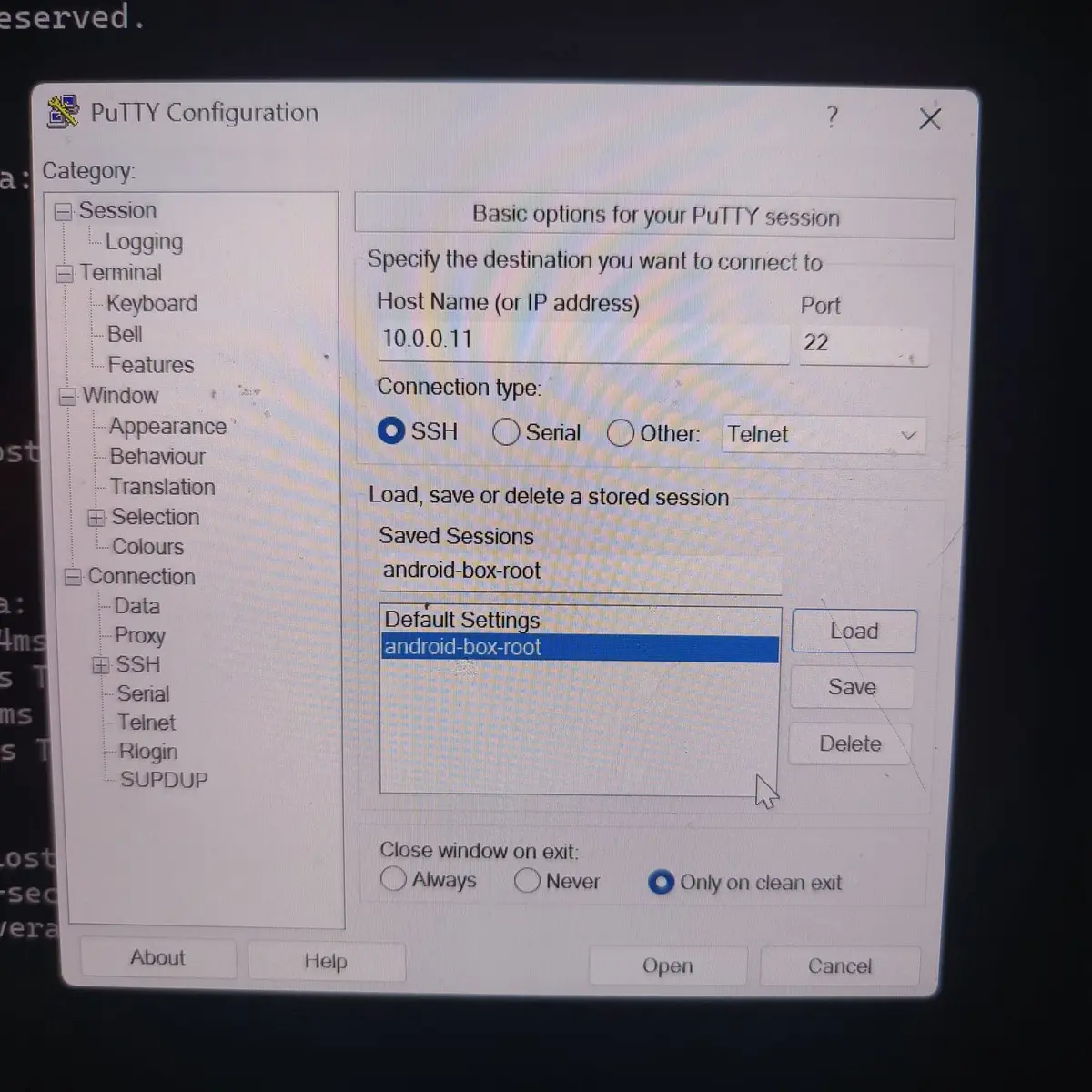
    I'm trying to SSH using Putty but it's asking me for the host name. I named my "System Name" MBR and found my (local) IP address, but the following command doesn't work: ssh [email protected]

    I must be missing something....

  • Question - I was using AI and it said once I turn on SSH that most android boxes require a reboot. I did that and it loaded the firmware image that I had on there before I started this process.


    Is LibreELEC's solution going to actually overwrite the firmware on the unit and give me a new ROM to use?

  • I'm trying to SSH using Putty but it's asking me for the host name. I named my "System Name" MBR and found my (local) IP address, but the following command doesn't work: ssh [email protected]

    You don't have to type a command in PuTTY to connect, you just fill in a single input field, where you enter the IP address of the device you want to connect to, then press the Open button below.

    If the SSH server is really working, it will first pop up the fingerprint confirmation warning, and after accepting it, it will ask for the username, where you just type root. If you haven't changed the password, the default password will be libreelec. And that's it. If anything doesn't work, then SSH server doesn't enabled, or the IP address is wrong, etc.

    I'd be happy if we didn't make this an offtopic, these should be basic things for a unix system. If these things are not clear, then please let's not discuss them in this topic. These are completely general things, they have their own place on the forum here: General Support.

  • You don't have to type a command in PuTTY to connect, you just fill in a single input field, where you enter the IP address of the device you want to connect to, then press the Open button below.

    If the SSH server is really working, it will first pop up the fingerprint confirmation warning, and after accepting it, it will ask for the username, where you just type root. If you haven't changed the password, the default password will be libreelec. And that's it. If anything doesn't work, then SSH server doesn't enabled, or the IP address is wrong, etc.


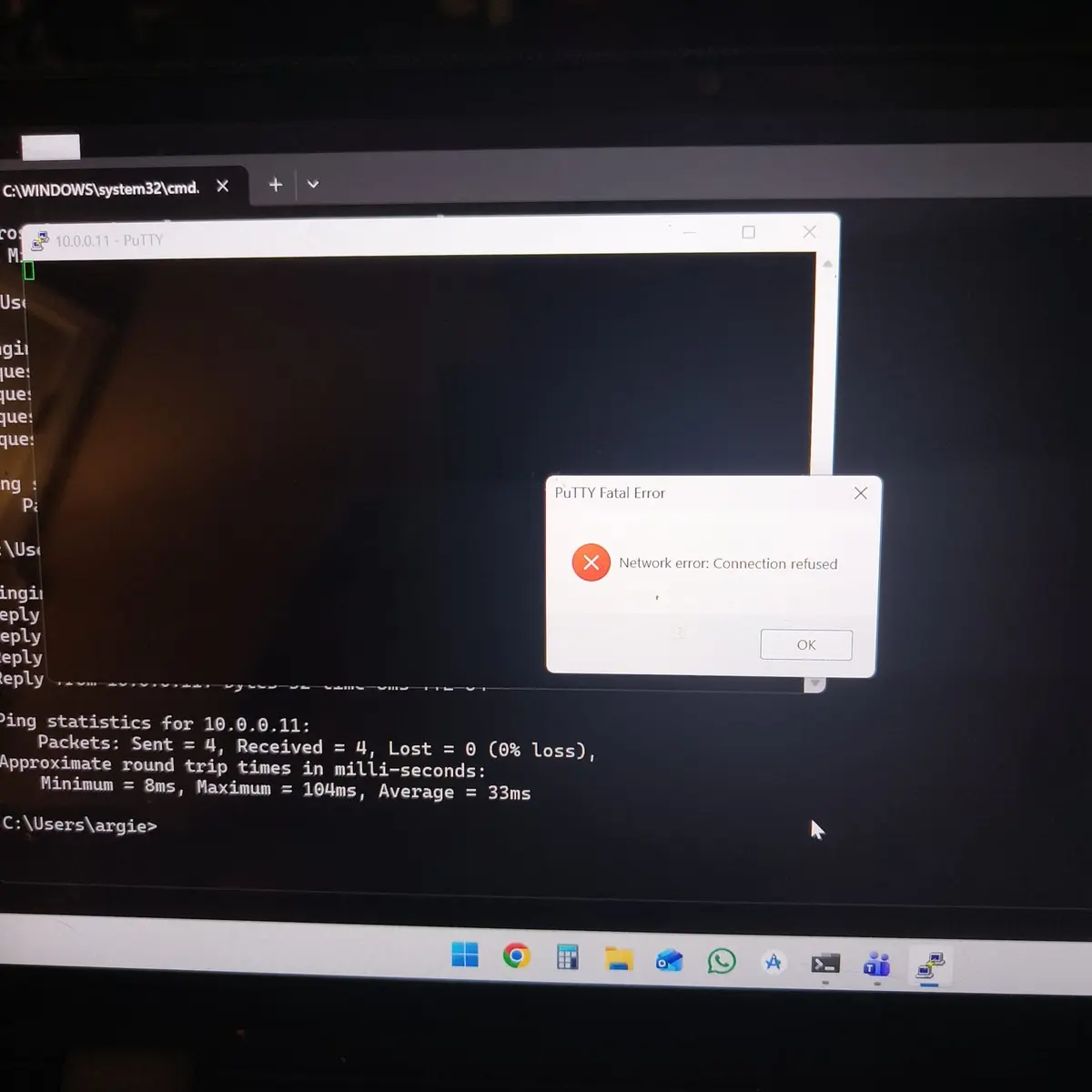
    I did exactly what you said - but it will not connect (Connection Refused). I did some more digging and it looks like the Android Box's core OS has to have SSH enabled, but when you're doing this "boot method", you don't have access to it. Sounds like side loading / adb might be the only way to load everything.


    As noted above, one of the key concerns I have is knowing if LibreElec is a ROM that will overwrite the stock ROM so it boots into Kodi by default. If I need to do the toothpick trick every time and reset everything, that is not a solution.

  • I did exactly what you said - but it will not connect (Connection Refused). I did some more digging and it looks like the Android Box's core OS has to have SSH enabled, but when you're doing this "boot method", you don't have access to it. Sounds like side loading / adb might be the only way to load everything.

    As noted above, one of the key concerns I have is knowing if LibreElec is a ROM that will overwrite the stock ROM so it boots into Kodi by default. If I need to do the toothpick trick every time and reset everything, that is not a solution.

    The LibreELEC image is not a ROM, it is just an operating system image that contains the kernel, root filesystem and dtb. If you run it from external media, it will not overwrite anything. The toothpick method only loads the autoscript on the card, which allows the bootloader to boot the OS from USB and SD card instead of eMMC, if it is connected, otherwise it will still boot from eMMC.

    The toothpick method only needs to be done once, after that it will always be able to boot from external media, unless Android receives a master reset command, because that can overwrite the boot script changes. Also, if I may suggest, try using an SD card instead of a USB flash drive, because the USB is much more problematic.

    The basic problem with your description is that it is not clear whether LibreELEC is running at all when you try SSH, whether you are trying with the IP address of the box, whether the network is working on the box at all, and whether SSH is definitely enabled or not. Instead, you mention things like adb and sideload, which are absolutely not needed for LibreELEC.

  • The basic problem with your description is that it is not clear whether LibreELEC is running at all when you try SSH, whether you are trying with the IP address of the box, whether the network is working on the box at all, and whether SSH is definitely enabled or not. Instead, you mention things like adb and sideload, which are absolutely not needed for LibreELEC.


    LibreELEC is running and i am trying to SSH root@ipaddress with SSH definitely enabled during the LibreElec setup.

  • LibreELEC is running and i am trying to SSH root@ipaddress with SSH definitely enabled during the LibreElec setup.

    I would like to ask you for some photos based on these:

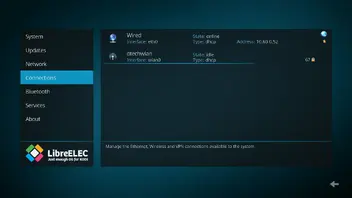
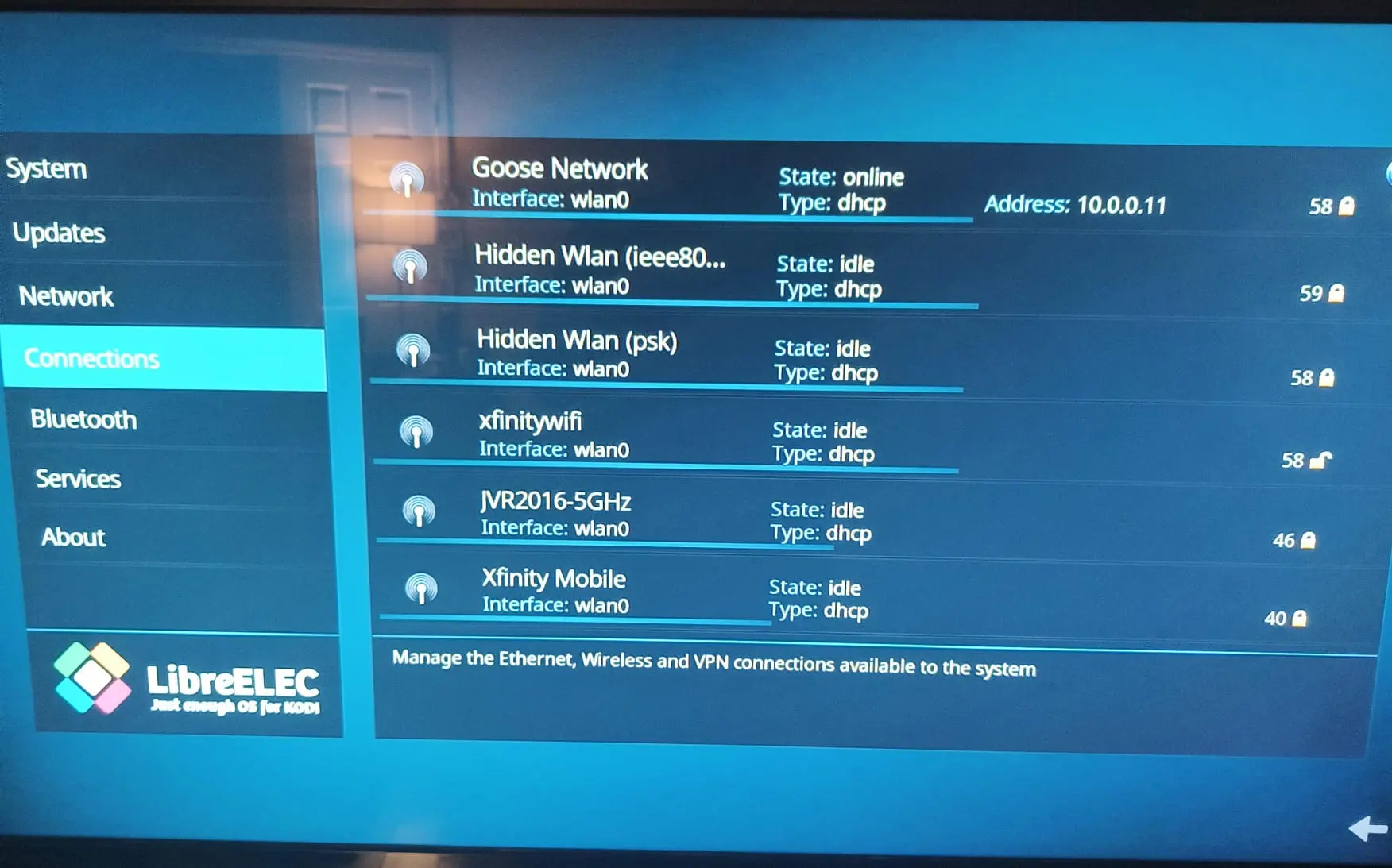
    1. Settings -> LibreELEC -> Connections:

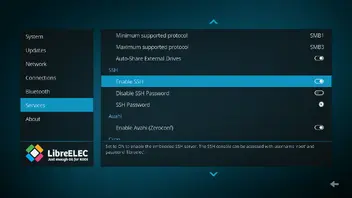
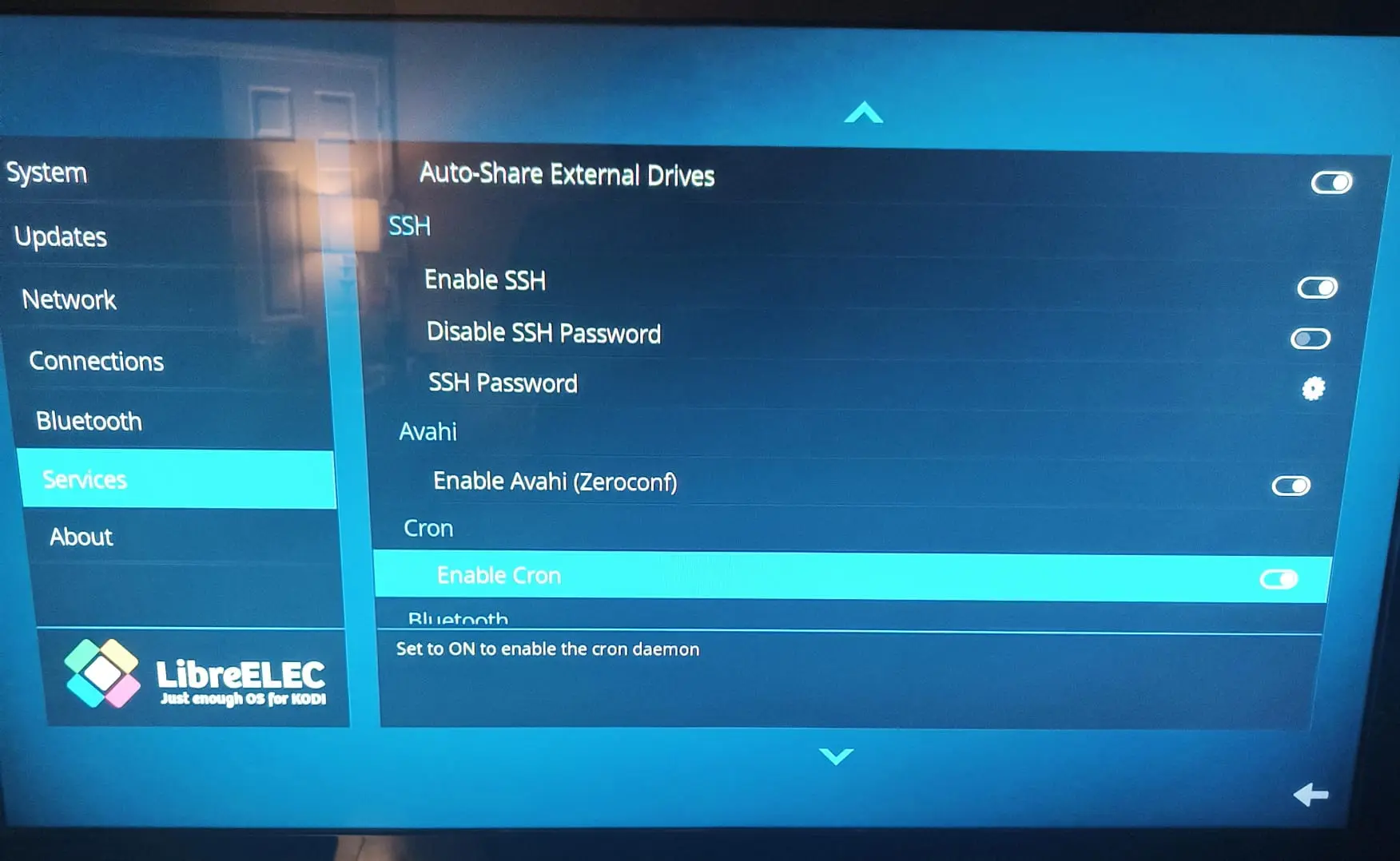
    2. Settings -> LibreELEC -> Services (the focus is on SSH):

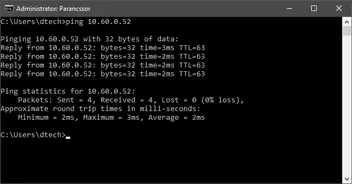
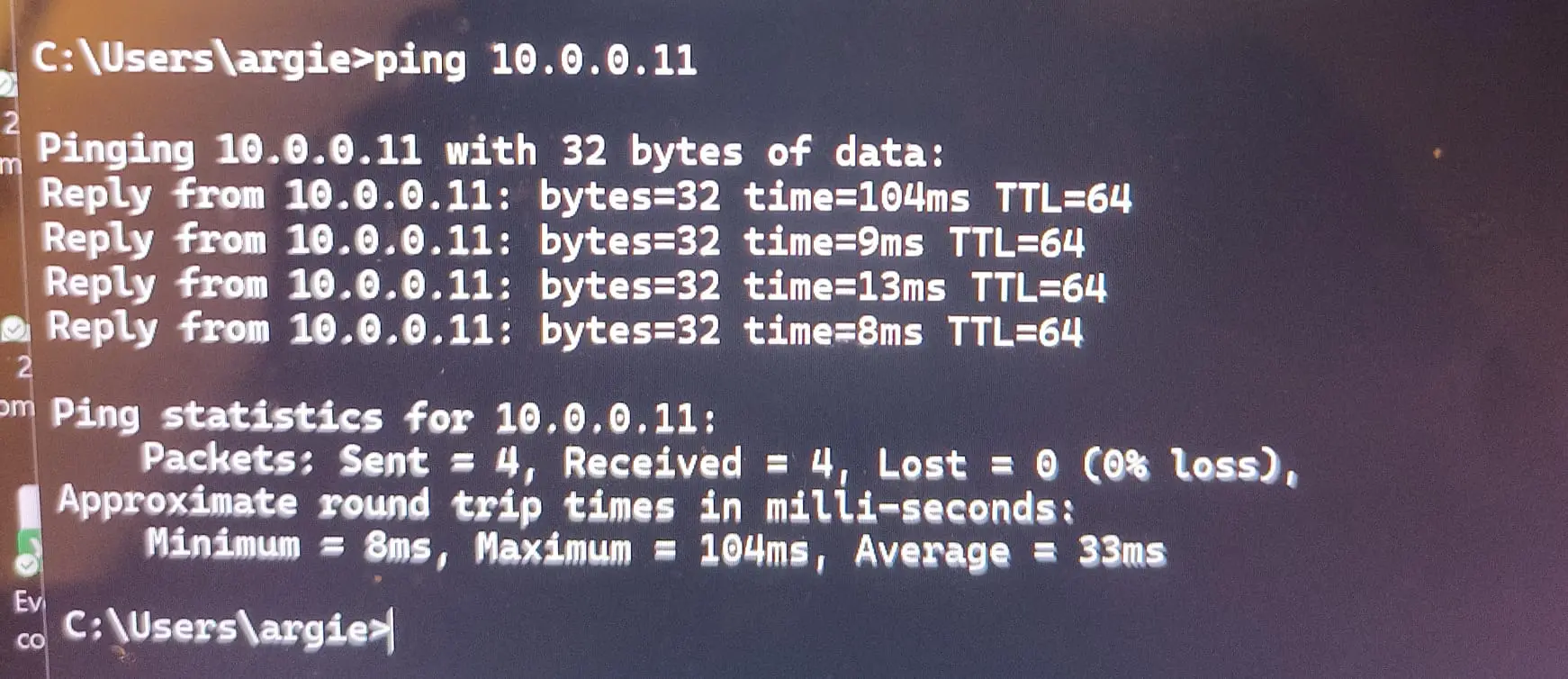
    3. Does it respond to a ping sent to the IP address?

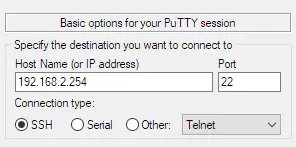
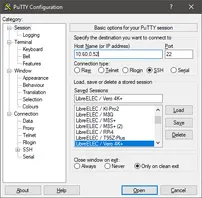
    4. I would also like a screenshot of the filled state of your SSH client before connecting, like this: