 Display More
LibreELEC Hades 1.2 is out
Download LibreELEC Hades 1.2: the image, the update file and the Windows installer.
More for the picture and for 3D, and fixes for what you reported after 1.1. Thank you to everyone who tested 1.1 and wrote here and in the issues.
The highlights
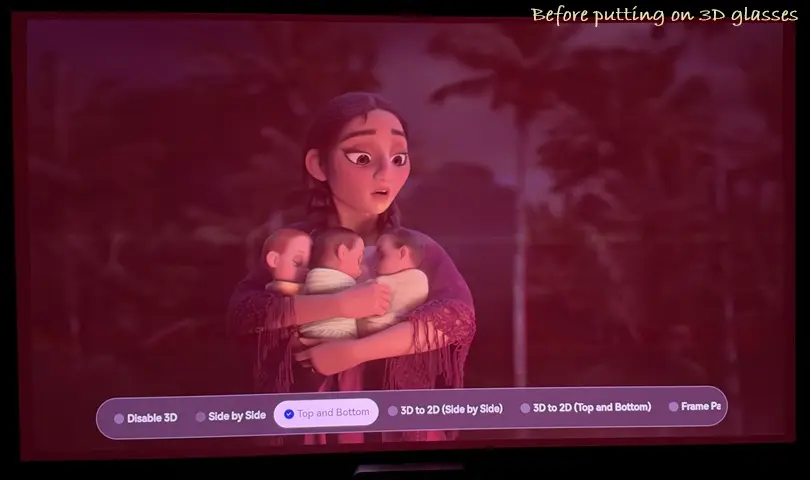
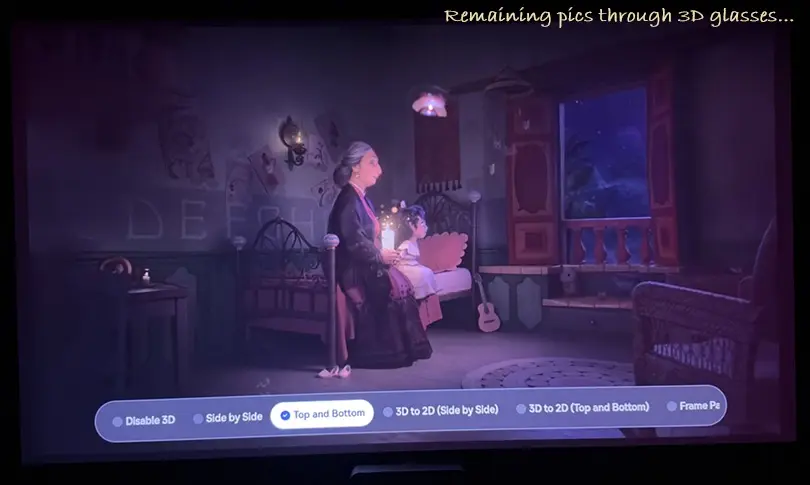
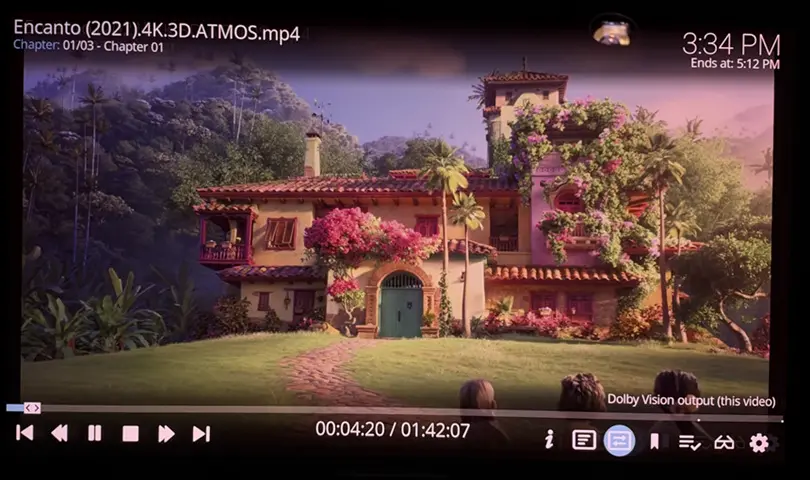
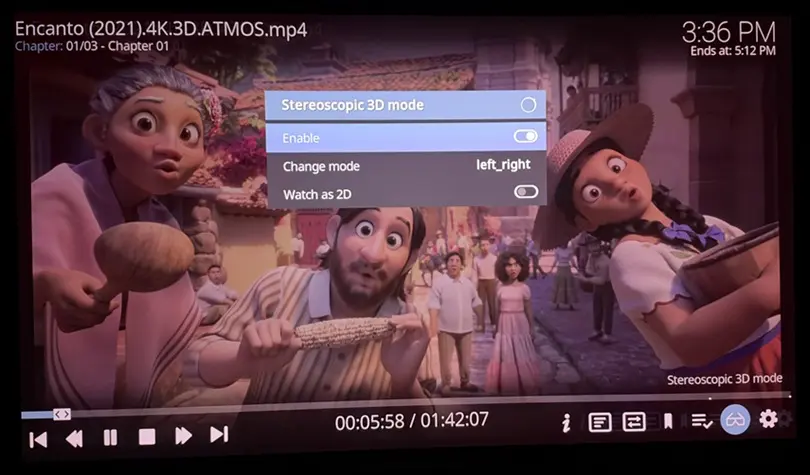
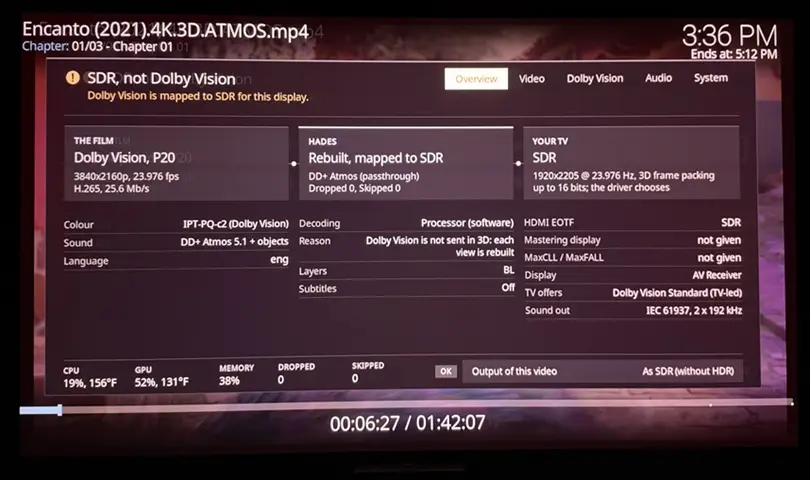
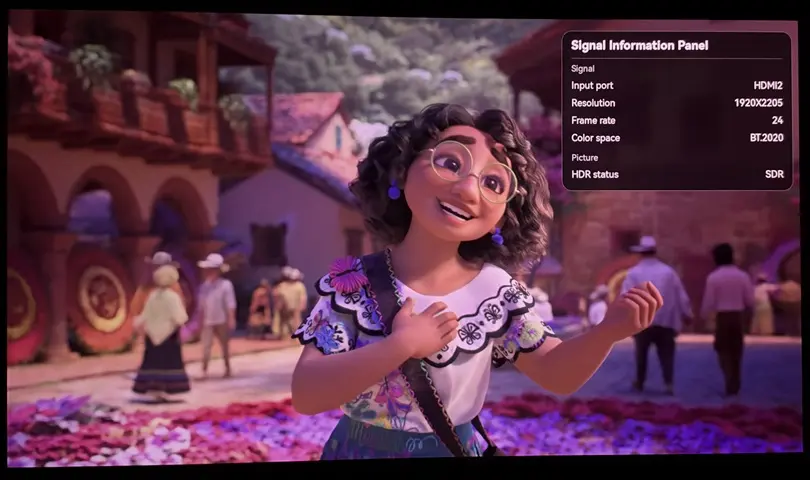
- 3D in MV-HEVC. The spatial videos of an iPhone or a Vision Pro, and 3D films made for the Vision Pro, in MP4, MOV or Matroska, play in 3D as a 3D Blu-ray does: frame packing, side by side or top and bottom. NVIDIA cards with driver 620 (Turing and later) decode both views on the card, other graphics on the processor. Subtitles and menus over a 3D video without depth data now sit just in front of the picture, and Dolby Vision 3D films (profile 20) play in 3D with their right colours.
- Filmmaker Mode by itself. While a video plays, Hades tells the TV over HDMI that it is a film (and a game that it is a game), so an LG with Filmmaker Mode Auto Start switches to Filmmaker Mode for the film and back for the menus. Not a byte of the picture changes, and the type changes only with a mode change that happens anyway. On by default.
- A projector that follows the film. For a home-cinema projector on your network (JVC D-ILA, Sony ADCP and SDCP, and ESC/VP.net), Hades selects the lens memory by the shape of the picture, for a wide screen with constant image height, and the picture mode by the signal: SDR, HDR10, HLG, Dolby Vision, 3D. System > Display > Projector control over the network, off by default.
- A 3D LUT for each display. The calibration of your display from Calman, ColourSpace, DisplayCAL or madVR (.cube, .3dl or .3dlut), one LUT for SDR and one for HDR, applied as the last step of the colour of the video. Each display keeps its own, so the LUT of the projector never reaches the TV. Never on native Dolby Vision, which the TV maps itself.
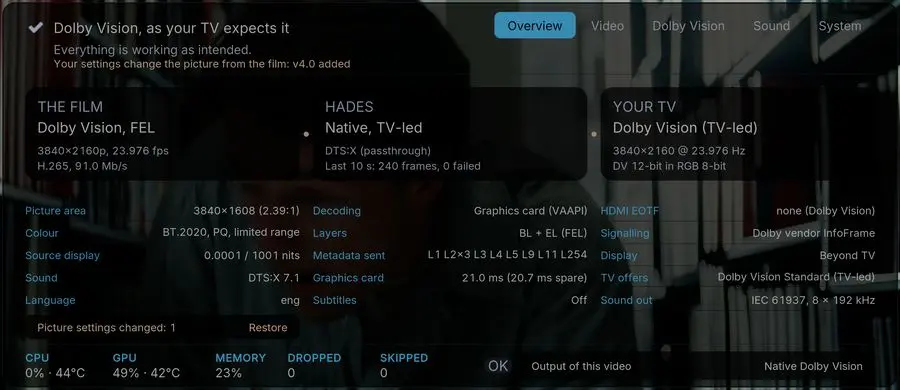
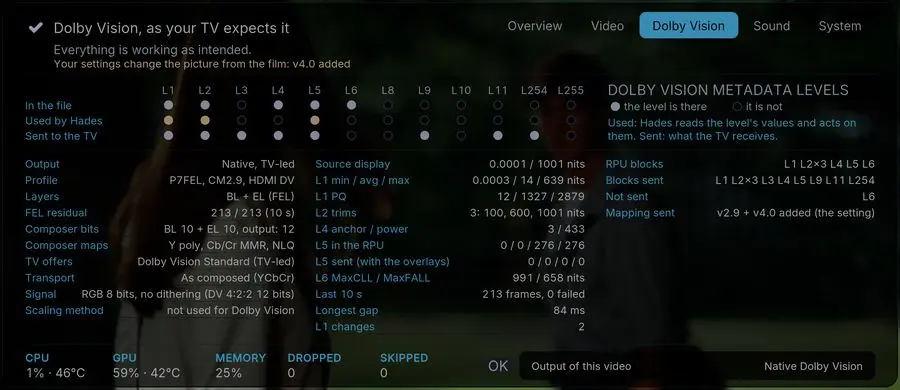
- The player information tells you more. While an HDR video plays, its first page names any setting of yours that makes the picture differ from the film, with a button that puts exactly those back. It says when frames are lost steadily and why, what content type the TV is told, and the GPU time of each pass. Hold Menu to open it from a remote without colour keys.
- Hades or a licensed player, on your own TV. Check this setup > Dolby Vision: Hades or licensed players (A/B) compares native Dolby Vision as Hades sends it and as licensed players send it, with a test clip made for it. Nothing changes unless you say so.
- Your display, and Share my results. A few questions at the first start (is it a projector, how bright, HDR as HDR or as SDR) set the picture for your display. Share my results makes one line with your PC, graphics, driver, display and the results of the last check, to paste here or in an issue, with no serial number, address or name of the PC.
- The display settings, in the order of what goes out: from the general to the fine, each setting right under the one it depends on. Every setting keeps its value.
- A truer picture: truer colour edges in every video that Kodi draws itself (the colour error goes down by 13 % on animation and 26 % on film), smooth gradients on 8-bit screens, subtitles in the black bars of wide films, HDR shown as SDR in BT.2020 or DCI-P3 for projectors that take it, and AiUpscale among the upscalers.
- Updates from Hades itself. From 1.2, Hades looks on GitHub every six hours for a newer version, tells you, and downloads and installs it after your yes. It takes a version only when it is signed with the key of LibreELEC Hades, newer than yours and whole. Looking sends nothing about your system. The first version offered this way is the one after 1.2.
- Fixes: Low-Latency is no longer shown as TV-led; the TV remote works as soon as CEC is connected, and a CEC line that answers nothing no longer holds up sleep or shutdown; kodi.log says what powered off, suspended or quit the PC, HDMI-CEC included; 3D Blu-ray in MKV plays in 3D in every form a file declares its second view; the player information names frame packing with its real size; Intel graphics with AV receivers that switch inputs; a start that stayed on the start picture; ASUS Xonar cards with NVIDIA; an SDR copy of every HDR screenshot; Dolby Vision shown as HDR10 or SDR keeps up on small graphics; and 8-bit HLG as Dolby Vision.
- Up to date: Linux 7.4-rc4, FFmpeg 9.1, Mesa 26.3.1, NVIDIA 620.73.04 and 580.196.11, the latest commits of Kodi 22 and LibreELEC master, and security fixes of OpenSSL, curl, FFmpeg, libass, BlueZ, Python, glibc and more.
Every change, with its details, is in the release notes and the changelog. What has been tested says what has been seen working, and on which hardware.Updating from 1.1
Your settings and add-ons are kept either way.
- With the Windows installer: choose the drive that has Hades, then "Update".
- Or copy the .tar file to the Update folder (the Update share over Samba, or /storage/.update) and restart.
From 1.2 on, Hades finds its next versions by itself. Two things you may notice: a saved "Use limited colour range" now reads Colour range: Limited (on AMD graphics with a TV that cannot select the range, set it back to Auto), and the display settings have moved, each with its value. The installer is the same program as in 1.1 and is not signed, so Windows may ask whether to run it.Tell me how it looks
If you have a 3D display, a home-cinema projector or a calibrated display, I would love to hear how the new features look on it. Share my results (Settings > LibreELEC > System > Check this setup) makes the line to post. For a problem, post here or open an issue with a diagnostic report: Settings > LibreELEC > System > Submit Log > Create a diagnostic report. A photo of the player information (O) helps a lot.Thanks to fandangos, whose measurements the A/B comparison rests on; to CroqueMr, whose build pointed to five fixes of this version and to 8-bit HLG as Dolby Vision; to SamuriHL, who found faults of the sound; to ht2tweak, whose Full SBS 3D Converter showed the colours of profile 20 and the eye of each MV-HEVC view; to YBLOD, for the idea of keeping variable refresh on TVs with AMD graphics; and to corgeone, for the measurements with an AV receiver. AiUpscale is the work of Alexkral, shipped unchanged. Thanks also to JonnyVee, lvasan, NTM-3D and MrPhenix007 for the requests this version answers. Every credit, with its source, is in CREDITS.md.
LibreELEC Hades 1.2.1 is out
Download LibreELEC Hades 1.2.1: the image, the update file and the Windows installer.
A short version after 1.2, with fixes for what you reported and a few things you asked for.
If you run 1.2, it finds this version by itself
1.2.1 is the first version that comes through the new update channel. A notice says "New version: Settings > LibreELEC > Updates". Open Available Versions and Hades shows 1.2.1, asks, downloads it and restarts to install it. It is taken only because it is signed with the key of LibreELEC Hades. From 1.0 or 1.1, update with the Windows installer or the .tar file, as before. From this version the files are named LibreELEC-Hades-1.2.1-Generic.x86_64.
What's new
- A 1D LUT for the calibration of a display, next to the 3D LUT: the .cal of DisplayCAL and ArgyllCMS, or a 1D .cube, alone or before a 3D LUT.
- The frame of the video, saved alone: Shift+Print Screen, or Save the frame of the video in the video settings of the player, saves the frame of the film without menus or subtitles, at its own size, with an SDR copy when it is HDR.
- HDMI 3D frame packing on NVIDIA: where the driver refuses the picture buffer of a frame-packed mode, Hades now draws the two eyes into buffers of its own, so that the mode can go out in frame packing instead of side by side.
- The remote wakes the PC: the receiver of a remote control (a flirc, a Media Center receiver) may now wake the PC from sleep, and Settings > LibreELEC > System > Sleep > Wake from sleep chooses what may.
- Dolby Vision sent in IPT takes much less work: each pixel is converted once and the PQ curves come from precise tables, with a picture even closer to the exact conversion.
Fixes
- A Dolby Vision 3D film (profile 20) keeps its colours after going back to 2D, and subtitles over an HDR video in 3D no longer leave old menus in the right eye.
- AV receivers that lose the HDMI link again while they settle, a DisplayPort link that the kernel reports as failed, and audio outputs that come and go.
New since 1.1? 1.2 came out just before this version and is the bigger one: 3D in MV-HEVC, a 3D LUT for each display, projector control over the network, Filmmaker Mode by itself, and updates that Hades finds and checks itself, along with many fixes. Updating to 1.2.1 brings all of it. What changed in 1.2
 Quote from MrMagic
Is it because you're using a different algorithm / path to do the conversion?
MrMagic Thanks for this one, it was worth it. Reading that code again for your question, one pixel of every pair was worked out twice, and the PQ curves were computed with exponentials and logarithms for every pixel. In 1.2.1 each pixel is converted once and the curves come from tables made in double precision: half the work in my measurements, with a picture even closer to the exact conversion than before. I can only measure it on a software renderer here, so I would love to hear how your 660M takes it now. As composed stays the default, with no conversion at all.
 Quote from ht2tweak
So, with MV-HEVC 3D (DV P20), you're getting there, but it isn't quite working yet
ht2tweak Thanks for testing it, for the video, and for pointing to the Disney VR releases for profile 20. Your settings show VAAPI, so on your graphics the two 4K views are decoded by the processor, and where it can't keep up the video goes on in 2D. In 1.2 a profile 20 film turned green and purple from that point, which looks like what your video shows. 1.2.1 fixes that: after the fall back to 2D the picture is rebuilt exactly as a 2D film. Your 1.2 should offer it by itself, so it is also a good first test of the new updater. If it still looks wrong, please make a diagnostic report and attach it here in the forum (I don't open files on external hosts).
Quote from ht2tweakthe SMB login/password change from LE default (not a fan on this; trips me up all the time)
Fair point. Samba is off in Hades, and when you turn it on it gets a password that the Services page shows; the same page lets you turn the password off if you prefer it the LibreELEC way. SSH is the same idea: while root still has the default password it only takes keys, which is why FileZilla said "no more authentication methods". Turn SSH off and on again in Settings > LibreELEC > Services and it asks for a root password; with one set, SFTP works. The Logfiles share makes a filtered log each time it is opened, so on a big log you see filtered-log-in-progress.txt first and the zip a little later. I'll look at making all of this easier to get along with.
 Quote from HomerJau
the best has been new Intel Wildcat Lake 304 cpu based
HomerJau Thanks for the tip. Hades has the kernel and Mesa for Wildcat Lake, but reading the EDID on it has not been seen on real hardware yet. If one of yours runs Hades, a Share my results line from Check this setup would be great.
NTM-3D Khazar this is the version with the frame packing change for NVIDIA. If you can, please try a 3D Blu-ray or an MVC file on your RTX cards with Adjust display refresh rate on, and tell me whether the display switches to frame packing. kodi.log says which buffer went out ("3D output: ...").

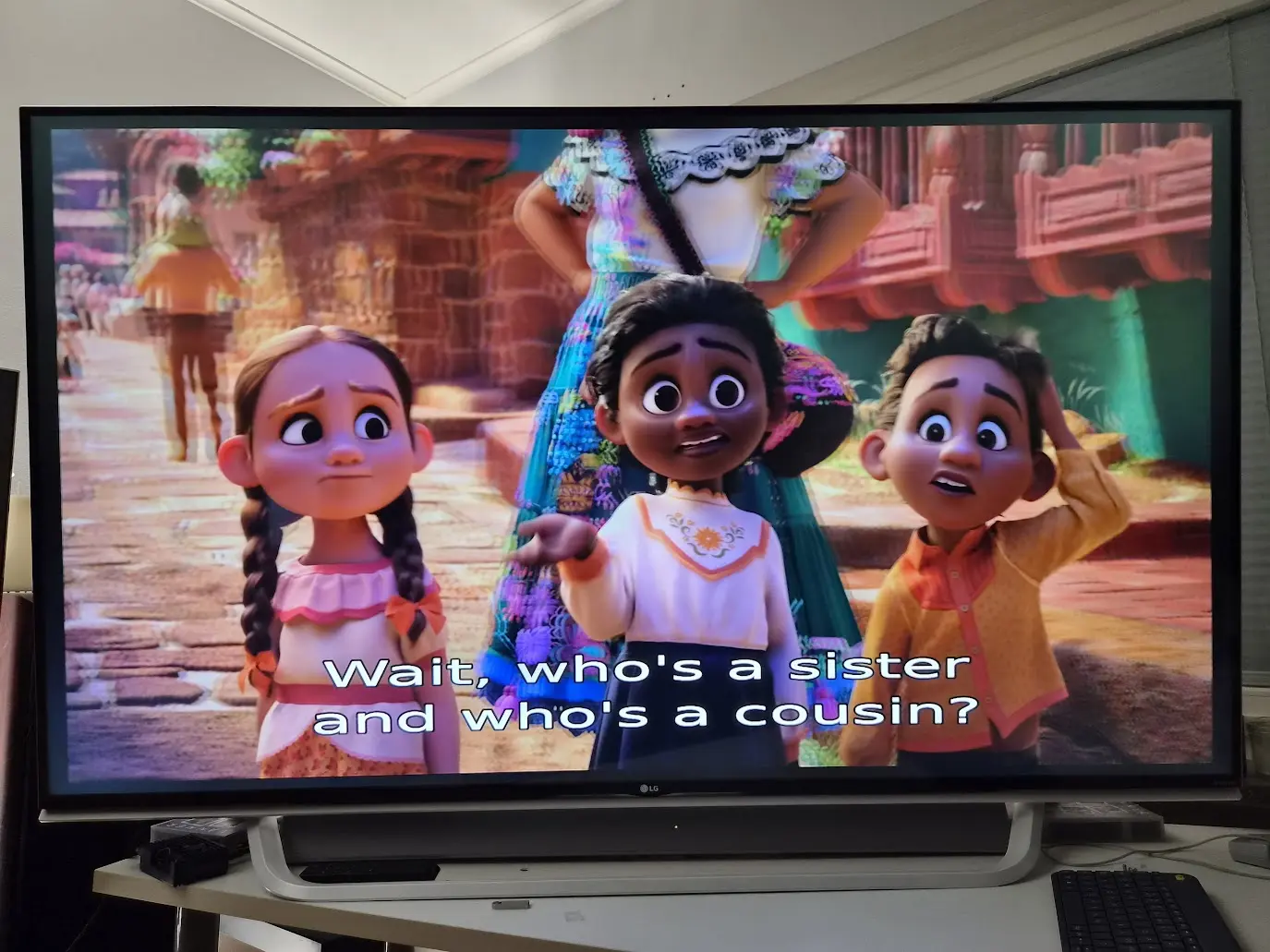


 and they are still malformed, so the size is not the only issue. The subtitles are not properly squeezed into the half sbs format, probably the same for OU.