Raspberry pi 5 2GB as 4K media player with atmos support to use with Denon x1800h

  • What I currently have is,

    Kodi installed on Hisense A71F and it outputs up to DD+ but no atmos due to tv only got ARC. But the Kodi interface lags. Play back is fine though.
    Kodi installed on xbox series x and it outputs atmos without issues. But I hate to use power hungry Xbox just to play atmos movies.

    I am trying to see how is experience with people who have used Raspberry Pi 5 with 2GB RAM as media player with 4K movies with atmos support?
    Can I expect snappy performance out of it?

    Thanks.

  • If you follow the 4K/HDR instructions in the wiki and run the GUI at 1080p so Kodi only switches to 4K for playback, and use a remote device that scrolls well, the overall user experience is very fluid. Use of pass-through audio for Atmos has no relevance to anything being “fast” in my (daily driving an RPi5 since before launch) experience.

  • If you follow the 4K/HDR instructions in the wiki and run the GUI at 1080p so Kodi only switches to 4K for playback, and use a remote device that scrolls well, the overall user experience is very fluid. Use of pass-through audio for Atmos has no relevance to anything being “fast” in my (daily driving an RPi5 since before launch) experience.

    Thank you.
    If you don't mind, could you link the "4K/HDR instructions in the wiki and run the GUI at 1080p"?

  • I have installed it and used it for few. Regarding the TV remote usage,

    On my other Kodi setups (on my TV and Fire Stick),

    If I press and hold the back button on remote it stop the play back and go to the previous screen. In libreelec, it simply leave the movie running in background. Can this behavior be changed?

    In other setups, I can press and hold the OK button on any movie name and get a context menu, where I can mark it as watched/unwatched etc. In libreelec, I cant get that menu when I try that, it immediately play the move. Any solution for this?

    I used central mariadb database for library management and thumbnails on my NAS. I created /storage/.kodi/userdata/advancedsettings.xml with below,

    What I noticed is, every time I restart Kodi home screen is blank. I have to ssh in and run "systemctl restart kodi" and library appears correctly.

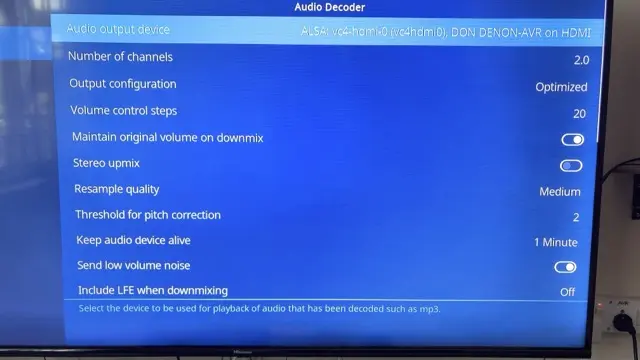
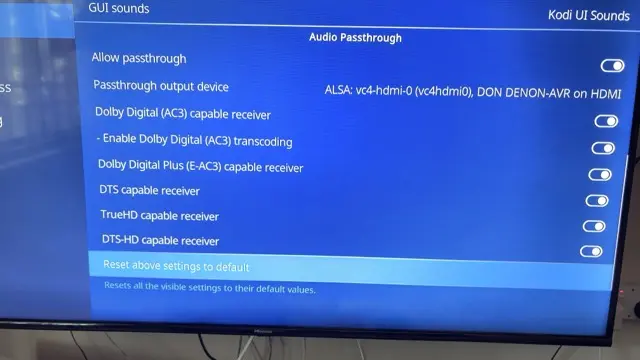
    Finally, Is below Audio settings correct to use with AVR,