WireGuard VPN Manager

  • WireGuard VPN Manager (LibreELEC)

    A lightweight, high-performance Kodi service add-on for LibreELEC 12+ (Kodi 21 Omega). This tool manages WireGuard connections natively via connmanctl, providing a faster and more stable experience than traditional OpenVPN-based add-ons.

    🚀 Features

    • Multi-Provider Architecture: Native, integrated routing support across NordVPN, Private Internet Access (PIA), and Custom manual profile frameworks.
    • Dynamic PIA WireGuard Handshake: Features an authenticated API endpoint handshake layer that automatically registers keys and parses split PGP signature tokens live.
    • Native WireGuard Integration: Interfaces directly with LibreELEC's network stack for maximum speed and minimal routing overhead.
    • Raspberry Pi 5 & 4 Optimized: Specifically tuned timing profiles and platform-specific network delay detection reduce VPN switching and recovery times for both Pi 4 and Pi 5.
    • Live API Country Selector: Replaced manual configuration ID inputs with a live, provider-driven multi-select context menu interface.
    • Space-Safe Service Matching: Space-to-underscore string normalization ensures 100% accurate tracking searches against complex ConnMan network names.
    • Automated Credential Ingest: Separate, validated import loops read plaintext .txt or .key data files, execute instant Base64 encryption processing, and run auto-updates.
    • Asynchronous State Shield: Centralized tracking flags inside /tmp prevent racing conditions and separate automated video plugin mapping sessions from manual menu overrides.
    • Smart Auto-Mappings: Dynamically switches VPN locations based on the specific Kodi add-on or folder currently being browsed.
    • 1Hz Physical Watchdog: A standalone systemd service monitors hardware carrier status every second for near-instant detection of cable pulls or link loss.
    • Auto-Healing Failover: Detects physical interface changes (Ethernet ⇆ Wi-Fi) and automatically resets retry budgets to ensure seamless recovery.
    • Stabilized Watchdog Settle: Fine-tuned delay metrics stop infinite connection loops during profile switches by allowing the interface routing table to normalize.
    • Silent Transition Engine: Seamless background profile switching handles link changes quietly to prevent stream stuttering or player window failures.
    • Aggressive Stream Recovery: Automatically kills "frozen" video players during network blackouts to prevent UI hangs and provide immediate error feedback.
    • Intelligent Throttling: Implements a "Safety Fuse" logic that stands down after 10 failed reconnection attempts to preserve system resources and API provider query limits.
    • High-Visibility Alerts: Enhanced Kodi notifications featuring art assets, ARGB colour formatting, custom audio cues (networkerror.wav), and persistent on-screen menu saving reminders.
    • IPv6 Leak Protection: Kernel-level hardening and dynamic DNS management prevent data leaks during VPN transitions.
    • Remote Optimized: Automatically maps F11 to trigger the VPN menu instantly from anywhere inside Kodi.


    If you already know what you're doing, grab the repository installer here:
    📦 Download Doemela Repo ZIP

    Step 1: Install the Repository

    1. Download the Doemela Repo ZIP file to your device (or use a USB stick).
    2. Open Kodi and navigate to Add-ons.
    3. Click the Box Icon (Add-on Browser) in the top-left corner.
    4. Select Install from zip file.
      • If prompted, click 'Settings' and enable 'Unknown Sources', then go back.
    5. Locate and select the repository.doemela-x.x.x.zip file.
    6. Wait for the "Add-on installed" notification.

    Step 2: Install WireGuard Manager

    1. While still in the Add-on Browser, select Install from repository.
    2. Choose the Doemela Repo.
    3. Navigate to Services > WireGuard Manager for NordVPN.
    4. Select Install.
    5. Once the installation is complete, the Setup Wizard will launch automatically to guide you through the initial configuration and token import.
    Quote

    Tip: Installing via the Repository is the recommended method. It ensures you receive automatic updates for bug fixes and new Raspberry Pi 5 performance optimizations as soon as they are released.


    Edited 2 times, last by Doemela (May 19, 2026 at 12:51 PM).

  • Great work, thank you.

    I've been hoping for something that would fill the gap left by the discontinued development of VPN Manager For OpenVPN.

    However, my use case would be for PIA.

    Any plans for a PIA (or other) variant, or tips to apply their tokens within your program structure?

  • Great work, thank you.

    I've been hoping for something that would fill the gap left by the discontinued development of VPN Manager For OpenVPN.

    However, my use case would be for PIA.

    Any plans for a PIA (or other) variant, or tips to apply their tokens within your program structure?

    Nothing planned, but it was in my head somebody would... will look into it, but I say this I will only do this kinda options, requests if the API of provider is public. Give me some time to get this ready for multi VPN providers I will contact you if I need anything to debug this like a token..., ... or if you capable you could debug a non-public version.

  • 📘 VPN Provider Integration Policy

    This page outlines the strict technical standards required for adding new VPN provider integrations into the WireGuard Manager addon.

    To keep this open-source project maintainable, fast, and free of architectural clutter, new provider integrations will only be considered if their backend infrastructure meets modern, clean development standards (like NordVPN).

    If a provider relies on messy, multi-layered, or dynamic handshake mechanisms, it will be rejected automatically.

    🟢 What We Accept (The "Good Stuff")

    We look for clean, predictable, and standard implementations. A provider will be considered if it features:

    • Flat Public JSON Endpoints: A single, publicly reachable URL that outputs a straightforward, flat list of servers, their target hostname IPs, and their active protocols.
    • Static Profile Generation: The provider allows the extraction of a permanent Private/Public key pair from your account dashboard. The configuration profiles can be compiled instantly on local storage without calling active background helper tools.
    • Standard DNS Compatibility: The endpoints respect standard WAN/LAN routing rules and allow clean public DNS routing inside the tunnel boundaries.

    🔴 What We Reject (The "Grief Standards")

    We will not spend days reverse-engineering closed, broken, or undocumented backend platforms. A provider is automatically disqualified if it uses:

    • Deeply Nested Regional Protocols: Massive, nested dictionary trees that force the add-on to spend valuable CPU cycles filtering across overlapping open-source protocols.
    • Dynamic Node Registration Handshakes: The infrastructure requires the addon to execute dynamic API requests over local server ports (e.g., hitting individual endpoint nodes on port 1337 to complete token handshakes). Port 1337? "Leet?" my ass—I am the leet! hacker doing all the heavy lifting to fix their broken certificate rules here.
    • Proprietary Network Blocks: The servers actively block standard data packet structures, or require internal fallback maps just to keep name resolution working.
    • Closed/Hidden Source Code: If your provider requires a proprietary, closed-source client app to connect or fetch profiles, it cannot be integrated into this native Kodi service.

    📥 How to Request a New Provider

    If your desired provider meets all the green-lit requirements above:

    1. Open a new Feature Request using the official issue form template on our GitHub.
    2. Provide direct links to the provider's official, open public API developer documentation.
    3. Provide a working sample of a raw, unedited JSON server-list array response.

    Requests that do not include working public documentation links or are missing the verified checklist will be closed automatically to keep repository history clean.

    Edited 2 times, last by Doemela (May 19, 2026 at 1:18 PM).

  • 🚀 [RELEASE] WireGuard VPN Manager v1.4.0 (2026-05-21)

    Hello everyone! We are proud to announce the stable release of v1.4.0 for the WireGuard VPN Manager. This update introduces a full multi-provider backend architecture, crucial hardware-specific enhancements for the Raspberry Pi 5, and significant reliability improvements to stop loop crashes.

    Special thanks to deepeefor the exhaustive User Acceptance Testing (UAT) on the Raspberry Pi 5 (8GB) and Pi 4 (2GB) under LibreELEC nightly builds!


    📋 What's New in v1.4.0

    🔑 Multi-Provider & Custom Backends

    • PIA Support: New Private Internet Access integration with dynamic WireGuard handshake generation.
    • Custom Configs: Added a "Custom" provider option to import your own raw manual WireGuard .config files.

    ⚡ Raspberry Pi 5 & Network Tuning

    • High-Speed Timings: Tuned internal processes specifically to match the fast hardware processing speeds of the Pi 5.
    • Hardware Detection: Added separate, automated calibration rules for the Pi 4 versus the Pi 5.

    🛡️ Crash & Loop Prevention

    • Watchdog Fixes: Optimized WATCHDOG_SETTLE_DELAY parameters to completely halt VPN reconnection loop.
    • Silent Reconnect: Background VPN switches now happen silently during video playback without popping up alerts.
    • Grace Period: Added an interface status grace buffer to block false "No Network" notifications during routing drops.

    🎨 UI & Code Enhancements

    • Smart Country Selector: Replaced confusing manual ID settings with a live, API-driven checklist window.
    • Improved Dialogues: Revamped user popup menus with native colours, alignment text, and custom artwork.
    • Setting Reminders: Reworked settings to display an explicit "Action Required" notice when changes must be saved.
    • Cleaner Storage: Moved temporary status parameters straight to the system /tmp directory to ensure cleaner operations.
    • No Blind Passes: Eradicated silent, unlogged try... except: pass loops across the entire engine codebase.
    • Search Compliance: Shifted legacy print functions to direct sys.stdout and sys.stderr stream writes to pass code verification checks.
    • Validation: Kodi Addon Check and Lint for best practices and solved found problems and warnings.


    🛠️ How to Install WireGuard VPN Manager

    Follow these clean steps to install the manager correctly. Installing via our official repository guarantees you will get automated bug fixes and performance updates immediately.

    📦 Step 1: Install the Doemela Repository

    1. Download the repo ZIP installer from the link at the bottom of this post to your local storage or a USB drive.
    2. Launch Kodi and head to Add-ons.
    3. Select the Box Icon (Add-on Browser) in the top-left section.
    4. Click Install from zip file.
      Note: If this is a fresh setup, click 'Settings' when prompted, turn on 'Unknown Sources', and press back.
    5. Locate and select the repository ZIP file.
    6. Wait on screen until you see the "Add-on installed" banner.

    ⚙️ Step 2: Install WireGuard VPN Manager[/size]

    1. Inside the Add-on Browser menu, click Install from repository.
    2. Select the newly added Doemela Repo.
    3. Navigate to Program add-ons > WireGuard VPN Manager.
    4. Click Install.
    5. When the file loading completes, a Setup Wizard will open dynamically on your screen to help you configure your provider credentials and import your tokens.


    💾 Download Link

    Ready to deploy? Grab the master repository installer directly from our package hub:

    📥 Download Doemela Repo ZIP Installer

    If you notice any unexpected errors or timing glitches on your device layout, please run a quick terminal check.

    The command below filters your log file to capture only our add-on's tags, uploads it instantly, and generates a short shareable URL. Run this single command in your LibreELEC terminal:

    Bash
    grep -i "service.wireguard.manager" /storage/.kodi/temp/kodi.log | pastebinit

    What happens: It pushes the filtered data straight to LibreELEC's default pastebin server and prints a clean link right inside your terminal window. Please share that link directly in this thread. Do not post full raw logs here!

    Edited 4 times, last by Doemela (May 21, 2026 at 2:16 PM).

  • I'd like to test out your work and Thank You. I hoped someone might tackle this issue. I have an RPI5 and 4. Is there any specific LE build I need to use or should this work out of the box on LE12.0.2?

  • I'd like to test out your work and Thank You. I hoped someone might tackle this issue. I have an RPI5 and 4. Is there any specific LE build I need to use or should this work out of the box on LE12.0.2?

    It runs on the stable LibreELEC 12.2 and @deepee runs it on Raspberry Pi 5 and Pi 4 with LibreELEC nightly builds. If you have trouble with it just send debug logs.

    Salute.

  • Try this one service.wireguard.manager-1.4.6~beta.1. Did you import or fill in username / password?


    Salute.

  • Progress..

    LibreELEC:~ # grep -i "service.wireguard.manager" /storage/.kodi/temp/kodi.log |
    pastebinit
    curl: (6) Could not resolve host: paste.libreelec.tv


  • Progress..

    LibreELEC:~ # grep -i "service.wireguard.manager" /storage/.kodi/temp/kodi.log |
    pastebinit
    curl: (6) Could not resolve host: paste.libreelec.tv


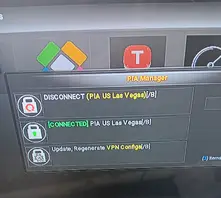
    Give me the all OK if you experience no other problems, as I have seen your screenshot this version is working.


    Salute.

  • I disconnected and tried again:

    https://paste.libreelec.tv/jerkwater-keenan.log


    Shows connected but no connectivity. My test is speedtest to show new ip and speed but no connection.

    Code
    2026-05-30 19:00:57.068 T:2672     info <general>: CAddonMgr::FindAddon: service.wireguard.manager v1.4.6~beta.1 installed
    2026-05-30 19:00:57.197 T:2778     info <general>: service.wireguard.manager v1.4.6~beta.1: Hardware timings loaded for Raspberry Pi 5
    2026-05-30 19:00:57.197 T:2778     info <general>: service.wireguard.manager v1.4.6~beta.1: Monitor Service Initialized & Ready
    2026-05-30 19:01:21.075 T:2676     info <general>: CAddonMgr::FindAddon: service.wireguard.manager v1.4.5 installed
    2026-05-30 19:01:21.238 T:2829     info <general>: service.wireguard.manager v1.4.5: Hardware timings loaded for Raspberry Pi 5
    2026-05-30 19:01:21.238 T:2829     info <general>: service.wireguard.manager v1.4.5: Monitor Service Initialized & Ready

    Did you uninstall v1.4.5 first? Because I see service.wireguard.manager v1.4.6~beta.1: installing (2026-05-30 19:00:57) and minute later service.wireguard.manager v1.4.5 getting installed again (2026-05-30 19:01:21).

  • No. Should I uninstall everything and start over?

    Yes, because v1.4.5 gets (re)installed automatic from the Doemela Kodi Repository and overwrite the v1.4.6~beta1 install from zip. If this beta version works it will be the next release in the Doemela Kodi Repository.