

flydt Please reply in this forum thread. If you continue to "report" the post and reply that way, a) nobody except admins can see the reply/report, b) you'll be receiving a temporary ban for annoying the admins with unjustified reports to review.

Legacy v9.2 (LTS) builds for Amlogic S805/S8X2, S905/S912 and all WeTek boxes
-
dtech -
February 7, 2021 at 2:33 PM -
Thread is Resolved
-
-
Please answer the question I asked: I created remote.conf for you a week ago, did you try it? If not, please do that first.
And if it doesn't work, please run a pastekodi and copy the generated link in your answer. Thanks.pastekodi get URL of:
https://paste.libreelec.tv/pumped-shrimp.log
thank you
-

This would be good because it loads the config, but according to the log you didn't press any button on your remote.
Now I don't see the most important thing, because if there was a problem with the config, there should be a line like this:So I need a pastekodi that also shows the event that occurs when the buttons are pressed.
Sorry, but without this information I can't do much. -
Pardon me for being a n00b here, but I have a T8 Plus box (Amlogic 64 A53 + S912) made by EZXstream (looks identical to the ones from Zoomtak and other brands) but nothing on it works anymore besides it booting. I'd like to find a way to resurrect it - and this thread seems to be relevant.
dtech - Is there a sticky / walkthrough for how I upload this device from its current version (6.0) to the latest available?
Essentially, I just want to get Kodi working on this so I can run The Loop or other media. Thanks!
-

Is there a sticky / walkthrough for how I upload this device from its current version (6.0) to the latest available?
Now I'm in a bit of a dilemma because from the information I found, the T8 Plus is equipped with the S812 SoC, and the T8 Plus 2 is the one with the S912. So which one do you have?
Edit: I assume that you really have a T8Plus-2 with S912, since Android 6 was not released for the previous model.
The opening post of this topic contains all the important information, from which I have highlighted the installation part. Otherwise, I highly recommend reading the entire post.
- Create bootable media (SD card or USB flash drive):
To create bootable media you need to download the LibreELEC-AML USB-SD Creator tool. Select the file you want to download and click the Download button, or click the Select file button and browse the previously downloaded disk image (*.img.gz). - Boot LibreELEC from your previously prepared bootable media:
If you want to boot the device from your bootable media, you need to perform the toothpick method first:
Disconnect the power plug, insert the prepared boot media, and then press and hold the reset button. Reconnect the power jack while holding down the reset button, then release it after about 3-5 seconds*.
* If the Android recovery menu appeared, you pressed the button for too long.
The RESET (Restore) button is on the right side of this box, near the WiFi antenna, based on the photos I found.
- Create bootable media (SD card or USB flash drive):
-
Hi, I have Minix (S8X2) X8H-Plus; I updated the system due to wifi issues (that still persists but it is what it is; might be interference with zigbee adapter)
The docker version in repos is older than it should be, if I understand it correctly. Services add-on versions:
- Docker 9.2.0.128- Dvb drivers for tbs 9.2.1.0
- Web ssh 9.2.0.100
This results in segfaults, likely glibc incompatibility? Is docker supported for minix x8h-plus? As that's basically the only thing I need on it (tailscale+homeassistant+zigbee; it was previously working before updating it after a ~year)OS release
-

This results in segfaults, likely glibc incompatibility? Is docker supported for minix x8h-plus? As that's basically the only thing I need on it (tailscale+homeassistant+zigbee; it was previously working before updating it after a ~year)
You guessed it perfectly well:
Due to the switch to GLIBC v2.34, all binary addons have been rebuilt. The main version of the add-ons has been changed from v9.2.0 to v9.2.1, so after the system update, the binary add-ons will also be updated. In addition, the default transfer protocol in the repository has also changed from HTTP to HTTPS.
All addons should update automatically, but it seems that your system attempted to query the repo hash file before your network connection was established. At least, this is evidenced by the fact that the RTC date still shows 2019 at that time, because the NTP sync did not occur either.
Code2019-04-11 16:29:01.220 T:2891973376 ERROR: CCurlFile::FillBuffer - Failed: Couldn't resolve host name(6) 2019-04-11 16:29:01.221 T:2891973376 ERROR: CCurlFile::Open failed with code 0 for https://libreelec.dtech.hu/packages/9.2.1/S8X2/arm/addons.xml.gz.sha256: 2019-04-11 16:29:01.221 T:2891973376 ERROR: Open - failed to open source <https://libreelec.dtech.hu/packages/9.2.1/S8X2/arm/addons.xml.gz.sha256> 2019-04-11 16:29:01.221 T:2883580672 ERROR: CCurlFile::FillBuffer - Failed: Couldn't resolve host name(6) 2019-04-11 16:29:01.221 T:2891973376 ERROR: CRepository: failed read 'https://libreelec.dtech.hu/packages/9.2.1/S8X2/arm/addons.xml.gz.sha256'You can manually trigger the repo update: Settings -> Add-ons -> Install from repository and select the LibreELEC Add-ons repository, and after pressing the menu button, select the Check for updates option.
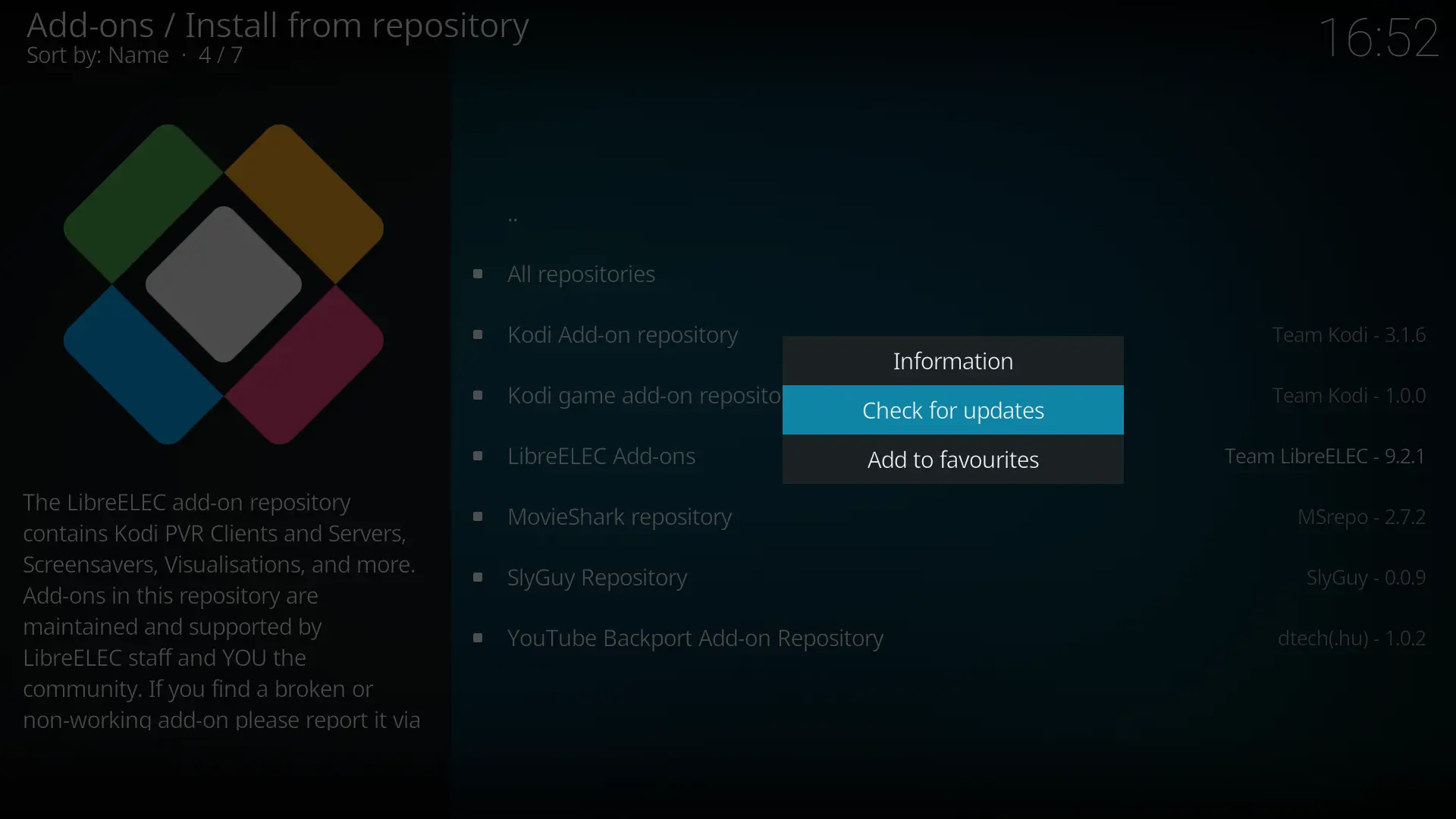
After that, the updates will appear and all binary addon versions should have a 9.2.1 version prefix.
-
ah, thanks, that worked.
I did try updating it manually and it just said no updates available - that was likely because of wifi issues. Better error messages would be nice but that's kodi ig.
thanks for your work and help -
This would be good because it loads the config, but according to the log you didn't press any button on your remote.
Now I don't see the most important thing, because if there was a problem with the config, there should be a line like this:So I need a pastekodi that also shows the event that occurs when the buttons are pressed.
Sorry, but without this information I can't do much.Hi dtech
today I try my 4 remote control by remote.conf, and get root cause why some remote no event in log
the left 2 remote can work by the method, but the right remote cannot work and have no event in kodi.log
while as all of them are functional, and I also test all of then in LE 12 with meson-ir
and I found that, the workd 2 with NEC protocol, and non-functional 2 with RC-6 protocol
it may caused because amremote or eventlircd not configured with all protocol support by default
to shared this experience
thank you
-
today I try my 4 remote control by remote.conf, and get root cause why some remote no event in log
It's nice that you suddenly show 4 remote controls here, but which one is the one whose code I tried to implement for you under amremote?
-
Hi there, I am a fellow RetroArch/Lakka user here, and I bought an Avov TV Online Ver. 2 box from a pawn shop during its closing sale, and I need to replace its proprietary operating system that is a heavily skinned, locked-down version of Android KitKat 4.4.2 after Avov Technology went defunct along with most of the apps removed from the MickyHop store, mostly because there are zero apps available to download and most of the apps that are downloaded on this box aren't working, especially Kodi and YouTube. Even the factory reset didn't help, as it no longer had access to live TV, VOD, and radio.
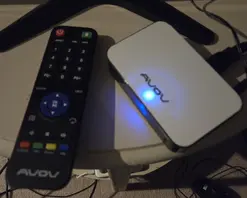
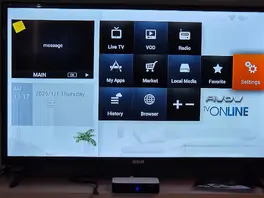
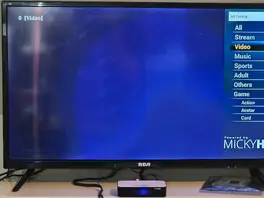
At least I've figured out a way to get to recovery mode after reading one of the forums.
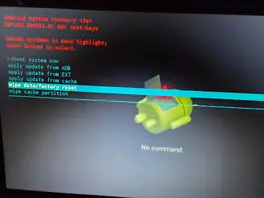
I also found out that this TV box had an Amlogic S805 SoC, which would be perfect for a LibreELEC Legacy v9.2 build. Full details for this TV box are below through the URL link.
-

I also found out that this TV box had an Amlogic S805 SoC, which would be perfect for a LibreELEC Legacy v9.2 build.
It may work, although you will probably have to find the remote control configuration or make it a new one yourself.
First try to boot from SD card, using the toothpick method. You can find the description in the opening post of this topic.
-
It's nice that you suddenly show 4 remote controls here, but which one is the one whose code I tried to implement for you under amremote?
the 4th one, philips small remote control
-
the 4th one, philips small remote control
Certainly not, because Philips does not use NEC code. If you actually tried that, I'm not surprised it didn't work at all.
-
It may work, although you will probably have to find the remote control configuration or make it a new one yourself.
First try to boot from SD card, using the toothpick method. You can find the description in the opening post of this topic.
I also need help with the remote control configuration for the box's remote to configure.
-
I also need help with the remote control configuration for the box's remote to configure.
If the image was successfully booted on the box, please press a few buttons on the remote control, then run the pastekodi command via SSH and copy the generated link here.
-
Somehow, the Avov remote for the box only makes red lights flash on my RCA LED TV and does nothing. I tried pressing a few buttons, but it didn't work.
-
Somehow, the Avov remote for the box only makes red lights flash on my RCA LED TV and does nothing. I tried pressing a few buttons, but it didn't work.
It will happen in the log, and I would specifically expect these lines:
Please follow my instructions, because without it we will only run unnecessary loops and will not make any progress in solving the problem.
-