

dale can you test please? https://jernej.libreelec.tv/images/h616/
code: https://github.com/jernejsk/Libre…allwinner-h616/
This wasn't tested on my side yet.

dale can you test please? https://jernej.libreelec.tv/images/h616/
code: https://github.com/jernejsk/Libre…allwinner-h616/
This wasn't tested on my side yet.
dale can you test please? https://jernej.libreelec.tv/images/h616/
code: https://github.com/jernejsk/Libre…allwinner-h616/This wasn't tested on my side yet.
Hi, I will test and let you know today. Thanks.
Hi jernej the analog audio and ethernet work with updated image on my vontar h618 box. Thanks!
LibreELEC-H6.aarch64-13.0-nightly-20261009-97d1943-beelink-gs1.img.gz
Gigabit ethernet was always broken on Beelink GS1, at least on my box. Could never hold more than a few minutes of sustained load, dying with transmit queue watchdog timeout.
Spent some time investigating, it seems this marvel of Shenzhen AZW Technology Co. engineering requires some additional tx delay.
/dts-v1/;
/plugin/;

/ {
    compatible = "azw,beelink-gs1", "allwinner,sun50i-h6";

    fragment@0 {
        target = <&emac>;
        __overlay__ {
            allwinner,rx-delay-ps = <0>;
            allwinner,tx-delay-ps = <200>;
        };
    };
};I have absolutely no idea on how to tune the actual tx-delay-ps value properly.
200 seems to work, box survived overnight iperf3 test with 5 TiB transferred and no link drops or errors in eth0 stats.
Did some tests, a few modesets on GS1 with 1440p monitor.
[email protected]    10bpc   RGB full

1920x1080@50       10bpc   RGB limited
[email protected]    10bpc   RGB limited
1920x1080@60       10bpc   RGB full
[email protected]   10bpc   RGB limited
1920x1080@120      10bpc   RGB limited

[email protected]    10bpc   RGB full      not in EDID, appers in Kodi after booting with video=HDMI-A-1:2560x1440@59
[email protected]                          modeset failure with black screen
[email protected]    10bpc   RGB full      not in EDID, appers in Kodi after booting with video=HDMI-A-1:2560x1440@61
[email protected]    8bpc    YUV422        not in EDID, appers in Kodi after booting with video=HDMI-A-1:2560x1440@100
2560x1440@120      8bpc    YUV422
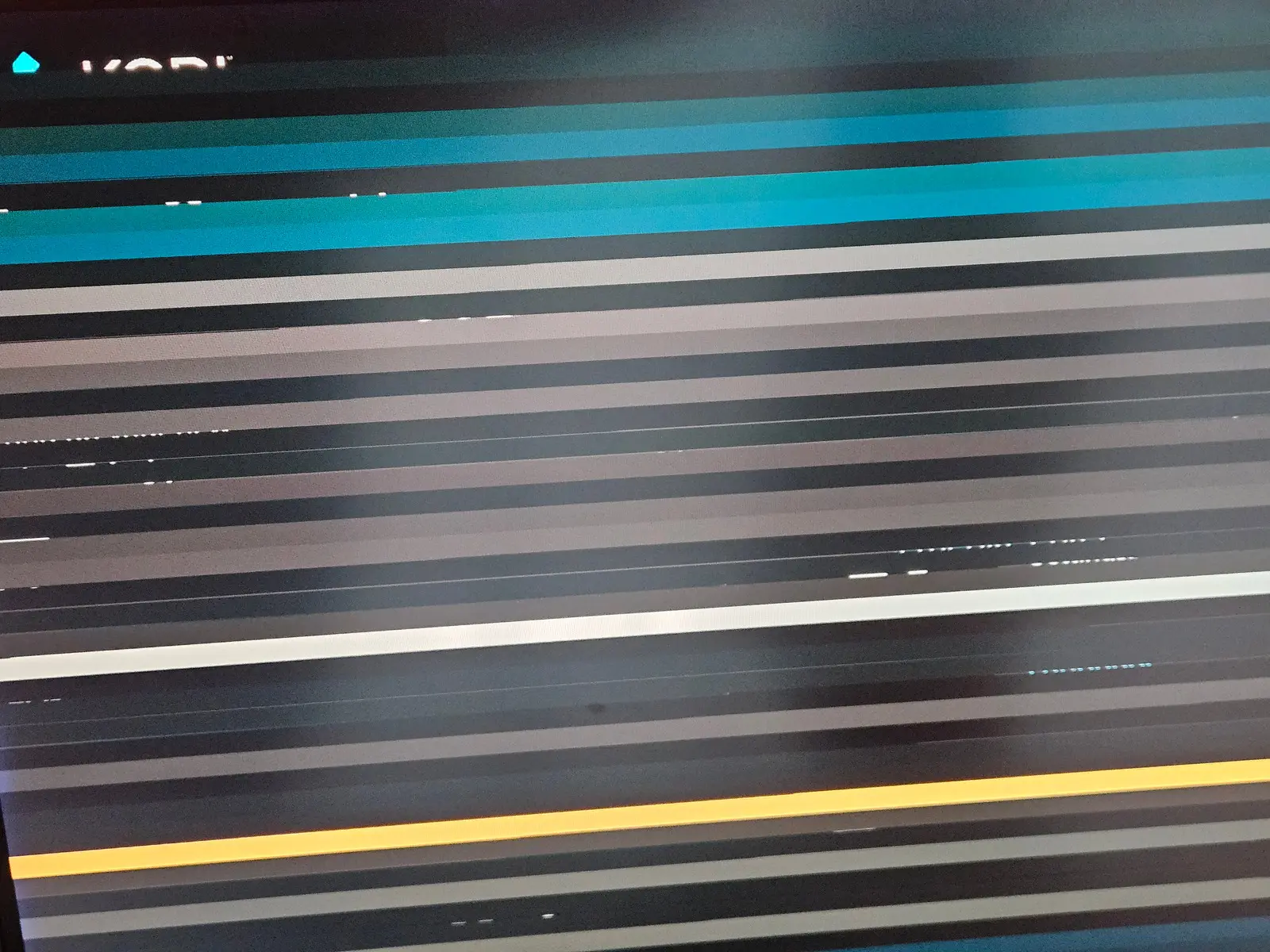
[email protected]   8bpc    YUV422        modeset failure with striped screen, OK after playing at least one video

[email protected]    8bpc    YUV422
3840x2160@60 8bpc YUV422Monitor EDID
Block 0, Base EDID:
  EDID Structure Version & Revision: 1.3
  Vendor & Product Identification:
    Manufacturer: AUS
    Model: 13043
    Serial Number: 21759 (0x000054ff)
    Made in: week 9 of 2021
  Basic Display Parameters & Features:
    Digital display
    Maximum image size: 71 cm x 40 cm
    Gamma: 2.20
    DPMS levels: Off
    RGB color display
    First detailed timing is the preferred timing
  Color Characteristics:
    Red  : 0.6845, 0.3046
    Green: 0.1894, 0.7333
    Blue : 0.1474, 0.0537
    White: 0.3134, 0.3291
  Established Timings I & II:
    IBM     :   720x400    70.081663 Hz   9:5     31.467 kHz     28.320000 MHz
    DMT 0x04:   640x480    59.940476 Hz   4:3     31.469 kHz     25.175000 MHz
    Apple   :   640x480    66.666667 Hz   4:3     35.000 kHz     30.240000 MHz
    DMT 0x05:   640x480    72.808802 Hz   4:3     37.861 kHz     31.500000 MHz
    DMT 0x06:   640x480    75.000000 Hz   4:3     37.500 kHz     31.500000 MHz
    DMT 0x08:   800x600    56.250000 Hz   4:3     35.156 kHz     36.000000 MHz
    DMT 0x09:   800x600    60.316541 Hz   4:3     37.879 kHz     40.000000 MHz
    DMT 0x0a:   800x600    72.187572 Hz   4:3     48.077 kHz     50.000000 MHz
    DMT 0x0b:   800x600    75.000000 Hz   4:3     46.875 kHz     49.500000 MHz
    DMT 0x10:  1024x768    60.003840 Hz   4:3     48.363 kHz     65.000000 MHz
    DMT 0x11:  1024x768    70.069359 Hz   4:3     56.476 kHz     75.000000 MHz
    DMT 0x12:  1024x768    75.028582 Hz   4:3     60.023 kHz     78.750000 MHz
    DMT 0x24:  1280x1024   75.024675 Hz   5:4     79.976 kHz    135.000000 MHz
  Standard Timings:
    DMT 0x52:  1920x1080   60.000000 Hz  16:9     67.500 kHz    148.500000 MHz
    DMT 0x15:  1152x864    75.000000 Hz   4:3     67.500 kHz    108.000000 MHz
    DMT 0x55:  1280x720    60.000000 Hz  16:9     45.000 kHz     74.250000 MHz
    DMT 0x20:  1280x960    60.000000 Hz   4:3     60.000 kHz    108.000000 MHz
    DMT 0x23:  1280x1024   60.019740 Hz   5:4     63.981 kHz    108.000000 MHz
    DMT 0x2f:  1440x900    59.887445 Hz  16:10    55.935 kHz    106.500000 MHz
    DMT 0x3a:  1680x1050   59.954250 Hz  16:10    65.290 kHz    146.250000 MHz
  Detailed Timing Descriptors:
    DTD 1:  2560x1440  144.033092 Hz  16:9    222.243 kHz    592.500000 MHz (708 mm x 399 mm)
                 Hfront    8 Hsync  32 Hback   66 Hpol P
                 Vfront   25 Vsync   5 Vback   73 Vpol N
    DTD 2:  2560x1440   59.950550 Hz  16:9     88.787 kHz    241.500000 MHz (708 mm x 399 mm)
                 Hfront   48 Hsync  32 Hback   80 Hpol P
                 Vfront    3 Vsync   5 Vback   33 Vpol N
    Display Range Limits:
      Monitor ranges (GTF): 48-165 Hz V, 30-225 kHz H, max dotclock 600 MHz
    Display Product Name: 'ASUS PG329'
  Extension blocks: 1
Checksum: 0x16

----------------

Block 1, CTA-861 Extension Block:
  Revision: 3
  Underscans IT Video Formats by default
  Basic audio support
  Supports YCbCr 4:4:4
  Supports YCbCr 4:2:2
  Native detailed modes: 1
  Video Data Block:
    VIC   1:   640x480    59.940476 Hz   4:3     31.469 kHz     25.175000 MHz
    VIC   2:   720x480    59.940060 Hz   4:3     31.469 kHz     27.000000 MHz
    VIC   3:   720x480    59.940060 Hz  16:9     31.469 kHz     27.000000 MHz
    VIC  17:   720x576    50.000000 Hz   4:3     31.250 kHz     27.000000 MHz
    VIC  18:   720x576    50.000000 Hz  16:9     31.250 kHz     27.000000 MHz
    VIC  19:  1280x720    50.000000 Hz  16:9     37.500 kHz     74.250000 MHz
    VIC   4:  1280x720    60.000000 Hz  16:9     45.000 kHz     74.250000 MHz
    VIC  15:  1440x480    59.940060 Hz  16:9     31.469 kHz     54.000000 MHz
    VIC  29:  1440x576    50.000000 Hz   4:3     31.250 kHz     54.000000 MHz
    VIC  30:  1440x576    50.000000 Hz  16:9     31.250 kHz     54.000000 MHz
    VIC  31:  1920x1080   50.000000 Hz  16:9     56.250 kHz    148.500000 MHz
    VIC  16:  1920x1080   60.000000 Hz  16:9     67.500 kHz    148.500000 MHz (native)
    VIC  63:  1920x1080  120.000000 Hz  16:9    135.000 kHz    297.000000 MHz
    VIC  97:  3840x2160   60.000000 Hz  16:9    135.000 kHz    594.000000 MHz
  Audio Data Block:
    Linear PCM:
      Max channels: 2
      Supported sample rates (kHz): 96 48 44.1 32
      Supported sample sizes (bits): 24 20 16
  Speaker Allocation Data Block:
    FL/FR - Front Left/Right
  Vendor-Specific Data Block (HDMI), OUI 00-0C-03:
    Source physical address: 1.0.0.0
    DC_36bit
    DC_30bit
    DC_Y444
    Maximum TMDS clock: 300 MHz
    Supported Content Types:
      Game
  Vendor-Specific Data Block (HDMI Forum), OUI C4-5D-D8:
    Version: 1
    Maximum TMDS Character Rate: 600 MHz
    SCDC Present
    Supports 12-bits/component Deep Color 4:2:0 Pixel Encoding
    Supports 10-bits/component Deep Color 4:2:0 Pixel Encoding
    Supports Auto Low-Latency Mode
  Vendor-Specific Data Block (AMD), OUI 00-00-1A:
    Version: 2
    Feature Caps: 0x03
    Minimum Refresh Rate: 48 Hz
    Maximum Refresh Rate: 165 Hz
    Flags 1.x: 0xe6 (MCCS)
    Flags 2.x: 0x05
    Maximum luminance: 118 (644.196 cd/m^2)
    Minimum luminance: 50 (0.248 cd/m^2)
    Maximum luminance (without local dimming): 118 (644.196 cd/m^2)
    Minimum luminance (without local dimming): 50 (0.248 cd/m^2)
  Colorimetry Data Block:
    BT2020cYCC
    BT2020YCC
    BT2020RGB
    Gamut Boundary Description Metadata Profile P0
  YCbCr 4:2:0 Capability Map Data Block:
    VIC  97:  3840x2160   60.000000 Hz  16:9    135.000 kHz    594.000000 MHz
  HDR Static Metadata Data Block:
    Electro optical transfer functions:
      Traditional gamma - SDR luminance range
      Traditional gamma - HDR luminance range
      SMPTE ST2084
    Supported static metadata descriptors:
      Static metadata type 1
    Desired content max luminance: 118 (644.196 cd/m^2)
    Desired content max frame-average luminance: 118 (644.196 cd/m^2)
    Desired content min luminance: 50 (0.248 cd/m^2)
  Detailed Timing Descriptors:
    DTD 3:  1280x1440   60.089673 Hz   8:9     88.993 kHz    123.700000 MHz (708 mm x 399 mm)
                 Hfront    8 Hsync  32 Hback   70 Hpol P
                 Vfront   27 Vsync   8 Vback    6 Vpol N
    DTD 4:  2560x1440  119.997589 Hz  16:9    182.996 kHz    497.750000 MHz (708 mm x 399 mm)
                 Hfront   48 Hsync  32 Hback   80 Hpol P
                 Vfront    3 Vsync   5 Vback   77 Vpol N
Checksum: 0x42 Unused space in Extension Block: 12 bytesTL;DR
1) Broken [email protected] and semi-broken [email protected]
2) Limited RGB in some but not all of 1080p modes
3) Way too conservative downgrade to 8-bit and YUV422. Theoretically, assuming HDMI 2.0, for this monitor everything up to 1440p@120 can be 10bpc+RGB, 4K@60 can be 8bpc+RGB
offbeat Test following image: https://jernej.libreelec.tv/images/h6/Libr…013-81ecad3.tar
it's build from https://github.com/jernejsk/Libre…inner-vp9-hdmi/
Note that it only fixes VP9 playback and should stabilize fractional display modes.
Test following image
VP9 is now working straight after reboot 
As for 1440p modes:
1) Every 1440p mode from EDID is now 8bpc+YUV422  But non-EDID ones supplied in cmdline like video=HDMI-A-1:2560x1440@61 are still 10bpc+RGBfull!
2) [email protected] modeswitch now works. No stripes in video playback.
3) 2560x1440@120 is fine on boot, in Kodi UI and in videos up to 1080p, but playback breaks to horizontal stripes on 4K videos.
4) [email protected] works in console, stripes in Kodi UI on first boot until some video played. Video playback is fine upto 720p, 1080p and 4K video playback breaks to stripes.
Also, in 8bpc+YUV422 modes there is a green vertical line on the left, probably first 1px wide column.