Posts by elel

    I would like to see (and hopefully you report ;) ) how your TV reacts to this - something that cannot be determined from the Kodi log - specifically whether the TV turns on and enables the forwarding of remote control commands to KODI.

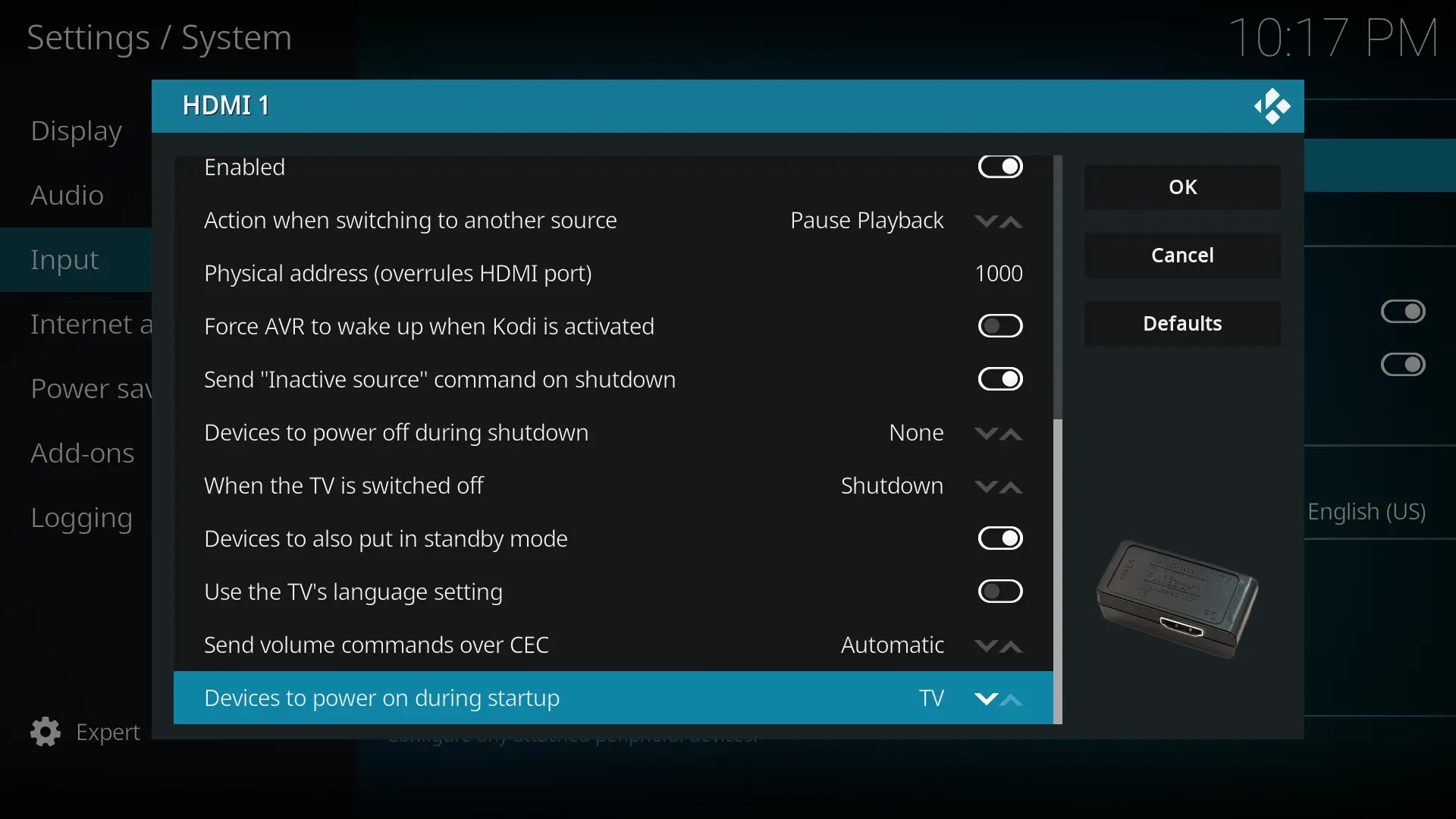
    First of all I changed When the TV is switched off from Shutdown to Ignore.

    I did several tests after that. reboot was working from the beginning and turned the TV on and the TV remote control was working. Using poweroff and starting the RPi by pressing the button, the TV was also always turned on but the first two times the TV remote control did not work. After these two times every further use of poweroff also made the TV remote control work.

    Instead, running cec-ctl -w -M and paying close attention to the messages displayed via SSH when the TV is turned on will reveal the CEC messages the TV sends out on its own.

    This is the log it produced. I added two comments to mark the sections where the TV was turned off and on. If you have an idea how to fix this with some magic script it would be very nice if you could share it with me.


    your setup and desire currently in conflict with that in some important details.

    Thank you and you're right, I read your first part again.

    The test I suggested has nothing to do with your final setup.

    Yes, I had understood it that way before.

    As you skipped the first test

    I will remove the master slave power outlet, SSH into the RPi and execute the second test in a couple of days. Please clarify what test you mean with "first test" so I will gladly test it too. If you refer to this test I have done it and my last logs belong to this test as I said.

    Thank you again for helping me. Panasonic is calling their HDMI CEC "VIERA Link" and I can't find any info about the version in the specification and manual of the TV so I don't know if the TV has CEC 2.0.
    I'm fine with the CEC specification because once everything works I don't want the RPi to power on the TV and I don't want the TV to always switch source to the RPi on HDMI 1 when the TV is powered on.

    Could you please check:

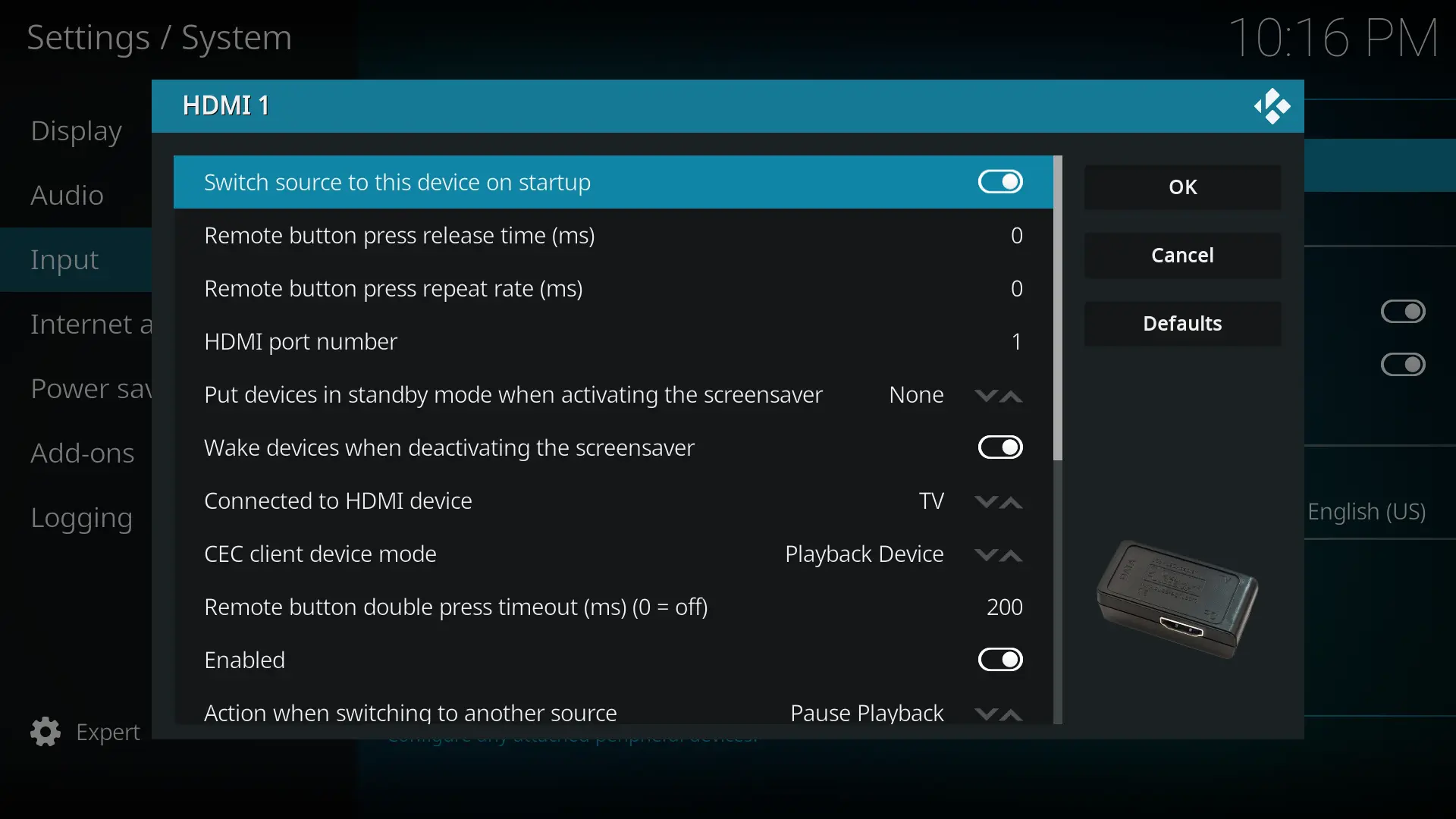
    Ensure Devices to power on during startup is set to TV -> Some variation of 'One Touch Play' or the first of the 2 commands only. /shrug
    Ensure Switch source to this device on startup is Enabled -> triggers the <Active Source> message
    If not already done, switch the TV to HDMI1 (where the RPi is physical connected to)
    Power off TV via remote control
    Restart the RPi4/5 (via SSH) or perform a cold start.

    I'm using a master slave power outlet for the TV (master) and RPi5 (slave). The TV is in standby mode instead of completely off to trigger the current threshold correctly iirc. If I turn off the TV using the TV remote the RPi shuts down and has enough time to perform a clean shutdown before it loses power.
    So because of that I always perform a cold start with the RPi using the TV remote as you want me to ensure.
    All other steps are also fulfilled and are what I did and what the log from my previous post shows.
    That's the reason why I don't need TV in the Devices to power on during startup option because when I use the TV remote to start the TV (master) the TV is already on before the RPi and after that the RPi is starting as slave.

    If dd was used correctly

    I used sudo dd if=/Path/to/LibreELEC.img of=/dev/sdX status=progress conv=fsync when I encountered the "Could not mount error".

    Do you think there's anything wrong with it if I use it for LE and the SD card already had partitions on it? If so it would be nice to have a hint on the wiki I think because there's no LibreELEC USB-SD Creator for GNU/Linux.

    Code
    *** Error in mount_flash: mount_common: Could not mount UUID=... ***
    ### Starting debugging shell for boot step: mount_flash... type exit to quit ###

    General advice for future readers who use dd and get this error:
    Format your SD card before using dd to flash the image to the SD card. I got this error because of old partitions that I forgot to delete before flashing.

    or was it written to technical by me and you skipped that?

    Great to have you in my thread too now. I tried getedid delete as you suggested on my RPi5 with LE12 but it didn't solve the problem.

    • HDMI 0/HDMI-A-1 (port nearest to USB) Pi5 -> Panasonic TV HDMI port 1
    • Other HDMI components like a HDMI splitter, HDMI switch, AVR, Soundbar or a device for fancy LED ambilight are not involved, right?

    Please post the current settings of your CEC Adapter within KODI GUI of the LE 13.

    Correct and correct.

    If I set Devices to power on during startup to None then Switch source to this device on startup gets automatically disabled after reboot. So I set it to TV again because you suggested to activate the startup option in the other thread. Later I don't want the TV to switch to KODI when powered on but for now I let it activated. I tried many more combinations in the HDMI 1 CEC options but none have worked out. I disabled HDMI 2 CEC that appeared since LE13.

    My previous logs were from my RPi4 so here are the new logs from RPi5 with LE13.
    I have pressed a few buttons at 2026-09-22 22:20:36.301 T:865 which didn't work and switched source to TV and back to HDMI1 at 22:21 o'clock and CEC started working correctly.

    Hello and thank you very much for developing libre software.

    Controlling my RPi5 with the TV remote via CEC doesn't work if I power on the TV and the HDMI channel that the RPi is using is already selected (HDMI1).
    If I switch the source from HDMI1 to TV and back to HDMI1 it starts working.
    With my old RPi4 and LE9.2 it was working flawlessly before. So I tried different versions on the RPi4 for testing purposes and flashed LE 10.0, 11.0, 12.0 and 12.2.
    All versions newer than 9.2 had the very same problem as described above. In the end I flashed 9.2 again and everything was working again.
    There is no 9.2 image for RPi5 that I can test.

    "[...] powering everything down, disconnecting cables, leaving everything for 20 mins" as described in this thread didn't help.

    In KODI.log with additional CEC info enabled I see an EDID error. For the log I started the TV with HDMI1 as selected source, pressed a few buttons on my TV remote which apparently did nothing at 15:19 o'clock and switched to TV and back to HDMI1 at 15:20 o'clock and it was working again.

    Maybe it's unrelated but sometimes when the TV source is set to TV when starting the TV and I switch to HDMI1 later I get no picture at all.

    Do you have any idea to solve this problem?