
1. Did the alternative solution from dtech - worked like a charm, but some of the buttons didn't work on the remote. I figured it might be because I didn't press all of them before doing the "postkodi" command and it might be difficult to get the right calibration without all of the inputs.
A single button code would have been enough for me, because I only needed the vendor code, and I rewrote the codes based on the factory remote control code list to match Kodi layout, but a few of them are not standard, but most of the buttons are, and they work in theory. It still took me more than half an hour to create the config, so please don't expect more from me.
Check the code list in an editor (the function is after the "#"), and if any of the list doesn't work, please let me know. It's possible that I mistyped one and didn't notice, since I can't test it without a similar remote control.
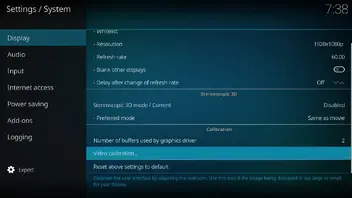
2. I also noticed that my Kodi screen is "cut off". it's like it's zoomed in too much or stretched out and I need to bring it back into scope.
If you are using HDMI, look for overscan in the TV menu and reduce its size to 0. If you are using CVBS, you will need to perform a display calibration.
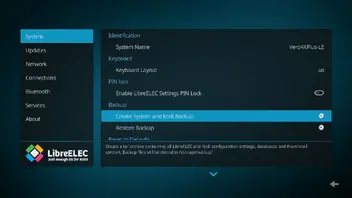
3. I installed OpenWizard and tried to restore my previous backup, but it failed. I checked the log and it said due to insufficient memory. So I started over with a much bigger flashdrive, pressed every button on the remote, and did the paste Kodi.
These solutions should be avoided. Under LibreELEC, only use LibreELEC settings to create backups, and only use them for the current version and device. Migration between different versions and platforms is not possible.