Posts by CroqueMr

    - Activate Standard DV: 90+ drops
    - Disable DV support: No drops (indeed like the latest nightly).
    - Convert DV to HDR10: 90+ drops

    Went ahead and tried with 59.94 with pulldown, no drops on any of the modes.

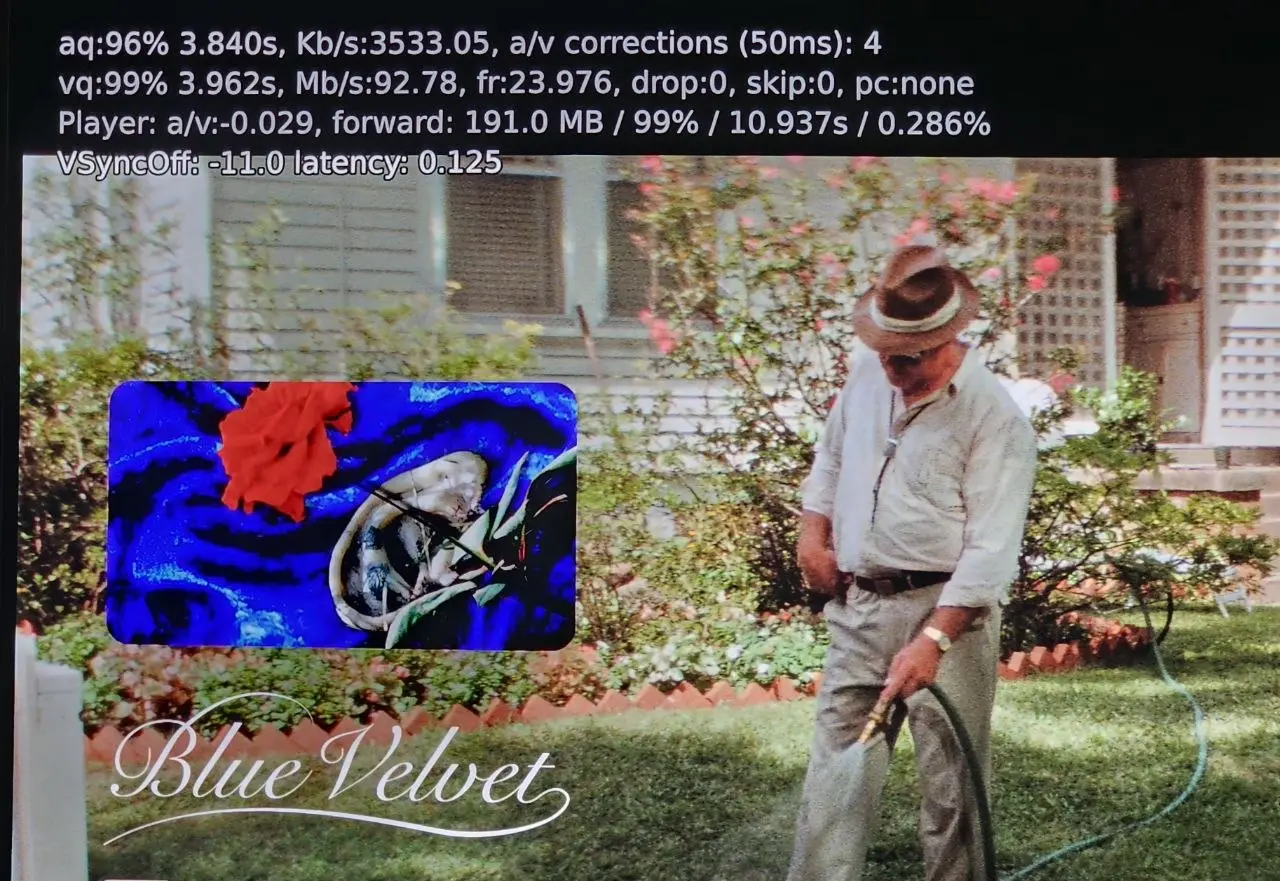
    Just one detail: I'm always using simplified statistics display, not the pretty one enabled with "O". This one apparently is one video layer too much and causes 30+ drops even on Convert DV + pulldown.

    Thanks a lot for the very quick feedback.

    You can disable the new playback information in the menu, right under the Dolby Vision mode. This is a pre-release version, so I'll be adjusting and optimizing it,it won't stay like this.

    Thank you again for the feedback, it's very useful. The issue isn't at the kernel/driver level, otherwise we wouldn't see drops on the DV to HDR10 conversion. The drops are occurring earlier, in the rendering stage.

    I just tested it. No frame drops playing at 23.97Hz on the latest nightly.

    Thank you and last test that will be helpful.

    If you go on the pre-release build R0.3.0 in github, you have in the settings the possibility to Activate DV support or disable the DV : 3 modes exists in Players settings.

    - Activate Standard DV (same support as R0.2.1a)

    - Disable DV support (supposed to be the same as KODI 22 Beta 3)

    - Convert DV to HDR10 (Convert DV to HDR10 with FEL reconstruction)


    Can you try every mode and tel me if you see any drop?

    Sorry the for manipulation.

    Thanks for the logs,

    It's hard to tell what's causing this, as it doesn't clearly show up. I'll audit my drivers and might ask you for another log later unfortunately. Could you confirm whether you get any dropped frames on the latest LE build when playing the exact same file that falls back to HDR10?

    I'll get back to dev work this weekend, I need to get back to my job now.

    In parallel, I'm working on DV to HDR10 conversion and I have something VERY cool in mind, I think we can push things much further than what's currently available.

    My goal is to reproduce the Dolby Vision rendering as accurately as possible while outputting standard HDR10.

    The renderer would use the full Dolby Vision metadata set, including the scene analysis, content mapping information and L2/L8 target trims, together with key characteristics of the actual display, such as peak brightness, black level and color gamut.

    The idea is to perform the display mapping on the GPU for that specific TV, the resulting HDR10 image gets as close as possible to what the same display would have shown through a native Dolby Vision rendering path. I will try to retrieve these parameters automatically from a database using the TV model detected through EDID. If your TV isn’t found, you’ll be able to enter them manually.


    EDIT : and also some information about the development and support :

    - Good news: I found a cheap N95 Mini PC, which will become my main Intel development platform. My goal is to focus primarily on Intel N95/N100/N150 series. these CPU are affordable, efficient and could become a real alternative to Android boxes, while potentially being cheaper, more powerful, and much more flexible. Prices have gone up recently, but they are still very interesting platforms.

    - More good news: I’ll also be able to start working on AMD x86 drivers much sooner than expected, using my 7430U system as the main AMD development platform.


    I went ahead and did some more testing on the R.02.1a-opt1.
    Tried USB as source, did not change anything. Still 90+ frame drops.

    BUT, disabling 4K 23.97Hz as valid refresh, white-listing 4K 59.94 and enabling 3:2 pull-down resulted in zero drops in rendering.

    I do not know what to make of this, heh.

    Intersting, I will investigate this WE. I pushed a pre-release the R0.3.0 (one DV to HDR10 conversion output is not finished to consider this as a release) but I have enriched a little bit the log. Can you reproduce the whole setup you describe and send me back the log file.

    Still getting a dropped frame about every second w/FEL rips w/R0.2.1a-opt1. Didn't test MEL.

    N150 has solid horsepower though to play things most Amlogic boxes struggle with, like a 35Mbps 4:2:2 MPEG2 C-Band capture I have, and a 8K/24p AV1 HDR re-encode sample of 'Top Gun: Maverick'. It has has no trouble playing an 8K SDR 60p clip downloaded off YouTube.

    Can you please share the log? did you try to be on ethernet?

    I started looking into the logs of w46n3r who's also getting frame drops every second on a FEL playback with an N100. I don't think it's coming from a saturated GPU, but I suspect the network connection and SMB. I'm going to push a release with slightly more detailed logs to have a better understanding.

    Yes, I am on the R0.2.1 release, and I am using a Mini PC with a 13th Gen Intel Core i7-1360P.

    Also, I want to thank you so much for your incredible work and effort—no one has ever done this before, it's truly a groundbreaking project! and I really appreciate all your hard work. I hope you keep up the support and continuous updates.

    Lastly, if possible, would it be feasible to add or integrate Dolby Vision processing options/codes similar to CoreELEC's Player.process/video.dovi settings? Thanks again for everything.

    Thank you, I’m just happy to contribute. Your iGPU is similar to mine and considerably more powerful than the N100, so the heavier logging should be less of an issue. I’d still recommend updating to the latest version.

    Regarding information similar to CoreELEC, I’m not very familiar with exactly what it displays. But details like the DV profile and CM version should be straightforward to expose, since I already have them in the logs.

    As for playback options, I’m currently focusing on standard, TV-led Dolby Vision. Adding LLDV (player-led) would be a substantial project. The player need to handle the display mapping currently done by the TV. That could increase GPU load and make things harder for small Intel iGPU. The main benefit would be compatibility with old TVs that require player-led DV and can not perform the display mapping. That said, I’m less familiar with LLDV, so there may be other use cases or benefits

    For me, the most interesting Dolby Vision processing features are:

    • Baking DV into HDR10
    • Generating HDR10+ metadata from DV

    As far as I know, CoreELEC doesn't support this. With a stronger GPU on x86, we actually have the performance headroom to experiment with this kind of workload, and this challenge drives me more. But if you seen more usefull usecases to cover I am listening.

    Nice... now the "DV FEL All Layers Test" plays as it should, colors, the actress, the whole thing seems to work and not one frame was dropped on the N100.

    I know performance wasn't the focus of the update but I went ahead and tested "FEL TEST ST DL P7 CMV4.0 4000nits V4.mp4" anyway and the 90+ frames are being dropped as before.

    I just released version R0.2.1a. It fixes the heavy log file build I implemented that was ruining performance and feed storage like never before, please de not use it anymore, I will remove this version from github.


    The R0.2.1a might fix your issue, though I doubt it. Could you test it and send me the log file so I can see what is going wrong, as well as your test file? for me your issue is not a performance issue, something is wrong.

    That was fast, thanks! Good news: the lady at 80s FEL clips now play properly. Bad news: Lots of dropped frames w/FEL movies... debug log w/component level logging here.

    External Content youtu.be
    Content embedded from external sources will not be displayed without your consent.
    Through the activation of external content, you agree that personal data may be transferred to third party platforms. We have provided more information on this in our privacy policy.

    Thanks again for the feedback

    At first glance, it's just the N100/150 hitting its performance limit, and my huge logs aren't helping. I wrote a quick and dirty implementation, not realizing it would generate so much data. I'll clean up those heavy enriched logs and target them much more precisely.

    I think removing them should stop the drop

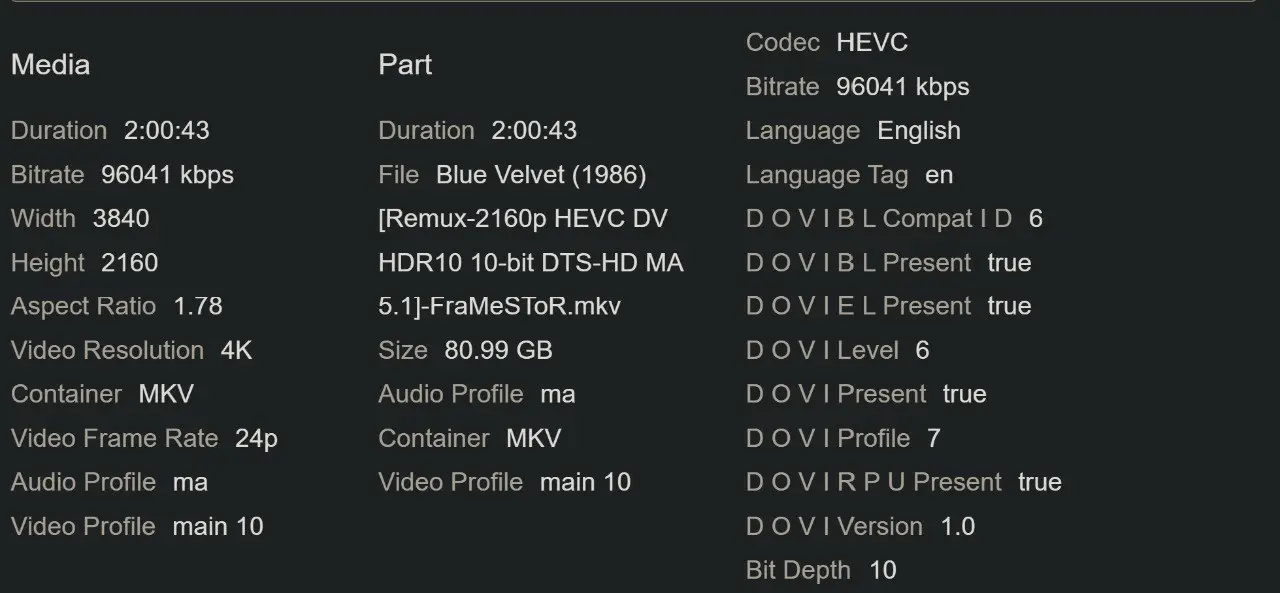
    I just tested the exact same movie. As you can see in the attached screenshots, I don't have any dropped frames. The playback is flawless for me. By the way, I follow your YouTube channel—thanks for all your hard work and the helpful videos you provide!

    Are you on the R0.2.1 release or an older one? and what CPU do you have?

    For later... someone asked in my YT video comments if HDR10+ is possible?

    I saw that comment I think I answer directly in your video.

    Yes I can add HDR10+ and I even could generate a HDR10+ render from DV metadata on the fly.
    But I don't have any HDR10+ screen :S so it will stay theoretical.

    But I will work to bake DV into HDR10, it will be not complicated since ffmpeg has all function already in place

    Otherwise I pushed an update for the FEL that wasn't working it was quicker than expected, normally the test that failed should pass now, the release is R0.2.1-opt1

    Just tried it. Unfortunately it seems it did not change anything (at all) for the 2 minute file I tested. It keeps dropping somewhat around 90+ frames in total. I even increased the power limit in the BIOS to 25w to see if it improved anything but to no effect.

    As for profile 10 AV1, it plays fine with no drops at all. At least on the test file I have (Old Harrison Ford in a boat, I do not know from what movie it is). This file was already running ok on the first version you released.

    As for the DV FEL All Layers Test, it is a complete failure here. It seems to render just the first frame with no colors at all and it stays frozen forever at that image (but continues to play... even after the end of the video).

    It was quicker than expected the new version is available on github R0.2.1-opt1 it should fix a lot of your issue with the FEL layer. https://github.com/CroqueMr/intel-dv-libreelec/releases

    Just tried it. Unfortunately it seems it did not change anything (at all) for the 2 minute file I tested. It keeps dropping somewhat around 90+ frames in total. I even increased the power limit in the BIOS to 25w to see if it improved anything but to no effect.

    As for profile 10 AV1, it plays fine with no drops at all. At least on the test file I have (Old Harrison Ford in a boat, I do not know from what movie it is). This file was already running ok on the first version you released.

    As for the DV FEL All Layers Test, it is a complete failure here. It seems to render just the first frame with no colors at all and it stays frozen forever at that image (but continues to play... even after the end of the video).

    Ty for your feedback, I saw two problems on the FEL reconstruction thanks to ht2tweak, a fix will be pushed tomorrow I think and hope it will fix your issue.

    Yes, it should work, although I don't see much practical use for software decoding when hardware decoding is available.

    My DV reconstruction and rendering use the GPU standard graphics/compute pipeline through libplacebo.

    I don’t plan to implement a fully SW DV renderer. The work necessary is massive to do it, and I don’t see much practical benefit. Almost every modern consumer CPU has a capable iGPU, and CPU with iGPU too weak for my current DV renderer are unlikely to have enough CPU performance to handle the same workload in the CPU anyway.

    So it wouldn’t really open up many additional compatibility or use cases.

    Sounds good... I mean your work, not the file ;). Is this the PC you've been testing with? Not going to order it yet, but as I already have RAM and SSD, price isn't bad.

    Whenever you start working on AMD, I have a 5800H and a 8745HS I can test with.

    I use this one as a test platform: https://www.geekmaxi.com/en/mini-pcs-geekom-it11-mini-pc-32gb-ram-1tb-ssd-4580.html

    And this one for my custom Linux OS with DV and my jellyfin server : https://www.gmktec.com/products/gmktec-k17-mini-pc-intel-core-ultra-5-226v

    The 226V is a monster CPU, this thing is so powerful, the GPU is insane, and the efficiency is stupidly good. It consumes less power than my old N100 at idle and during light tasks, yet the 226V is 5x more powerful and the GPU is 20x more powerful. It's far too powerfull for a simply TV Box I will not recommand you to put LE on it and just use it as a media player

    I planned to work on a feature next week is to baked DV layer to an HDR10 output on the fly, ffmpeg has all the feature to do it, it will not be complicated. I assume it will consume a lot of GPU I hope the 11390H will be sufficent for all profile.

    For AMD, yes, I'll work on it, but I don't know when yet. First, I want to get a stable build for Intel while the driver details are fresh in my mind, so I don't have to debug things later after forgetting how I set it up. Everything I'm doing will work the same way for AMD iGPUs, the architecture is driver-independent. I still need to take a closer look at the drivers, but from a quick check, it should be simpler since there are fewer specific drivers than on Intel.

    External Content youtu.be
    Content embedded from external sources will not be displayed without your consent.
    Through the activation of external content, you agree that personal data may be transferred to third party platforms. We have provided more information on this in our privacy policy.

    Thank you for the review :)

    Could you please share to me the file that was not working at all. I did not encounter that kind of issues

    I tested on a N100 DDR5 mini PC and on 23.976Hz have yet to find any playback performance problems. The Dolby Vision logo is enabled every time (Marantz AV Receiver + LG C2) and in all videos I tested I did not experience frame drops or skips.

    I noticed that on FEL test files the player, even at 23.976Hz, in some cases drops quite a bit of frames (almost a frame per second on one called "FEL TEST ST DL P7 CMV4.0 4000nits V4.mp4") but I'm not too worried about it given its just a test.

    I'll continue to test it as I use it but the initial feeling is that is already completely usable even on the lowly N100.

    Just pushed a new release "opti1" with two optimisation

    - Libplacebo : remove one redundant filter (reduce GPU rendering load by 12%) (optimisation found by GPT 6 Astra)

    - Skip DV processing on unactive image area like black-bar (reduce GPU rendering laod by 11%)

    Results on my 11390H: approximately 16% reduction in render engine load overall, and up to 24% for 2.35:1 aspect ratio films without any impact on the image fidelity.


    Could you let me know if that fixes your problem? I’d be really happy to see the N100 handle all DV profiles at 24–30 fps perfectly, and did you try the profile 10 (AV1)? this profile is also GPU-hungry.