Posts by CroqueMr

    CroqueMr when you iron out all of the issue's (n100, 3d, etc etc etc), can i make a request?

    i would like to see support for bdmv and iso in dv fel format 😀.

    right now is bdmv and iso only in hdr10.


    thanks a lot for everyone for their efforts making this happen. thank you all

    In R1.0.0 beta1 it has been fixed.


    But I saw yesterday one small use case to fix, following the last film displayed sometime a Kodi will pick up the HDR10 track from the Iso, A reset is not operating correctly. I already fixed it in my internal build, it will be pushed in few hours

    That would be great, and you're very welcome to. Everything is public, as four commits on top of LibreELEC master of 2026-09-30: https://github.com/cinema-ONE/Lib…ound36-20261001

    • linux: amdgpu patches 0100-0107 (HDMI 3D modes, RGB range, FRL, DCI 4K60)
    • ffmpeg: popcornmix's H.264 MVC decoder
    • kodi: popcornmix's 3D stack on Kodi 22.0 RC1 plus my 3D and subtitle fixes

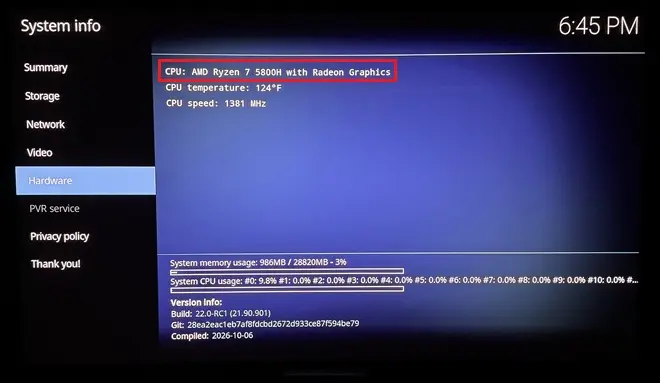
    The FFmpeg and Kodi parts don't depend on the GPU. The kernel patches are amdgpu only; I've tested them on an RX 7600, and ht2tweak ran an earlier round on a Ryzen 5800H APU. Intel is untested. If something doesn't apply or misbehaves, ping me and I'll help.

    Prepared with Claude Code (Anthropic)

    Thanks a lot, yes I can integrate but I am not able to test deeply since I do not have any 3D TV, your help will be more than useful.


    I finish to implement last optimisation and move to incorporate your build.

    I found some great adjustement that do not deteriorate pictur quality. Now the N100 is able to handle profile 7 FEL remux without any frame drop and have a small headroom to cover also DV enhanced profil.

    Unfortunately DV <-> HDR10 convertion are not possible yet on the N100 you need a better iGPU


    dangerouslaser my build with important improvement including the asynchronus frame management will be push around 10PM Paris time. I am finalizing the tests

    Thank you.

    Many things need to be fixed and will be adressed this week.

    - Profile 5 not working

    - Some fallback too agressive

    - enhanced rendering unstable

    - Performance for small iGPU


    Since some module are in GPLv3 cinemaONE can not integrate the DV in his build, but I'll give it a shot in the DV build. I will see if it is simple to integrate that


    I just got an N150 box, so I will get to work tonight / tomorrow.

    I will be easier for you to optimise and see by yourself the frame drop issues. I will follow closely your work.

    My minimum target CPU is the N95/N100, if with your optimization and the asynchronous frame preparation I see again some frame droping I will investigate on that, but I am pretty sure it will be sufficient for Native DV.

    Today N100 is almost perfect for DV vanilla, but stutter and frame drop a lot when you activate any custom profile (DV Enhanced etc...) a huge optimization will be necessary. I think to be able to cover all profile

    Edit : Unfortunately using VAAPI to upscale FEL layer has an small impact on the picture, I will try to see if it's visible, and the planar output is very complicated to integrate to my new engine, I will work on it tomorrow.

    I think that AMD cards can support vaapi via mesa - but I don't have an AMD card to test / confirm on. If we can confirm that works then we should be able to use one path for both playback paths.

    Yes AMD card support VAAPI, DV playing works great on my 7430U (just a small issue on Profile 5 but it is easy to fix), this is why I prefer to not use a 2nd path for Intel, and try to capitalize on optimization that benefit both Intel and AMD.

    I have some free time, so I’d like to integrate your changes as soon as possible while waiting for the fixes coming via the issues. If that works for you, I’ll go ahead and integrate your two major enhancements; it shouldn't take long, as I can see how to do it cleanly.


    Tried it but curiously all DV and HDR related stuff appeared as "/unavailable" on my N100... on the same hardware that had everything working in release R0.3.0. So I can't even play test it.

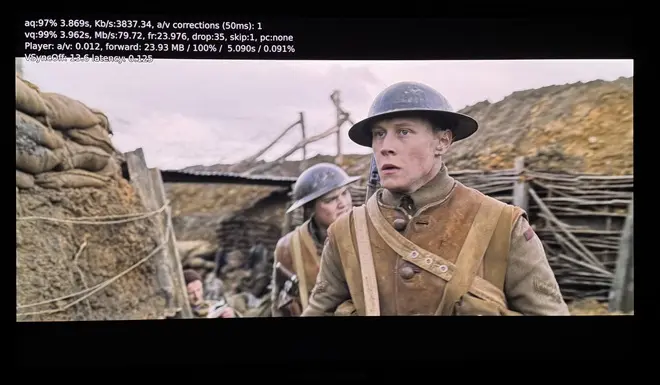
    As a side note. I tried both dangerouslaser and R0.3.0 CroqueMr build on "Tron Ares" (a DV P7 highbitrate REMUX) and on both I get the same 1 frame drop per second. So it seems that lightweight file test or gigantic movie file size really don't matter.

    The issue on the frame dropping is almost fixed, the next release will address it.

    Could you send me the kodi.log file? I ramped up the fallback mechanisms so that even devices without DV support could use the build and play DV content via HDR10, I might have been a bit too aggressive with that.

    Thanks for the precision, that’s what I was seeing as well.

    What mainly bothers me about bypassing VAAPI is that we then have to maintain a separate Intel path, whereas AMD is now supported too.

    So, do you want me to handle the integration of the two significant upgrades into the build (VAAPI FEL upscaling & planar output), or would you rather take care of it yourself?

    Nice :) I have a N100 I will give a try


    Edit : Unfortunately all my Remux Profile 7 FEL do not start at all on your build, I do not have this issue on more compact profile 7 FEL that was working smoothly before.

    I did a deeper audit while benchmarking the issue on the N100, and the results are quite strange.

    First, the rendering engine is clearly not saturated, and increasing the GPU frequency does not reduce the issue. That’s why I initially thought this wasn’t a performance bottleneck.

    However, when testing with a more compact file that puts roughly the same load on the rendering engine, the problem disappears completely.

    So I think we may be looking in the wrong place. The rendering stage itself doesn’t seem to be the bottleneck. I will try the opposite : reduce some waiting time and start to prepare the next frame as soon as possible, the rendering engine workload will increase I will see if it reduce/remove the probleme


    Edit 2 : Yes, the problem is fixed with the N100 : reducing the wait time was the solution. There are no more regular frame drops every 70 seconds on Profile 7 FEL remux, but it create another issue :

    I render the next frame asynchronously while the previous frame is displayed over HDMI, but the rendering engine workload rises to 95% and causes some rare and irregular frame drops. Now we are definitely hitting the limits of the N100, so your dangerouslaser optimizations will be very useful. The N100 without optimisation is very close to perfectly read every DV files we just need an optimisation of 5 or 10%

    I took a closer look at the optimizations and your tests. Switching decoding from VAAPI to QSV doesn’t seem to bring meaningful performance gains in your measurements, while adding complexity. Both APIs ultimately use the same Intel hardware decoding blocks, so that makes sense.

    However, two optimizations look very promising: VAAPI based FEL upscaling and the planar output

    dangerouslaser I can integrate those changes with full credit to you, of course, or you’re welcome to submit a PR. Whichever you prefer!


    I am very happy to share the new build R1.0.0 Beta1 :) https://github.com/CroqueMr/libreelec-x86-DV/

    Curious to hear your feedback and see how the DV and HDR10 rendering modes perform.

    Maybe I should start a new dedicated thread to collect more feedback now that AMD is supported too (the AMD drivers are really in beta; I have a feeling there will be a lot of compatibility issues to fix).

    Known issues : Still having that frame drop issue on the N100/N150 on few DV profil 7 FEL

    cinemaONE Unfortunately, the repository is still under GPLv3. I will try to remove the GPLv3 components in an upcoming release.

    dangerouslaser Feel free to push any PRs I will test and merge as fast as possible :) unfortunately I can not edit the repo to fork LE

    Also my small finding when I compare a 226V and a 11390H : even if the GPU is far stronger on the 226V the rendering engine that handle all the workload is similar in term of performance.

    I will compare with a N100 and a N95, I think it is also similar. If it's the case, iGPU support will be wider than I expected and trying to improve the performance will not be as important as expected.

    Tomorrow I will perform a detailed benchmark with a N95/N100/11390H

    More than willing to work with you directly on this. We can probably make some changes to both of our workflows so that collaboration is easier.

    I typically use branches for features which are PR'ed to main after testing - and have master set to track upstream so that keeping main up to date is easier without having to rebase. If the goal is to target LE 13, I would set master to track the LE 13 branch once it is published.

    CI can be setup for PRs to main so that broken features aren't merged - and if you need to offload builds for quicker testing I have a server with an i9-14900k that can build kodi from source in minutes.

    Perfect if we can find a good way to work :)

    Don't worries about hardware I have a 9950X3D + 5090 + 96Gb RAM, I’m currently doing the final merge of all macro feature. It’s taking longer than expected, so the code may only be ready tomorrow if GPT behaves tonight :)

    The time-consuming part isn’t really compilation itself, it’s running the full end to end test suite and making sure there are no regressions across the different playback and conversion paths.


    At a high level, the next release will be stable, but some features might not work as expected since I won't have time to complete functional testing beforehand. I'd rather make the code available to you earlier and I'll run the tests in parallel. It will effectively be a pre-release, and I'm going to fork LE.

    What will be the changelog :

    Technical :

    • Merge with Kodi 22 rc1
    • Rebuild of the repo with the Dolby Vision processing logic is now separated from the playback layer, making it easier to reuse, test, evolve independently and with a dedicated API.


    Rendering option for Dolby Vision input

    • DV Native - standard Dolby Vision playback while preserving the original intent and metadata.
    • DV Enhanced - dynamically adjusts the existing Dolby Vision metadata to better exploit the display’s peak brightness. The goal is to extend highlights and overall dynamic range in a controlled way, while preserving black levels and shadow detail rather than simply stretching the image and crushing the lower end.
    • HDR10 Basic / Expert - conversion from Dolby Vision to HDR10, with an Expert mode using additional display characteristics such as peak brightness and use all DV metadata to dynamically tone map the picture into an HDR10 output for non compatible DV display
    • HDR10 Fallback - standard Kodi / vanilla HDR10 path.

    Rendering option for HDR10 input

    • DV Reconstructed (AI) - reconstructs Dolby Vision metadata from the HDR10 source using image analysis and AI (I trained a small LightGBM ML model to reproduce L1 & L3 metadata it should be better than the VS10 conversion from dolby, the model is very small and fit in any CPU)
    • DV Enhanced - reconstructs a Dolby Vision representation and then applies the same controlled metadata enhancement, extending the usable dynamic range while preserving blacks and shadow detail.
    • HDR10 Native - untouched/native HDR10 playback.

    Quick switch rendering settings : playback panel that lets you switch between the different output modes while the video is playing, so you can compare the rendering directly on the same scene. (This feature is actually blocking the build, it's VERY complicated to be able to switch on the fly the rendering path without any instability)

    Drivers:

    • Intel : Extended support for older iGPU
    • AMD : First version of AMD DV Driver


    Once everything is merged and published, I’ll mainly focus on

    1- Fixing and refining the conversion algorithms, especially DV Enhanced, which is by far the most complexe rendering path since I use all metadata and it's personally the feature I’m most interested in. And DV -> HDR10 Expert conversion is also very complex I will investigate deeply into it after the pre-release push.

    2- Start an optimization audit for the 7430U

    3- Start an optimization audit for N100 and N95 (I have both CPU) and try to finally fix the frame drop seen on DV 7 FEL. Since you will receive a N100 I will prioritze the support of AMD driver, and I will stop the implementation of the VRR-QMS with DV interface rendering.


    I think your improvements to the processing pipeline will be very welcome and should also help us support a wider range of hardware, but non-regression test will be huge to include that properly, push your PR I will applied my testing framework and protocol.


    CroqueMr Lets just set a few things straight here:

    1) You described this as a project you created, but neither of us is doing anything novel. We're both building on other people's research.
    2) I did open PRs, as you suggested. You merged two, which I appreciate. The RC1 one is still pending, and fair enough on wanting regression testing there. FWIW my build tracks the latest LibreELEC main and playback has been solid so far, if that's useful data.
    3) You said my build "directly overlaps with and interferes with" yours, but the reworked build you described hasn't been published. I can't coordinate around code I can't see. What specifically is it interfering with?

    What overlaps:

    • RC1: I merged it once my DV engine had been completely reworked. I also extracted the engine from my Kodi-specific code so it can be reused more easily on other platforms/OS. This should make it much easier to port the same changes to something like MPV, for example.
    • Architecture: Most of the implementation in my initial branch was honestly quite sketchy and heavily vibe-coded. It was meant as a POC, not as a reliable or maintainable architecture, so a lot of it has now been rebuilt properly.
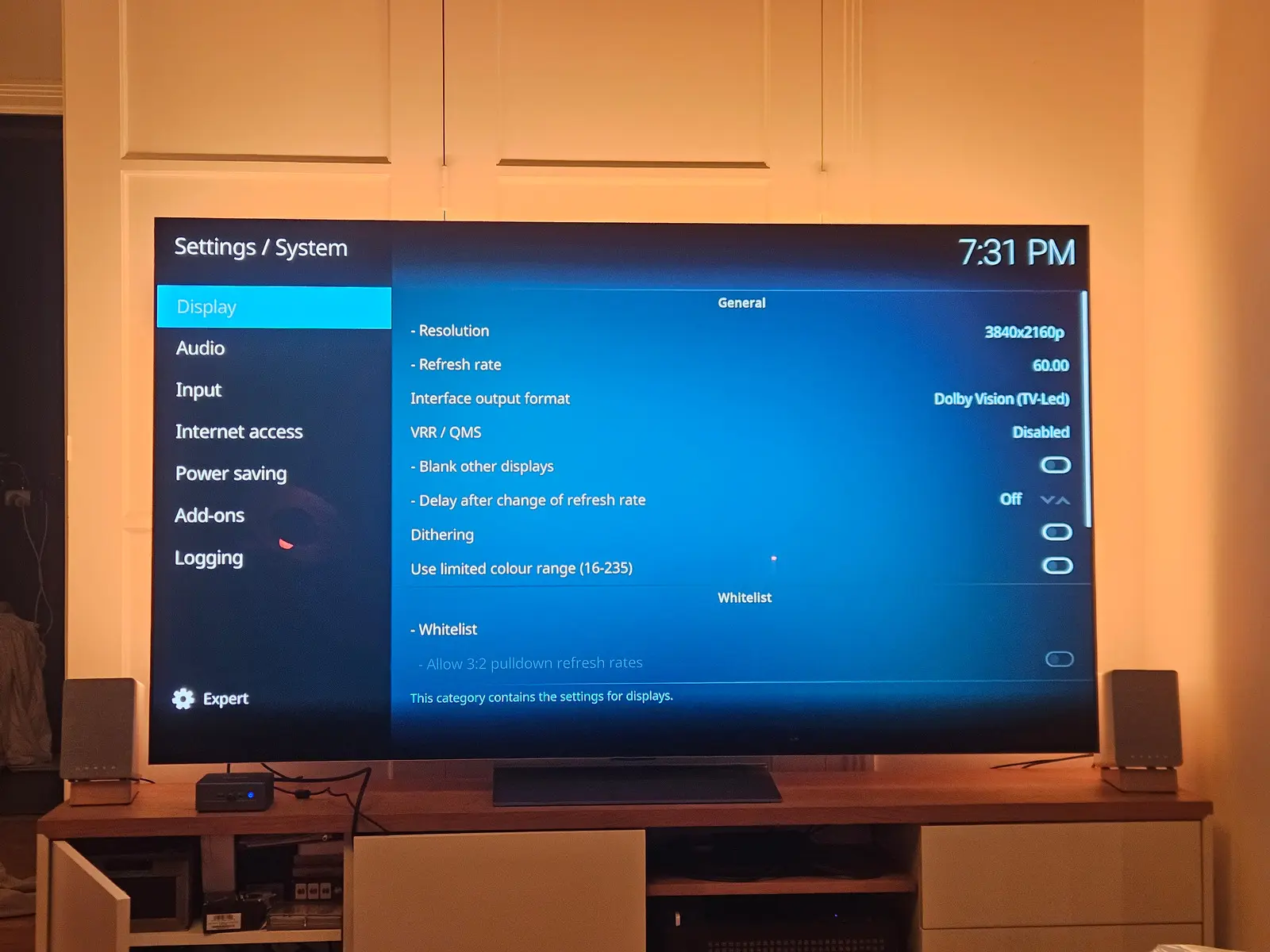
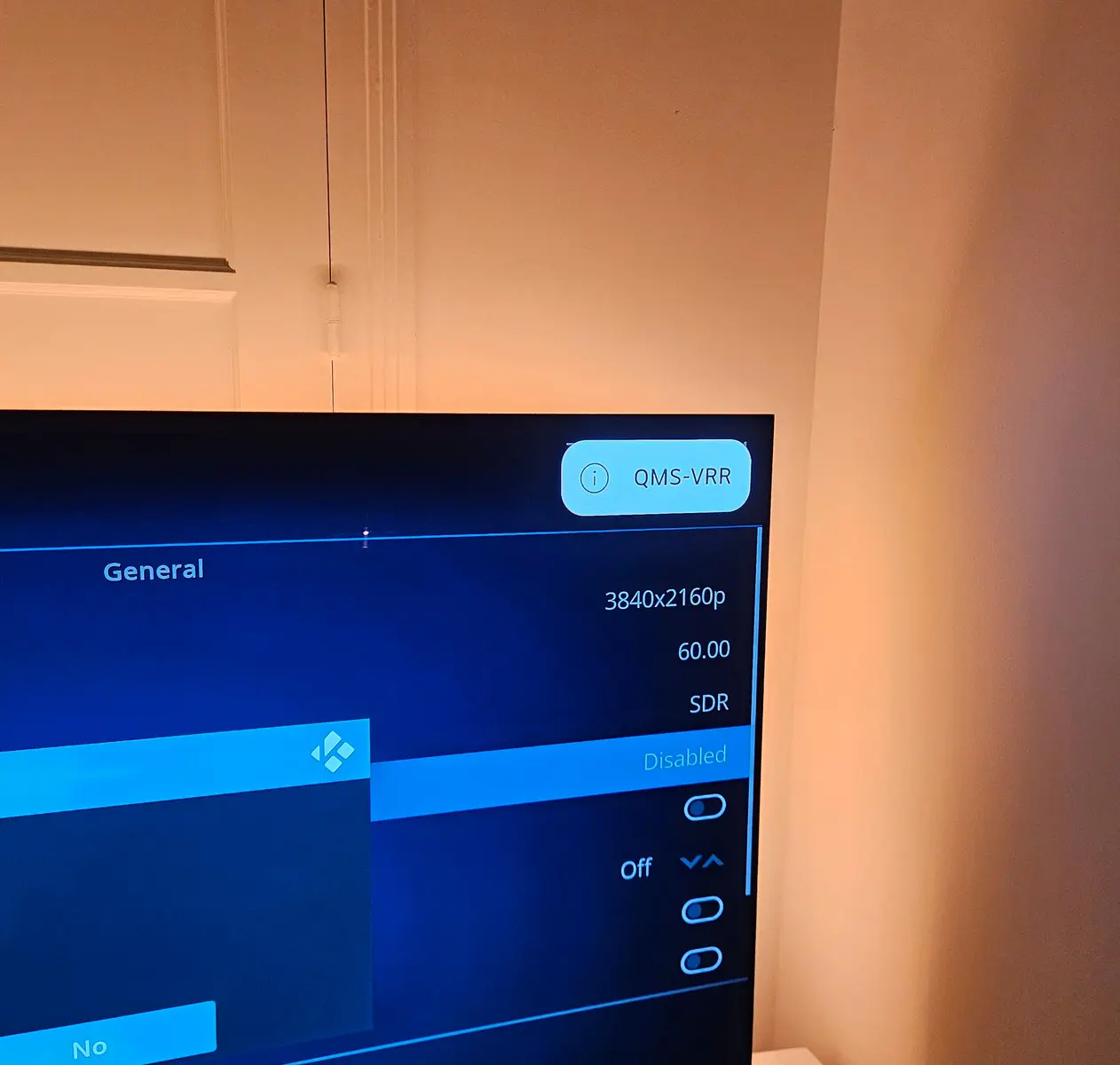
    • QMS-VRR: As you can see, I’m also working on QMS/VRR in parallel.

    I do most of my development locally because it’s simply easier for me. I don’t push every single modification directly to the repo. I now push changes only once the regression tests have been completed and the full image has been rebuilt and validated, which can take several hours after every major modification. (GPT Astra worked 12h only on non-regression testing for the DV engine rebuild and code reduction)

    Yes, I could have pushed an intermediate version containing some of the changes that were already ready, such as the rebuilt DV engine with a dedicated API, or the beta AMD drivers or some HDR10 to DV conversion algorythms. I didn’t, simply because I had no idea someone else was actively working on the exact same project at the same time.q

    The simplest approach would have been to say that you also wanted to work on the project, and we could have agreed on a workflow that was beneficial for everyone. Instead, we now have quite a lot of duplicated work, which is a shame and could easily have been avoided.

    The next step on my side : I’ll push my internal build earlier, most likely tonight, so you can have full visibility on the code. If you want, you’re of course free to submit PRs or continue working in a separate repo.

    In any case, in my repo, I’ll remain strict about testing. Every PR needs to be tested end to end, including proper non regression testing, if you don't know how to do it properly no worries I can take in charge this part when you submit a PR. I don’t want quick and dirty patches.

    I apologise for my confusion, but which is the latest version please - R0.2.1a-opt1 or R0.3.0?

    I have N5095, N100 and N150 mini PCs I can test on.

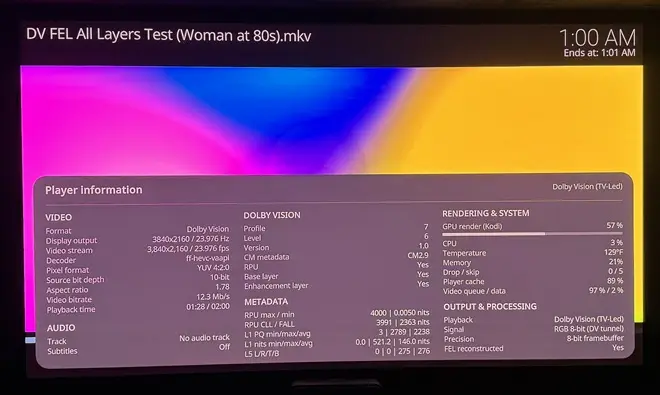
    The R0.3.0 is a pre-release with added features not perfectly stable (DV to HDR10 conversion, and Player Panel information). For testing R.0.3.0 will be better because of more precise log.

    Feel free to test it and report any issue and if possible with the kodi.log attached. I will investigate and fix it for my next release in a few days. ;)

    dangerouslaser I’m not pushing commits to my repo? I pushed both of your commits once I had reviewed and tested them in 24h

    The only one I haven’t merged is your RPs to move to Kodi 22RC1 ahead of your other PRs. You’ll understand that a change like that takes more than a day to properly test, especially with all the required regression testing.

    In any case, I really don’t have to justify myself here.

    Regarding your repo, this part “Video output calibrated to licensed Dolby hardware” is clearly not aligned with my approach. it raises legal questions, and beyond that, the approach is technically ugly. At the end of the chain, you're essentially tuning the output to make it look as close as possible to an Ugoos AM9, without really understanding why your rendering diverges from it in the first place.

    That's fundamentally different from what I'm trying to achieve, you're right it is open source, and it's your right to create confusion and to be conterproductive.

    This will be my last message on this. I’ll continue working on my project and simply ignore approaches that don’t align with mine.

    A new build to test.

    libreelec-yblod

    • CroqueMr's Intel Dolby Vision engine (CroqueMr/intel-dv-libreelec) : Standard (TV-led) Dolby Vision output from Kodi's own player, including Profile 7 FEL, on supported Intel GPUs.
    • Video output calibrated to licensed Dolby hardware: IPT tunnel signal like Dolby players, a chroma siting fix, co-sited 4:2:2 packing and Gaussian chroma upsampling.
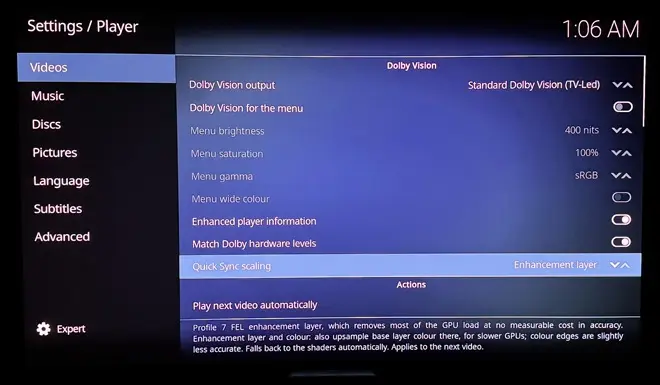
    • Quick Sync enhancement-layer offload: Profile 7 FEL playback scales the enhancement layer on the Intel media engine (Quick Sync, via VA-API) instead of in shaders. On an i5-1135G7 this cut GPU render load during FEL playback from about 46% to about 12%, with no dropped frames, and the HDMI output stays within about one 12-bit code of the shader path. It is aimed at making FEL playable on smaller Intel GPUs. It can be switched off, and falls back to the shader path automatically when the media engine or driver can't do it.
    • Seamless refresh rate changes (QMS-VRR): on TVs with HDMI 2.1 Quick Media Switching, a change between 24, 25, 30, 50 and 60 Hz (and 23.976, 29.97, 59.94) no longer blanks the screen.
    • Dolby Vision menu (optional): the menu is sent in Dolby Vision too, so a Dolby Vision film starts without the TV switching picture format. With QMS, starting and stopping a Dolby Vision film causes no blackout at all.
    • And more......

    https://github.com/dangerouslaser/libreelec-yblod

    I really don’t understand the point of your release... If you see things that need fixing or improving, just open PRs.

    This approach is clearly counterproductive. I had already mentioned that my internal build has been completely reworked, with a dedicated Dolby Vision engine, support for more GPUs, and many new features.

    You’re basically going to have to redo a large part of your work, while also creating unnecessary confusion by maintaining another build that essentially does the same thing.

    It’s extremely frustrating to see someone working on a project you created without communicating what they’re doing, and then suddenly releasing something that directly overlaps with and interferes with your own work.

    Player process info came from my build ;)
    I have a N100 I will test your file on it, but I think the issue came from your file it will be complicated to fixed it without it.

    ht2tweak  CroqueMr Thanks for the offer. Some background first:

    • The 3D playback in my builds is mainly work by popcornmix (Kodi and the FFmpeg MVC decoder); bringing it to Kodi upstream is his call. My part is the AMD kernel side (HDMI 3D output in amdgpu, under review at AMD) and some Kodi fixes.
    • Your transport helpers, CroqueMr, are GPL-3.0-or-later. Linked into Kodi, they make the whole Kodi binary GPL-3, and that could never go upstream the way the 3D work is meant to.

    I'm happy to put work into a combined build as long as those helpers can be licensed GPL-2.0-or-later. Is that possible, or does their PGenerator-Plus origin rule it out? If it works out, I'd start once your AMD release is out. I can test DV now and then on a Panasonic TV, but more testers would be welcome.

    Prepared with Claude Code (Anthropic)

    I need to review the licensing details properly,I relied on ChatGPT for that early on. The repo right now is a bit of AI-slop, but I'm doing a complete rewrite for the next release. I mostly just wanted to push the code quickly to identify big compatibility bugs.

    Everything is being redone and cleaned up (even the implementation of DV support) the new release should drop next weekend (Saturday or Sunday).

    A little bit of teasing but I am working on something cool 👀, a lot of thing to fixe before a potential release of this feature, I don't think this one will be available next weekend.


    Looking forward to it. With AMD, could the 3D work by cinemaONE be merged at some point. Thought of DV FEL + perfect 3D in a non-Amlogic box sounds amazing.

    Everything is possible. Unfortunately, I think the merge won't be straightforward

    I don't have a 3D TV or the hardware to test it and be sure that everything is correct. I'll state right now that I won't be doing the merge, but if cinemaONE feels up to integrating my DV engine into its work and build, it would be my absolute pleasure.

    Can you send me the kodi.log file please?

    It seems a driver issue, the system consider your iGPU as not supported, but I should be able to confirm with your kodi.log file.

    Also ISO file is not read properly in this release, Kodi take the HDR10 video track (it's fixed in my internal build)

    FI : My next release will be huge with many new features, and will extend supported drivers for Intel iGPU and with a first version of AMD DV drivers. Should be published next week if everything goes smoothly.