Are there any hardware reccommendations or specs that I should look out for when choosing a PC stick for use with LibreElec?
No. Buy an Amazon Fire stick, and install Kodi. Easiest solution.
Are there any hardware reccommendations or specs that I should look out for when choosing a PC stick for use with LibreElec?
No. Buy an Amazon Fire stick, and install Kodi. Easiest solution.
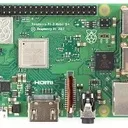
Will this new version work with Raspberry Pie 3?
Absolutely! I'm using it on that hardware. ![]()
I have set another 2 part recording on my freesat box in the same way to see if that completes both halves. This records fine and the only issues I have with that box is it sometimes completely freezes on playback of files, usually after a skip forward or backwards (through adverts),
The "out of memory error" is still present at your latest log:
kill:constraint=CONSTRAINT_NONE,nodemask=(null),cpuset=/,mems_allowed=0,global_oom,task_memcg=/,task=tvheadend,pid=1193,uid=0
Apr 06 12:44:17.906747 PiKodi kernel: Out of memory: Killed process 1193 (tvheadend) total-vm:1353420kB, anon-rss:1200636kB, file-rss:0kB, shmem-rss:0kB, UID:0 pgtables:2620kB oom_score_adj:0
Create a swap file now (double size of your RPi RAM). It can't hurt for a few test recordings.
Should I really have a swap file? I thought it was a bad idea on both SDCards and usb sticks. I can also put in a larger usb stick than the current 32 GB if needed.
First repair / replace that broken drive, and analyze the outcome.
If you're still unhappy afterwards, create a swap file, or buy an RPi with more RAM. Your choice. ![]()
Also check that drive:
Feb 16 18:10:57.820749 PiKodi kernel: sd 0:0:0:0: [sda] tag#0 UNKNOWN(0x2003) Result: hostbyte=0x00 driverbyte=DRIVER_OK cmd_age=0s
Feb 16 18:10:57.821280 PiKodi kernel: sd 0:0:0:0: [sda] tag#0 Sense Key : 0x3 [current]
Feb 16 18:10:57.821583 PiKodi kernel: sd 0:0:0:0: [sda] tag#0 ASC=0x11 ASCQ=0x0
Feb 16 18:10:57.821896 PiKodi kernel: sd 0:0:0:0: [sda] tag#0 CDB: opcode=0x28 28 00 00 00 0a 00 00 00 08 00
Feb 16 18:10:57.822242 PiKodi kernel: critical medium error, dev sda, sector 2560 op 0x0:(READ) flags 0x80700 phys_seg 1 prio class 2
I think I found the cause of the issue (not enough RAM): ![]()
Mar 31 14:31:58.021401 PiKodi kernel: Out of memory: Killed process 1694 (tvheadend) total-vm:1429592kB, anon-rss:1282680kB, file-rss:0kB, shmem-rss:0kB, UID:0 pgtables:2780kB oom_score_adj:0
So create a swap file:
I've received feedback from a developer. There are no plans to implement native DSD support.
I want to keep things sorted:
This thread is closed.
Did you made any adjustments to get proper recordings?
I don't know if this is some encryption (but all channels are free to air), or possibly corruption?
My theory: The text wasn't corrupted, it just uses a character encoding system, which is unknown / not implemented by TVHeadend. Please ask at the TVHeadend forum.
PolarWeasel Your answer is already part of this thread (see post #3). Two options:
PolarWeasel Do you have pass-through activated at the audio settings?
Usage of banned add-ons means no support.
Would there be information elsewhere that would be useful?
No. At this point we are only digging in the dirt. You can try two other things:
The part where the stream is broken - related to audio somehow?
TV signals aren't always consistent. So maybe your setup is fine, and the stream gets interrupted by a short interrupt of the TV signal. It would be interesting, how TVHeadend handles such interruptions. Does it create a new recording file? Does it have a setting for such situations?
Other than that, no idea. You're already at log level 2, and no better explanation for creating a new recording file.
I think that's when the stream gets interrupted:
2024-03-31 14:31:57.930 T:957 error <general>: CAESinkALSA - snd_pcm_writei(-32) Broken pipe - trying to recover
2024-03-31 14:31:57.930 T:994 debug <general>: UpdateInProgressSize: Updating recordings size
2024-03-31 14:31:57.930 T:1951 debug <general>: Thread JobWorker 3595555456 terminating (autodelete)
2024-03-31 14:31:57.930 T:990 debug <general>: AddOnLog: pvr.hts: new connection requested
Can you update your NAS from NFS 3 to NFS 4?
Check your NTP settings.
Mar 30 02:59:01.277963 PiKodi nmbd[901]: [2024/03/30 02:59:01.277774, 0] ../../source3/nmbd/nmbd_namequery.c:109(query_name_response)
Mar 30 02:59:01.277982 PiKodi nmbd[901]: query_name_response: Multiple (2) responses received for a query on subnet 192.168.31.101 for name LANGCLAN<1d>.
Mar 30 02:59:01.278020 PiKodi nmbd[901]: This response was from IP 192.168.31.123, reporting an IP address of 192.168.31.123.
Mar 30 02:59:47.922456 PiKodi connmand[588]: ntp: adjust (slew): -0.023922 sec
Mar 30 03:02:02.004453 PiKodi tvheadend[1388]: epgdb: snapshot start
Mar 30 03:02:02.155433 PiKodi tvheadend[1388]: epgdb: queued to save (size 7908898)
Mar 30 03:02:02.155525 PiKodi tvheadend[1388]: epgdb: broadcasts 20339
Mar 30 03:02:02.155551 PiKodi tvheadend[1388]: epgdb: save start
Mar 30 03:02:02.412209 PiKodi tvheadend[1388]: epgdb: stored (size 1727297)
LeVraiRoiDHyrule Ask at the Kodi forum. We have a pinned post on top for our repo issues.