Is MPD working on a standalone Tablet PC without further hardware?
MPD is an add-on for LE. If you can install LE on that tablet, you can also install the add-on.
Which tablet do you want to use, and what do you want to achieve on it?
Is MPD working on a standalone Tablet PC without further hardware?
MPD is an add-on for LE. If you can install LE on that tablet, you can also install the add-on.
Which tablet do you want to use, and what do you want to achieve on it?
That information isn't up to date and that kind of devices aren't made for musicians but for high end audio reproduction (audiophile).
There is/was a sample rate limitation setting in the hidden "Expert" Settings. When the limitation setting is set to it's maximum value of 384 kHz, High-Resolution files seem to be transported at their native sample rate. DSD Files are being converted accordingly to 384 kHz.
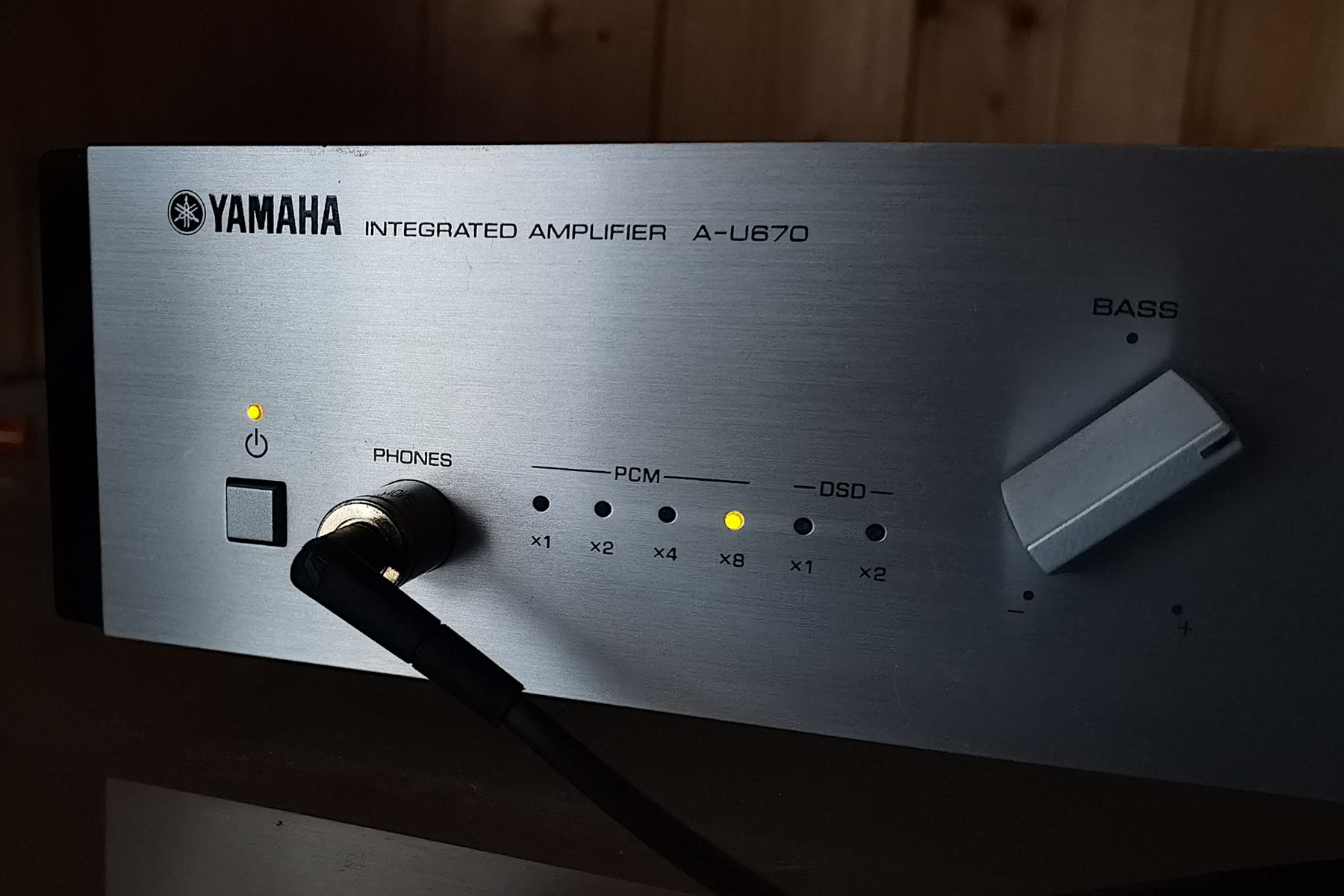
All that kind of devices no mater from which manufacturer are using the same technology/concept. There is XMOS USB controller sitting at the entrance followed by one or even two D/A converters for left and right channel separately (mostly ESS Sabre or sometimes Akashi AKM).

Low-latency devices are used by musicians and audiophile people. The point is "low-latency", not the group of customers.
As you can read in the second link of post #8, LE supports frequencies above 384kHz.
Please learn the concept of an ASIO driver, and whats the challenge of writing low-latency code. Then you'll understand.
We can't help, because we don't develop those add-ons. Add-on developers are at Kodi forums. Ask there.
noggin The user only uses S/PDIF to detect the incoming data rate. He wants to use the analogue output of the USB audio interface to connect speakers. The USB audio interface was made for musicians, so the input/output timing has to be low-latency. That requires a specific ASIO driver. That driver is incomplete on Linux, so he only gets 44.1kHz.
PS: Your logic is: Just transfer the codec from A to B. In reality things are more complex, so processes have to be scheduled etc. That's when drivers come into play. They don't just manage the codecs, but also the timing. Your proprietary ASIO driver is incomplete on Linux for a reason.
If you just want a good DAC, then you don't need DSD. I'm using a cheap Behringer UMC22, which provides 48kHz /16 bit PCM. It uses standard ASIO, so it works perfectly with a Linux OS, like LE.
ASIO is more than a bypass. It's a low-latency audio solution.
If your proprietary ASIO sounds bad, try a standard ASIO interface. LE is no low-latency OS, so you eventually lose data on transmission.
In short: You want to use a USB audio interface, connect it to the AVR over S/PDIF, and play native DSD.
This setup is generally possible with LE.
Theory: I think the problem is the proprietary ASIO driver of your USB audio interface. Because it's proprietary, not all codecs are usable by LE. That means, LE offers all codecs, including hi-res native DSD, but the incomplete Linux driver only accepts lo-res DSD.
Suggestion a): Use a USB audio interface, which is fully supported by Linux.
Suggestion b): Use an RPi with HiFiBerry Digi2 Pro, as mentioned at post #8.

However, I don't want to disable CEC completely...
Any change if you do so?
DV content was downloaded from Torrent sources. Closed.

The Mainboard has onBoard-HDMI but i use a Nvidia GeForce GT 710.
Always use Generic-Legacy for Nvidia graphics.
It's not related to CEC. Your TV detects RPi as A/V source, and that's the cause of the switch.
We don't support Dolby Vision (DV). DV needs a license on the device. RPi's don't have such a license.
Some Amazon Fire devices and Nvidia Shield have a DV license. Get one of those.
PS: Just to explain: Better shielding is the major difference between FullHD and 4K HDMI cables.

...isn't quite up to the job at 4K but works great at 1080p.
Maybe it's enough to upgrade the shielding of the internal HDMI wiring.
LE seems to get data for the first frequencies, but afterwards no more data are coming in.
Jun 23 13:00:56.422423 LibreELEC tvheadend[436]: mpegts: 704.5MHz in DVB-T Network - tuning on DiBcom 7000PC #0 : DVB-T #0
Jun 23 13:00:56.422510 LibreELEC tvheadend[436]: subscription: 0001: "epggrab" subscribing to mux "704.5MHz", weight: 4, adapter: "DiBcom 7000PC #0 : DVB-T #0", network: "DVB-T Network", service: "Raw PID Subscription"
Jun 23 13:00:56.422531 LibreELEC tvheadend[436]: mpegts: 634.5MHz in DVB-T Network - tuning on DiBcom 7000PC #1 : DVB-T #0
Jun 23 13:00:56.422548 LibreELEC tvheadend[436]: subscription: 0002: "epggrab" subscribing to mux "634.5MHz", weight: 4, adapter: "DiBcom 7000PC #1 : DVB-T #0", network: "DVB-T Network", service: "Raw PID Subscription"
Jun 23 13:00:59.435701 LibreELEC tvheadend[436]: htsp: Got connection from 127.0.0.1
Jun 23 13:00:59.435807 LibreELEC tvheadend[436]: htsp: 127.0.0.1: Welcomed client software: Kodi Media Center (HTSPv35)
Jun 23 13:00:59.435829 LibreELEC tvheadend[436]: htsp: Got connection from 127.0.0.1
Jun 23 13:00:59.435864 LibreELEC tvheadend[436]: htsp: 127.0.0.1 [ Kodi Media Center ]: Identified as user ''
Jun 23 13:00:59.435881 LibreELEC tvheadend[436]: htsp: 127.0.0.1: Welcomed client software: Kodi Media Center (HTSPv35)
Jun 23 13:00:59.437605 LibreELEC tvheadend[436]: htsp: 127.0.0.1 [ Kodi Media Center ]: Identified as user ''
Jun 23 13:01:23.644671 LibreELEC systemd[1]: systemd-hostnamed.service: Deactivated successfully.
Jun 23 13:02:31.401301 LibreELEC tvheadend[436]: mpegts: 767.5MHz in DVB-T Network - tuning on DiBcom 7000PC #1 : DVB-T #0
Jun 23 13:02:31.401632 LibreELEC tvheadend[436]: subscription: 0002: "epggrab" unsubscribing
Jun 23 13:02:31.402006 LibreELEC tvheadend[436]: subscription: 0004: "scan" subscribing to mux "767.5MHz", weight: 6, adapter: "DiBcom 7000PC #1 : DVB-T #0", network: "DVB-T Network", service: "Raw PID Subscription"
Jun 23 13:02:31.402340 LibreELEC tvheadend[436]: mpegts: 725.5MHz in DVB-T Network - tuning on DiBcom 7000PC #0 : DVB-T #0
Jun 23 13:02:31.402523 LibreELEC tvheadend[436]: subscription: 0001: "epggrab" unsubscribing
Jun 23 13:02:31.402740 LibreELEC tvheadend[436]: subscription: 0005: "scan" subscribing to mux "725.5MHz", weight: 6, adapter: "DiBcom 7000PC #0 : DVB-T #0", network: "DVB-T Network", service: "Raw PID Subscription"
Jun 23 13:02:36.876663 LibreELEC tvheadend[436]: mpegts: 725.5MHz in DVB-T Network - scan no data, failedMaybe undervoltage inside of the receiver?
Please provide a product link of your DiBkom 7000PC. Does it have an optional PSU, which you can plug in?
PSU is fine, no undervoltage warning in the log.
Different time stamps in the same log?
2024-06-23 13:04:45.721 T:1282     info <general>: Loading skin file: DialogConfirm.xml, load type: KEEP_IN_MEMORY
========== journalctl -a -b -0 ==========
Feb 28 03:26:04.560062 LibreELEC kernel: Booting Linux on physical CPU 0x0000000000 [0x410fd083]
PS: Ah, it has no internal clock, so time is wrong until NTP gets it.

While it was scanning a few times a signal strength popped-up on the screen but then disappeared.
Repeat that procedure with logging. It could be a PSU issue. if so, it's visible in the log.
Usage of banned add-ons means no support.