Posts by hoodafukisalice

    I'm using LibreELEC 21.3 (2025.11) on the primary device. I noticed a System backup option under Settings -> LibreELEC and it generated a tar file, which I've copied to an external USB drive. Once LibreELEC is installed (same version as on the primary device) on the target devices, I guess the restore option on the target does the same as your suggestion, chewitt, only easier, since everything is archived in a single file? If there are any differences between the manual and native backup procedures, do let us know.

    Since I have multiple identical devices, I should be able to re-use the already configured primary device settings (and addons) on all targets (except changing the hostname on the latter ones).

    Thanks and cheers.

    Answering my own question. Lol.

    I tried the System backup and restore option under Settings -> LibreELEC, and it worked like a charm! Hope this helps anyone with the same problem.

    Cheers.

    Thank you. I have a similar situation. How do I stop Kodi on the target devices?

    Cheers.

    I'm using LibreELEC 21.3 (2025.11) on the primary device. I noticed a System backup option under Settings -> LibreELEC and it generated a tar file, which I've copied to an external USB drive. Once LibreELEC is installed (same version as on the primary device) on the target devices, I guess the restore option on the target does the same as your suggestion, chewitt, only easier, since everything is archived in a single file? If there are any differences between the manual and native backup procedures, do let us know.

    Since I have multiple identical devices, I should be able to re-use the already configured primary device settings (and addons) on all targets (except changing the hostname on the latter ones).

    Thanks and cheers.

    It should work fine, but since all three devices are network connected it's easier (after basic install, and assuming all three devices are the same, e.g. all RPi4 boards) to stop Kodi on the new devices and then scp the existing config/bits over from the master system to the new ones, then restart Kodi. I would scp the the contents of /storage/.kodi/addons and /storage/.kodi/userdata only.

    Code
    scp -r /storage/.kodi/addons [email protected]:/storage/.kodi
    scp -r /storage/.kodi/userdata [email protected]:/storage/.kodi

    Thank you. I have a similar situation. How do I stop Kodi on the target devices?

    Cheers.

    Update: I did flash the box image to an SD card after setting the correct dtb file in uEnv.ini, as described in https://wiki.libreelec.tv/hardware/amlogic. Was able to boot as well from the SC card and after the first boot resized the partitions and reboot, the second reboot gave a "Failure: display.service" message on the top left of the LibreELEC boot screen and the proceed to Kodi's (Omega version) logo when it got stuck.

    So I pulled the plug out, powered up and booted again, only to land on the same issue above. Since I'm not even able to get to the state of enabling SSH, how can I find out what's going on? Or share logs with anyone here for help?

    Can anyone assist with the next steps? chewitt , could you help?

    Thanks and cheers.

    Hello,

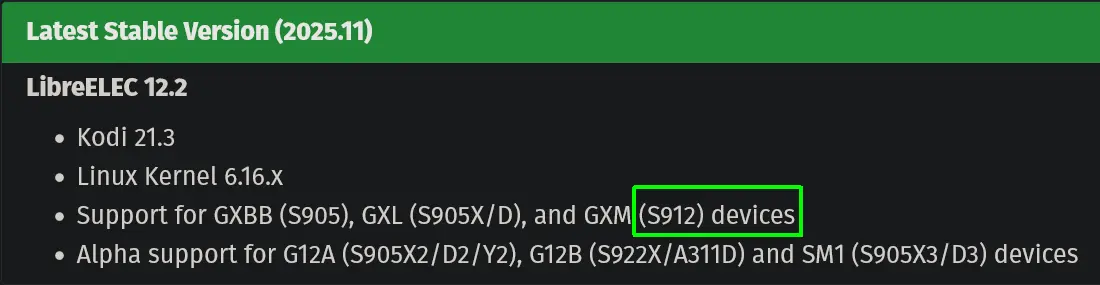
    I want to update my Minix Neo U9-H (S912-H) with the latest stable LibreELEC 12.2 version (2025.11). While the release does list the chip as supported (bright green highlight in the screenshot below), there is no image specifically for the Minix U9-H.

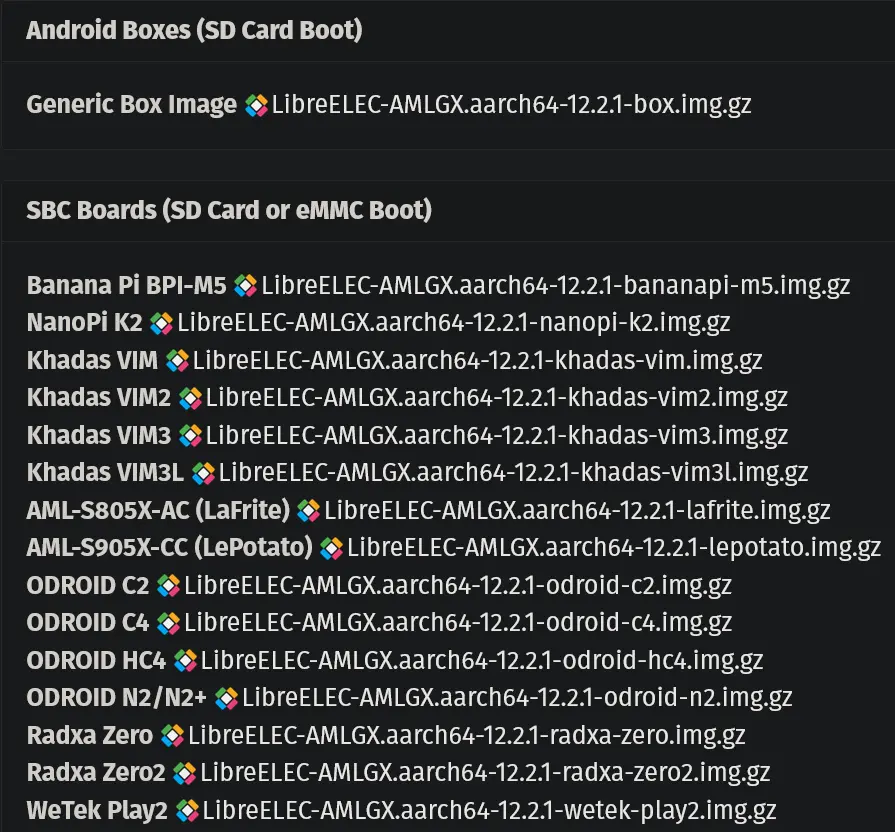
    There is a generic Android box image, and the SBC board specific ones (screenshot below). Which image can I use to flash on the Minix U9-H? Or should I use the generic box image?

    Thanks and cheers.