

Any chance on LLDV?
Posts by atoulmin
-
-

I’ve seen that you’re really good at testing Dolby compatibility (probably better than I am) so your feedback will be very precious
I’m going to start looking into AMD drivers to extend compatibility. I do have an AMD platform (running a 7430U), but it’s currently under heavy use for my professional usage, and it will be complicated to test deeply on it.
I can confirm right now that, unfortunately, I won't be looking at any other platform: no ARM platform, nor dedicated GPU, I do not have the hardware to develop on it, and for ARM platform when I see the GPU render engine usage, I'm afraid optimizing my implementation might be beyond my capabilities.Happy to send you AMD NUC for development. I have a spare GEEKOM NUC with the AMD 740m.
-
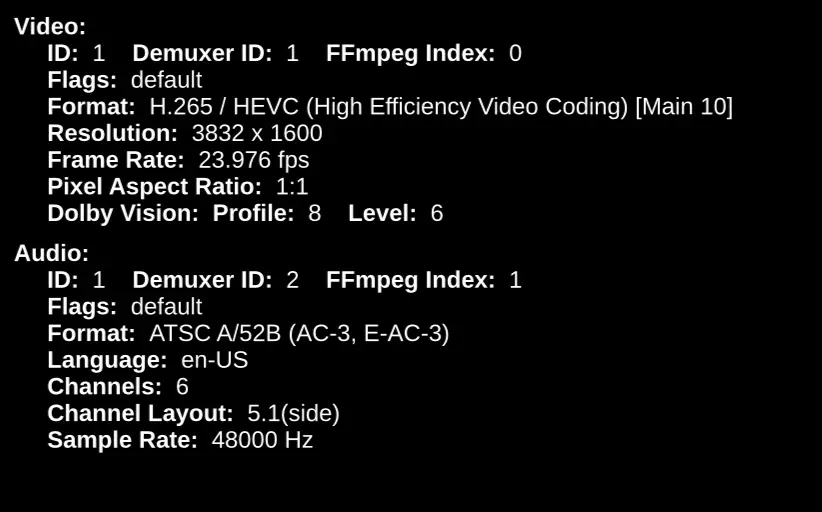
I have noticed that i have some MKV files that seems to upset output resolution in kodi. As they are 2:35 and cropped to the top and bottom of the image that it will only output as 4k if the gui is 4k. Setting the GUI to 1080p these files will only output as 1080p. Yes i have set whitelist and adapt refresh etc on start / stop. All other files play as they should regardless on gui being at 1080p or 4k. I'm thinking the resolution is tripping it up somehow.
-

AMD/Intel/nVidia cards *should* output in their native RGB format, and this is not a problem as long as the correct conversions are used; which are all broadcast standards. The change is that Kodi now implements and handles colour things correctly instead of not-handling them at all resulting in wrong output.
That's fine, i noticed that previous build outputted properly in YUV but was not correct in RGB. However looking at it today it seems fine in RGB which is good to see.
-
I noticed in the nightly builds that output for AMD radeon has shifted from YUV to RGB. Are we able to change that back? or at least offer a setting to switch?
-
Well it happened again using the latest nightly (17-07-26). It seems to affect the red channel and it appears washed out. stopping and starting the same file 2-3 times eventually it fixes it. I wonder if it's related to the recent MESA update?
-
UPDATE: Disregard clean install fixes issue.
-
Hi.
I’m running the latest nightly (16-07-26). I noticed that the color red in the latest build is washed out and more orange.
I have to go back to the build dated 13-07-26 to fix it. -
I just ended up switch to AMD platform, it by default outputs YUV. I must say the new builds of Libreelec are really good.
-

Yes I tried LibreElec 13 May 16th 2026 and the HDR is still the same wrong colors unfortunately.
The latest test build has seemed to fix this
-


I've managed to identify the culprit, it's our custom gputemp script which gets called whenever you open the player process info overlay or the system info window.
I've created a PR with the fix:
https://github.com/LibreELEC/LibreELEC.tv/pull/11414so long,
Hias
Confirm this fixes the issue
-
Please retest with the Generic image here: https://chewitt.libreelec.tv/testing/ .. it has some additional changes.
I noticed this too on my AMD machine. While playing. When you open say the menu that has the stream information “O” the video doesn’t skip frames. It actually just completely pauses until the menu is open.
I tried your latest build which works great except this issue.
I’ll try one of my N150 here later today. -
I just tried the latest nightly with my Ryzen GMKTEK M6 Ultra. I have the same issues as reported, the gui is always perfect. However sometimes when i start a movie the colors in HDR are washed out, i have to stop and restart then its fine.
-
On a side note. I’ve noticed a bug when using AMD. It doesn’t always apply the correct color. Sometimes it appears washed out. If I stop and restart it usually fixes it.
I think this has been mentioned before. I’ve tried limiting it to 4:2:0 but doesn’t solve the problem. -
Just FYI for anyone, I've been trying the latest builds on a N150 platform and a AMD Ryzen 5 7640HS that has the Radeon 760M GPU. I have it connected to a Lumagen processor and JVC NZ900 projector. The N150 outputs RGB and the Radeon output YUV:444.
My lumagen and projector is professionally calibrated by an ISF certified calibrator. We have noticed that the N150 with its output as RGB crushes the blacks slightly. However the Radeon 760M with YUV outputs correctly. We tried all types of material and both agreed the AMD was better. We compared the output to the Kaleidascape Strato player and the Radeon output matches the Kaleidascape. The Intel crushes the blacks.
Also of note if we play a 4K60 file that is HDR the Lumagen doesn't like the output in RGB. The Radeon outputs it correctly as YUV:420 4k60 which matches the Kaleidascape Player we tried.
I believe it might be because YUV limits the range to 16-235 where RGB is 0-255
Just for thought. Someone might find this post useful.
UPDATE: Looks like it’s a lumagen issue. Disregard 🤣 -
Thanks ill have a read through the PR's
-
I'd be interested to know how you see this image behave? It has a whole heap o' changes including proper 10-bit and 4:2:2/4:4:4 support. https://chewitt.libreelec.tv/testing/LibreE…-12.90.1.img.gz
I only get RGB output with this one.
-
I'd be interested to know how you see this image behave? It has a whole heap o' changes including proper 10-bit and 4:2:2/4:4:4 support. https://chewitt.libreelec.tv/testing/LibreE…-12.90.1.img.gz
I’ll give it a go and see. 4:2:2 support would be nice.