

Sounds great!
Hopefully, the HDMI 1.4 3D will also find its way into upstream soon. Thanks for all your work!
Is there anything left that needs fixing on the AMD x86 side?
Sounds great!
Hopefully, the HDMI 1.4 3D will also find its way into upstream soon. Thanks for all your work!
Is there anything left that needs fixing on the AMD x86 side?
Thanks for providing that build!
What is the current "merging" status of your fixes?
If I have seen it correctly, the RGB-limited bug fix has been merged upstream? What about the HDMI1.4 3D part?

What does uname -r say, and how old is your nightly?
I'm running an older version of LE 13 nightly with kernel 7.1.2 (specifically, a self-compiled build with patch https://github.com/xbmc/xbmc/pull/29063 applied), so this is expected behavior with ycbcr out. I held off upgrading to a newer LE 13 with kernel 7.2; I wanted to check for regressions or anything unexpected... like the switch to RGB out... - so with kernel 7.3(rc), ycbcr is the default again?
Yes. With Broadcast RGB at Limited 16:235 the kernel compresses to 16-235 itself and the InfoFrame says limited, so the signal is consistent without any patch
Very good to know! So until your patch gets merged, "we" can fix it (on "upstream" le13 nightly) ourselves by setting the Broadcast RGB setting to limited. At least something!
Thanks! 
In the amdgpu source the output colour space for RGB stays full range unless the "Broadcast RGB" connector property is explicitly set to Limited (Automatic is treated as full), and the AVI infoframe only says "full" when a sink-capability bit (qs_bit) is set, which nothing in amdgpu_dm ever sets. Result: full-range pixels tagged as limited. A display that honours the tag expands 16-235 to 0-255, so everything below 16 turns black and the mids go dark. That is the "crushed" look, and next to it any device with a consistent signal looks brighter and punchier.
Damn, that's a very interesting finding! Thanks for also fixing this one! Highly appreciate your work!!
May I ask a few questions about this here?
I´ve just seen your comment over at GitLab => "Up to 7.1, amdgpu sends YCbCr 4:4:4 to an HDMI sink that supports it. 7.2 sends RGB instead,..." That one is good to know, as I was a bit baffled reading that all of you are getting RGB out, as I "only" see ycbcr444 with my RX 6600 on my le13 nightly install... (checked with HDFury Arcana)
- My question regarding this one is: how does the "internal RGB full" processing affect YCbCr output (which, as far as I understand, is limited color range in its nature?)
- What I don't understand, would have setting the "Broadcast RGB" parameter to limited via autostart.sh and kmstest in the first place would fix the issue, or would the kernel still internally work with RGB full and a fix to the kernel is inevitable?
- Linux 7.3 introduces a DRM "Color Format" property with AMD GPU driver support; does this affect the situation?, Is your fix still needed there or is this a completely different topic?
Just a question about the pushed patchset.
Known limitation, not addressed here: a framebuffer with DCC enabled
does not scan out in a frame-packed mode on this GPU (the first flip
after the modeset never completes and the pipe wedges); the source has
to allocate the 3D framebuffer without DCC. A separate report will
follow once it is better understood.
How does this affect the current implementation? Is there currently a limitation with the patch and Kodi? Is Kodi using DCC?
amdgpu needed three kernel changes, now prepared as a series for amd-gfx
Working 3D playback on x86 amdgpu sounds very promising! Could you please link those three kernel patches?

I compiled myself a version with your PR included and it works perfectly!!!! HDR metadata is updated on the fly without a hitch! Thanks very much!!
Hopefully it’s merged soon!
I have seen your PR (https://github.com/xbmc/xbmc/pull/29063) - Does this fix the stuck static HDR metadata issue?
Sorry for the late answer. I wanted to wait until the kodi git version was updated in the LE13 nightlies, so the linked commit was included.
I tested version 2026-08-22 (f014c59), and yup, it works! No more green intermittent image! Very nice!!
(The other "issue" of the static not changing hdr10 metadata is still present, but this is probably fine)
Thanks very much!!
What hardware are you using?
Is this with sdr or hdr movies?
Can you please share a debug log?
This issue is a difficult one...
As the title says, I´m experiencing intermittent green images on HDR files where HDR metadata changes with vaapi hw decoding on. This is on a system with an AMD RX6600 and LE13 nightly.
This happens on UHD BD rips that come from multi branch/seamless branching discs. The problem is that not every seamless branching disc rip exhibits this issue on LE. For example, the 4K disc of Alita Battle Angel is a seamless branching title (the movie has different opening titles in different languages; these are different segments) with changing metadata; this disc does NOT exhibit an intermittent green image on the merging spot.
The new Arrow Video box set of Stranger Things is a seamless branching release. They have a Netflix intro and outro that are added to every episode. The problem is, they have different HDR metadata, so whenever an episode is played, playback starts - the intro plays, and briefly before the actual episode plays, I get a green image...
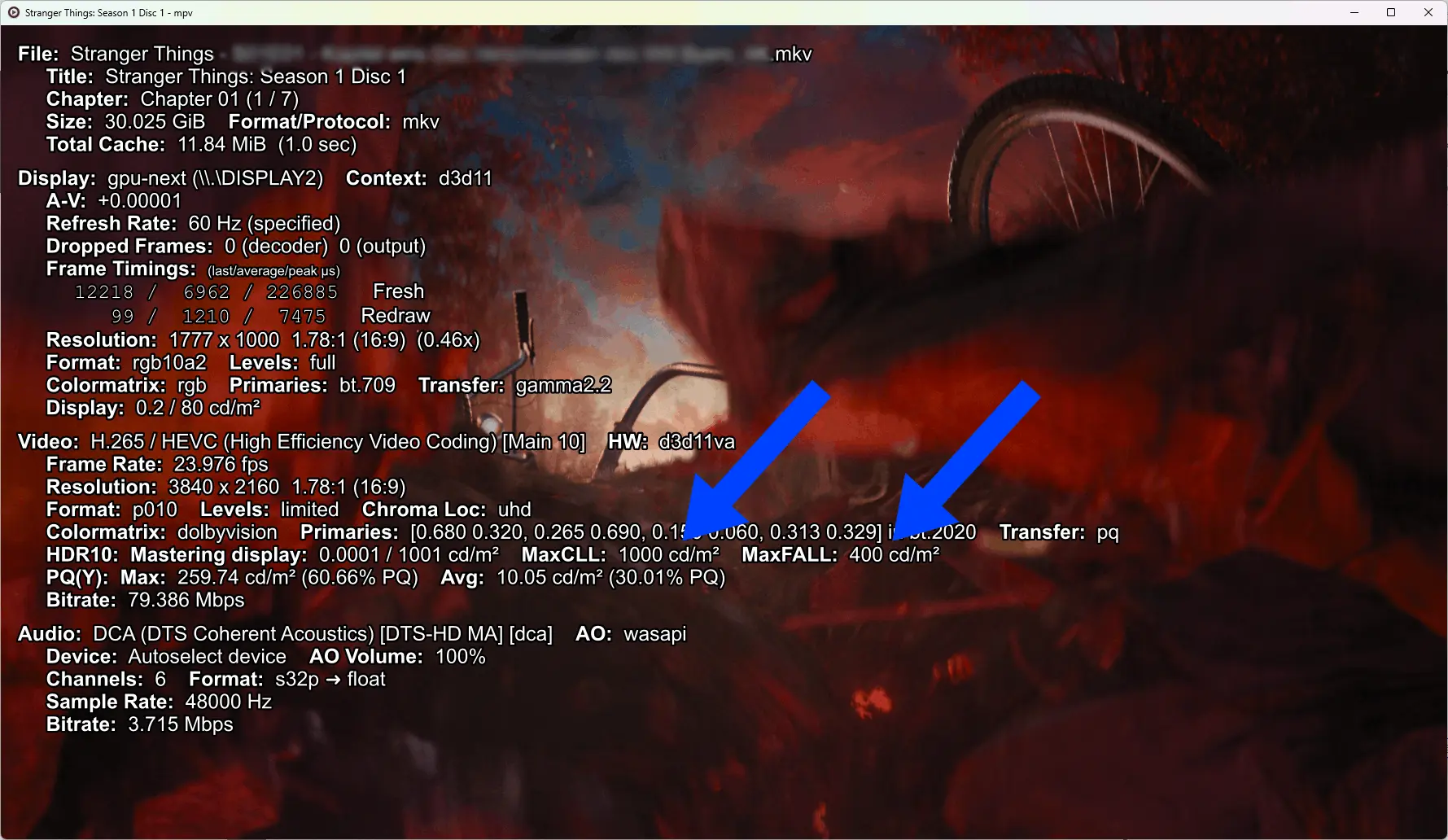
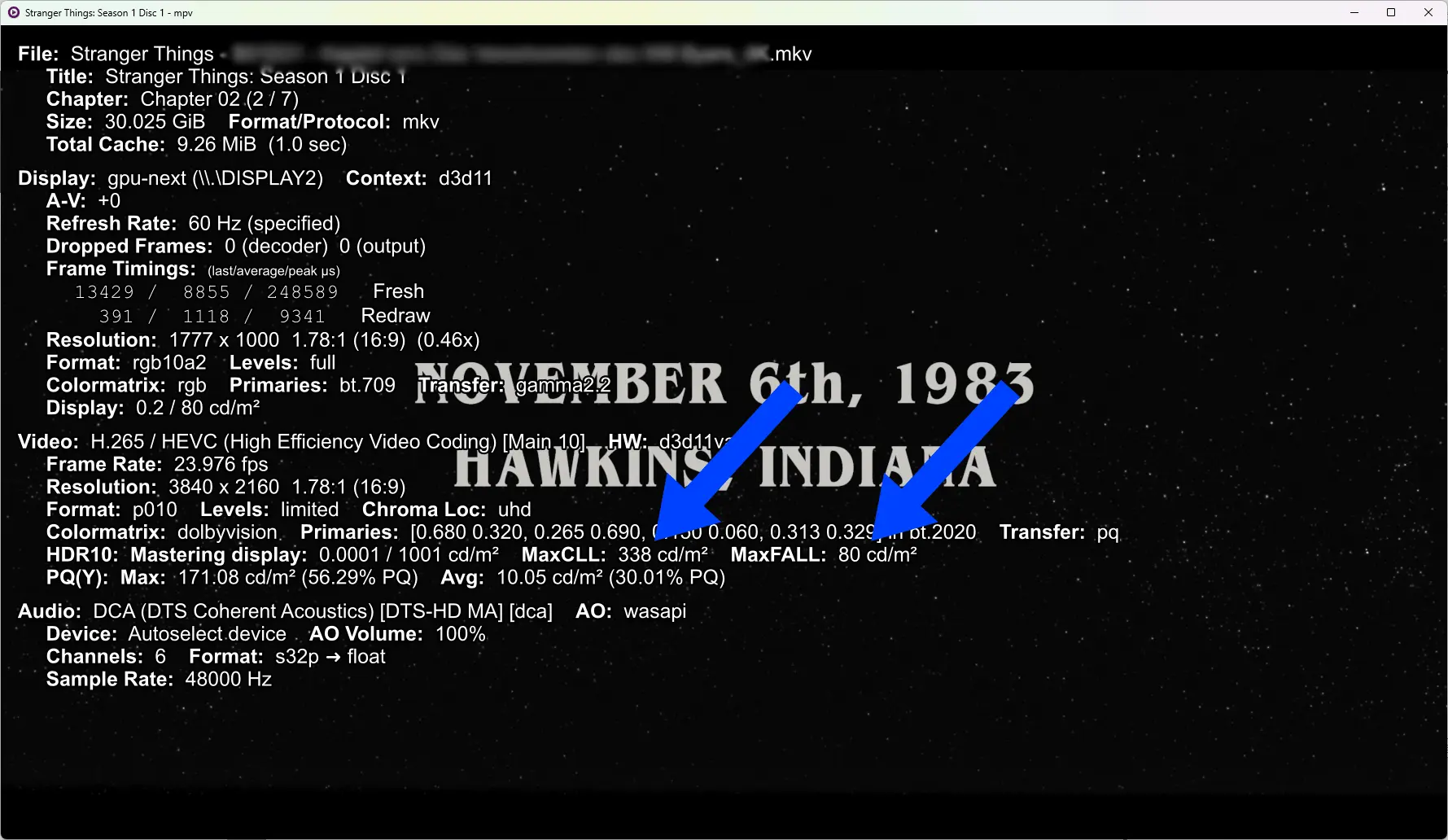
About the HDMI output... I checked with my HDFury Arcana what happens with the metadata - if it changes or so. It stays with the metadata of the intro until playback stops. This is identical to the behavior of my bluray player. The question is: Is this the preferred way of playing back such media? (In my opinion, such media is wrongly mastered, as we don´t have any chance of changing this; this is probably fine, although not ideal... different problem)
For example, this issue gets worse when looking at other platforms. On Windows, dynamic HDR metadata changes are working, and with Kodi this triggers a complete resync of the display signal when such a merging spot is being played... An absolutely unwatchable experience; that was actually a reason why I have switched over to LE... (Similar issue https://github.com/mpv-player/mpv/issues/11538) I have no idea what would happen when LE/linux would be able of dynamic HDR metadata changes on playback... I guess this would introduce many more regressions...
As for 4K rips from seamless branching discs, where every segment has the same HDR metadata, those play just fine. (on all platforms)
Anyway, back to the issue with the green image - is it possible to avoid this (without transcoding all files)? In my understanding, it's the decoder that doesn´t like it; however, sometimes it's okay? (Is this an I, P, and B-frame mismatch?) Or is it possible to make this green image just black?
If needed, I can upload some debug logs or probably DM someone a small sample.

Yes I tried LibreElec 13 May 16th 2026 and the HDR is still the same wrong colors unfortunately.
Can you describe this issue a bit more? Do you have any reference scenes where this is noticeable? Is this any different with the latest LE 13 nightly?
Does your AMD Ryzen mini pc use any HDMI conversion chip? Is this issue only present with integrated graphics?
I'm kinda curious, as I'm also using AMD graphics hardware (although a dedicated GPU, RX 6600) for my daily LE (13 nightly) experience, and on my end everything looks wonderful. (At least I think it's correctly displayed)
First of all, thanks for doing awesome work on 3D playback and MVC decoding! 3D is not dead! (... yet)

If they are full-SBS or full-TAB then you ideally want FP mode.
Does this mean full-SBS (3840x1080) files are processed on the fly "to" frame-packed, and sent as frame-packed video (1920 x 2205) to the display or projector? Is the RPI4/5 fast enough to do this conversion on the fly?
(What are the chances that we see this 3D implementation working on x86 hardware? What would be missing? If I understand it correctly, MVC streams are software-decoded, so no special hardware decoder is needed? Does the drm/gbm display stack on x86 need fixes, or is this "only" a Kodi fix?)
Is there anything new regarding the HBR audio passthrough issue?
I missed that part in your earlier answer, sorry! Changed it all!
Thanks, guys!
If it's okay, I will draft a PR with the -Dvideo-codecs=all option?

In any case, vaapi-mpeg2 is problematic on AMD, image quality-wise. At least that's how it was a few years ago but I don't think anything changed.
I thought of something like this as an explanation why it wasn't enabled in the first place. Do you have sample media that exhibits those problems or a link to a thread discussion such? Would like to test such media on my rx 6600...
Hi!
As the title states, there is no hw accleration of mpeg2 content on AMD GPUs, even though it's supported by the GPU silicon. For newer (RX7000+) chips, it does not matter as they do not support hw decoding mpeg2 (and vc-1) content, but for older generations? (in my case, Vega 8 and RX6600)
Is there a reason why it's disabled/missing in the Mesa package.mk?
=> https://github.com/LibreELEC/Libr…package.mk#L106
I compiled myself an LE version with mpeg2 enabled and it works fine...

The nightly with the fix is now available:
Tested the build on my system and it's fixed! Thanks a lot!