


I confirmed with a laptop that the display does support 1280x720, so version 12 works but only detects a subset of the resolutions.
I confirmed with a laptop that the display does support 1280x720, so version 12 works but only detects a subset of the resolutions.
huh I did just realize with the successful boot that this display is at 720x576p @ 50hz, I'm pretty sure it used to detect at 1280x720 but I'm not positive.
I was able to successfully downgrade by dropping LibreELEC-RPi4.aarch64-12.0.2.img.gz in /storage/.update/ and rebooting. I ran getedid delete and verified the cmdline.txt had dropped the video related params before rebooting and I'm getting video output.
No luck with either option.
Some fun version debugging, these are all clean flashes with zero customization:
So something between 12.0.2 and 12.2.1 makes things unhappy.
At this point I'm going to setup the player on 12.0.2. I'm happy to do more debugging, though it might have to wait until post-christmas.
Sounds good, I'll give those a try next, it will be a few days before I have time to tinker again.
So with a new HDMI cable, booting with no SD card shows me:
display: DISP0: HPD=0 EDID=none #0 DISP1: HDMI HPD=1 EDID=ok #2
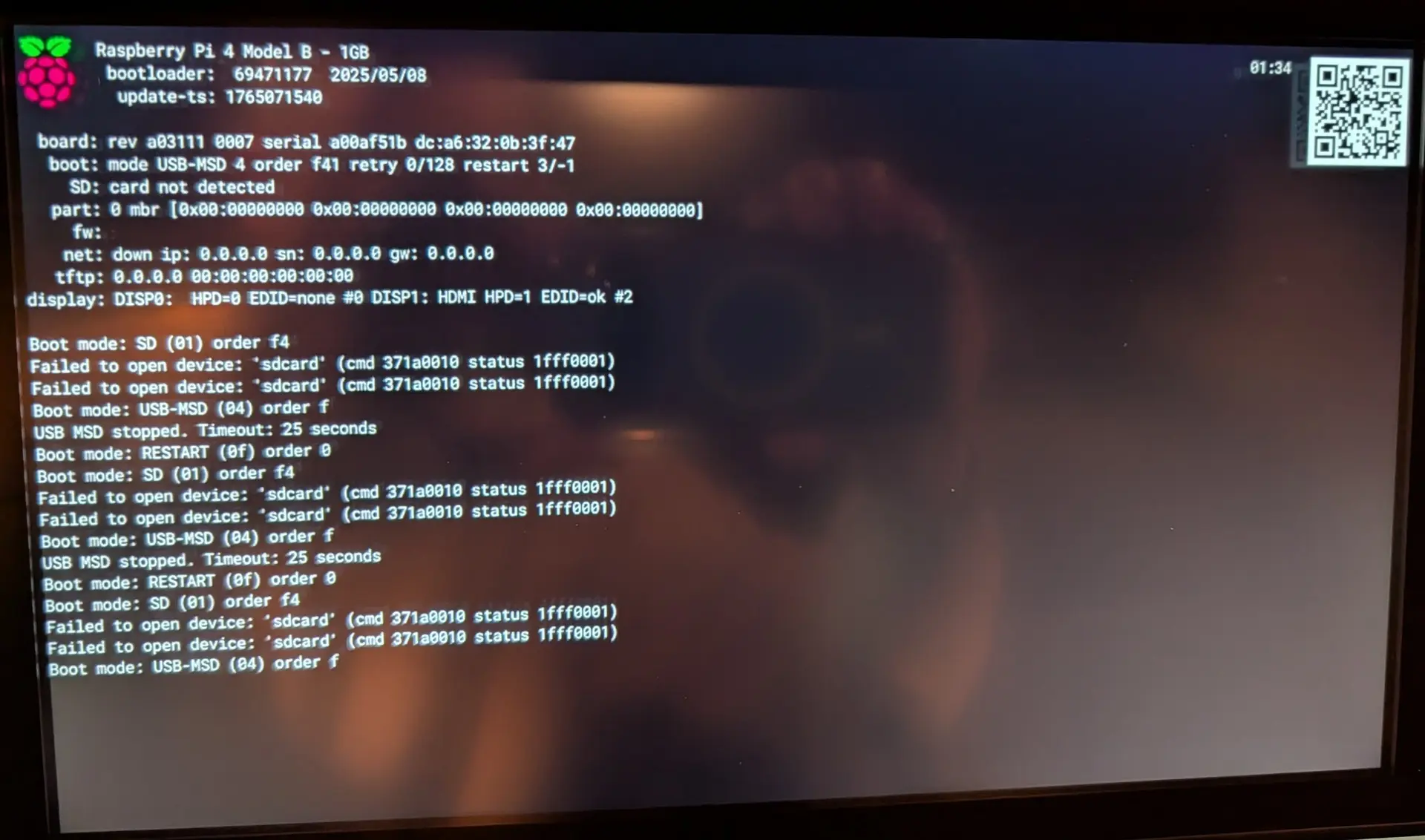
A subsequent boot from the SD card with the same cable is still a blank screen, the log from that boot is: https://paste.libreelec.tv/topical-panda.log
I ran "getedid create" while plugged into the van, verified the changes to /flash/config.txt and rebooted with no luck: https://paste.libreelec.tv/communal-husky.log
So tried:
Whats interesting is I know this worked before, but that was back on v 9.x. When I get more time I'll flash a 9.x version and see if that works. If it does then I guess I binary-search the release history to see when it stopped working.
Follow up while I'm waiting on new cable options. Would it be expected that the rPi4 works with a PC monitor via HDMI (https://paste.libreelec.tv/good-wren.log) while the exact same cable/power/network fails with the display built into the van? (https://paste.libreelec.tv/allowed-baboon.log)
Note this is with HDMI1 now vs HDMI2
Interesting, these same cables worked on previous versions of libreelec. I'll poke around with other HDMI cables and see what I can come up with.
Thanks for the pointer on what to look for in the logs here.
Log dump: https://paste.libreelec.tv/workable-raccoon.log
I had this working a year+ ago, updated things, and now I'm just getting the rainbow/color wheel initial boot image and then a black screen. Digging through the logs it appears to be detecting a 1280x720 display, which is what the van has.
What should I be doing for further debugging? I had an edid config that I removed, it didn't change anything either way with or without it.
The same setup works when connected to a PC Monitor via HDMI.