

Hello, I have a question of interest.
Was "nightly" set to build-LE13 (because until yesterday it said "deactivated")?
Or is there just a creative break at the moment?
(This was translated with DeepL – I hope it is understandable.)
Regards, JD
Hello, I have a question of interest.
Was "nightly" set to build-LE13 (because until yesterday it said "deactivated")?
Or is there just a creative break at the moment?
(This was translated with DeepL – I hope it is understandable.)
Regards, JD
Hello,
Everything is working fine for me on Rpi5 and NVMe M2/SSD Boot.
Regards, jd
(translated with DeepL)
Good morning
search (google ect. pp.) on git for v7.3.0+beta.1 or 2
anxdpanic
Please save settings beforehand! Set up again
inputstream.adaptive-
inputstream.ffmpegdirect-
inputstream helper
do not forget
...
stream Set correctly dash ... etc. pp.
jd
(translated with DeepL)
hi
youtube version?
jd
Hi
just try "Raspberry Pi Imager" or "balenaEtcher"
both run without problems even with NVMe cards (USB converter)
greetings jd
(translated with deepl)

I'm ....
simply install the latest nightly (manually via .update ...*.img) and the issue is resolved for the time being
https://test.libreelec.tv/13.0/RPi/RPi5/LibreELEC-RPi5.aarch64-13.0-nightly-20250520-36ebb82.img.gz

jd
Hello team
is there something wrong with the address https://test.libreelec.tv/?
update channel LiberELEC-13
I only ever see an empty window
since "days" I have to download the ".img" (https://test.libreelec.tv/13.0/RPi/RPi5/) by hand
and copy it into the update folder
greetings jd
(DeepL)

meal
just info
I first solved the "problem" with "PVR" by going back to the "version" pvr.iptvsimple-22.5.0.1
and switched off the "AutoUpdate"
jd
https://paste.libreelec.tv/accurate-elephant.log
https://paste.libreelec.tv/classic-hog.log
hope that this is correct
have fun with it
go back to the LibreELEC-RPi5.aarch64-13.0-nightly-20250415-eb71165 for now
mfg jd
Edit says: I have the suspicion that the newer versions from "13.0-nightly-20250426" breaks the db
from
MyVideos133.db
to
MyVideos134.db
to
MyVideos135.db
jd
hello
just an addendum
I forgot to write yesterday
since the *img
LibreELEC-RPi5.aarch64-13.0-nightly-20250418-554cfb7
the "soundtrack" is no longer read out correctly (OSD display)
For films it is still OK
partly not OK for series
is particularly noticeable with media library series/films
also with "Youtube" streams
please do not answer for now
still waiting for a current *.img for testing
2025-04-21 (f95393b): #9989
2025-04-20 (09a4ee0): #9988 kodi: update to githash 13574db
2025-04-20 (22dcc58): #9986 Addon updates
2025-04-20 (8616162): #9984 linux: update Amlogic kernel patchset for Linux 6.14.y
2025-04-19 (680d127): #9982
----------------OSD Deff--------------
[2025-04-18 (554cfb7): #9918 CMake update to 4.x
2025-04-18 (28f34dc): #9980 pvr.freebox: update 22.2.0-Piers to 22.2.1-Piers
2025-04-18 (7a362ec): #9979
2025-04-18 (2aadc65): #9978
2025-04-17 (842d004): #9977 kodi: update to githash 230e3b4
2025-04-17 (bdaddbf): #9976 visualization.shadertoy: add jsoncpp dependency
2025-04-17 (ade3f59): #9975 mesa: update to 25.0.4
2025-04-17 (afe5f05): #9974 Addon fixes]
--------------------------------------------
2025-04-16 (fbb28d7): #9971 Package updates
2025-04-16 (6a64157): #9969 kodi-binary-addons: sync up Nexus to Omega versions
2025-04-16 (5dedefe): #9970 Addon updates
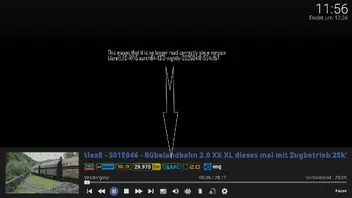
translated with deepl
mfg jd
evening
thanks will try it in the next 2 days
mfg jd
Meal
with the "LibreELEC-RPi5.aarch64-13.0-nightly-20250428-6ff0050" the same problem 
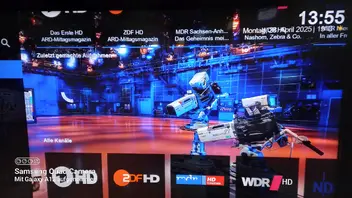
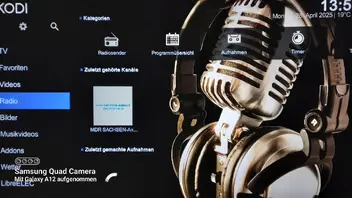
let's see what the next one brings
with LibreELEC-RPi5.aarch64-13.0-nightly-20250426-07a8ef5
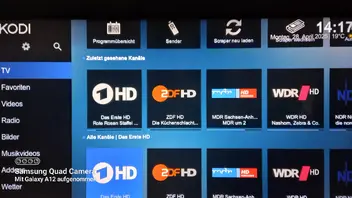
mfg jd
good evening
the "LibreELEC-RPi5.aarch64-13.0-nightly-20250427-34e4c98" seems to have a "bug"
after the update from LibreELEC-RPi5.aarch64-13.0-nightly-20250426-07a8ef5 to LibreELEC-RPi5.aarch64-13.0-nightly-20250427-34e4c98
Nighly always wants to search/start some "recordings" that I have not made (TV and radio) spinning "spinner" (?)
if I go back to the LibreELEC-RPi5.aarch64-13.0-nightly-20250426-07a8ef5 the behaviour is not present
sorry this is translated with Deepl (german to english)
mfg jd
thanks
I have just added
"Changelog
2025-02-07 (92fefae): #9772 Revert \"curl: update to 8.12.0\"
mfg jd
translated with DeepL
I hope it is correct
LibreELEC-RPi5.aarch64-13.0-nightly-20250207-5d50e8d made as update via LibreELEC-RPi5.aarch64-13.0-nightly-20250205-b876ad8
https://paste.libreelec.tv/hopeful-imp.log
https://paste.libreelec.tv/shining-rooster.log
Hi
I don't know if I'm right here "Bug Reports"
or I should write it in "Development" Nightly.
LibreELEC-RPi5.aarch64-13.0-nightly-20250205-b876ad8.img ist ok
since the version (update)
LibreELEC-RPi5.aarch64-13.0-nightly-20250206-b83a91c & LibreELEC-RPi5.aarch64-13.0-nightly-20250207-5d50e8d
no more "streams"
Kodi crashes immediately when I want to call up a "contribution"
ARD&ZDF Mediathek, YouTube and Twitch e.g. films and music from HDD.
Films and music from HDD is no problem
[Geekworm X1001 PCIe to M.2 Key-M NVMe SSD PIP TOP for
Raspberry Pi 5 (8GB)

]
if I should attach a log please say/write
kodi.log
kodi.old.log
kodi_crash.log
mfg jd
meanwhile go back to LibreELEC-RPi5.aarch64-13.0-nightly-20250205-b876ad8.img
translated with DeepL
