

"Permission deniede 3: can't create /sys/class/gpio/export"
Should be checked the owner and permission of that autostart.sh file.
Try with SSH: ls -l ~/.config/autostart.sh
"Permission deniede 3: can't create /sys/class/gpio/export"
Should be checked the owner and permission of that autostart.sh file.
Try with SSH: ls -l ~/.config/autostart.sh
Hi,
As first step, you should try these commands one by one in a SSH terminal. Maybe you will get some error message (what's not visible when run from autostart.sh)...

This happens to me all over the board, rpi3, rpi4, different power cables and sources. Doesn't matter. It is not a power issue. Streams do get interrupted and only the audio returns. It started after the big update which is called Matrix. Leia did not have this problem.
I think two "things" lead to that "picture freezing", the imperfect stream (from RPi powered HDD or TVheadend server with interlaced video and limited antenna signal) and the mediaplayer/codec changed after Leia (probably far more sensibile to stream issues).

Looks like you are right - put a 3TB powered drive in and things seem fine. Shame the Pi can't handle more power but I don't suppose plugging USB HDDs into each USB port was a design consideration.
It's a "grey zone" between powered enough and no enough power. The current consumption not "flat", it's dinamic, and sometimes, for short time, can be insufficient, leading to strange issues. I had some strange freezing issues with my RPi3B, after changed the power source, no more freezing...
And why only the picture freezing... probably it's something with media player or the codec, when in the stream some issue occurred, sometimes the video part can't be recovered, remaining blocked, meantime the audio part continued... that can explain why with a skip forward the video started working again.
Hi, I used before to update to LE11 nightly builds directly from Settings - LibreELEC - Updates menu. I think should work with LE12 nightly builds too.
You need to enable the "Show Custom Channels", than type at the "Custom Channel 1" the path to nightly builds: "https://test.libreelec.tv/". After that, change the "Update Channel" to LE 12 nightly and check the "Available Versions".
As the nightly builds are beta builds, you can expect some bugs, so it's highly recommended to have backups, in case of something not working...

CRT should work without additional hardware, just by using the headphone jack.
There is a known CRT bug since LE 10.0.2, and I don't know whether it's fixed now. So please test with LE 10.0.1.
Here are the settings: Click!
Hi, it's not about a "classic" CRT TV display with composite video input. I repaired things like this 15-20 years ago, know them well, but even in that era, that type of connetion was very rare compared with VGA. It's a CRT monitor for PC with RGB input, three BNC connector for Red, Green and Blue analogue signals, usually with synchro signal mixed on Green or another two BNC input (for V-sync and H-sync signal). Same as the VGA connector signals, but without EDID connection. The RPi's composite video from jack connector can't be used for this and probably harder to transcode to analogue RGB than the HDMI output.
The cable (used after a HDMI-VGA adapter) probably is like this:

Hi, it's not working but nevermind, I'm trying something else now with my Pi 4, maybe you can help me.
I plug my Pi 4 with this extension : https://www.recalbox.com/fr/recalbox-rgb-dual/So I can output true RGB with this extension > scart cable > scart bnc.
Do you think it's possible to display LibreELEC from this extension ?
Thank you
Hi,
Sorry but I think you should let it go that very old CRT monitor with only BNC-RGB input.
The system (LE in this case) needs to know the supported picture modes from display, for that is used the EDID data, but that is missing in case of BNC-RGB connection. Also if that old CRT accept only interlaced picture when the Kodi only support the progressive mode... maybe can't be solved at all. For the both case, no matter what type of adapter-over-adapter connection you will use. The system want something what the display don't have it (EDID data) and the display want something what the Kodi can't provide (interlaced picture).
You should upgrade the display to something less old, which have digital input (HDMI or DVI) and less power hungry...

What is up with the LibreElec website DL page?
Been trying to DL the RPi 2 image and it is taking over 60 minutes for a measly 127 MB file that should DL in a few seconds?
Tried DLing some of the other images and it's the same thing... 50-60 minute wait for a file that should take less than a minute to DL?
Did you guys forget to pay your internet bill?
Really doesn't instill any confidence in your product if you can't even DL it.
Probably you already sent some donation to LE team to help to pay the internet bill...
And took for me 10 second to search for download mirrors.... all had download problems?
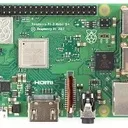

As for HDMI splitters: they are tried and tested but IIRC when using them with RPi's there were some issues with the correct transfer of EDID information.
Hi, just some additional info about the "issues with the correct transfer of EDID information". Can be resolved by saving the EDID data without the HDMI splitter. After that the LE always will load the saved EDID and the HDMI splitter can be used. Use the "getedid create" command (More info).

Due to the fact, that my wife complained about the EPG problems I had to find a faster solution. I just made a complete re-install of the image and made all the same settings as last time. Currently the EPG problem is gone and connmanctl clock still tells me it would use the Timezone of Arctic/Longyearbyen. So this doesn't seem to be the root cause.
Hi, About the "Kodi shows the correct time, but EPG in Kodi is wrong" I remembered, I had something like this at every clock "change", excepting now. The difference now, I redirected the EPG database to the "/tmp" folder (RAM instead of SD card) and I have a cronjob for every night for reboot (what clear the EPG database in the /tmp). That "EPG wrong time in Kodi" could be because of the database. I made that EPG database change to speed up the startup (takes some time to write the EPG data to SD card at every startup) and to protect the SD card from unnecessary write. If you want to try that add this to "advancedsettings.xml", and probably at autumn, you won't have same EPG issue (or will be easy to resolve with a simple restart).
<epgdatabase>
<type>sqlite3</type>
<host>/tmp</host>
</epgdatabase>
<tvdatabase>
<type>sqlite3</type>
<host>/tmp</host>
</tvdatabase>
Hi,
You are really playing in another class... 
I'm just using this: UDA1334A connected to the RPi3B+ digital sound lines (I2S), with a good amplifier and a pair of old JBL floorstanding speakers.
I wanted something better than the RPi built-in audio-out connector...

Disabling logging and shared MySQL db has been working fine for me. It would be nice if I could offload the PVR channel data and textures data too.
Hi,
For PVR and EPG database you can try something like this (add to advancedsettings.xml). Will create the specified database in the "/tmp" (ramdisk) folder.
<epgdatabase>
<type>sqlite3</type>
<host>/tmp</host>
</epgdatabase>
<tvdatabase>
<type>sqlite3</type>
<host>/tmp</host>
</tvdatabase>
More info here: https://kodi.wiki/view/Advanceds…ibrary_settings

I now have cat 8 cables, but the data speed is just 2 MB/s, the data goes through two switches, once a Netgear GS16E and then a DELL N1548
Hi, did you checked if not wiring/hardware issue? Tried to boot another OS and checked the speed? If not, try to boot a linux os like Ubuntu from USB stick, search for "Ventoy" and "Ubuntu ISO". In a few minutes you can prepare an USB stick to boot directly different iso images.

hi all - long-time user here . . . this is the 'easy' part but having trouble for some reason . . . 2 different usb sticks, 2 different image programs and 2 different images (rolled back to see if it was the image file) . . . not sure what is happening or if you all can help as not a libreelec-specific issue but . . . also, changed the file system to fat to see if that will help but originally ntfs.
thanks for any suggestions
michael
Hi,
Try to start the LibreELEC.USB-SD.Creator with admin rights (right click, "Run as adminsitrator").
Hi,
To try your display EDID data, did you tried to use that display with a PC (or laptop), with and without that "HDMI-DVI" cable. If another device is able to recognize the display (especially with that cable) and to use it with optimal settings (1280x1024) means the display EDID is OK.
I have 3 RPi3B, connected to FullHD or HD (1366p) display, and don't have any picture issue. I'm used with LE9, LE10, now with LE11, had random "no picture" issue (LE10) once in the past, because of a poor quality HDMI cable, probably bad contact.

Bump!
I don't know the Libre Renegade board (RPi3B user), but if equipped with SD-card socket, is difficult or take too long to try the latest LE images? Instead to wait over a month for an answer... I'm just asking...
Hi,
Looks like the LE didn't get the EDID data from display through HDMI cable.
First, I'm just asking, did you tried with another HDMI cable (I had once same issue because the HDMI cable - EDID wire contact issue)? Another thing what you could try, with another (full HD) display, if working, make an EDID save ("getedid create"). If the LE have EDID data saved, won't wait to identify the display from HDMI, will use the default values from saved EDID.
Hi,
I had something similar, I'm using MCE remotes (HP) and tried to assign a button to open the context menu. When I tried to use the "#" button, in file manager, always opened the "rename" menu instead of the context. Then I tried to use the "yellow" and works perfectly. I think some ("special") remote buttons can't be reassigned in the .xml file. As I resolved what I want with "yellow" button, I didn't continued to search a solution for the "#" button remap...