Posts by dtech
-
-
Display More
Dear dtech,
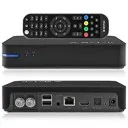
Can you help me why I cannot set up the remote control for my Beelink Mini MX III (S905, 2G, 1Gb, RealtekWiFi)? I have tried several remote.conf files, including one that worked perfectly with CE 9.2.8. Also with AmRemote and Meson IR files. Of special interest is that it doesn't respond at all to its own remote control, but it does take some of the signals from my Vontar X3.
In addition, I would like to ask what dav1d decoder is in the latest release? I mainly want to play 720p AV1s with it in the future. If not the latest could it be updated somehow?
Thanks for your help in advance.Under all my images, only amremote (remote.conf) works, meson-ir is not supported.
I modified the config saved from the MiniMXIII stock Android image, I hope it will work.
Please extract the attachment, copy the remote.conf file to the /storage/.config/ directory and then reboot.
I would definitely like some feedback, whether it works or not. If it works, also about whether all buttons are good.
(The function of the mouse button is different, it opens the info.)
I will investigate the possibility of updating the AV1 (dav1d) codec, currently the original v0.3.1 is in my images.
Although it is worth keeping in mind that none of the SoCs supported by me are capable of AV1 hardware decoding, unfortunately.

-
upon entry on LE 11.0.3 for WP2 Display mode not find 1080p50hz or 60hz
Then I don't understand why you wrote earlier that you are using LE9.2 when it is not true.
Anyway, from this point on it requires chewitt 's expertise.
-
Excuse me, but what are you talking about? You wrote at the beginning of your first post:
i am run libreelec 9.2 on wp2
But it never officially released, only I made community images from that branch, see in this topic:
ThreadLegacy v9.2 (LTS) builds for Amlogic S805/S8X2, S905/S912 and all WeTek boxes
Latest version: LibreELEC 9.2.8.20 (Release date: 2026-04-19)
IMPORTANT NOTICE!
Due to the switch to GLIBC v2.34, all binary addons have been rebuilt. The main version of the add-ons has been changed from v9.2.0 to v9.2.1, so after the system update, the binary add-ons will also be updated. In addition, the default transfer protocol in the repository has also changed from HTTP to HTTPS.
NOTICE: If the auto update is enabled, but the installed version is not the latest, then the supported devices…
dtechFebruary 7, 2021 at 2:33 PM Please don't be offended, but based on your answers, sometimes I feel like we don't even talk to each other in English.
-
Umm, okay. You didn't actually answer my question, but still okay.

I am aware of this method, because I also use it, but I tried to approach it from a diagnostic point of view.
But, I don't know anything about CE either (but neither does anyone on this forum), I thought you were using my LE 9.2.8 community version.
However, 120Hz really makes no sense, because HDMI 2.0 is not enough for that, and the S905 only has this HDMI version.
-
If you don't answer, then I think it's already irrelevant for you.
-
i am run libreelec 9.2 on wp2
but 50hz not found ... i need active this
How do I do that and how do I always add it?
Please log in via SSH into the box and run this, then post the output in a reply comment:
-
Thank you for this my fellow Hungarian

Halihó!

The essence of the factory recovery method would be that after pressing the reset button, although the internal uboot starts, if it is not damaged. After that, instead of the kernel it calls the recovery.img from the SD card and then from the USB, finally from the eMMC. (Obviously, it boots what it finds first from the previous sequence.)
It seems that this is either not implemented in upstream uboot for some reason, or maybe some condition is not met, IDK...

There might be a workaround, please rename the recovery.img file on the "unbrick" SD card to KERNEL and try booting it again.
-
...
AMLOGIC
...
To set expectations, here’s the ‘No’ list:
- No support for updates from older LE releases (clean install is mandatory)
- No support for internal eMMC install except WeTek Hub/Play2 and SBC boards
- No support for SSV6501 and S908CS WiFi chips
- No drivers for in-box DVB tuners
- No hardware deinterlacing
- No HDR to SDR tonemapping
- No formal support for newer S905X2/D2/Y2, S905X3, S922X, A311D devices (read below)
-
Question: Is there any valid reason why the stock bootloader must be replaced for the LE11+ image?
I'm only asking this because it seems that the box image can run from an SD card under the factory bootloader without any problems, so I see this as an unnecessarily dangerous thing.
This is exactly why I don't dare to use emmctool, because at the moment it doesn't seem like any kind of "disaster recovery" would work for WP2 and the Hub. One thing is certain, that the number of problematic cases is much more than zero. Knowing this, I consider it a bit risky to release not sufficiently tested images that overwrite the factory bootloader.
-
I see that you still do not answer my questions, nor do you produce usable logs or screenshots, at least do one thing for me.
Please measure the DVB-T coaxial input with a multimeter in VDC position when you use my build, in this way:
At least I would like to get an answer to this question: Can the 5V DC antenna supply be measured at the input or not?
-
Hi,
When I restored CE backup on LE, I did it complete with all addons and settings. With option to make restore inside of LE settings.
I use TVhedednd 4.3 with icam patch.
When I installed fresh LE, i just installed this TVH (used in CE) and nothing else. This is TVh I installed: https://temp-file.org/s65xwrZiz1AMOOp/file
If there is a problem with my version, I am happy to help you, but if you're using a binary outside of my repo, I can't provide support.
In addition, I still haven't received an answer from you for most of the questions I asked.

-
I tried all three drivers inside LE and no power on dvb-t2 coaxial input.
Did you measure that there is 0V DC on the coax, or are you just guessing? If the latter, what do you base this on?
This is important because if the voltage is present, but there is a bad signal or ablolutely no signal at all, then the whole thing leads to a dead end, and we are trying to trace a non-existent error. If you don't mind, I'd like to avoid that for obvious reasons...
I tried all three drivers inside LE and no power on dvb-t2 coaxial input.
With CE each driver has power on dvb-t2 coaxial input, also when I restore CE backup on LE dvb-t2 coaxial input had power.
I cannot understand your whole procedure in this way...

When you restore the CE backup on LE, do you restore it together with TvHeadend? I mean with the complete add-on and its settings?
^ This is quite important information, because now I don't even know whether you are using the CE's or LE's TvHeadend binary.
According to the signs, the problem is not caused by the driver, because it is integrated in the image. However the TvHeadend binary is not!
By the way, you didn't write which TvHeadend you use, v4.2 or v4.3? And are you absolutely sure that you managed to set exactly the same settings in TvHeadend during the clean installation as during CE? (Especially whether the settings of the multiplexes match.)
I need specific information, because this way I'm just groping in the dark. I don't mind if you write a short novel, I just ask that it have tangible information content, some logs, screenshots, whatever...
-
I just installed fresh LE with only Tvhedend installed. It work with dvb-s2 channel well, but I am not able to check dvb-t2 (HEVC) channels due to fact I need extra power 5v for my terrestrial antena and I cant find this option inside of this installed tvheadend (inside CE it seems this antenna power is always on).
As far as I know, the KIII Pro contains the exact the same tuner as the KI Pro and KII Pro boxes. In my case, 5V is constantly present on the DVB-T/C coaxial inputs, it can also be measured with a multimeter. I also use an RF amplifier on my yagi antenna which supplied directly from the coax.
However, I suspect a driver problem, so please try the dvb-latest or crazycat_aml packages, these contain impoved dvb drivers.
Add-ons -> Program add-ons -> LibreELEC Module Drivers
-
LibreELEC-AML v9.2.8.11 has reached the release phase, but I don't want to release it until we find out the error you mentioned, but I don't want to wait forever either. Please present something tangible as I asked earlier in post #857, because without it I cannot investigate anything, but it will delay the release of the next version. Thanks.
-
there is the problem with play HEVC video content (stuttering, audio out of sync)
I will need a little more information than this, because the format of the file is only one thing, besides that, there are quite a few other parameters of that media file.
A log would be good (pastekodi), and a part of the file that was played incorrectly would be also helpful if you could upload it somewhere.
I have installed CE 9.2.8 on device and HEVC video play without issue on this system.
I made backup of CE 9.2.8 system and restore it on LE 9.2.8.10, but problem with HEVC video still existing.
Please, do not restore a CE backup on LE, because although the two systems are similar, there are quite a few differences between them.
It's even worse if you try to use pre-compiled CE binary addons under LE, even just a simple pvr addon. This two systems are not (fully) compatible with each other, so please don't do that!
I can only help if the answer to this question is "Yes":
Does the above issue persist under a "clean" LE 9.2.8.10 installation?
-
Hi, first of all thank you very much for your amazing work, how you brought my old little mxq box back to life is charming. Although I'm having issues while trying to build an image from the source you provided, I dont know if here is the right place to ask for help but compilation is failing only 5 steps before completion would it be okay if I share the log with you? or where can I ask for help? by the way im trying to compile it using WSL2 with ubuntu 18.04.5 LTS and I'm trying with the code from the tag 9.2.8.10-S8XX, the command I'm running with make is make image PROJECT=S805 DEVICE=HD18Q ARCH=arm.
Thanks in advance
cheers!
It is not recommended to post logs on the forum. For this purpose, it might be better if you open a ticket on GitHub under my repo, and we can discuss the details there.
-
[bit off topic]
Thank you. But how do you copy-paste without being able to select text? I just tried with a mouse. Got the key-stuff on a usb stick.
[/bit off topic]
In the case of local input, it is probably not possible at all, so typing remains there.
I wrote this only because even a USB keyboard is much faster than a long text entry with a simple IR or RF remote control.