


little hope for a N150 pulling that trick off, as far as an upscale.
Posts by nc88keyz
-
-
Thanks, picked this 10th gen i7 gem up with get this 64GB memory, wireless kb, ( red dragon) monitor , crappy aoc 15.6 inch or something, and an 500GB inland marine ( I think that Microcenter branded) NVME 2280 NVME drive for ....wait for the number. 95.00 Came with Mint preinstalled. Came out of a dental office , Doesn't have the innards for win 11 i guess natively. So would have to use trix to get it on there. No good for remote support. But hey for $100 dollars no complaints here. We laughed that the ram was probably worth twice that alone, He said he just needed to clear some stuff out. I saved that seller on marketplace. He let me connect it an inverter in the parking lot of a bojangles to test, so i brought my ego invertor and a battery along for the pickup. I think 11th gen was when the GPU started getting better in the nucs, but again $100.
-

You can use CroqueMr's latest build in post #1 for DV and 3D. It includes popcornmix and cinemaONE's 3D work. 3D is working great, including Intel. I've been using it on a GMKtek G3 Plus N150 mini-PC. cinemaONE
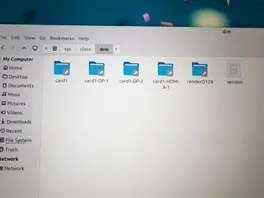
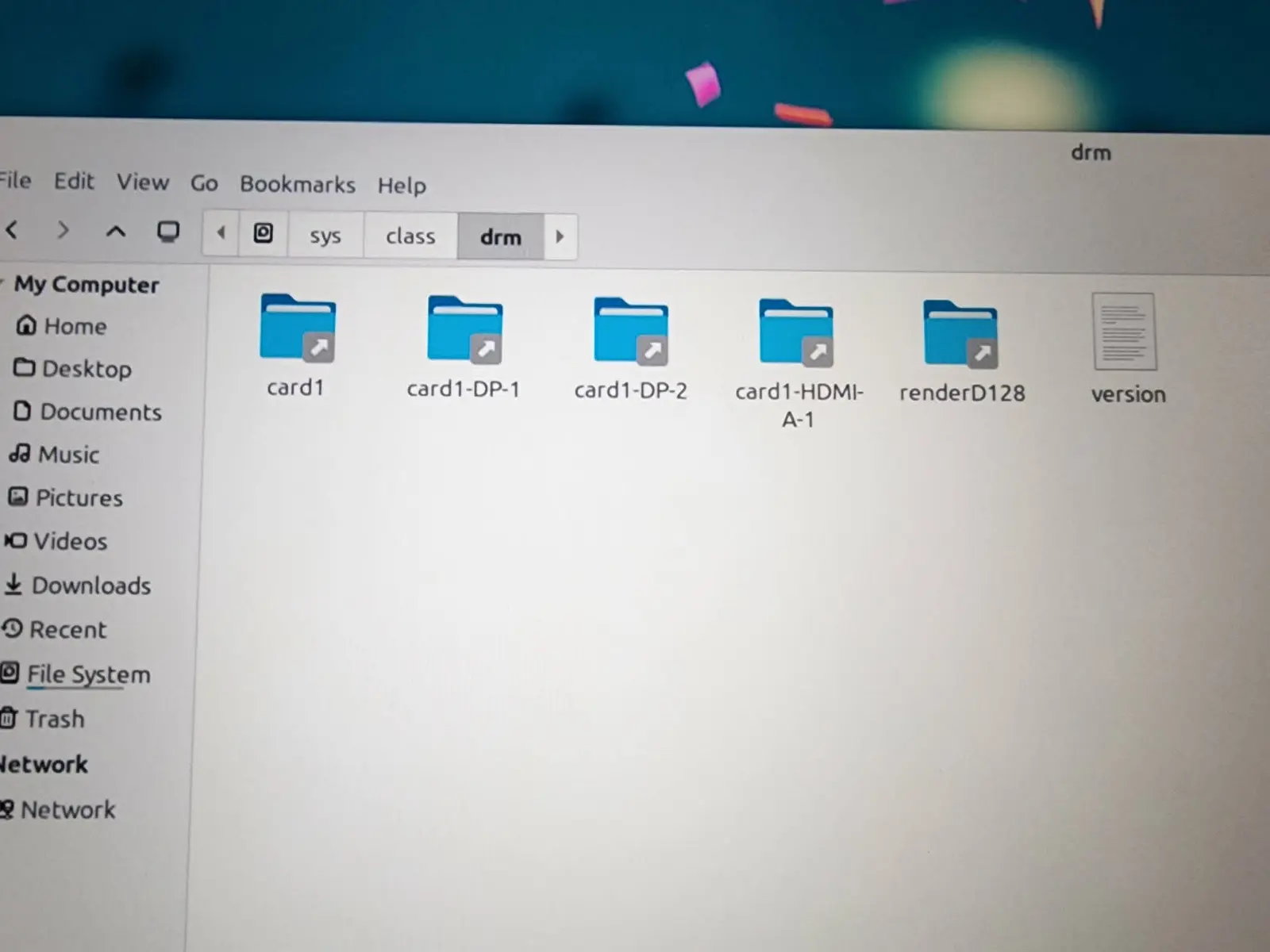
This look ok then?
-
Seemed vague, but there are two different dev builds for these features.
For Intel based mini pcs,
Is 3D over HDMI working well at this point?
I have a Pi5 and have been using popcorns 3d builds there. I see a lot of talk of AMD 3D over hdmi but not so much for intel.
Is intel just supported and well developed for 3d support, or is it non-functional.
I currently have a 10th gen nuc would like to experiment with.
-
Code
Display More<!-- modified for android style forward / reverse with seek bar, 30s fwd, -3s back, ff and rr keys are 5m -volume up and down via avrc bt transport removed, and ok for pause/play just like the shield remote --> <keymap> <global> <keyboard> <volume_up>noop</volume_up> <volume_down>noop</volume_down> <volume_mute>noop</volume_mute> </keyboard> </global> <fullscreenvideo> <keyboard> <forward>Seek(+300)</forward> <reverse>Seek(-300)</reverse> <right>Seek(+30)</right> <left>Seek(-03)</left> <!-- Adjust behavior during video playback --> <select>Pause</select> </keyboard> </fullscreenvideo> </keymap> -
Ah nice, I can use that with my cheapo Amazon remote clones and CE + LE boxes.
hard not to use them when you got like 6 laying around. All the original shield remotes died with rechargable batteries, so they all go replaced. I have 3 2019 pro s, 3 2015s, 1 2015 pro ( with 500gb ssd) Only using like 2 of them at the moment. I use a onn pro 2024 in the master bedroom. but yeah, i figured why not use them, I wasn't grasping that it used avrc profile for the audio , and that threw me when it paired with libreelec. This was the fix that worked. yay!
-
I had an issue that I thought was CEC, but apparently it was the BT volume controls coming from the profile for the shield remote that was triggering both internal and IR external volume to my AVR ( Denon). In the end. it was create a keyboard.xml file to block the command. The keymap editor did not work in addons. the code below stuck in the userdata/keymaps did the following at keyboard.xml. I think i could also disable avrp media controls via BT at the os level also but this worked so I am sticking with it. Weird issue but not sure i have used shield remote in the past on libreelec or any version of kodi linux image.
Code below:
-
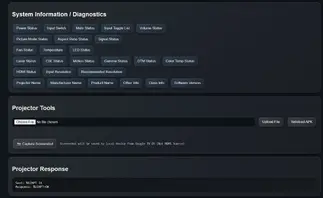
Valerion Control v1.0 - Discussion on Facebook
Valerion Control v.1.0 - Download on Google Drive
On the topic of projectors, If anyone has a Valerion Pro or Max series and possibly others, I cobbled together a python server for PJ Link / ADB control. I've pinned the tab and have been using the hell out of it stress testing it for almost 48 hours now. It is a Swiss army tool to drill almost every projection setting without a overlay and even supports screenshots from non hdmi sources , as well as upload and sideload install direct to projector
-
I installed the Java runtime and addon for full BD menu support on this build this afternoon. It seems to be working as intended. I have so many atmos / dts-x cooked isos though I cannot tell which have menus and which do not. Found a valerion disc that did , as well as a Hans Zimmer Live in Prague. All seem to be in order.
-

Really? If I select an ISO file I see the (usually) 3 item menu with "Show Blu-ray menu" last.
As nc88keyz says, my suspicion would be on settings/player/discs/Blu-ray playback mode - mine is set to "Automatic menu selection" - "Play main movie" would have the symptom you see.If you still have a issue then a debug log may help.
I set mine to play main movie because i dont care for the menus, and same as disc, and it still prompts the automatic menu selection. context menu , that is screengrabbed above. What gives. No matter what settiing the menu still pops up. I am not sure now what has been changed.
-
With the new build, this doesn't show up at all:
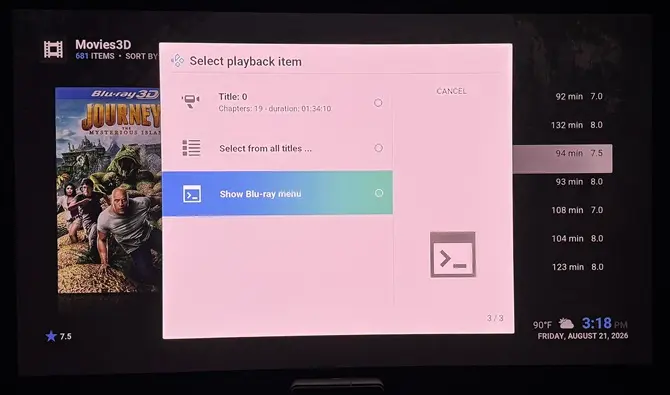
It goes straight to the main title, which does play fine framepacked (full over/under). There's no 'DVD Menu' option in the OSD either.have you gone into media player and checked show playback menu vs play item. I think that is what it is called. It could have been toggled somehow while testing or building the package for kodi
-
refreshed and experimented with a few commands in libreelec. Had to use ai a bit to refamiliarize myself with kodi via linux. Two commands that work really well during testing were
alt S to bring up settings when skins are broken due to piers 22 builds. and skin shortcuts v3.
The other is "systemctl restart kodi" or "reboot" via ssh. Those kept me out of trouble. Easier than editing the config back to the default estuary skin.
next step, since i am only testing and have not inserted this in my avr chain, I just have the Pi 5 connected to the valerion projector. Sound through the speaker wasnt really doing it for me. While it is not atmos, and no I dont use ARC, I was able to set up BT pairing with the projector to my Denon AVR ....albeit since its a much older denon avr3300w i had to compensate the BT delay in kodi to 1.5 ahead give / take. I set it as default for sync and everything is near perfect now. Turned off ARC> and the shield remote volume works via PCM to the BT speaker. All seems to be working well on that front. I have restarted kodi, rebooted kodi, played atmos streams, dts-hd , truehd, dolby eac3 5.1 etc. Everything syncs at 1.5 with passthrough turned off. A unique situation but helps in testing. I swear the pi5 libreelec video output is better than the shield sans dolby vision. HDR10, 1080p, its sharp. and its pretty easy to see on a projector at 120"
I am looking forward to the next build and where how this progresses forward.
-

If you want something efficient that just works and doesn't have the issues: use Estuary. If you want eye-candy and a slower GUI experience and issues: install other skins. I'm probably being mean to some skinner who slaves thousands of hours on their skin project, but 15+ years of Kodi (orig. XBMC) use has taught me that lesson

I have been using Kodi since it was XBMC on the xbox classic. I appreciate your comments, but with all due respect Kodi is completely about customization and local media treatment. I have been away for about 2 years while using Plex basically. But I do share the love for more local control over media that kodi gives. Having a love for 3D , i am re-exploring kodi. Was just looking for the some of the best options for Piers support and a skin that enriches the experience. Estuary is fine. So is confluence but they live a little to be desired for those wanting more.
-
Can someone recommend a skin that looks nice and is compatible with Piers that isn't quite as plain jane as Estuary, seems to be a lot of issues with the included skins. I know kodi is super constumizable I used a great skin years ago, Not sure if its still active. that was fanstastic. Just looking for something with a bit more eye candy at this point. thanks.
-
when does this forum stop manual approval on posts. Anyone know? I feel like i am in a timeout
-
ok I have the build with ffmpeg 9 on a pi 5 / 8gb up and running on Valerion Pro 2, I am plugged straight into the projector , so my sound is on the built in speaker. but its performing well, shows 1080p t/b 3d and converts on the fly to a framepacked signal on the valerion pro 2, without interaction. It been so long since i have used kodi, but i was once very heavily invested and its coming back . Got 4 nas up and mapped with 3d. iso, and mvc mkv files.
-
popcornmix, this is amazing work. i Have both a pi4 aoi keyboard unit, and a pi58gb as well as LG 2016 oled, samsung 2014, Valerion Pro 2 and Eps 6040UB projectors as well as Zidoo RT1619DR based players, and even an Oppo 203 UHD player to test 3D. I do not have any AML boxes at this time. Let Me know if I can help in anyway, I also have a 5th gen Nuc, and 10 Gen nuc as well. for X64 testing or LE etc.
-
That file is 14GB! Can it really be that big just for a menu? Yikes.